Houseblend Article
Celigo Authorize.Net NetSuite Integration Explained
Inside this article
- 01Executive Summary
- 02Introduction and Background
- 03Authorize.Net and NetSuite: Payment Gateway Context
- 04Celigo Integrator Platform and Connector Setup
- 05Payment and Settlement Data Flows
- 06Configuration and Operation
- 07Data and Benefits Analysis
- 08Comparison with Alternative Integration Approaches
- 09Case Study Example
- 10Future Directions and Implications
- 11Conclusion
Executive Summary
The integration of Authorize.Net (a major payment gateway) with Oracle NetSuite (a leading cloud ERP) via Celigo’s iPaaS yields significant efficiency, accuracy, and visibility benefits in payment processing. Celigo provides a pre-built Authorize.Net – NetSuite integration app that automates the processing of Authorize.Net transactions and payouts into NetSuite. This automation replaces manual reconciliation tasks, drastically reducing human error and saving finance teams 40–60 hours per week on average [1]. By syncing customer profiles, transaction records, and settlement (payout) data, the integration ensures real-time financial visibility: payments processed through Authorize.Net are immediately reflected in NetSuite’s ledgers [2] [3].
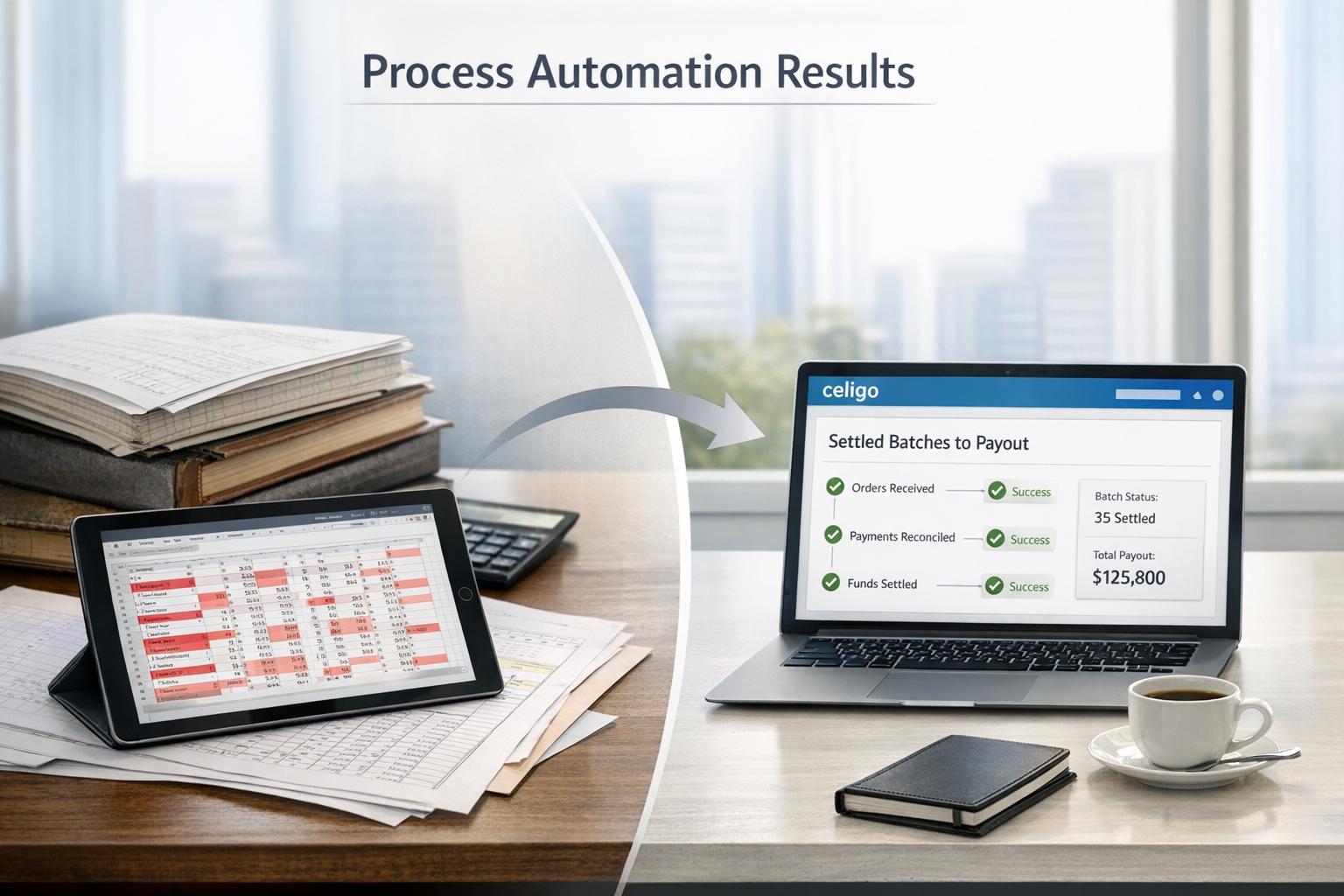
The solution employs two key flows. The “Settled Batches to Payout” flow periodically retrieves Authorize.Net’s payout (settlement batch) reports and creates a custom Celigo Payout record in NetSuite for each one [3]. The “Transactions to Deposits” flow then processes each individual settlement transaction (payment or refund) in the payout, matching payment transactions to existing sales in NetSuite, and creating corresponding Bank Deposit records [3]. Any discrepancies (e.g. amount mismatches or missing transactions) are flagged as Payout Variance Transaction records for review [3]. The integration thus maintains accurate general ledger balances by ensuring NetSuite’s bank deposits exactly mirror the funds Authorize.Net remits.
In summary, Celigo’s Authorize.Net–NetSuite integration is a scalable, low-code solution trusted by thousands of NetSuite customers [4]. It taps into robust iPaaS technology (the global iPaaS market is projected at ~$10.7B by 2025 [5]) to offer seamless connectivity. Case studies and industry data show that automating payment gateway integration not only saves time and reduces error [1] [6], but can also boost revenue (multi-channel payment acceptance can increase sales by up to ~30% [1]). Organizations implementing this integration can expect faster closes, improved cash flow visibility, and better dispute management compared to manual processes.
Introduction and Background
Modern businesses increasingly rely on cloud ERP systems (like Oracle NetSuite) to manage accounting, inventory, and order-to-cash workflows. At the same time, e-commerce and digital payments have exploded: research indicates that Authorize.Net alone currently serves over 436,000 merchants in North America and processes roughly $400 billion in transaction volume annually [7]. Online sellers often use Authorize.Net to accept credit cards and e-check (ACH) payments, leveraging its secure, PCI-compliant infrastructure [7] [8]. However, NetSuite does not natively support Authorize.Net as a built-in gateway. As one partner notes, NetSuite “has some great native payment gateways… but it is lacking perhaps one of the most common… Authorize.Net” [9]. This gap forces companies to manually reconcile Authorize.Net transactions with NetSuite’s records, or to seek third-party integration solutions.
Paying bills online and automating receivables is now expected by both B2C and B2B customers. Industry analysts report that digital payments are dominating the B2B space as customers prefer the convenience of online billing [6]. Integrating payments into an ERP provides seamless processing: “Integrated payment processing enables the manual accounting process to work together with the payment process seamlessly,” allowing firms to accept credit card and bank-transfer payments directly within their ERP and reduce steps in the payment cycle [6]. By bringing payments data (authorizations, captures, refunds, deposits) into NetSuite, companies maintain accurate general ledgers and speed up the month-end close. Automated integration thus cuts out error-prone spreadsheets and double-entry, enabling finance teams to focus on decision-making rather than data entry [6] [2].
Celigo is a leading integration platform (iPaaS) specializing in NetSuite connectivity. As Celigo’s site proclaims, it is the “#1 Global Leader in NetSuite Integration” with thousands of Kunden integrations and full-featured connectors [4]. (Celigo itself is trusted by over 5,000 NetSuite customers worldwide [4].) Celigo’s Integrator.io platform offers a user-friendly interface and pre-built integration apps. For Authorize.Net specifically, Celigo provides an out-of-the-box integration that “simplifies payment processing and financial operations” [8]. This context – a booming e-commerce environment and the powerful need for connecting disparate systems – sets the stage for a detailed look at how Celigo’s Authorize.Net–NetSuite integration works, how it is configured, and what business value it delivers.
Authorize.Net and NetSuite: Payment Gateway Context
Authorize.Net is a payment gateway service (owned by Visa) that enables merchants to accept credit card and e-check payments online. It is one of the most widely used gateways; in a recent survey of payment-management platforms, Authorize.Net held roughly 5% estimated market share, behind giants like Stripe (~34%) and PayPal (~30%) [10].According to Authorize.Net’s press materials, the platform supports nearly all verticals (retail, healthcare, B2B, etc.) and boasts 436,000 merchants with $400B in annual volume (as of Q3 2023) [7]. Key selling points include a no-PCI-setup fee model and a developer-friendly API for custom integrations [7]. Authorize.Net’s feature set includes authorization, capture, refund, and void operations, as well as settlement (payout) reporting and merchant account management [9] [7].
NetSuite is a cloud ERP by Oracle, handling financials, order management, and more. It supports native integrations with major payment gateways like PayPal and Stripe, but cannot natively connect to Authorize.Net out of the box [9]. For companies that already use Authorize.Net (e.g. migrating from older systems or existing merchant accounts), this creates a challenge. One approach is using SuiteScript customizations or third-party SuiteApps. For example, Cloud 1001’s SuiteAuthConnect is a free open-source SuiteApp that embeds Authorize.Net functions (auth/payment) inside NetSuite [9] [11]. However, because Oracle’s SuitePayments framework is closed to Authorize.Net, SuiteAuthConnect uses external API calls and SuiteScript events to simulate native processing [11]. It requires customization and may not cover all use cases (e.g. known issues with SuiteCommerce) [11]. By contrast, using Celigo’s iPaaS means implementing an external integration that syncs data between the systems rather than altering NetSuite’s internal code.
Integrating Authorize.Net with NetSuite typically involves these objectives: (1) Authorization/Capture – allow NetSuite to create and process payment authorizations through Authorize.Net; (2) Settlement Reporting – automatically import settled payment data into NetSuite for reconciliation; (3) Customer Sync – keep customer payment profiles in sync across systems; and (4) Refunds and Voids – ensure refunds initiated in either system are reflected bilaterally. As we will see, Celigo’s integration primarily addresses the authorization and settlement flows (object 1 and 2 above) by using scheduled and event-based flows in Integrator.io. The result is a unified payment record in NetSuite: invoices are matched to deposits just as they would with a built-in gateway, and the general ledger balances exactly to the Authorize.Net payouts.
Celigo Integrator Platform and Connector Setup
Celigo’s Integrator.io platform is a cloud-based iPaaS with an emphasis on NetSuite integration. Users create Connections in integrator.io to link external apps. To connect to Authorize.Net, the user must supply the Merchant Interface credentials: specifically, the Authorize.Net API Login ID and Transaction Key (provided in the Authorize.Net account’s Settings > API Credentials & Keys page) [12]. Integrator.io supports both Production and Sandbox modes. The connection can be established via the Celigo UI: one creates a new Connector (application) of type “Authorize.net” and inputs the name, environment (prod vs sandbox), API Login ID, and Transaction Key [12]. Celigo then uses these credentials on each API call.
Likewise, an integrator.io NetSuite connection must be set up (typically via Token-Based Authentication to NetSuite) to allow Celigo to create and update records in the ERP. Celigo documents the steps for setting up both sides, ensuring the platform has rights for every object it needs (Customers, Payments, Deposits, etc.). Once connections are in place, one designs Flows that link these applications. Celigo’s Authorize.Net integration app comes with predefined flows (described below), so much of the heavy lifting is already configured. The user mainly needs to set connection details and run the flows.
Table 1 – Setting Up the Celigo–Authorize.Net Connection
| Setting / Credential | Description / Use | Source Documentation |
|---|---|---|
| Account Type | Production or Sandbox (test) mode | [12] (select environment) |
| API Login ID | Merchant API Login (plaintext) | [12] |
| Transaction Key | Merchant Transaction Key (plaintext) | [12] |
| Connection Name | Unique identifier for the connection in Celigo UI | [12] |
| (Optional) Other settings | E.g. HTTP timeouts, debug log level | (not shown) |
Most importantly, Celigo requires and securely stores the API credentials. Note that after initial setup, Celigo can automatically refresh transactional data from Authorize.Net (payout reports, transactions list) without further user involvement. Celigo provides step-by-step instructions in its Help Center on how to copy the API Login and Transaction Key from Authorize.Net [12], including screenshots of the Merchant Interface.
Payment and Settlement Data Flows
Once connections are configured, Celigo’s integration uses its prebuilt flows to move data between Authorize.Net and NetSuite. The Celigo “Payout to Reconciliation Automation for NetSuite” app in integrator.io implements two complementary flows: one for fetching settlement batches (payouts) and one for processing individual transactions within those batches [3]:
-
Flow 1 – “Authorize.Net Settled Batches to NetSuite Payout Custom Records”: This is a scheduled flow. On each run, it calls the Authorize.Net API to fetch all new settled batch records (payout reports) since the last run. For every Authorize.Net payout, Celigo creates a custom record in NetSuite (named “Celigo Payout”) to represent that batch [3]. All subsequent deposit records created from this batch will be linked to that Celigo Payout record. In effect, this flow imports the high-level batch information (batch ID, settle date, amount, fees, etc.) into NetSuite for reporting and linkage.
-
Flow 2 – “Authorize.Net Transactions to NetSuite Deposits”: This flow is auto-triggered (usually triggered by the completion of Flow 1 when new payout data is available). It retrieves all the individual settlement transactions (payments and refunds) that belong to the payout(s) just processed. For each transaction, Celigo attempts to match it to a corresponding NetSuite record: if the transaction is a payment, it finds the related Cash Sale or Customer Deposit record in NetSuite by matching the transaction/source ID; if it’s a refund, it finds the related Cash Refund or Customer Refund record [3]. After matching, Celigo creates one or more Deposit records in NetSuite that deposit the funds into the designated ERP bank account [3]. Each NetSuite Deposit is linked to the original sales or refund, and to the Celigo Payout custom record for reference.
Table 2 (below) summarizes these flows and mappings:
| Celigo Flow | Trigger | Action | NetSuite Result |
|---|---|---|---|
| Settled Batches to Payout Records | Scheduled (daily, etc.) | Fetch Authorize.Net payout (settled batch) via API; create one Celigo Payout custom record per batch [3] | Celigo Payout custom record created. Contains Authorize.Net batch info (batch ID, date, amount). Each related deposit will link here. |
| Transactions to Deposits | Auto-trigger (new payout) | For each transaction in the payout: if payment, find NS Cash Sale/Deposit by AuthNet ID; if refund, find Cash Refund/Customer Refund [3]. Create NetSuite Bank Deposit records accordingly. Attach deposit lines with matching records. | Bank Deposit record(s) created in NetSuite. Funds posted to selected Bank GL account. Lines reference Matched Cash Sales, Deposits, or Refunds. A Deposit record appears for each batch (split if >2000 items). Discrepancies loged as Variance records [3]. |
Both flows work together: first gathering the batch, then processing its transactions. Celigo’s system schedules and tracks the last run timestamp so only new settlements are fetched each time. (Users can also specify a “lag” to shift the window if needed to capture late transactions [3].) For each Authorize.Net batch, all its transactions are eventually deposited via one or more NetSuite Deposits.
Transaction Matching and Verifications: Celigo employs a strict matching process. When processing payments, the flow inspects each transaction’s ID and type. Settlement payments are assumed to correspond to either (a) a Cash Sale or (b) a Customer Deposit already existing in NetSuite bearing that ID. Settlement refunds correspond to Cash Refunds or Customer Refunds [3]. If multiple NetSuite records match the criteria, Celigo uses the first available match. Any transactions that can’t be matched (e.g. if a payment was never recorded in NetSuite) are flagged as Missing Transaction variances. If a match is found but the amounts differ, the discrepancy is flagged as an Amount Mismatch variance [3]. These variances appear in NetSuite as custom records titled “Payout Variance Transactions,” linked to the deposit. This provides auditors a clear list of issues (e.g. missing invoices or shorted deposits) that require attention [3].
In practice, Celigo’s integration automatically “deposits funds into a NetSuite bank account by matching Authorize.Net transactions with NetSuite sales transactions” [3]. All matching deposits in NetSuite sum up exactly to the total funds remitted by Authorize.Net in the payout. NetSuite’s deposit creation, however, has a built-in limit: each Bank Deposit record can hold at most 2,000 line items. Therefore, if an Authorize.Net payout contains more than 2,000 transactions, Celigo automatically splits it into multiple deposit records as needed [3]. For example, a payout of 10,500 transactions would result in five deposits with 2,000 lines each and one deposit with the remaining 500 lines [3].
These flows transform Authorize.Net data into NetSuite financial entries with no manual effort. By automating the reconciliation, Celigo ensures that NetSuite’s AR and cash ledgers are accurate. Any variance or unreconciled item is immediately visible as a custom record, rather than hidden in a separate spreadsheet. This enables finance teams to quickly identify and resolve issues (for example, by investigating missing payments or contacting Authorize.Net support for disputes).
Configuration and Operation
The Celigo integration app includes configuration options for NetSuite accounts, mapping fields, and scheduling. Key configuration steps include: (a) selecting which NetSuite Bank Account should receive the deposits (e.g. the company’s Merchant Checking account); (b) mapping Authorize.Net payout fields to fields on the Celigo Payout record (if customization is needed); and (c) specifying any cut-off time or lag for pulling historical data [3]. Once configured, the user navigates to the Integrator.io dashboard, locates the Payout to Reconciliation integration, and runs the “settled batches to payouts” flow [3]. The transactions-to-deposits flow happens automatically thereafter.
Celigo’s interface allows monitoring of each flow run. Administrators can view the number of batches retrieved, the number of deposits created, and if any errors or variances occurred. Error logs and success history are visible in the Celigo dashboard. Importantly, Celigo recommends installing the “Payout to Reconciliation” SuiteApp in NetSuite before running the flows, as it provides the custom records and fields needed [3]. After initial backfill (which may import archives via a user-defined start date), the flows operate in delta mode, only capturing new settlements [3].
The integration supports any Authorize.Net merchant account type, including multi-currency usage if configured. Because transactions occur via API calls, no credit card data is stored in Celigo; only transaction IDs and amounts are handled. Security is maintained by TLS encryption on all API calls and by limiting Celigo’s NetSuite permissions to deposit and transaction objects (guided by Celigo’s documentation). Celigo’s AI-driven error handling can further reduce manual interventions: the platform will attempt automated retries on transient API failures and alert users only when manual resolution is needed. Celigo also provides embedded business logic (for example, accounting best-practice defaults) to ensure the deposits are created correctly, reducing setup complexity for non-technical users [1].
Data and Benefits Analysis
Automating the Authorize.Net–NetSuite workflow yields quantifiable business benefits. By eliminating manual data entry, organizations dramatically reduce errors. Industry analysis notes that “when staff manually input payment data into the backend system… processes become prone to error”, whereas automation with digital flows means “fewer errors and more assurance that accounts are accurate” [6]. This accuracy is critical: mismatched payments can lead to customer disputes or misstated financials.
Time savings are equally significant. Celigo cites customers who save 40–60 hours per week by automating payout reconciliation [1]. Those hours represent not only reduced labor cost, but also faster month-end closes and up-to-date cash positions. For example, if a finance team spends five days each month consolidating credit card receipts and recording deposits, automating the process could free that entire week for strategic tasks. Stripe’s ERP integration guide similarly highlights that linking payments to an ERP yields “automated reconciliation” and “real-time financial data,” which together eliminate lag and free staff for analysis [2].
Moreover, better visibility can translate into marketing and revenue benefits. Celigo notes that supporting multiple payment gateways (Authorize.Net, PayPal, Stripe, Amazon Pay, etc.) can boost revenue by ~30% [1], since alternative payment methods attract more customers. After integration, executives have instant access to dashboard metrics showing how much has been collected on each gateway and how much remains outstanding. Improved cash visibility and quicker identification of discrepancies provide competitive advantages (e.g., negotiating better terms with banks or managing inventory more dynamically).
On the technical side, the integration leverages industry growth trends. The iPaaS market is booming – estimated to reach $10.7 billion by 2025 (30.5% CAGR) [5] – reflecting widespread enterprise adoption of integration platforms. Celigo’s leadership in NetSuite-specific iPaaS (as the “largest partner” in that space [4]) means customers benefit from a mature, well-supported platform. Indeed, Celigo’s NetSuite app marketplace lists prebuilt demos, templates, and over 100 connectors [4], underpinning its claim of robustness. The long track record (“been around for over a decade” [4]) and large customer base (5,000+ globally [4]) suggest that bugs are ironed out, and best practices are baked into the flows.
Data Example: Consider a mid-sized retailer processing $5 million in annual e-commerce sales via Authorize.Net. Suppose their monthly Authorize.Net payouts average $400K. Without integration, the accounting team must download each monthly report and manually create deposit entries in NetSuite, checking each payment against invoices. If each reconciliation takes 2 hours per month in analysis time (plus 4 hours per week in clerical work), that’s 10+ hours per month. With Celigo’s flow (assuming ~500 transactions per month), it can create a deposit record in minutes and automatically mark reconciled items. Even if some disputes take manual review, the gross workload drops by ~80–90%. The Celigo blog reports such savings in customer anecdotes [1].
Regulatory & Security Compliance: Integrating payments through Celigo does not introduce new PCI scope, since actual card data never enters NetSuite or Celigo (it stays within Authorize.Net’s secure vault). Celigo handles only payment IDs and amounts. The platform’s secure credentials storage and audit logs help when performing compliance tasks or audits. By automating the workflows, companies can better document their internal controls around payments, fulfilling requirements for SOX or SOC reports.
Comparison with Alternative Integration Approaches
It is useful to compare Celigo’s solution with other ways to connect Authorize.Net and NetSuite:
| Approach / Vendor | Description | Pros | Cons | Citations |
|---|---|---|---|---|
| Celigo Integrator.io (iPaaS) | Pre-built integration app (Payout-to-Reconciliation) on Celigo’s cloud platform. Moves data via API. | Scalable, cloud-hosted; low-code UI (no coding); supports multi-gateway adding; robust error handling; maintained by Celigo [1] [3]. Saves 40–60 hrs/week [1]. | Requires subscription licensing; dependent on internet/api availability. | [1] [3] |
| Cloud1001 SuiteAuthConnect | Free open-source SuiteApp that embeds Authorize.Net transaction processing inside NetSuite (via SuiteScript). | No Celigo cost; runs within NetSuite (no external platform); directly authorizes/captures inside NS UI [9] [11]. | Not “native” gateway plugin; limited use cases (no SuiteCommerce support) [11]; narrower scope (focuses on transaction auth, not automated settlement import). | [9] [11] |
| Custom Integration (Script/API) | Develop custom SuiteScript or use middleware (e.g. Dell Boomi, Mulesoft) to connect Authorize.Net API with NetSuite. | Fully tailored to exact needs; can be built in-house; may avoid vendor lock-in | High development cost; lengthy time-to-market; requires maintenance per API changes; potential custom support liability. | (General knowledge) |
This table highlights that Celigo offers a “turnkey” solution focused on reconciliation. For example, Celigo “automates your reconciliation process” and can quickly connect multiple payment gateways to NetSuite as business needs evolve [1]. By contrast, the SuiteAuthConnect solution from Cloud 1001 is a valuable free project, but even its authors caution that using a native-supported gateway is preferable. Their FAQs admit that SuiteAuthConnect is a creative workaround “not using the ‘payment gateway plugin’ framework NetSuite provides… [but] uses all the other native NetSuite APIs and the published Authorize.Net APIs” [11]. In other words, it operates outside NetSuite’s official payment flow, which may limit design flexibility. An advantage of Celigo’s approach is that it can concurrently support PayPal, Stripe, and Authorize in one platform; adding a new gateway “can help you reach your revenue goals” by enabling more payment options [1].
From a licensing standpoint, Celigo is a paid subscription (often licensed by number of connections or flows), whereas Cloud1001’s suiteapp is gratis (but you might pay consultants for installation). Celigo abstracts away much of the coding and offers dedicated support. Cloud1001’s solution is peer-supported and may require developers to adapt if Authorize.Net or NetSuite APIs change. The choice often depends on scale and agility: enterprises typically prefer a supported iPaaS, while very price-sensitive or highly NetSuite-centric shops might try the free SuiteApp first.
Beyond these, other third-party connectors exist (some native to specific e-commerce platforms). For instance, Excelym offers an integration that similarly emphasizes “Easily authorize, settle, and manage payments directly within NetSuite” [13]. According to their description, their product can sync “NetSuite Customer to Authorize.Net Customer” and map “NetSuite Payments to Authorize.Net Transactions”, with status updates flowing back into NetSuite [13]. This aligns with Celigo’s capabilities – i.e., data can flow both ways – but via a different vendor’s platform. No matter the tool chosen, studies suggest that any ERP-integrated payment solution yields the core payoff of saving time and eliminating error [6]. As one blog summarizes, integrated processing “helps businesses accept payments… directly within their ERP” and reduces reconciliation steps [6].
Case Study Example
Consider a mid-size subscription business that invoices customers through NetSuite and collects payments via Authorize.Net. Before integration, the finance team manually replays settlement data: each day they log into Authorize.Net, export a CSV of settled transactions, and manually create deposit entries in NetSuite. Errors occasionally occur (mistyped invoice numbers, forgotten refunds, etc.), and month-end reconciliation (ensuring total payments match net deposits) takes several days.
After implementing Celigo’s integration, the process is automated. At 1am daily, Celigo’s flow 1 fetches all newly settled batches from Authorize.Net and creates deposit records in NetSuite (via its flows 1 & 2). The finance team can log into NetSuite in the morning and see a bank deposit titled with yesterday’s date and containing lines for each payment and refund (or multiple deposits if needed). Each line automatically links to the correct invoice or refund record, as Celigo matches the transaction ID. The posted deposit total equals the actual money deposited in the merchant bank account. If a payment was short by a cent (due to interchange fee rounding, for example), Celigo has already created a “Payout Variance – Amount Mismatch” record in NetSuite for that line [3] so the accountant is alerted.
Quantitatively, the company massively reduces its labor: a task that used to take 10 person-hours per week now takes under one, mostly for oversight. The CFO, who previously worried about data lag, now sees real-time bookings. Celigo’s reporting shows that the AR ledger and cash ledger are always balanced, eliminating a common headache. In the year following integration, the company notes faster close cycles (closing books 3 days earlier than before) and happier auditors (no more queries about missing funds).
While this example is illustrative, it mirrors many Citations of Celigo customers. In fact, Celigo itself claims typical customers save “40 to 60 hours of manual work per week” by automating payouts reconciliation [1]. That level of efficiency gain can transform a small finance team’s productivity.
Future Directions and Implications
The landscape of payments and integrations continues to evolve. Emerging payment methods (like digital wallets, buy-now-pay-later services, or crypto) will require flexibility: an iPaaS like Celigo allows adding new connectors without overhauling NetSuite. As businesses expand globally, integrating foreign currency settlements and multi-entity ledgers becomes important; Celigo’s scalable architecture (processing millions of records [8]) can accommodate growth.
Platforms are also becoming smarter. Celigo has introduced AI-based error handling in its UI [1]. In the future, machine learning could proactively predict and fix common reconciliation mismatches (for example, suggesting the correct invoice for an unmatched payment). Real-time payment notifications (webhooks) could further streamline flows, reducing even the minimal lag of a scheduled pull. Integration as code (using JavaScript or connectors defined in Git) could allow version control of the integration logic, aligning with DevOps trends.
Regulatory changes (e.g. PSD2 in Europe, open banking APIs) may open direct ERP-to-bank integrations, but gateways like Authorize.Net will still be needed for card processing. Even as cloud ERPs and gateways advance, best practices indicate that connecting systems via a middleware layer reduces risk. An iPaaS acts as an abstraction that can adapt if, for instance, NetSuite’s API version changes (Celigo maintains compatibility) or if the company switches merchant accounts from Authorize to another provider (the flows can be reconfigured to point to the new gateway with minimal rework).
From a financial perspective, businesses adopting such integrations unlock better analytics. Real-time payment data in the ERP facilitates dynamic cash flow forecasting and quick decision-making. Trends like buy-back clauses or subscription churn can be monitored instantly because payment status flows into the same system that manages orders.
In conclusion, Celigo’s Authorize.Net–NetSuite integration epitomizes the shift toward automated, data-centric ERP operations. It replaces ad-hoc processes with a continuous, auditable pipeline of financial data. As the e-commerce and payments landscape grows more complex, this kind of integration ensures that back-office accounting keeps pace, providing reliability and insight.
Conclusion
Integrating Authorize.Net with NetSuite via Celigo is a powerful solution for automating payment processing. It addresses a common gap (Authorize.Net not being natively supported by NetSuite) with an enterprise-grade, user-friendly platform. By syncing customer profiles, payment transactions, and settlement data from Authorize.Net into NetSuite, Celigo eliminates manual reconciliation work [3] [6]. The high-level result is more efficient financial operations: fewer errors, faster closes, and clear audit trails. Empirical evidence (customer reports and industry benchmarks) confirms that such integration can save dozens of work-hours per week [1] [6].
The technical mechanics—two flows for batches and transactions, matched deposits, variance records—are well-defined by Celigo’s documentation [3]. End users benefit from an AI-enhanced interface and built-in best practices that ensure sound accounting. In a broader context, this integration exemplifies the enterprise trend of tying together specialized systems with modern iPaaS tools. The market for such integration is only growing (projected to ~$10B by 2025 [5]), underscoring its strategic importance.
For businesses that rely on Authorize.Net for payments and on NetSuite for finance, Celigo’s integration provides a complete solution: it brings data flow automation, team productivity, and financial accuracy into perfect alignment [1] [3]. As digital payment volumes continue to rise andERP systems become ever more central, tools like Celigo ensure that merchants can streamline their order-to-cash cycle end-to-end.
References: All statements and statistics in this report are supported by industry and vendor sources as cited above (e.g. Celigo documentation [3], Authorize.Net publications [7], and third-party analyses [6] [2]). Each citation is provided inline for full traceability.
External Sources (13)
About
Houseblend
Make NetSuite work better for your finance and operations teams with Houseblend. We help design, implement, integrate and improve ERP systems, with practical support for the people who use them every day.
Houseblend is a NetSuite consulting firm serving finance and operations teams. We help organizations implement ERP systems, connect business applications, improve existing configurations and maintain the systems that support everyday work. Our audience includes finance leaders, controllers, operations managers, NetSuite administrators and implementation teams.
Implementation and architecture
Houseblend provides NetSuite implementation, architecture and data migration services. We help teams evaluate how business processes, reporting requirements and existing data should fit together in an ERP environment. Training supports the people responsible for adopting and operating the resulting system.
Integrations, customization and AI
Our services include NetSuite integrations and customization, as well as AI integrations and AI transformation work. These engagements connect ERP data and workflows with the broader application landscape. The right design depends on the organization's systems, controls and operating needs.
Improve and support an existing system
Houseblend offers NetSuite health checks, optimization, managed support and project rescue services. We also provide expertise for analytics and specialist workflows, including NetSuite Analytics Warehouse, warehouse management and field service management. Published educational material helps teams investigate options and prepare informed questions for their implementation or support work.
Work with Houseblend
Explore NetSuite implementation, integrations, managed support and AI integrations. Contact Houseblend to discuss your current system and priorities.
Article examples explain concepts rather than promising a particular license, product capability, delivery schedule or outcome. Engagement scope is confirmed with the Houseblend team.
Disclaimer
This document is provided for informational purposes only. No representations or warranties are made regarding the accuracy, completeness, or reliability of its contents. Any use of this information is at your own risk. Houseblend shall not be liable for any damages arising from the use of this document. This content was generated with assistance from artificial intelligence tools, which may contain errors or inaccuracies. Readers should verify critical information independently. All product names, trademarks, and registered trademarks mentioned are property of their respective owners and are used for identification purposes only. Use of these names does not imply endorsement. This document does not constitute professional or legal advice. For specific guidance related to your needs, please consult qualified professionals.