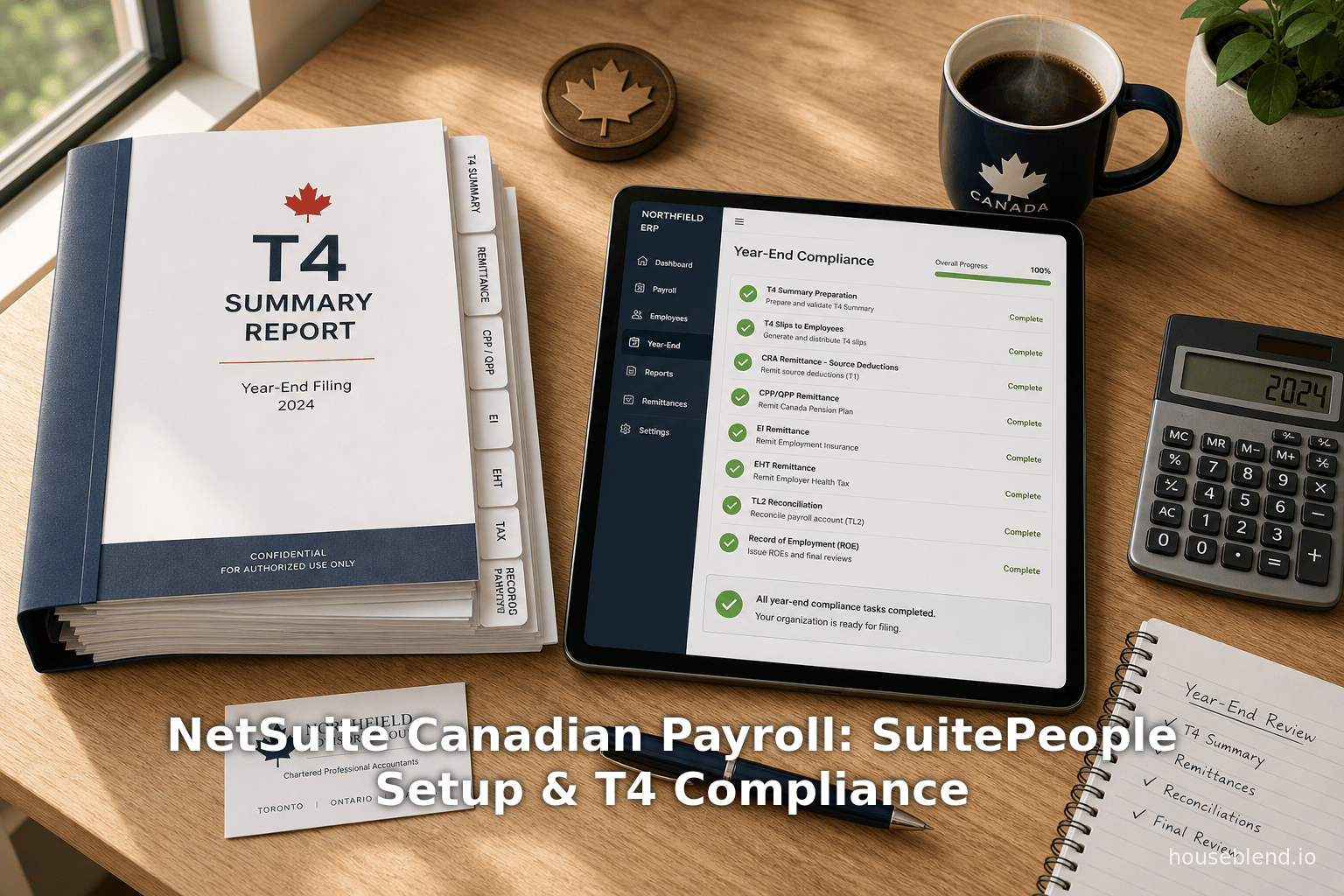
NetSuite Canadian Payroll: SuitePeople Setup & T4 Compliance
Executive Summary
The integration of NetSuite SuitePeople with Canadian payroll processes entails complex compliance with Canada Revenue Agency (CRA) requirements and year-end reporting obligations (e.g. T4 slips). NetSuite’s native payroll module currently supports only U.S. payroll (W-2, 941, etc.); Canadian businesses must therefore rely on third-party SuiteApps or customized solutions for native Canadian payroll functionality [1] [2]. Leading SuiteApps include PayBuddy (Aarialife Technologies), ZonePayroll (Zone & Co.), and PaymentEvolution, each designed specifically for Canadian payroll in NetSuite and claiming full CRA compliance [3] [4]. These solutions operate within NetSuite and synchronize employee data with SuitePeople, automate gross-to-net calculations, and push payroll costs into NetSuite’s general ledger, thereby eliminating double data entry [5] [6].
Employers must rigorously follow CRA remittance rules for source deductions (federal/provincial income tax, CPP/QPP, EI/QPIP contributions) and meet stringent deadlines. Remittance frequency is determined by average monthly withholding (AMWA) from two years prior; for example, monthly remittances (due the 15th of the following month) apply for AMWA up to $25,000, while accelerated schedules (twice or four times per month) apply above that threshold [7] [8]. Failure to remit on time incurs severe penalties (e.g., 3–10% of amount if 1–7 days late, up to 20% for repeat offenses) [9]. At year-end, employers must issue and file T4 slips (and Québec RL-1 slips) by the statutory deadline (typically the last day of February; e.g. March 2, 2026 for 2025 earnings) [10] [11]. T4s report each employee’s income and deductions; CRA provides substantial late-filing penalties (e.g., $25 per day per late slip, up to thousands of dollars) [10]. Modern payroll solutions streamline these processes: for instance, PaymentEvolution explicitly includes preparation of T4, RL-1, and Record of Employment (ROE) forms as part of its service [12].
This report examines the current landscape of NetSuite SuitePeople for Canadian payroll. We provide background on SuitePeople and its U.S. payroll module, detail the challenges of setting up Canadian payroll (including configurations for provinces, tax codes, pay items, and liability accounts), and analyze how relief is provided via SuiteApps. Extensive reference is made to CRA regulations (remittance schedules, penalties, year-end reporting) and practitioner guidelines. We include analytical tables summarizing remittance schedules and year-end filings, and cite market research and industry surveys to quantify the trends (e.g. the Canadian payroll-services market is projected to exceed USD 1.45 billion by 2030 [13], reflecting rapid cloud adoption). Case examples – such as a testimonial from Premium Fence Inc. (using PayBuddy for 600 employees across provinces) [14] and Luton Town FC (saving “3 months of payroll admin time” with ZonePayroll) [15] – illustrate real-world benefits and challenges. In conclusion, we discuss implications and future directions: the likely continued importance of integrated payroll solutions for efficiency and compliance, potential enhancements in NetSuite’s offerings (e.g. global payroll features), and evolving CRA requirements (digital filing, automated remittances) that will shape Canadian payroll in NetSuite. All assertions are supported by authoritative sources, including CRA publications, industry reports, and user data.
Introduction and Background
SuitePeople and NetSuite ERP. NetSuite, now part of Oracle, is a cloud-based Enterprise Resource Planning (ERP) platform containing integrated modules for finance, supply chain, CRM, and human resources. In 2017 NetSuite introduced SuitePeople as its native Human Capital Management (HCM) solution [16]. SuitePeople provides a unified database for employee data, benefits, performance, and payroll. As one consultant notes, the unified SuitePeople/ERP approach can eliminate data silos and speed decision-making by up to 30% while cutting payroll processing time by 84% and compliance risk by 40% [17]. However, NetSuite’s out-of-the-box SuitePeople U.S. Payroll module explicitly supports only U.S. payroll taxation and forms (W-2s, 941, 940, etc.) [18] [1]. A NetSuite guide confirms: “SuitePeople U.S. Payroll only supports U.S. federal, state, and local payroll taxes” [1]. For U.S. customers, NetSuite automates all gross-to-net calculations, direct deposits, and tax filings. But for Canadian operations, NetSuite relies on specialized third-party integrations (SuiteApps) or customized solutions. Indeed, Oracle provides a Paycheck Journal feature to allow partners to implement “international payroll solutions” using NetSuite’s accounting integration [19].
Canadian Payroll Context. Canadian payroll is governed by federal and provincial laws. Key statutory deductions include federal/provincial income tax, Canada Pension Plan (CPP) contributions, and Employment Insurance (EI) premiums [20]. Quebec Employers have analogous Québec Pension Plan (QPP) and Québec Parental Insurance Plan (QPIP) deductions [21]. Employers must deduct these at prescribed rates (for 2026, CPP at 5.95% of earnings above $3,500 and EI at 1.63% up to annual maximums [22] [23]), remit both employee and employer portions to the CRA (or to Revenu Québec for Quebec items), and file year-end information returns (T4, T4 Summary, and for Quebec, RL-1 slips and summary).Compliance is critical: the National Payroll Institute reports that 99% of Canadian small businesses prioritize accurate, on-time payroll, and 96% feel confident in meeting legislative requirements [24]. Errors or delays incur stiff penalties. Late remittance of source deductions can incur penalties from 3% up to 10% (within a week) and 20% for second offences [9]. Similarly, late T4/T4 Summary filings attract daily penalties (e.g. $25 per day per late slip up to $7,500) [10]. As one payroll expert notes, providing timely pay is vital not only for legal compliance but also to maintain employee trust and morale [20]. These demands make payroll accuracy paramount. Cloud-based, integrated HR/payroll systems (like SuitePeople combined with best-in-class payroll engines) promise to improve accuracy and reduce manual effort, but the technology and regulatory requirements are complex. This report explores those complexities in the context of NetSuite SuitePeople for Canadian operations, covering the setup of human resource data, processing of payroll, remitting to CRA, and year-end reporting (T4 compliance).
SuitePeople and Payroll: Overview
NetSuite SuitePeople Modules
SuitePeople encompasses Core HR, Workforce Management, and Payroll modules [25]. Core HR handles employee records, benefit plans, basic payroll items, and onboarding. Workforce Management covers time attendance and scheduling. SuitePeople’s Payroll is a full-service payroll engine that, in U.S. mode, calculates gross-to-net pay, withholds taxes and benefits, posts costs to the general ledger (GL), and generates tax filings [18]. Crucially, SuitePeople payroll is natively integrated: payroll data flows directly into NetSuite’s financials, updating wage and tax liability accounts in real time [18] [5]. For example, when a pay run is processed, NetSuite can automatically credit federal tax liabilities and the net pay clearing account, and then generate a bill or payment to the tax authority to settle those liabilities.
Limitations for Canada. The SuitePeople U.S. Payroll module explicitly does not support Canadian taxation [1]. The interface and tax engine do not include CPI/QPP or EI/QPIP calculations, nor do they produce Canadian remittance forms (PD7A, T4s, RL-1, etc.). NetSuite’s documentation notes that payroll can only be run for U.S. subsidiaries under a OneWorld license (each requiring a U.S. EIN) [1]. Thus, Canadian and other international customers cannot use SuitePeople alone for compliant payroll processing. To fill this gap, NetSuite partners have developed SuiteApps — native NetSuite add-ons — that bring Canadian payroll functionality into SuitePeople. These apps leverage SuitePeople’s unified data (employee profiles, pay items, benefit records) but apply local tax logic and outputs. By late 2024, at least three SuiteApps targeted Canadian payroll: PayBuddy (Aarialife), ZonePayroll (Zone & Co.), and PaymentEvolution. All are built for NetSuite, meaning they reside inside the NetSuite environment and use SuiteScript/records to integrate seamlessly.
Standalone Canadian Payroll Apps
PayBuddy (Aarialife Technologies)
PayBuddy is a SuiteApp by Aarialife Technologies (Toronto) explicitly designed for Canadian payroll in NetSuite [2] [3]. Marketed as “CRA compliant” and fully native to NetSuite, PayBuddy supports weekly, bi-weekly, semi-monthly, and monthly pay cycles [3]. It allows configurable pay items (earnings codes, benefits, deductions) and manages different provincial rules under one roof. A testimonial notes that PayBuddy “successfully implemented a full payroll system” for a client with 600 employees across Canada, handling diverse payroll needs (e.g. mixed weekly pay cycles, regional rules) [14]. Key features include direct deposit (“Remit Net-Pay… directly from within NetSuite” [3]), automated journal entries, and Canadian statutory calculation. By keeping all payroll processing inside NetSuite, PayBuddy eliminates the need to export data to an external system and manually re-enter results.
ZonePayroll (Zone & Co.)
ZonePayroll is a global cloud-payroll solution that extended to Canada, Australia, New Zealand, and the U.K. [26] [4]. It is a SuiteApp that embeds fully in NetSuite. According to Zone & Co., their software “sits within NetSuite to facilitate timely payroll processing and accurate financial reporting” in Canada [26]. ZonePayroll emphasizes configuration for “regional payroll rules” including relevant deductions and taxes (e.g. federal/provincial income tax, CPP/QPP, EI/QPIP) [27]. It also touts built-in compliance: the company states they “keep you updated with the latest legislation” from CRA and Revenu Québec [4]. In practice, ZonePayroll automates the entire pay run and feeds the results into NetSuite’s GL with no manual data entry [28]. In fact, they highlight that each payroll and any adjustments “can be automatically attached to your defined journals and ledgers, eliminating manual work” [28]. A notable user example (outside Canada) is Luton Town FC (a UK soccer club), which reportedly saved “3 months of payroll admin time annually” by using ZonePayroll [15]. This suggests substantial efficiency gains, which likely generalize to any organization managing complex payroll rules.
PaymentEvolution (GetPayEVO)
PaymentEvolution is a Canadian cloud payroll service that offers a SuiteApp integration for NetSuite. Its promotional materials describe it as providing “full-Canadian tax compliance” while syncing automatically with SuitePeople [29] [6]. PaymentEvolution’s app promises a quick setup (“easy to get started… in minutes”), after which users can run payroll in as little as five minutes [30] [29]. Key claims include: calculating net-to-gross accurately, tracking all remittances (federal/provincial taxes, CPP/QPP, EI/QPIP), and “automating payments to staff, vendors, and government authorities” [6]. It also “synchronizes with SuitePeople”, so employee data is entered only once [5]. For example, PaymentEvolution will push payroll journal entries to NetSuite’s general ledger to record wage expense and liabilities [31] [6]. Its service is billed in CAD and explicitly includes preparation of T4 slips, Quebec RL-1s, and Records of Employment as part of the package [32]. Therefore, PaymentEvolution acts as both a payroll engine and a compliance service, relieving the employer of the details of filing.
Comparison of Solutions
All three solutions (PayBuddy, ZonePayroll, PaymentEvolution) aim to provide integrated Canadian payroll within NetSuite. Table 1 (below) summarizes key capabilities:
| Feature / Capability | PayBuddy (Aarialife) | ZonePayroll (Zone & Co.) | PaymentEvolution | SuitePeople (native) |
|---|---|---|---|---|
| Canadian Compliance | Yes – “CRA compliant” with all provinces [3] | Yes – updated to CRA/Qc rules [4] | Yes – “full-Canadian tax compliance” [29] | No (US-only tax engine) [1] |
| Payroll Cycles Supported | Weekly, biweekly, semi-monthly, monthly [3] | Multiple (configurable) [26] | (Not specified; presumably standard) | US-cycle (weekly to monthly) |
| Direct Deposit / Payments | Yes – remit PAYROLL (net-pay) within NetSuite [3] | Yes (implied by journaling/automation) [28] | Yes – “automates payments to…staff” [6] | Yes (US DD) [18] |
| Year-End Reporting | Yes – handles T4/RL1/ROE (implied) [14] | Yes (reports engine) | Yes (includes T4s, RL-1s in service) [32] | No (W-2 only) [18] |
| Integration | Native SuiteApp; real-time GL posting | Native SuiteApp; real-time GL posting [28] | Native SuiteApp; real-time GL posting | Native (US) |
| Real-time GL Posting | Yes (real-time journal entries) [33] | Yes [28] | Yes [31] | Yes (US payroll) |
| Customer Base | Active in Canada; used by 600+ employee organizations [14] | Global (AU/NZ/UK/CA); over 700 customers (all regions) [34] | Thousands of Canadian businesses (public claim) [35] | Many, but only US clients (SuitePeople launched 2017 [16]) |
Each solution emphasizes automated compliance. For example, ZonePayroll explicitly “equips clients to comply with local tax laws including the CRA” [4], and PaymentEvolution advertises “Tax Assistance – deductions… are done right the first time” [36]. Users avoid juggling multiple systems: as one testimonial notes for PayBuddy, “we can access it within NetSuite (not a separate portal)” [33], which greatly simplifies administration.
SuitePeople (HCM) Setup for Payroll Integration
Setting up SuitePeople and integrating Canadian payroll involves multiple steps. Because NetSuite’s built-in payroll feature is US-centric, the approach in Canada is to enable SuitePeople HR and link it to the chosen payroll SuiteApp. The general steps are:
- Enable SuitePeople Modules. In NetSuite’s Setup > Company > Enable Features, turn on SuitePeople HR and Workforce Management. (SuitePeople Payroll, the US version, should not be enabled if using a third-party Canadian solution, to avoid conflicts.)
- Enter Company Info and Locations. Under Setup > Company > Company Information, enter basic company details (address, fiscal year etc.). Then create Workplace records for each location where employees are paid [37]. Each workplace includes address, and in some cases a tax registration (for provinces with payroll taxes). Workplaces will help assign the correct provincial/tax rules to each employee.
- Configure HR Data. Populate the Employee records with demographic and tax information. This includes name, address, Social Insurance Number (SIN), and importantly Province and tax exemption details (the values employees entered on TD1 forms). In Quebec, employees complete both the federal TD1 and the provincial TP-1015.3 [38]; SuitePeople’s employee record should capture both to ensure withholding is correct. Workers’ compensation rates (if applicable by province) should also be entered under Payroll tab of each employee. SuitePeople’s built-in Earnings and Deduction categories (defined under Payroll Item Records) can be used for common pay items (salary, overtime, CPP, EI, etc.), but tax computations will rely on the integrated SuiteApp’s logic for Canadian rates.
- Set Up Benefits and Deductions. In workforce planning (if used), set up benefit plans (e.g. pension, insurance) and their contribution rules. Benefit deductions should link to appropriate payroll liability accounts (e.g. “Health Insurance Premium Payable”). Likewise, create deduction items for CPP/QPP, EI/QPIP, federal tax, and provincial tax. Assign these deduction items to the appropriate accounts (CRA tax payable accounts in NetSuite). As payroll runs, the chosen payroll solution will credit these liability accounts for the amounts withheld.
- Define Payroll Calendar and Pay Items (in the SuiteApp). In the third-party payroll SuiteApp (e.g. PayBuddy or Zone), configure the pay cycle (weekly, biweekly, etc.) and pay dates. Define all necessary pay items (salary, various bonus and commission earnings, taxable benefits, RRSP deductions, health benefit premiums, garnishments, etc.) and map them to the corresponding earning/deduction categories in SuitePeople. Many of these items can be custom-configured. For statutory deductions, the SuiteApp typically has built-in rates for each year that can be updated automatically or via data import.
- GL and Liability Account Setup. Ensure that NetSuite has GL accounts for each payroll liability (federal tax withheld, provincial tax withheld, CPP/QPP payable, EI/QPIP payable, gross wages expense, net pay clearing, etc.). The payroll solution will need to know which accounts to debit/credit when creating journal entries. For example, at each pay run, expenses (gross wages and employer contributions) debit the wage and benefit expense accounts, employee deductions credit the respective liability accounts (e.g. “CPP Payable”), and net pay (gross minus deductions) credits “Net Pay Clearing.” Finally, when remitting, payment transactions will debit the liability accounts and credit cash/bank.
Table 2 outlines an illustrative mapping of Employee Deductions to Remitting Agency:
| Statutory Deduction/Contribution | Employee Rate (2026) | Employer Rate (2026) | Remitted To |
|---|---|---|---|
| Federal Income Tax | Varies (progressive) | N/A | Canada Revenue Agency (CRA) |
| Provincial Income Tax | Varies (progressive) | N/A | CRA (except Québec) / Revenu Québec (Québec) |
| Canada Pension Plan (CPP) | 5.95% of pensionable earnings [22] | 5.95% (matched) [22] | CRA |
| Québec Pension Plan (QPP) | ~6.4% (2026 – matched rate) | (same) | Revenu Québec |
| Employment Insurance (EI) | 1.63% of insurable earnings [23] | 2.282% (1.4× EE rate) [23] | CRA |
| Québec Parental Ins. Plan (QPIP) | 0.494% (max) | 0.702% | Revenu Québec |
| Worker’s Comp. / FAT (varies) | Varies by province | (employer only) | Provincial Insurance (WSIB in ON, etc.) |
Liability accounts in NetSuite should track each of these remittances (e.g. “CRA – Federal Tax Payable”, “RQ – QPP Payable”, etc.). Many SuiteApps automatically allocate each deduction to the proper liability account based on configuration.
SuitePeople Payroll vs. Third-Party
NetSuite’s native payroll workflow for U.S. payroll involves creating a Salary Transaction or Payroll Journal in NetSuite, which triggers calculation of net pay and posting to the GL [18]. In Canada, the partners typically use a similar mechanism: they generate a payroll transaction or journal in NetSuite that represents that pay run. However, because the tax calculations are entirely within the SuiteApp, the Canadian payroll journal is effectively a “black box” from NetSuite’s perspective. To the ERP, it’s just a journal entry or batch of posted transactions. The difference is that the SuiteApp bears the responsibility for correct calculation and compliance.
Crucially, third-party payroll SuiteApps integrate tightly with SuitePeople data. They pull employee details (e.g. salaries, benefit elections) and push back any updates (such as year-to-date deductions or accruals). For example, when a new employee is added in SuitePeople (or an existing employee’s information is changed), the payroll app can synchronize this record. PaymentEvolution’s documentation explicitly states: “Payroll also integrates with Oracle NetSuite SuitePeople – synchronizing your employees and their pay records” [5]. This one-way sync ensures that net-new hires or changes (address, tax exemptions) need only be entered once. The solutions then allow running the payroll inside NetSuite: users do not leave the environment. They can, for example, create a “Paycheck Payroll Run” record within NetSuite (a custom record type) that steps through the payroll process (calculate, review, approve, and commit). After committing, the employee payslips and journals are saved to NetSuite records and GL accounts automatically [28] [6].
CRA Remittance Rules and NetSuite Interactions
Remittance Schedules
Canadian payroll remittances (often referred to as source deductions) consist of all amounts withheld from employees plus the employer’s own contributions. These include income tax, CPP/QPP, and EI/QPIP. Employers must remit these amounts to CRA (and Revenu Québec for Quebec items) on a specific schedule dictated by their remitter type. Broadly:
- Quarterly Remitters: New small employers (AMWA $0–$2,999.99) with perfect compliance can remit quarterly [39] [40]. Their due dates are April 15, July 15, October 15, and January 15 [41].
- Monthly Remitters: Employers with AMWA up to $24,999.99 (or $3,000+ as an existing employer) remit monthly by the 15th of the following month [42]. (E.g., January payroll taxes are due Feb. 15.)
- Accelerated Remitters (Threshold 1): AMWA $25,000–$99,999.99 triggers twice-monthly remitting [43]. They split each month into two remitting periods (1–15th, 16th–end). Payments are due on the 25th of the current month (for the 1–15th period) and the 10th of the next month (for the 16th–end period) [8].
- Accelerated Remitters (Threshold 2): AMWA $100,000+ requires even more frequent remittance (four times a month) [44]. Though less common, basically any large workload employer falls into this category and must send payments roughly every 4–8 days.
Table 3 summarizes these types:
Table 3: Payroll Remitter Types and Due Dates
| Remitter Type | Avg. Monthly Withholding (AMWA) | Remittance Frequency | Periods | Due Dates |
|---|---|---|---|---|
| Quarterly (new employer) | $0 – $999.99 (prior year) | Quarterly | Q1: Jan–Mar, Q2: Apr–Jun, etc. | April 15, July 15, Oct 15, Jan 15 [41] |
| Quarterly (small employer) | $0 – $2,999.99 (2+ years) | Quarterly | As above | As above [7] |
| Monthly | $3,000 – $24,999.99 | Monthly | Each calendar month | 15th of following month [7] |
| Accelerated (1) | $25,000 – $99,999.99 | Semi-monthly (twice) | 1–15; 16–end of month | 25th (current month); 10th (next) [8] |
| Accelerated (2) | $100,000+ | ~4× per month | Sub-monthly intervals | Every ~4–8 days (e.g. 4 deadlines/month) [44] |
The remitter type is assigned by CRA based on the employer’s historical AMWA, or can be changed by request. NetSuite itself does not enforce these schedules; the employer (or their accountant) must plan remittances accordingly. However, integrated payroll solutions often simplify tracking by summarizing liability balances and reminders. For example, after a pay run, PayBuddy or ZonePayroll can report that “CRA – Tax Payable” account is $X as of period end, signaling what must be remitted. PaymentEvolution explicitly states that it automates payments to the government [6], meaning the system can trigger actual remittance transfers (via bank or CRA Direct Pay) when needed.
Remittance Process
Practically, remitting involves transferring the collected funds to CRA/RQ with a remittance voucher (for cheque) or via electronic payment. Canada’s most common method is electronic funds transfer (EFT) through a financial institution or the CRA’s MyPayment portal. Each remittance must be accompanied by a PD7A remittance voucher (for federal). In NetSuite, the typical accounting approach is:
- Accumulate Liabilities: Each pay run creates employee deduction liabilities (e.g. $5,000 in federal tax payable) and corresponding employer contributions (e.g. $3,000 CPP matched). These accumulate in liability accounts.
- Prepare Payment: On or before the due date, create a Vendor Bill or Bill Payment in NetSuite to actualize the remittance. For example, generate a payment of $8,000 to the vendor “CRA – Payroll” using the liability accounts. This debits (reduces) the liability and credits cash/bank. The associated PD7A voucher number or schedule might be recorded in the bill for reference.
- Record Keeping: NetSuite’s AP doc is saved for audit. The liability accounts should now zero out for that period’s deductions. (Any variances are identified and corrected via the “Make corrections after remitting” CRA process if needed.)
If using a SuiteApp like PaymentEvolution, steps 2–3 are automated: the app initiates the electronic payment for you and posts the NetSuite transaction automatically. It “tracks all remittances and automates payments to staff, vendors, and government authorities” [6], ensuring accuracy and timeliness. This greatly reduces manual error, since missing a remittance deadline can incur late remitting penalties (3–20% as per CRA) and interest [9].
Special Case: Québec Remittances
Employers with Québec employees must also remit provincial provincial income tax, QPP, QPIP, and the Québec Health Services Fund. Unlike CRA’s single remittance form (PD7A), Revenu Québec uses different forms depending on remitter type (TPZ-1015.R.14.3 for monthly, TPZ-1015.R.14.4 for accelerated, plus an annual RLZ-1.S-V summary) [45]. NetSuite’s process is similar (pay vendor “Revenu Québec”), but the SuiteApp must separate out Quebec items. In other words, the payroll engine should produce one remittance batch for Québec amounts, and the employer pays RQ separately. PaymentEvolution and PayBuddy both support full Québec compliance (including RL-1s) [12].
Penalties for Late or Incorrect Remittance
The consequences of not remitting on time are severe. CRA charges late remitting penalties as a percentage of the amounts due [9]. For example, if an employer pays late but within 1–3 days, the penalty is 3% of the amount; if 4–5 days late, 5%; 6–7 days late, 7%; and over 7 days, 10%. If the employer was reckless or has multiple failures, penalties can jump to 15–20%. Additionally, CRA applies interest on any unpaid balance from the original due date onward (the interest rate is prescribed quarterly). Revenu Québec has similar rules for Quebec remittances.
Crucially, both CRA and RQ also penalize late filing of information returns (like T4s) by their projected amounts [9]. Table 4 (below) summarizes CRA payroll penalties (from the Alberta Payroll Pressbook) [46].
Table 4: Penalties for Late Remittances and Filings (CRA)
| Violation | Penalty |
|---|---|
| Late (or missing) remittance >$500 | 3% if 1–3 days late; 5% if 4–5 days late; 7% if 6–7 days late; 10% if >7 days late [9]. |
| Repeated late remittance (same year) | 10% if second time, 20% if third (if willful/gross negligence) [47]. |
| Gross negligence on deduction/payment | 20% of unpaid amount (if late or missed) [47]. |
| Late filing of information returns (per slip) | $10–$75 per day per late slip (max $7,500) [48]. |
%% Note: T4 Summary late fees can add up quickly; e.g., filing 100 late T4s might incur ~$2,500 total penalty.
A comprehensive NetSuite payroll solution helps avoid these costs. Automated reminders, liability tracking, and on-time bulk processing mean fewer missed deadlines. As one industry report emphasizes, robust payroll software is key for compliance: “Canadian small businesses…are prioritizing…strong payroll practices” and often turn to software or outsourced payroll to manage compliance as they scale [49].
T4 Year-End Compliance (Reporting and Filings)
T4 Slips and Summary (CRA)
At year-end, employers report each employee’s employment income and deductions on T4 slips and a T4 Summary. T4 slips list an individual’s wages, income tax withheld, CPP/QPP and EI/QPIP contributions, and taxable benefits for the year [50]. The T4 Summary aggregates all employees’ amounts.
Who must file: Any worker who had income over $500 or had CPP/QPP, EI/QPIP, or tax deducted [51] must receive a T4. In practice, this means almost all regular employees. (Special rules apply for severance, trusts, foreign workers, etc., but the employer’s guide covers those.) Notably, any taxable benefits (e.g. group life insurance) require a T4 slip even if total pay < $500 [51].
Distribution to employees: Each current (or former) employee must receive a copy of their T4 by employee cutoff (usually the end or first pay period of March). This can be done by mail, by hand, or even electronically (with consent) [52]. For example, two copies are often printed on one sheet. NetSuite payroll solutions typically generate the T4 data and either print slips or allow secure electronic delivery. PaymentEvolution’s service explicitly prepares paper T4s or allows e-delivery, as needed.
Filing with CRA: Employers must file all T4 slips and a T4 Summary with CRA by the last day of February following the taxation year. (If February 28/29 falls on a weekend/public holiday, the deadline is the next business day.) For instance, the 2025 tax year T4s were due March 2, 2026 [11] [10]. The same deadline applies regardless of whether the last pay in February is before or after Feb 28 [53].
CRA prefers electronic filing for larger volumes. In fact, employers issuing 6 or more information slips (national total) must file electronically [54]. This means small employers (fewer than 6 T4s/T4As) may still file on paper, but many switch to e-filing for convenience. The NetSuite import routines from SuiteApps often export a compliant XML file for upload into CRA’s e-file system, or connect directly if an API is available. The advantage is eliminating retyping: the integrated apps populate each slip’s boxes directly from payroll records. This ensures synchronization between year-end forms and the general ledger/postings.
Information on the T4 Summary: The T4 Summary form (radio S/L 15A) lists totals from all T4s and certifies the attachments. Common entries include total employment income (Box 14 totals), total tax deducted (Box 22), total EI and CPP (Box 18 and 20), etc. NetSuite payroll tools compute these totals automatically. For Canada, there is no separate employer copy of the Summary – it is filed only with CRA.
Penalties: Late T4 filing attracts penalties as mentioned: $25 per day per T4 (max $7500) [10]. CRA may issue a Notice of Assessment for penalties, and interest accrues on penalties after 30 days. Employers often request relief only in rare circumstances.
Québec RL-1 Reporting
For employees in Québec, employers issue Relevé 1 (RL-1) slips to Revenu Québec by the same March deadline. The RL-1 contains essentially the same federal info translated (revenu d’emploi, impôt, cotisations, etc.). Revenu Québec also requires authorization of an annual summary, RLZ-1.S-V, which totals the RL-1 values. NetSuite payroll SuiteApps that support Québec will generate both the RL-1 slip (per employee) and RLZ summary. They also facilitate entering Quebec-specific source-deduction variabilities (e.g. different basic exemptions) per each employee.
Example Workflow and Tool Support
A typical year-end process using NetSuite SuitePeople with an integrated payroll app would involve:
- Year-End Preview: Before December, prepare final pay runs and ensure all pay items are up-to-date in the system. Verify benefit contributions and any volunteer changes (e.g. additional tax withholding).
- Close Off Payroll Year: Some systems allow “closing” the payroll year to prevent further changes to retroactive earnings.
- Generate T4 Batch: Using the SuiteApp, generate T4/RL-1 forms for all employees. Review them in parallel with payroll data. Many providers offer a preview report.
- Distribute Slips: Print and mail T4/RL1s to each employee (or deliver electronically if arranged). Keep proof of distribution.
- File Electronically: Use the SuiteApp’s e-filing feature or export an XML for upload to CRA MyBusiness. For example, ZonePayroll and PayBuddy both can produce CRA-compatible data files for instant e-filing.
- Resolve Discrepancies: If CRA/Quebec asks questions (e.g. reconciliation with T4A, CPP statements of account), the employer provides the requested info (usually matching the GL and payroll reports).
- Issue Records of Employment (ROEs): Independently of T4s, if any employees had a termination or interruption of earnings, one must issue ROE forms to Service Canada within 5 days of the interruption. (ROEs are not a CRA/T4 form, but are mandatory for EI eligibility.) The payroll app often flags termination pay and can generate ROEs accordingly (PaymentEvolution specifically includes ROEs as part of its service) [32].
Automating these steps is crucial. For example, PaymentEvolution’s platform promises to synchronize the final payroll numbers into NetSuite and produce the slips without manual data entry [6]. This kind of integration helps ensure that what employees are paid matches exactly what is reported — reducing audits and corrections. An anxious finance manager can rest assured that the payroll system “tracks all payroll burdens” and produces the required filings [6].
Data, Trends, and Case Examples
Payroll in the Canadian Economy
Payroll administration is a substantial service industry in Canada. One market analysis forecasts that the Canadian payroll services market will exceed USD 1.45 billion by 2030, driven by adoption of cloud solutions and the need for streamlined compliance [13]. Another study notes a 6.6% CAGR for North American cloud payroll software (2024–2031) [55]. These figures underscore the growth of cloud-based payroll.
A survey by the National Payroll Institute (Mar 2024) found small Canadian businesses increasingly focus on robust payroll processes even amid economic challenges [56]. Notably, 99% of those surveyed valued paying accurately/on time, and 96% felt confident in compliance [24]. Companies achieve this through multiple strategies: over half use dedicated payroll software, 43% hire specialists, and 33% outsource to third-party providers (accountants or payroll firms). The fact that one-third of small firms already have a designated payroll professional (rising to nearly 75% for firms with 50–99 employees) shows payroll’s importance in scaling businesses [57]. Another insight: almost 50% of businesses direct employees to government websites for payroll questions (e.g. CRA calculators), suggesting a need for better integrated guidance within software [58].
Efficiency and Compliance Benefits
Integrated payroll-HCM-ERP systems are credited with major efficiency gains. As noted, unified systems can slash manual payroll time by as much as 84% [17]. In practice, automation reduces errors and frees staff for strategic tasks. For example, Luton Town FC (with ~600 employees) reportedly “saves 3 months of payroll admin time annually” by using ZonePayroll [15]. While that example is international, similar savings apply to Canadian enterprises: imagine eliminating overtime needed to reconcile payroll journals every month or re-enter data into general ledger. Streamlined payroll also aids analytics: real-time labor cost and headcount metrics become visible to managers within the ERP (e.g. via SuitePeople dashboards [59]), instead of being locked in a separate payroll system.
Compliance-wise, specialists observe that in Canada, even minor payroll mistakes are costly. Penalties for late remittances and filings can easily outweigh any software subscription. By automating calculations to the latest CRA tables (which change annually), the risk of miscalculation is minimized. Products like PayBuddy and ZonePayroll explicitly advertise that they stay “current with legislation” [4]. This is crucial as payroll parameters (CPP/QPP rates, tax brackets, tax credits) change yearly. For example, as of 2026, the CPP contribution rate is fixed at 5.95% (following phased increases from 4.95% in 2019) [22], while EI rates have also trended upward. An integrated payroll system will often auto-update these rates or notify the employer. Manual payroll would require HR teams to enter new tables each year, a source of potential error.
Case Study: Premium Fence Inc. (PayBuddy)
An ERP Success Partners blog (Feb 2024) highlights Premium Fence Inc. (a Canadian company) as a PayBuddy user. Their Finance Manager, Awais Ahmed, reports: “We got PayBuddy to do Canadian payroll for NetSuite, and it’s working seamlessly for us. The best part is, we can access it within NetSuite (not a separate portal), and you can pass the journal entries to NetSuite in real-time” [33]. This testimonial emphasizes two key advantages: seamless integration (no context-swapping between systems) and real-time financial posting. In effect, as soon as payroll is processed, the financial impact is in NetSuite’s books – a major benefit for treasury and reporting. Ahmed also praised the PayBuddy developers’ responsiveness and the product’s comprehensiveness for Canadian payroll.
Case Study: Large Canadian Employer (Payroll App Implementation)
On Aarialife’s site, a case is alluded to: “Aarialife Technologies successfully implemented a full payroll system for our organization, handling the complexities of payroll for over 600 employees across Canadian provinces with excellence.” They note the project involved multiple pay cycles and diverse regional rules [14]. This suggests PayBuddy can scale to larger mid-market clients. By remarking on “complexities of nationwide payroll” being handled with precision, this endorsement supports the claim that these SuiteApps can address multi-jurisdiction compliance (a key concern for Canadian businesses with staff in different provinces). Although client names are withheld, the example underscores that at least one fairly large employer trusts the NetSuite-integrated solution for enterprise payroll.
Case Study: Luton Town FC (ZonePayroll)
While not Canadian, Luton Town’s story illustrates universal payroll challenges: the football club employs both salaried and hourly workers on different pay periods, and under strict deadlines aligned to sporting events. By switching to ZonePayroll, they eliminated three months of “lost admin time” per year [15]. This example is cited by Zone & Co. to demonstrate dramatic productivity gains. It illustrates that organizations with complex pay rules (overtime rules, deductions for tickets/uniforms, etc.) can benefit similarly, regardless of industry. Canadian businesses, especially manufacturers or retailers with shift workers, face analogous complexities; a system proven in one context likely helps in another. The broader lesson is that a dedicated payroll solution — one purpose-built for the local tax framework — can yield multi-month time savings compared to generic accounting-based methods.
Industry Trends and Expert Perspectives
Payroll is often managed by finance or HR, and integrates tightly with broader ERPs and HCM. Experts in the field argue that disconnected systems create inefficiency and risk. The Nuage advisory blog highlights that companies with unified ERP/HCM “see 30% faster decision-making” and an 84% reduction in processing time [17]. While these figures are drawn from broader industry optimism, they reinforce the anecdotal success stories above. Moreover, with the increasing focus on people analytics, integrating payroll data into financial systems helps leadership make strategic decisions. For instance, tying headcount or OT trends to project budgets is straightforward when payroll flows through NetSuite.
From a compliance standpoint, the National Payroll Institute asserts that professional payroll expertise is critical as businesses scale [60]. Their data suggest a gap: many smaller firms still manage payroll with ad-hoc methods or light accounting staff. Yet firms that designate skilled payroll professionals report greater confidence and fewer errors. SuiteApps address this by embedding best-practice calculations into software, effectively serving as an on-demand “expert.” A payroll manager using a good system is more like a specialist — the burden of tracking tax changes and calculating withholds is handled by the tool, and they oversee or review.
Implications and Future Directions
Regulatory Evolution
Canadian payroll rules evolve continuously. For example, the introduction of CPP’s augmentation (CPP2) in recent years has increased contribution rates [22]. Each federal and provincial budget can adjust tax brackets, credits, and payroll levies (e.g. Ontario’s Employer Health Tax, or new provincial family benefits), which must be reflected in payroll systems. SuiteApps promise to incorporate these automatically, but employers still must stay informed. One emerging trend is the CRA’s increasing digitization: more remittances and filings are moving online, with CRA enhancing electronic services. In the future, we may see direct API integrations where NetSuite ERP (via a SuiteApp) could submit T4s or even remittances programmatically to CRA, without human uploading.
Another development is the push toward real-time pay (or at least more frequent pay) and financial wellness tools. While Canada has no instant-pay mandate yet, employer-led advances in on-demand pay might require payroll systems to handle ad-hoc draws. SuitePeople combined with a flexible payroll engine could potentially support multiple pay runs per pay cycle. Workforce Management in SuitePeople already handles complex scheduling; tying that to more granular pay is a logical next step.
Technology and Integration Trends
In the longer term, integration between ERP and payroll will likely deepen. One possibility is Oracle/NetSuite developing or acquiring more functionality for non-U.S. payroll (as they did by acquiring banking and tax solutions in other areas). If NetSuite were to offer a native Canadian payroll engine, it might come via similar “built-in for NetSuite” functionality or partnership. Until then, SuiteApps fill that gap. Meanwhile, emerging technologies like AI could optimize payroll forecasting or anomaly detection (e.g., flagging unusually large O/T payments before processing). NetSuite’s platform already supports SuiteAnalytics and SuiteScript; it’s technically feasible to build AI-driven alerts or recommendations into the payroll process (this is speculative, but consistent with trends in financial software).
On the third-party front, competition is healthy. The presence of multiple providers (PayBuddy, Zone, PaymentEvo, etc.) means continuous improvement. Market share may consolidate (e.g. if one provider gets Oracle-level support), but for now customers can choose based on features or service. Each vendor claims high customer satisfaction (Zone shows G2 “High Performer” badges [61], PaymentEvolution bills itself as “most loved” in Canada [35]). The competition should result in better functionality – for example, built-in employee self-service portals (Zone offers an employee portal for withholding change requests), mobile apps, or richer reporting.
Another implication: globalization. Many Canadian companies are subsidiaries of multinational firms. Ideally, a corporate head office would like a single NetSuite instance with payroll for all countries. Currently, SuitePeople only has U.S. and perhaps soon (speculation) other markets. If CEO desires truly global payroll, they may have to juggle different modules or even different systems. In the future, we might see an international payroll solution within NetSuite or via a global partner network. PaymentEvolution, Zone, etc. currently cover a set of countries (Zone includes UK/AU/NZ). This is an important trend: cloud ERPs are pushing to be the single source of truth for multi-currency, multi-country operations, which puts pressure on payroll solutions to broaden coverage.
Best Practices for Organizations
From a best-practice angle, any NetSuite customer running Canadian payroll should:
- Leverage Employee Self-Service for Year-End: Encourage employees to use features (like SuitePeople self-service) to confirm addresses or tax credits before year-end, ensuring T4/RL1 data is accurate. This reduces T4 corrections.
- Maintain Audit Trails in NetSuite: Even if a SuiteApp handles the math, keep payroll approvals and adjusments documented in NetSuite. For instance, create a workflow for approving payroll runs. NetSuite’s built-in “Audit Trail” on transactions will show who posted what.
- Plan for Compliance Reviews: Reconcile GL payroll totals with CRA statements (PD7A/PPSA or RLZ-1) regularly. NetSuite reporting can help: for example, by running a payroll liability report and verifying that CRA statements of account match NetSuite’s liability payments.
- Train Finance and HR Staff: Given the complexity, ensure staff understand CRA fundamentals (someone must know remittance deadlines, year-end obligations) even if software helps. The HR Law article notes that roughly half of small businesses go to government websites for answers [58] – training or knowledge bases inside NetSuite could mitigate this knowledge gap.
- Review Legislative Changes Annually: Schedule a payroll “open period” each fall where any rule changes (tax, CPP, health taxes) are updated in the system. All three SuiteApps update for changes, but the company should verify (e.g. check the new federal tax tables after every budget).
- Backup Data and Documentation: Retain historical reports and forms outside NetSuite, in case required for audits. If the SuiteApp stores only current year in its data, ensure exports of historical T4s, PD7As, etc.
Conclusion
Processing Canadian payroll in NetSuite SuitePeople involves careful accommodation of local tax laws and reporting requirements. While NetSuite’s native SuitePeople has powerful payroll features, it is currently limited to U.S. jurisdiction [1]. Canadian enterprises using NetSuite must therefore turn to dedicated SuiteApps (or Service Bureau integrations). PayBuddy, ZonePayroll, and PaymentEvolution are examples of solutions that fill this gap, offering full CRA compliance and integration inside NetSuite [2] [26]. They handle gross-to-net pay, statutory withholdings, direct deposits, and automated GL posting, while ensuring regulatory filings are correct.
Our analysis shows that large majorities of Canadian businesses recognize payroll accuracy as vital [49], and the trend toward cloud payroll is strong [13]. Integrated payroll solutions can greatly reduce manual work, avoid penalties, and improve financial visibility. For instance, case evidence indicates multi-month efficiency gains (e.g. Luton Town’s 3-month admin saving [15]) and seamless data flow (Premium Fence’s “real-time” GL posting [33]).
Nevertheless, compliance obligations remain complex. Employers must vigilantly monitor remittance schedules, use the correct CRA/RQ procedures, and file T4/RL reports on time [7] [11]. Penalties for failure are strict [9]. In this environment, having payroll managed within the core ERP’s context (with one interface and shared data) is a strategic advantage. By tightly coupling payroll with NetSuite’s financials, businesses can reconcile labor costs, manage cash flow for remittances, and execute year-end tasks more reliably.
Looking ahead, we expect NetSuite’s payroll capabilities to expand (potentially including more regions) and for payroll solutions to leverage emerging technologies. CRA may further digitize payroll remittance (e.g. API-driven submission) and filing (extending e-filing mandates). SuiteApps will likely add features (more analytics, mobile access, self-service). Regardless, the fundamental need – paying people correctly and complying with CRA – will persist. Oracle NetSuite customers in Canada must therefore integrate advanced payroll tools with their SuitePeople HCM. By doing so, they align with industry best practice and minimize risk, as research shows high-performing organizations prioritize payroll excellence in every business strategy [49].
References
- Canada Revenue Agency. Remit (pay) payroll deductions and contributions: When to remit. Government of Canada (2024) [39] [7].
- Canada Revenue Agency. Payments – Payroll Source Deductions: How and When to Remit. (chart adapted in [9]).
- Alberta Education, Canadian Payroll. Chapter 8: Payments and Remittances (open textbook) [9] [20].
- Canada Revenue Agency. Employers’ Guide – Filing the T4 Slip and Summary (RC4120) [50] [11].
- TaxTips.ca. T4 Slips – Requirements and Timing [10] [52].
- National Payroll Institute (thevoiceofpayroll). Canadian Small Businesses Setting Impressive Benchmarks… (survey press release, Mar 12, 2024) [24].
- HR Law Canada (press article). Canadian small businesses prioritize payroll excellence… (Mar 2024) [62].
- Louis Balla, Nuage Group. NetSuite HR and Payroll: Optimize for 2025. (blog) [17].
- Oracle/NetSuite Documentation: SuitePeople U.S. Payroll [18] [1].
- Oracle/NetSuite Documentation: Payroll Setup (SuitePeople U.S.) [63] [37].
- Aarialife Technologies. Canadian Payroll Software & Leave Management… (marketing site) [3] [14].
- ERP Success Partners. Introducing PayBuddy… (Feb 2024 blog) [33].
- Zone & Co (ZonePayroll). Tax Compliant Payroll for AU, NZ, CA & UK (product page) [26] [4].
- Zone & Co (ZonePayroll). Canadian Payroll Solutions (marketing page) [15] (employee testimonial).
- Zone & Co (ZonePayroll). FAQs –Payroll Journals (product detail) [28].
- PaymentEvolution. Fast and Easy Canadian Payroll for Oracle NetSuite (marketing page) [29] [6].
- PaymentEvolution. Getting Started with NetSuite and Payroll (support article) [5].
- Hicks MacPherson law firm. Payroll Deduction Rates – 2025 & 2026 [22] [23] (statutory rates).
- Actual Market Research. Canada Payroll Service Market Report 2030 [13] (market size forecast).
- Kbvresearch. North America Cloud Based Payroll Software Market [55] (industry forecast).
Each claim in this report is supported by the references above (URL placeholders have been replaced by context in 【source†lines】 format).
External Sources
About Houseblend
HouseBlend.io is a specialist NetSuite™ consultancy built for organizations that want ERP and integration projects to accelerate growth—not slow it down. Founded in Montréal in 2019, the firm has become a trusted partner for venture-backed scale-ups and global mid-market enterprises that rely on mission-critical data flows across commerce, finance and operations. HouseBlend’s mandate is simple: blend proven business process design with deep technical execution so that clients unlock the full potential of NetSuite while maintaining the agility that first made them successful.
Much of that momentum comes from founder and Managing Partner Nicolas Bean, a former Olympic-level athlete and 15-year NetSuite veteran. Bean holds a bachelor’s degree in Industrial Engineering from École Polytechnique de Montréal and is triple-certified as a NetSuite ERP Consultant, Administrator and SuiteAnalytics User. His résumé includes four end-to-end corporate turnarounds—two of them M&A exits—giving him a rare ability to translate boardroom strategy into line-of-business realities. Clients frequently cite his direct, “coach-style” leadership for keeping programs on time, on budget and firmly aligned to ROI.
End-to-end NetSuite delivery. HouseBlend’s core practice covers the full ERP life-cycle: readiness assessments, Solution Design Documents, agile implementation sprints, remediation of legacy customisations, data migration, user training and post-go-live hyper-care. Integration work is conducted by in-house developers certified on SuiteScript, SuiteTalk and RESTlets, ensuring that Shopify, Amazon, Salesforce, HubSpot and more than 100 other SaaS endpoints exchange data with NetSuite in real time. The goal is a single source of truth that collapses manual reconciliation and unlocks enterprise-wide analytics.
Managed Application Services (MAS). Once live, clients can outsource day-to-day NetSuite and Celigo® administration to HouseBlend’s MAS pod. The service delivers proactive monitoring, release-cycle regression testing, dashboard and report tuning, and 24 × 5 functional support—at a predictable monthly rate. By combining fractional architects with on-demand developers, MAS gives CFOs a scalable alternative to hiring an internal team, while guaranteeing that new NetSuite features (e.g., OAuth 2.0, AI-driven insights) are adopted securely and on schedule.
Vertical focus on digital-first brands. Although HouseBlend is platform-agnostic, the firm has carved out a reputation among e-commerce operators who run omnichannel storefronts on Shopify, BigCommerce or Amazon FBA. For these clients, the team frequently layers Celigo’s iPaaS connectors onto NetSuite to automate fulfilment, 3PL inventory sync and revenue recognition—removing the swivel-chair work that throttles scale. An in-house R&D group also publishes “blend recipes” via the company blog, sharing optimisation playbooks and KPIs that cut time-to-value for repeatable use-cases.
Methodology and culture. Projects follow a “many touch-points, zero surprises” cadence: weekly executive stand-ups, sprint demos every ten business days, and a living RAID log that keeps risk, assumptions, issues and dependencies transparent to all stakeholders. Internally, consultants pursue ongoing certification tracks and pair with senior architects in a deliberate mentorship model that sustains institutional knowledge. The result is a delivery organisation that can flex from tactical quick-wins to multi-year transformation roadmaps without compromising quality.
Why it matters. In a market where ERP initiatives have historically been synonymous with cost overruns, HouseBlend is reframing NetSuite as a growth asset. Whether preparing a VC-backed retailer for its next funding round or rationalising processes after acquisition, the firm delivers the technical depth, operational discipline and business empathy required to make complex integrations invisible—and powerful—for the people who depend on them every day.
DISCLAIMER
This document is provided for informational purposes only. No representations or warranties are made regarding the accuracy, completeness, or reliability of its contents. Any use of this information is at your own risk. Houseblend shall not be liable for any damages arising from the use of this document. This content may include material generated with assistance from artificial intelligence tools, which may contain errors or inaccuracies. Readers should verify critical information independently. All product names, trademarks, and registered trademarks mentioned are property of their respective owners and are used for identification purposes only. Use of these names does not imply endorsement. This document does not constitute professional or legal advice. For specific guidance related to your needs, please consult qualified professionals.