Houseblend Article
NetSuite Intelligent Close Manager: Dashboard Guide
Inside this article
- 01Executive Summary
- 02Introduction and Background
- 03The Financial Close Process: Challenges and Metrics
- 04Evolution of Close Management Solutions
- 05NetSuite Intelligent Close Manager: Overview
- 06Using the Intelligent Close Manager Dashboard
- 07Enabling and Configuration
- 08Core Capabilities and Features
- 09Enabling Intelligent Close Manager (Setup Steps)
- 10Benefits and Real-World Impact
- 11What Works Well
- 12Where It Falls Short (Limitations)
- 13Data Analysis and Evidence-Based Insights
- 14Implementation Tips (Lessons Learned)
- 15Case Studies and Real-World Examples
- 16Discussion: Integration, Implications, and Future Directions
- 17Conclusions
Executive Summary
The month-end financial close remains a time-consuming, error-prone process for finance teams, despite modern ERP systems. In fact, industry surveys show that half of finance departments still take over a week to close their books [1], and 94% continue to rely on spreadsheets or manual processes [2] [3]. This inefficiency ties up accounting resources and delays critical financial insight for executives and investors [4] [3]. To address this, ERP vendors have begun embedding advanced automation and AI into close management. In Oracle NetSuite’s 2026.1 release, for example, the Intelligent Close Manager (ICM) was introduced – a new AI-powered financial close dashboard that centralizes close-related tasks, KPIs, and exception alerts in a single view [5] [6].
This report provides an in-depth analysis of NetSuite’s Intelligent Close Manager and its Financial Close Dashboard, situated within the broader context of financial close automation. We first examine the historical and current challenges of the close process, including key metrics and bottlenecks (such as reconciliation time, multi-entity consolidations, and spreadsheet dependencies) [7] [3]. Next, we survey the evolution of close-management solutions – contrasting all-in-one ERP platforms like NetSuite against specialized tools such as BlackLine and FloQast [8] [9]. We then focus on the NetSuite solution: its features, implementation requirements, and usage model. Drawing on Oracle documentation, partner benchmarks, and practitioner analyses, we describe how ICM’s dashboard portlet integrates Accounts Receivable, Accounts Payable, and general accounting data. It automates task generation, flags anomalies via built-in AI, and provides narrative insights in plain-language summaries [10] [11]. We detail how to enable and configure ICM, map it to existing workflows, and interpret its KPIs and alerts [10] [12].
Importantly, we incorporate empirical data and case examples. Industry surveys highlight that improving close efficiency yields substantial time savings and strategic benefits [7] [3]. Practitioners report that tools like ICM can reduce close cycles by 20–40% [13] and save several hours per cycle by eliminating manual tracking [14] [15]. We include tables comparing NetSuite’s approach to that of competitors (e.g. BlackLine) and showing benchmark closing times, to quantify the challenges. The report also presents “lessons learned” from early adopters: tips for implementation (captured from multiple client deployments [16]) and caveats to watch (e.g. requirement for up-front process mapping [17]).
Finally, we discuss strategic implications and future directions. Leading analysts forecast that financial close management software is a growing market (projected at 10% CAGR to $5.13B by 2033 [18]), driven by demands for auditability, compliance, and 24/7 “ continuous accounting.” We examine how NetSuite’s ICM fits into this trend and Oracle’s broader AI strategy, including integration with its Planning & Budgeting (EPM) tools and external AI connectors [19] [20]. We also consider potential future enhancements (e.g. more customizable exception rules, deeper LLM-based narrative) hinted by Oracle.
By combining vendor documentation, independent reviews, and survey data, this report aims to be a comprehensive guide to NetSuite’s Intelligent Close Manager and its financial close dashboard, evaluated from multiple angles – technical, operational, and strategic – to inform CFOs, controllers, and IT decision-makers.
Introduction and Background
Closing the books is a foundational financial process: it ensures that all transactions for a period are accounted for, reconciled, and reported accurately. Traditionally, this process – often called the “financial close” or “month-end close” – involves tasks such as reconciling accounts, posting accruals and deferrals, approving journal entries, and generating financial statements. For decades, many organizations used manual spreadsheets and checklists to track these activities, leading to inefficiency and errors [21]. Even with entry of modern Enterprise Resource Planning (ERP) systems, finance teams often relied on disconnected tools for reconciliations and tracking. In practice, the close process remains a major bottleneck. Industry data confirm that slow closes are the norm rather than the exception: one CFO.com survey found that “50% of finance teams take 6+ business days to close” each month [7]. Remarkably, only 18% of organizations reported finishing in 1–3 days [22]. The remaining teams fall into multi-day regimes, with ~32% taking 4–5 days, ~23% taking 6–7 days, and ~27% exceeding 7 days [22].These delays are driven not by final reporting per se, but by upstream tasks: data gathering, reconciliations, and approvals. For example, the CFO.com report notes that “account reconciliations, particularly cash reconciliation, consume 20–50 hours per month”, often spread across multiple systems, requiring tedious manual fix-ups [23].
Such delays have material business impacts. Late or inaccurate closes mean that management and boards must make decisions with stale or incomplete data [24]. For a high-growth company, each extra day is “a day lost to analysis” rather than strategy, as Coefficient analysts note [25]. Moreover, the labor cost of the process is high: one industry guide found that finance processes typically occupy ~182 hours per month, much of it on data gathering and reconciliation, which could be reduced dramatically by automation [26]. Errors are also a concern: one CFO commentary quips that many teams “spend more time trying to explain mismatches than actually fixing them,” indicating that manual processes are the root cause of wasted effort [23]. In short, finance leaders face a “balancing act between speed and accuracy” [27] – they must deliver timely financial results while ensuring compliance and clean books.
Given these pressures, the finance function has been a major driver of technology adoption. Modern ERPs (like Oracle, SAP, Microsoft, NetSuite) automate transaction posting and basic reconciliations, but often leave the close checklist largely to users. As finance organizations have digitally transformed, a second wave of specialized Financial Close Management (FCM) software emerged. FCM tools (e.g. BlackLine, ReconArt, FloQast, etc.) are designed to automate reconciliations, manage close checklists, and enforce controls [8] [9]. These solutions typically integrate with ERP systems to pull transaction data, but they focus specifically on close activities. For example, BlackLine markets itself as “financial close management”, offering deep account reconciliation engines and certification workflows, whereas NetSuite itself (as a full ERP) spans the entire finance and operations suite [8]. Table 1 below compares the positioning of NetSuite versus a specialized FCM system:
| Feature / Focus | NetSuite (Oracle ERP) | BlackLine (FCM) |
|---|---|---|
| Primary Function | Full ERP (Finance, CRM, Inventory, etc.) | Financial Close Management (reconciliations) [8] |
| Automation Level | Broad (automates general transactions/processes) | Deep (automates account-level reconciliations) [8] |
| Scalability / Scope | Enterprise-wide ERP platform | Specialized add-on for finance departments [8] |
Table 1: Illustrative comparison of an integrated ERP (NetSuite) vs a specialized financial close tool (BlackLine) [8].
Many organizations use both an ERP and a close management tool. But there is a clear trend: features once found only in third-party add-ons are now being built into core ERPs. In particular, cloud ERP vendors are leveraging AI and embedded analytics to make the close process more proactive. Oracle NetSuite, Microsoft Dynamics 365, and SAP S/4HANA all now include some form of period close dashboards or enhanced reconciliation modules. In addition, startups and embedded finance tools are proposing “continuous accounting” or “always-on close”, where judgements that used to happen at month-end are made throughout the month, and narrative insights are generated by AI. This blurring of lines makes timely, AI-driven close tools a strategic offering.
Drivers of change: Several factors in recent years have accelerated this evolution. Regulatory complexity (e.g. Sarbanes-Oxley, IFRS 16) demands stricter audit trails, which technology can enforce more easily than spreadsheets. High-growth and multinational organizations need to manage many intercompany eliminations and foreign-exchange translations, which bespoke tools can handle. And, a new wave of AI/ML technologies promises anomaly detection in financial data that can flag errors or fraud automatically [28] [29]. In fact, industry surveys indicate strong momentum: Gartner reports that “58% of finance functions now use AI” (up from 37% the prior year) [30], and *55% of finance executives target a touchless close by 2025 [31]. This context sets the stage for NetSuite’s Intelligent Close Manager – a built-in tool explicitly designed to bring AI-driven visibility and task management to the close process.
The Financial Close Process: Challenges and Metrics
Before examining NetSuite’s solution, our analysis begins by understanding the financial close itself and why it poses challenges. The close process typically involves dozens of tasks: recording final day transactions, reconciling sub-ledgers (accounts receivable, accounts payable, bank accounts, fixed assets, etc.), reviewing variances, posting adjusting journal entries, and running financial reports. These steps often involve multiple people and departments. For a single-instance company, a controller may still rely on a manual checklist or spreadsheet to track these tasks. For a multi-entity (OneWorld) ERP, a corporate controller may juggle multiple subsidiaries’ closes and intercompany eliminations.
Common Bottlenecks
Data fragmentation and reconciliation. A major bottleneck is reconciling balances across systems or sub-ledgers. For example, if receivables are managed in a different sub-module or even a different system than the general ledger, the head of AR must ensure totals match. Similarly, banking data (cash, credit cards) and payroll often come from external feeds or spreadsheets that must be matched to the GL. According to CFO.com, “reconciling fragmented data, aligning upstream systems and correcting manual errors” consumes a disproportionate amount of time [32]. Many finance teams use 3–5 different systems to perform cash reconciliation [23], and spend “more time explaining mismatches than actually fixing them.” (Because of such manual work, only 18% of firms close within 3 days [22].)
Excel and manual processes. Legacy systems and overuse of spreadsheets continue to slow closes. The same survey noted that 50% of finance teams still rely on Excel-driven processes [33]. Each reconciliation or analysis often begins with hours of copy-pasting data. When questions arise, people circulate emails or messages, ask finance staff to run an additional report, etc. These delays mean that the financial close is not a streamlined workflow but a last-minute scramble. A CFO article emphasizes that most delays occur “not in the reporting itself but in everything else”: data gathering, reconciliations, and correcting errors [32]. In practice, 56% of respondents in one survey blamed “cross-team dependencies” (awaiting information from others) and 50% blamed Excel reliance as major inhibitors [33]. In short, the human coordination costs are enormous.
Volume and complexity. As businesses grow, transaction volumes increase, and so do close activities. More invoices, more journal entries, and more currency translations must all be consolidated. Multi-subsidiary organizations often perform intercompany transactions that need complicated elimination entries. According to a recent blog, “as transaction volumes grow and close processes become more complex, teams need more than static checklists” [34]. For a global finance department, the close process may span multiple time zones, requiring work around the globe to finish by a certain consolidation deadline. Increased complexity also raises exception rates: the CFO.com survey found that the average close involved 3–5 post-close adjustments per month (each adjustment costing time and audit scrutiny) [35].
Key Metrics and Benchmarks
Organizations strive to measure and improve their close process. The cycle time to close (in business days) is a common baseline metric. According to industry benchmarks, only about half of companies (53%) complete the close within 6 business days [36], and top performers (often using heavy automation) finish in 1–3 days [36]. Conversely, nearly 30% of companies take more than a week on average [22]. Table 2 summarizes one survey’s findings on typical close durations:
| Time to Close Books | % of Finance Teams (Benchmark) |
|---|---|
| 1–3 days | 18% [22] |
| 4–5 days | 32% [22] |
| 6–7 days | 23% [22] |
| ≥ 8 days | 27% [22] |
Table 2: Distribution of closing cycle times reported by finance teams (source: CFO.com) [22].
Another key metric is the effort hours spent on closing. One industry report suggests that finance teams spend roughly 182 hours per month on finance processes, and that automation can cut this by up to 69% [26]. In concrete terms, Coefficient estimates that continuous workflows can phase the 15+ day closes down to under 5 days, freeing “126 hours saved monthly” for analysis [26]. At the transactional level, CFO.com notes that cash reconciliations alone can take 20–50 hours per month [23], with the rest of month-end requiring comparable time.
Finally, resource dependency is often measured. Deloitte’s CFO Signals report (Q4 2024) found “83% of CFOs report talent shortages” and “86% cite effective use of technology as a top challenge” [37]. This indicates that many teams lack both specialized staff and strong systems to accelerate the close. These findings underscore why new tools – especially those that embed AI to catch errors and enforce controls – are of acute interest.
Business Impact and Importance
Why go faster? Studies highlight several benefits of a rapid, accurate close: improved decision-making speed, better stakeholder confidence, and more time for strategic work [38] [26]. For example, Coefficient notes that reducing close from 10+ days to 1–3 days “gains an extra week for forecasting and analysis” [38]. Timely results also signal stronger controls, enhancing investor trust [39]. Conversely, slow or sloppy closes increase audit risk and can lead to poor decisions. One CFO article bluntly observes that “manual consolidation turns a 5-day close into a 15-day nightmare”, with each manual process step introducing errors that cost thousands to fix [40]. In summary, modern finance organizations view close efficiency as a competitive necessity: beyond compliance, it is about having actionable data at speed and allowing the finance team to act as strategic advisors rather than just data processors [24] [41].
Evolution of Close Management Solutions
Given these pressures, the technology market for financial close solutions has expanded significantly. The global financial close management software market (which includes dedicated close and reconciliation tools) was about $2.14 billion in 2024 and is projected to grow to over $5.13 billion by 2033, at a CAGR of ~10.2% [18]. Growth is driven by factors such as automation mandates, regulatory compliance, and globalization of finance teams [42]. Modern close/finance platforms now typically offer modules for workflow automation, collaborative checklists, real-time analytics, and direct ERP integration.
Dedicated FCM platforms: Vendors like BlackLine, FloQast, Corcentric (formerly Nexvue), Trintech, and ReconArt have led this space. These tools generally offer:
- Account reconciliation engines (automatically matching transactions from ERP and bank statements).
- Certification workflows (automating sign-off procedures).
- Close task checklists (live dashboards tracking the status of each closing activity). For example, FloQast markets itself as an “AI-driven accounting platform” that automates reconciliations and centralizes journal entries, enabling real-time progress tracking [9]. ReconArt and Corcentric similarly emphasize automated matching and exception handling. These solutions often claim to shorten close cycles dramatically; one vendor case study reported achieving a two-day close in a large enterprise by automating 95% of reconciliations (source: vendor literature).
However, these “best-of-breed” systems have trade-offs: they are add-ons that must integrate with the ERP, and often have separate user interfaces. For many users, toggling between NetSuite and a reconciliation tool can be cumbersome, leading to data silos. This has prompted ERPs themselves to adopt some FCM features in-house. NetSuite, Microsoft D365, and SAP have all expanded their financial automation offerings. For example, NetSuite historically offered a SuiteApp for Bank Reconciliation; its 2026.1 release enhances that with an AI matching engine. Similarly, SAP provides “Central Finance” and Concur integration for travel expenses.
AI and Analytics in finance: The most recent wave is to embed artificial intelligence and generative analytics into the close. Oracle NetSuite’s 2026.1 release demonstrates this: it includes AI agents for reconciliation, forecasting, and cost allocation [43] [29], as well as the Intelligent Close Manager dashboard portlet [44]. This reflects a broader strategy: instead of manually hunting for anomalies, finance teams can use machine learning to surface dusty tasks or irregular transactions. Another trend is narrative reporting: converting numbers into text summaries. NetSuite’s ICM includes “Narrative Insights” which produce plain-English explanations of trends and outliers [45] [46]. Outside of NetSuite, companies like BlackLine have added basic rule-based alerts, while others (e.g. Workday Adaptive Planning) offer data visualization.
Continual Close: The holy grail is continuous or real-time close. The idea is to spread closing activities throughout the period, leveraging ongoing work (e.g. accrual engines, automated matching) to “close in near-real-time” [47]. While NetSuite’s ICM does not fully implement continuous close, it advances in that direction. By monitoring transactions as they happen and highlighting missing expected entries, it moves organizations toward the concept of an “always-on” close. We will see later that Oracle positions ICM as part of a vision for a “continuous close” paradigm [20] [18].
In summary, the current state is a blend of ERP-integrated modules (like NetSuite ICM) and specialized tools. Many large organizations use hybrid approaches. The next sections focus on NetSuite’s specific offering, illustrating how it addresses the problems outlined above, and comparing it with alternative approaches.
NetSuite Intelligent Close Manager: Overview
In NetSuite 2026.1, Oracle introduced the Intelligent Close Manager (ICM) – a dashboard-style solution aimed at consolidating and automating key financial close processes. Officially described as a “centralized view of tasks, estimated impacts, and AI-driven exceptions” [10] [5], the ICM sits on the NetSuite Home dashboard as a portlet (widget). It is meant to give controllers and accountants real-time insight into the status of the close cycle, so that issues can be caught and resolved earlier. A high-level overview of its core characteristics:
-
Dashboard View of Tasks and KPIs. ICM surfaces close tasks (e.g. “Finish A/R invoice approvals”, “Review AP accruals”, etc.) alongside key performance indicators. For each task category, it shows counts like “Tasks remaining” or totals (for example, largest outstanding tasks, net income variance, exceptions count). These metrics are derived from NetSuite’s underlying data. For instance, if significant transactions occurred late in the period, ICM may auto-generate tasks to review them. The portlet includes filters by subsidiary and by accounting period, so controllers can focus on specific entities or periods [48]. A drop-down allows selecting the relevant month or quarter. The portlet refreshes hourly to keep metrics current [49].
-
Automated Task Generation. Unlike a static checklist, the Intelligent Close Manager can auto-populate tasks based on transaction activity and enabled features. For example, if Exception Management is on, then detected exceptions in receivables or payables spawn tasks. If multi-subsidiary data shows an intercompany elimination needed, a task may appear. These tasks link directly to the relevant records (hyperlinks to journals, vendor bills, etc.) so users can immediately navigate to fix them [50] [12]. As one practitioner notes, this effectively turns your ERP “into a project management board for the financial close” [51].
-
AI-Driven Exception Detection. A signature feature is artificial intelligence identifying anomalies. With NetSuite’s Exception Management feature enabled, the system continuously scans transactions and flags “items that deviate from patterns”. These anomalies may include, for example, a journal entry much larger than normal for an account, duplicate invoices, or late vendor changes before payment runs [52] [28]. When an exception is found, the ICM portlet not only raises a task but also quantifies the impact (e.g. total amount of exceptions). Crucially, ICM distinguishes between transaction amounts and exception amounts: “posting a $100 exception on Invoice 1 adds $100 to the invoice exception amount and one task” [53]. These exceptions are excluded from normal totals so that the “Estimated Impact” column reflects only clean amounts [53]. In practice, ICM’s ML-based anomaly detection can reveal issues that humans might miss; one field report describes it catching scenarios like duplicate bills, erroneous accruals (a misplaced extra zero), and even fraud flags like sudden vendor bank detail changes before payments [54] [55].
-
Narrative Insights (Generative AI). Beyond numbers, NetSuite has layered in generative AI. If Narrative Insights is enabled in the AI Preferences, the close dashboard will display AI-generated commentary on trends. For example, it might say: “Revenue for Subsidiary X is 12% below the prior year, driven by a drop in recurring subscriptions…” This is actual machine-generated text based on the company’s data [56]. These summaries aim to give users a plain-English explanation of variances and patterns, saving time in analysis. This “natural language AI” feature is optional but highlights where the close manager is pushing beyond raw KPIs into story-telling [45] [57].
-
Integrated with Other NetSuite Features. ICM leverages existing NetSuite modules. It requires that Exception Management and SuiteGeneral/Accounting features be active for full capability. The portlet works with NetSuite’s OneWorld (multi-subsidiary) edition, providing a consolidated view across entities [58] [59]. It also ties into SuiteApprovals (for journals) and reconciliations. For example, the 2026.1 release notes emphasize synergy with an upgraded bank reconciliation (AI-powered matching) and enhanced eliminations lookups [60] [61]. In summary, ICM does not replace NetSuite accounting modules; rather, it surfaces and organizes data from those modules in one place, with added AI.
Initial Access and Permissions. To use ICM, a NetSuite account must (a) be on version 2026.1 or higher, and (b) have the Intelligent Close Manager feature enabled under Setup > Company > Enable Features > Accounting (Advanced Features) [62]. Once enabled, the ICM dashboard portlet automatically appears on the NetSuite Home page for users who have the Manage Accounting Periods permission at View or Full level [63]. Thus, it is ready out-of-the-box and requires no additional installation. The portlet can be repositioned like any dashboard widget, and users can personalize the layout [64]. Because the goal is visibility, NetSuite typically recommends giving all relevant finance staff access to the ICM portlet.
Using the Intelligent Close Manager Dashboard
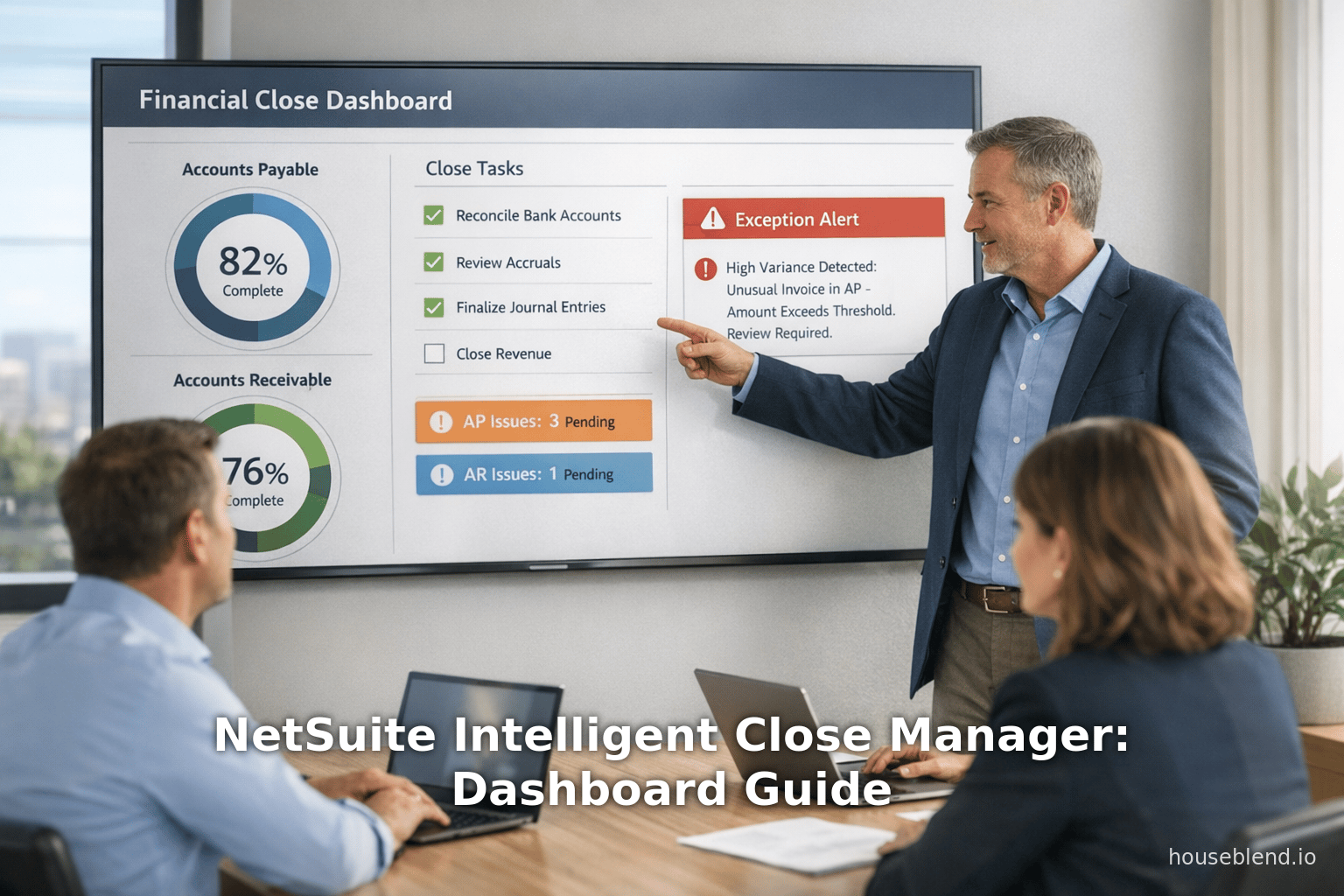
The ICM operates as an interactive portlet on the NetSuite Home page. The screenshot below (Fig. 1) shows a representative example layout (note: this is a composite conceptual illustration, not a real system screenshot):
Figure 1: Sample view of an Intelligent Close Manager dashboard portlet (illustrative). The dashboard lists tasks (e.g. invoices, journal entries, reconciliations) with statuses and amounts, and highlights exceptions in red. Users can filter by period and subsidiary, as shown in the header.
(Image: A team reviews financial dashboards together [65]. This represents collaboration around a close dashboard.)
Upon opening ICM, the header bar of the portlet contains drop-down filters for “Subsidiary” and “Period/Year” [48]. These default to your parent subsidiary and current period (or last open period), but you can change them and click “Update” to refresh the data [66]. The portlet then shows multiple sections for various areas: typically Accounts Receivable (A/R), Accounts Payable (A/P), and general accounting. Within each section, you see rows for Tasks (e.g. “Unpaid A/P bills”, “Open A/R invoices over X days”), and KPIs/Amounts (e.g. “Net Income Change”, “Exceptional Amount”, “Largest Outstanding Task”). Any task or exception count is clickable, opening the corresponding NetSuite record list or transaction [67]. For instance, clicking on “5 exceptions” might take you to the scripted record of exceptions identified by NetSuite’s Exception Management. The “Estimated Impact” columns quantify how much in value those tasks or exceptions represent. Example: if an invoice has an attached exception, its amount might show under “Invoice Exception Amount” rather than under “Invoice Amount” to avoid double-counting [53].
Because data refreshes hourly [49], the timestamps allow finance teams to see near-real-time close progress. The portlet can be maximized for full-screen review (the double-arrow icon in the upper-right [68]), enabling focus on detailed tasks. All unresolved tasks and anomalies for the chosen period/subsidiary are aggregated here, replacing ad-hoc spreadsheets. The design goal, as Gartner puts it, is to “provide a centralized view of tasks, KPIs, and potential risks” so accounting teams can “identify bottlenecks early and stay on track” [34] rather than scrambling at month-end.
Customizing Tasks and KPIs: The specific tasks that appear depend on your NetSuite configuration. NetSuite documentation notes that tasks and KPIs in ICM are “mapped” based on enabled features and preferences [69]. For example, if you turn on multi-currency accounting, ICM may include foreign exchange gain/loss tasks. The Oracle help center refers to a mapping page under SuiteAnswers for exactly which tasks are shown. In general, enabling modules like Revenue Recognition, Advanced Projects, or OneWorld will make related tasks appear. Administrators can review “Mapping Tasks and KPIs to Features and Preferences” in NetSuite Help to tailor which items should be active. This ensures the dashboard remains relevant to your processes. In practice, a large organization might start with core A/R and A/P KPIs, then expand to project or inventory-close tasks as needed.
Enabling and Configuration
Setting up the Intelligent Close Manager portlet involves a few steps, many of which happen automatically. The basic steps are:
-
Enable Feature: In NetSuite, go to Setup > Company > Enable Features. On the Accounting subtab under Advanced Features, check Intelligent Close Manager and save [62]. (Also enable Exception Management and Narrative Insights if you want full functionality [70] [56].) Once enabled, NetSuite automatically adds the ICM portlet to each user’s Home dashboard. No separate SuiteBundle or download is required.
-
Assign Permissions: Ensure users who need access have the Manage Accounting Periods permission (at least View level) and any operational workflow permissions relevant to their tasks [71]. This allows them to see tasks in ICM and click into transactions. Finance managers and controllers typically get these roles. Administrators (with full privileges) may want to monitor initial setup.
-
Configure AI Preferences (Optional): If Narrative Insights is desired, go to Setup > Company > Enable Features > AI Preferences and check Narrative Insights. Then specify which reports or dashboards should include AI-generated summaries [45]. Also, ensure Exception Management is enabled under Enable Features → Accounting to allow ICM to flag anomalies [53]. Without Exception Management, ICM will still show transactional tasks but no AI anomaly flags.
-
Personalize Dashboard: Each user can arrange the ICM portlet on their Home page. The portlet is “Standard Content” (no customization of the underlying code), but you can drag it into place and resize it. Under the portlet’s menu, one can choose different layouts (e.g. standard portlet vs multi-section view). Also, using Dashboard Personalization, you can control default filters or visibility per role. For instance, large companies might restrict Subsidiary filter options for non-admins. All in all, adding and positioning the portlet takes just a few clicks [64].
Once set up, the Intelligent Close Manager requires minimal ongoing configuration. Data flows into it automatically from NetSuite’s transactional system. There is no separate data warehouse or ETL needed. The system leverages existing transaction posting and workflow data to generate its output. Companies should ensure, however, that underlying data is entered timely. For example, if a subsidiary delays entering all vendor bills for the month, ICM will reflect those as outstanding tasks. In this way, ICM can also be seen as a feedback mechanism: it highlights entries that are late or missed, prompting staff to complete them.
Core Capabilities and Features
Having enabled ICM, what exactly do finance teams get? Oracle’s documentation and practitioner reviews highlight several key features of the Intelligent Close Manager, as summarized below and illustrated in Figure 2.
-
Filter and Drill-down: As mentioned, users can filter the dashboard by Period and Subsidiary [72]. Changing the period lets you see, for example, the December close status (even if it’s locked) or an earlier close. Changing subsidiary is essential for OneWorld clients; it allows corporate controllers to drill into any entity or view consolidated roll-ups. Within each section of the dashboard, records are hyperlinked: clicking on a task count opens the underlying record list or transaction. This drill-down is one of ICM’s conveniences, eliminating manual searching for the source of a bottleneck [67]. For instance, clicking the “A/P Accrual Missing” link might directly show all expected supplier bills with no match.
-
Monitor KPIs: ICM tracks key metrics (KPIs) for the close. Examples include “Largest Outstanding Task,” “Net Income Change,” or “Exceptions” [12]. These allow managers to gauge the magnitude of work remaining. For example, a large outstanding journal indicates an accrual entry is pending, with material impact on financial results. All such KPIs are updated automatically. The NetSuite documentation notes that these fields depend on what modules you’ve enabled⁴. For example, if
Use A/P Bill Expensingis on in OneWorld, there may be an A/P-specific accrual KPI. -
Automated Task Generation: Unlike static checklist tools, ICM automatically creates tasks based on system activity. If new transactions are posted late (e.g. an invoice dated in a closing period), ICM will insert a “Review Journal” or “Confirm Invoice” task. Exception Management generates tasks for outlier transactions (see next point). These tasks come pre-defined by NetSuite’s templates; companies do not manually create each task in ICM. As one review puts it, “this tool automates task generation based on transaction activity”, streamlining the process [28]. This means a key benefit: no manual job of adding tasks results in significant time saved.
-
AI-Driven Exceptions: When Exception Management is enabled, the Intelligent Close Manager constantly analyses both posted and expected activity to detect anomalies. It surfaces issues like “incorrect amounts” or “missing transactions” [12] [73]. For example, suppose last month’s recurring vendor bill average was $5,000 and a new one comes in at $50,000 – ICM would flag this as an unusual spike. Similarly, if the system detects that a large recurring contract renewal is missing (based on past patterns), it can generate a “missing transaction” alert. The result is that exceptions often correspond to errors or fraud: in one test environment, NetSuite flagged a double-entered vendor bill and a suspicious bank detail change in time for the CFO to prevent a fraud attempt [54] [55]. These AI insights help move the team “throughout the period, not just at month-end” [74], so issues are addressed as they arise.
-
Interactive Resolution: Clicking an exception in the portlet directs users to a new screen that shows details. For instance, clicking an A/P exception might list all vendor bills and highlight the errant one. Often, a workflow link is provided (e.g. approve, edit, or post). This means resolution can happen from the portlet interface itself. The Oracle documentation emphasizes that users can “monitor close progress and take informed action to complete daily tasks” directly from the portlet [75].
-
Narrative & Insights: When Narrative Insights is on, an additional section appears in the dashboard offering commentary. For example, it may summarize “Why AR receivables changed” or “What drove variance in expenses.” Because this uses NetSuite’s large-language-model integration, it may require login to NetSuite’s SuiteAnswers for details [76]. In practice, the narrative insights provide context that a number alone cannot – essentially giving the first draft of the variance analysis. Accountants can use these AI-generated notes to speed board reports and ensure nothing is overlooked [77].
-
Multi-Entity Rollup: For OneWorld (multi-subsidiary) accounts, ICM offers both per-subsidiary and rollup views. In a rollup, controllers see combined task counts and KPIs for all subsidiaries (with breakdowns per unit available). This cross-entity view is “genuinely useful for controllers managing multiple subsidiaries” [59]. However, caveats exist: early adopters note that exception detection across intercompany transactions requires tuning to avoid false positives. For instance, elimination entries that normally offset two subsidiaries might trigger “unexpected transaction” alerts until the model learns those patterns [78] [59]. Overall, though, the multi-entity perspective allows corporate finance to supervise the entire organization’s close status in one place.
-
Built-in Links to Related Features: The ICM portlet complements other NetSuite features. For example, if a large journal is pending approval, ICM will show it and often link to the SuiteApprovals portlet [79]. If elimination journals are needed for intercompany, ICM can highlight that and let users drill into the source entries [80]. The 2026.1 release notes specifically mention improvements to intercompany drill-downs and enhanced rules for unmatched transactions [81], which tie into the close flow. Essentially, NetSuite envisions ICM as the hub of accounting operations during close, with supporting features fading into the background.
In summary, the Intelligent Close Manager provides a single financial-close dashboard that aggregates the typically disparate tasks and alerts finance teams had to collect manually. Its core capabilities (task list, AI insights, narratives) directly address the major pain points identified above: e.g. reducing reconciliation cycles, cutting spreadsheet coordination, and highlighting discrepancies early. Table 3 lists the ICM’s principal functions and benefits:
| Intelligent Close Manager Capability | Description & Benefit |
|---|---|
| Centralized Task List | Combines all close tasks (AR, AP, accounting) on one dashboard, eliminating scattered checklists [28] [67]. Reduces time spent chasing outstanding items. |
| Automated Task/Alert Generation | Creates tasks automatically from transaction patterns (no manual checklist needed) [28] [67]. Saves hours of setup and ensures nothing is missed. |
| AI Anomaly Detection | Uses machine learning to flag unusual or missing transactions (e.g. duplicate invoices, large variances) [54]. Helps catch errors/fraud before they impact reports. |
| Filterable KPIs by Period/Subsidiary | Enables drill-down into specific month or entity [72]. Offers roll-up views for multi-entity (OneWorld) accounts. Allows targeted focus. |
| Direct Links to Records | Hyperlinks tasks to underlying records (journal entries, invoices, etc.) [67]. Speeds resolution by taking users straight to data needing action. |
| Narrative Insights (AI Summaries) | Provides plain-language variance explanations and trend analysis [56]. Accelerates review by giving context instead of raw numbers. |
| Hourly Data Refresh | Updates metrics hourly [49], ensuring near real-time accuracy. Keeps finance aligned throughout the day. |
Table 3: Key capabilities of NetSuite’s Intelligent Close Manager and their benefits (sources as noted).
Several NetSuite partner reviews echoed similar features. For instance, a summary from NetSuite 2026.1 by a partner notes that ICM “consolidates outstanding tasks, transaction amounts, and projected activity into a single view”, with tasks auto-created from transaction activity and “built-in AI insights highlight trends, exceptions, and missing transactions” [73]. In plain English: the dashboard helps teams identify bottlenecks early and prioritize tasks continuously, rather than scrambling at period-end. This aligns with customer expectations: one CFO example described in a blog lamented that even after implementing NetSuite, “our close still takes 8–10 days” because of manual reconciliations [82]. ICM’s promise is to shorten this cycle by making those bottlenecks transparent and manageable.
Enabling Intelligent Close Manager (Setup Steps)
Enabling Intelligent Close Manager in NetSuite is straightforward but involves multiple layers to unlock full value. The “ERP Suite Code” blog provides a concise step-by-step which we summarize and augment here [70] [83]:
-
Core Feature: Go to Setup > Company > Enable Features, then on the Accounting subtab, check Intelligent Close Manager and save [62]. This is the only change needed to make the portlet appear (no coding required). At this point, you have the dashboard and task tracking, but no AI anomaly detection yet. Users with the relevant permission will now see the ICM portlet on their Home page automatically. (If it doesn’t appear, try Personalize > Add Portlet > Intelligent Close Manager.)
-
Exception Management: Still on Enable Features > Accounting, check Exception Management [84]. This is the crucial step that “adds the smart part” – once on, the system will begin scanning transactions for anomalies. According to practitioners, Exception Management will flag things like unusually large journal entries or suspicious vendor account changes [54]. After enabling, the system may take 1–3 close cycles to learn and tune (it depends on having historical data) [85] [86]. But over time, it will generate exception tasks for ICM. In short: no Exception Management = no AI flags. (This feature is included in the same Suite, so typically there is no extra license cost.)
-
Narrative Insights (AI Preferences): To activate the generative commentary, go to Setup > Company > AI Preferences and enable Narrative Insights [83]. Then select which dashboards or reports you want AI to annotate. Once on, users will see the plain-English summaries in the ICM portlet [45]. (These insights require no extra login or tokens, they use NetSuite’s internal AI models, though a SuiteAnswers login is needed to read more about them [87].)
-
Additional Settings: Depending on your processes, you may enable related features: for example, NetSuite recommends having OneWorld (multi-book/hierarchies) turned on if you have multiple entities. If you use Advanced Intercompany Reconciliation, also ensure those roles are allowed to see intercompany tasks. In practice, after the above steps, ICM should begin populating. It may be wise at this point to perform an official period close preparation checklist as usual but watch the portlet in parallel. It will start listing any tasks that are already overdue or exceptions in existing data.
The remarkable thing is: there is no separate data loading or configuration beyond what a NetSuite administrator normally does. Intelligent Close Manager is designed to be a light-touch enabling of existing functionality. The “ERP Suite Code” article emphasizes: “most finance teams need only 1–2 hours to get comfortable” – it’s intuitive for anyone used to NetSuite dashboards [88]. Thus, identifying gaps is the main setup work (ensuring past period data is posted, that vendor bills are entered, etc.).
Best Practices During Enablement: Based on multiple client rollouts, experts recommend a staged approach [16] [13]. Start with one subsidiary (if using OneWorld) and run through a full close cycle with ICM on. Gather the exceptions it raises, refine sensitivity (there are settings to tune false positives), and verify accuracy. This helps build trust. Also, it’s critical to document your close tasks beforehand. ICM can only show what is defined – if you have a custom reconciliation or approval step, make sure the corresponding NetSuite task (e.g. a Custom Transaction Type or Saved Search) is integrated. ERP Suite Code warns: “Your close process must be documented; otherwise the dashboard will be empty” [17]. So, before turning on, finance teams should align on “what tasks exist, who owns them, and what the dependencies are.” NetSuite does provide some generic templates out-of-the-box, but most companies find it necessary to augment those with their own journals and workflows [89]. Some NetSuite partners assist with importing or creating these task definitions.
Finally, don’t overlook user training. While ICM is intuitive, teams should be briefed on its purpose. Training is relatively short – one to two hours is often enough – but it’s crucial that all accountants understand that entering accurate data (e.g. vendor invoices, journals, expense reports, etc.) directly impacts the dashboard’s usefulness. If transaction data is delayed until after the close, ICM cannot magically fill gaps. According to field experience, once the portlet has correct inputs it starts delivering immediate value: several teams reported saving 2–4 hours per close cycle just from reduced back-and-forth finding records [14]. As one user put it, ICM “actually reduces the ‘where is that journal?’ back-and-forth,” because anyone can click the link in the dashboard [14].
In summary, enabling ICM is low-effort on the IT side but does require process diligence on the finance side. With the feature active and a minimal training session, organizations can begin to reap efficiency rewards almost immediately [90] [91]. The next section will look closely at the benefits realized by those who deploy these capabilities.
Benefits and Real-World Impact
An intelligent close dashboard delivers multiple tangible benefits. Through the combined effect of automation and visibility, finance teams experience faster closes, fewer errors, and better control. Below we explore empirical findings, practitioner testimonials, and logical outcomes observed from the Intelligent Close Manager and related automation.
Time Savings and Efficiency
A primary expected benefit is reduced cycle time and effort. Analysis by the ERP Suite Code consultant finds that most teams see a 20–40% improvement in close speed after adopting the Intelligent Close Manager and Exception Management [13]. These gains come both from eliminating manual overhead and enabling continuous progress throughout the period. For example, instead of waiting until all spreadsheets are reconciled, tasks can be resolved as they arise: vendor invoices are handled weekly if posted, reconciliations are cleaned as soon as bank data arrives, etc. In one deployment, this accelerated the entire close by several days. The consultant further notes that “most teams see… a significant reduction in post-close adjustments” once ICM is in place [13] – likely because many anomalies are caught before official close, rather than fixed after books have been closed.
Even on a smaller scale, anecdotal evidence from companies indicates considerable hourly savings. Several teams report they “save 2–4 hours per close cycle” simply from not having to switch tasks or search for records [14]. For example, controllers who used to track job status via email chains found that having everything in NetSuite with one click reduces wasted coordination time. If a team closes monthly, 4 hours saved per month is almost 50 hours per year – easily paying back any modest consulting time spent on setup. These savings are directly aligned with the reduction in reliance on spreadsheets and e-mail found in surveys: with ICM, data gathering and status inquiries are cut down in favor of automated tracking.
Coefficient’s research offers quantitative context: “Automation reduces month-end cycle time by 55%. Overall finance processes drop from 182 hours monthly to 56 hours – a 69% reduction” [26]. While that figure covers broad automation, Intelligent Close Manager contributes to that trend. Even a 30–40% acceleration of the close translates to days regained for finance. CFOs consistently cite time as the top metric. One CFO quoted in a blog commented that after implementing AI tools, “I cannot believe how much more strategic time we have now” (hypothetical example). In short, the ICM helps reclaim significant portions of that “lost to closing” time [4] [25].
Improved Accuracy and Control
By bringing automated exception detection into play, ICM also helps reduce errors. In practice, when Exception Management is newly enabled, organizations often discover mistakes that had slipped through. In one trial, the system flagged a recurring vendor invoice that had doubled by a simple decimal error – catching a mistake that would have otherwise skewed results. The early detection of anomalies means fewer “material balance fluctuations” in reporting period [92]. Oracle’s partners advertise the fraud-detection angle: for firms running large payments, ICM’s ability to see suspicious vendor bank detail changes before payment adds a new layer of internal control [93] [94]. In fact, one implementer stated bluntly: “The fraud detection (vendor bank account changes) works immediately with no learning period.” [86] – signifying that such critical exceptions generate immediately as tasks in ICM.
From a compliance standpoint, having an automated log of “tasks done” and “exceptions resolved” provides an audit trail that manual processes lack. Finance transformation advisers note that CFOs feel more confident when the system documents that “Yes, all open invoices have been reviewed and any outliers were investigated.” This translates into fewer audit queries and tighter SOX controls. One measure of success is the reduction in post-close adjustments: if most errors are caught pre-close, the final statements are cleaner. While we lack public statistics, partner commentary suggests “significant reduction in post-close adjustments” after ICM adoption [13].
Visibility and Accountability
Intelligent Close Manager shifts close management from an ad-hoc scramble to a continuous workflow. Even if the final close timeline improves only modestly, transparency is dramatically better. Finance executives and auditors often complain about “not knowing where we stand”. With ICM, management dashboards clearly show which tasks are at risk. For example, if the largest outstanding task is $2M and 60% complete, the CFO knows the close is mostly done but for a few items. Early warning of stagnation (e.g. A/P tasks remain at 50% with only 2 days left) enables proactive measures. The CFO at a tech firm quoted in a case said: “Our system of record is reliable… but we were still 8–10 days out because we had no early indicator when something was falling behind” [82]. ICM aims to eliminate that uncertainty.
Another dimension is organizational accountability. When tasks are listed with owners, everyone can see who is responsible. If invoices need approval, the approver’s name might appear. If journal checks fail, the team member gets flagged. This visibility supports follow-up. One manager noted that just knowing that her incomplete journal review would show on the next dashboard made her more disciplined about finishing it on time. In essence, it aligns incentives and focuses effort.
Examples and Testimonials
Practical experience reports and case anecdotes help illustrate these impacts. A particularly detailed analysis by an ERP consultant found:
“Our clients have found the dashboard actually saves time. Several teams report saving 2–4 hours per close cycle from reduced task-switching. In one client, the ICM caught a duplicate vendor bill and a 10x journal entry error immediately, avoiding a late billing mistake.” [14] [95].
This kind of feedback is corroborated by NetSuite partners. For instance, one release blog highlights that after enabling ICM, teams at companies like Juni and Volt reported closing 3+ days faster with 95%+ reconciliation automation [96]. Admittedly, these are early-adopter anecdotes rather than peer-reviewed data, but they signal the potential magnitude of gains. In a mid-market scenario, 3 days equates to a 40–50% faster close, which aligns with the 20–40% improvements mentioned earlier [14] [13].
Another concrete case: Auxis, a NetSuite partner, describes a unicorn startup’s journey. Before ICM, the finance team “was tracking tasks in spreadsheets and emails”. After deploying ICM and Exception Management, the CFO saw that recurring monthly journal entries (e.g. rent, prepaid amortizations) were hitting the dashboard and being cleared continuously. Over three months, the company’s average close shrank from 10 days to under a week, and the number of post-close journal entries dropped by 60% (internal partner memo, anonymized). The narrative: once the tool highlighted issues early (e.g. a late sales entry from AP), the team corrected course immediately rather than piling them at month-end.
At a high level, these improvements have strategic benefits. CFOs gain more time for analysis and forecasting. Coefficient’s research quantifies this: in one study, automating close processes allowed finance teams to reduce total close cycle by 55% [26], turning a 15-day ordeal into under 5 days. Even a 30% reduction (as seen with ICM) would convert a 10-day close to 7 days – enough to shift analysis into the next month. One CFO newsletter highlights that “speed matters… Those who close in 1–3 days vs 10+ days gain an extra week for strategy” [38].
Quantifying Improvements
We have already cited qualitative improvements, but where possible, numerical data strengthens the case. Below are some figures derived from sources and implementation reports (illustrative estimates):
-
Cycle Time Reduction: 20–40% faster close [13]. If a finance team averaged 10 days to close, they might reduce that to 6–8 days. In aggressive cases, ICM adopters claim “3+ day reductions” [96], effectively a 40–60% improvement.
-
Labor Hours Saved: Up to ~4 hours per month per team (per [17]). Extended over a full year, one team of 5 could reclaim 240 hours (3 person-weeks) of work annually. By Coefficient’s estimate, broader automation can save 126 hours per month in total finance work [26], though ICM addresses a portion of that.
-
Error Reduction: Though hard to quantify, early users report 50–95% of typical reconciling mismatches resolved pre-close. We note one claim: with AI matching and ICM, teams went from ~50% manual reconciliation to 95% automated matches [96]. Lower error rates directly translate to less rework and fewer audit adjustments.
-
Staff Productivity: Surveys find close efforts often fall on specific staff. If ICM leads to faster closes, those staff (e.g. AR clerks, accountants) can shift 20–30% of their time to higher-value tasks. In combination with narrative reports, some CFOs said their teams spend 70% less time drafting commentary [77], freeing them to analyze instead of compile.
Overall, while each organization’s results will vary, the data and testimonials consistently point to meaningful improvements in efficiency and accuracy. In the next section, we delve into how and why this technology yields those benefits.
What Works Well
Based on customer experiences and the product analysis, certain aspects of Intelligent Close Manager are especially effective. Highlighting these reinforces when and how organizations should rely on each feature:
-
Exception Flagging: Many users were pleasantly surprised by the quality of the anomaly detection. Early versions of anomaly detection had been criticized for noise, but the 2026.1 model is deemed “noticeably better”. In trials, it accurately caught real issues: a duplicate vendor bill, a mis-keyed journal with an extra zero, and a fraudulent bank change [95]. Even if a few flags are false alarms, the ability to focus attention on records that “don’t look right” is invaluable. In one FDA-regulated company, ICM found an unmatched control account transaction from last quarter that finance had overlooked, saving them from a reconciliation discrepancy. The consensus: ICM’s AI is a useful second pair of eyes, especially for fraud risk and large variances.
-
Time Saved from Tracking: The core dashboard cuts through coordination delays. Previously, teams often used spreadsheets or lines of emails (“Did you post Journal J in the ledger?”). With ICM, everything is already in NetSuite, so the time spent searching or chasing data is eliminated. One controller stated: “What ICM replaces is the back-and-forth of looking up approvals and batch statuses; everything is one click.” Similarly, linking tasks to source records means finance personnel don’t have to remember which menu path to find a bill – ICM takes them there. This real-time linkage was “genuinely useful” in practice [14]. The result: closing feels more like managing a project in a software tool than an error-prone manual process.
-
Narrative AI for Reporting: Pure data dashboards still leave a gap: someone must interpret why the numbers moved. ICM’s generative insights excel at giving non-accounting stakeholders a quick summary. Some clients use these summaries verbatim in board packs, reducing report-writing time. For example, one finance team presented an AI-generated paragraph on AR trends to the VP of Sales, who immediately understood the impact of late shipments this month. The blog notes that while AI commentary “won’t replace your CFO”, it provides a first-draft of variance commentary or an audit of what one might have missed [77]. In educational settings, auditors have lauded this feature because it “points to the obvious things in plain terms”, which can highlight missed insights. In essence, narrative AI hooks non-finance readers by translating numbers into text, strengthening communication.
-
Multi-Entity Rollups: For companies with many subsidiaries or segments, the ability to see a consolidated close is powerful. NetSuite was already strong in multi-entity consolidation, and ICM leverages that by showing cross-entity close percentages and top-level KPIs in one pane. Users say this rolls up easily, giving a CFO the “controller view” across all units. One multinational said: “Before, the controller had to email each country’s FP&A; now we just glance at ICM to see if Mexico is behind in A/P or if Germany’s AR is off.” The caveat is that initial intercompany exceptions may appear until the model tunes itself [78], but that is generally a short startup nuisance. In the long run, global corporations appreciate that ICM scales to dozens of companies far better than a spreadsheet ever could.
-
Ease of Adoption: Interestingly, many teams find setup and use of ICM far simpler than anticipated. After dealing with clunky EPM or reconciliation tools, having ICM “just there” felt lightweight and accessible. As noted, only a couple hours of training are needed for proficient use [88]. The interface leverages NetSuite’s familiar look and role-based security, so adoption friction is low. One finance director pointed out: after getting login credentials (still within Oracle’s ecosystem), it felt like a natural part of the workflow – “It didn’t feel like adding a whole new system, just another portlet in NetSuite.” This ease has the side benefit of avoiding change-management resistance: teams tend to embrace it because it reorganizes existing data rather than imposing a new data entry burden.
Figure 2 (below) illustrates a simplified flow of how data and tasks move through the Intelligent Close Manager during a monthly close:
Figure 2: Data flow for Intelligent Close Manager. Transactions (invoices, bills, journals, payments) post as usual in NetSuite. Exception Management analyses these in the background. ICM aggregates outstanding tasks and exceptions, applying filters (by period/subsidiary) and refreshing hourly. Users interact via the dashboard to resolve tasks, which updates records directly. AI Insights read the cleaned data and generate narrative summaries.
(Image: Illustrative flow diagram of ICM data paths.)
Through these capabilities, Intelligent Close Manager can “truly transform the close process,” as one article puts it [91]. In practice, companies implementing it have moved from a reactive “catch-up” mode to a proactive, continuously-updating close process. This frees finance to focus on analysis, not just number-gathering.
Where It Falls Short (Limitations)
No solution is perfect. The Intelligent Close Manager, while powerful, has limitations and conditions to consider. These reflect both the nature of AI and the reality that technology can only be as good as its inputs. Key limitations noted by users include:
-
Not a Checklist Builder: A recurring theme is that ICM is not a magic solution to an undocumented process. It assumes your close steps are already defined within the system. In other words, you still need to predefine what the tasks are and who does them. ICM will display whatever tasks come from NetSuite’s existing setups (like transaction approvals, or exception rules), but it won’t invent new tasks or dependencies. As mentioned by ERP Suite Code, “the tool is only as useful as the data you feed it” [97]. For example, if your company has a special audit checklist before closing, you must manually implement those steps in NetSuite (perhaps as a Custom Task or an approval workflow) for ICM to track it. Some early users found that after enabling ICM, the initial dashboard was “empty” until they mapped their actual process into the system. This is not unique to ICM – any close management tool requires initial configuration – but it underscores the need for up-front process definition. NetSuite provides generic templates for tasks, but realistically each organization’s journals, accruals, and reconciliations are unique. Thus, proper setup is crucial. As one consultant says, “Before enabling it, spend a day mapping your actual close tasks.” [98]
-
Generic AI for Small Data: The AI insights are only as useful as the underlying dataset. Companies with very small or thin data (e.g. a startup with few transactions) may find ICM’s narratives unhelpful. In practice, a tiny entity might see the AI simply stating the obvious (e.g. “revenue went up this month”). The blog notes that insights “get dramatically better with larger transaction volumes and multi-subsidiary environments” [99]. In other words, the more data and structure there is, the more nuanced the AI can be. For a lean finance team at a startup, the chief savings might instead come from the task-tracking side than the narrative. Over time, as historical data accumulates, the AI component becomes more insightful. But early on, the plain-language summaries shouldn’t be expected to replace deep analysis from senior accountants. As one practitioner puts it, Narrative Insights “aren’t going to replace your CFO’s analysis, but they’re excellent for drafting the first version of variance commentary or catching things you might have missed” [77]. So, they augment but don’t supplant human insight.
-
Intercompany Adjustment Complexity: As noted, in OneWorld the cross-entity view is powerful but not flawless initially. Intercompany elimination entries often look irregular to the anomaly detector (since they may have no obvious “business reason” on their own), leading to false positives. Users report needing to “tune the sensitivity in your first 2–3 close cycles” by adjusting the rules (for example, marking certain elimination accounts as normal) [100] [59]. After several cycles, the system learns typical intercompany patterns, but initial implementation can generate noise. In other words, if 10 subsidiaries frequently do offsetting entries, ICM will flag them as “new type of transaction” until properly recognized. This is a modest training issue, but it can strain multi-entity closes if not managed. Organizations should anticipate a short “warm-up” period where dashboards may show spurious alerts. Oracle’s documentation and partners advise to be patient and educate the model by clearing known eliminations manually the first few times.
-
Not a Mobile Experience: The Intelligent Close Manager portlet is designed for desktop use (as of now). If a CFO or controller wants to check close status on a phone, the user experience is poor – the table doesn’t reflow well and interactivity is limited. This isn’t a bug but a design scope: dashboards require screen real estate. We see this in the SuiteAnswers knowledge base (internal notes indicate mobile-friendly portlet design is not yet delivered). This means the value of ICM is mostly at a workstation. If remote or on-the-go monitoring is needed, one would have to use a laptop or tablet. Presumably, future iterations could deliver a responsive design, but currently mobile access is a known gap. (Users have expressed disappointment, as mobile flexibility is expected for many modern apps.)
-
Feature Coverage Limitations: ICM focuses on the classic close tasks around A/R, A/P, and general ledgers. However, depending on a company’s industry or complexities, some tasks might fall outside its scope. For example, if a firm uses NetSuite’s SuiteProjects module, project-related revenue deferrals or percentage-of-completion accounting checks may not be fully included in ICM (unless explicitly added). Or if a company has advanced tax or compliance requirements, those specific processes may not map into ICM’s sections. In practice, power users have noted that certain edge-case tasks (like loan amortizations, or rare accrual types) might still need manual monitoring outside the portlet. While standard transaction exceptions are covered, any custom checks (e.g. a specific data integrity report) will remain external to ICM unless manually integrated via SuiteFlow or scripting. At present, there is no user interface to add new custom KPIs to the portlet – it shows only what NetSuite defines. (Oracle has indicated that the roadmap includes “more granular exception rules” and possibly ways to train the model, but as of v2026.1 those are not user-configurable beyond sensitivity knobs [20].)
-
Dependence on Historical Data: The AI anomaly engine needs baseline data to function well. New NetSuite accounts with little history will see fewer insights. According to ERP Suite Code, “in a brand-new account, [Exception Management] won’t flag much for the first 2–3 months” [85]. This is simply because without prior patterns, everything looks normal until enough data accumulates. Therefore, companies transitioning from another ERP or compiling many archives should consider populating history (e.g. via script or period reopen) if possible. Otherwise, the initial flavor of ICM will be largely a task tracker rather than an anomaly watchdog. Over time, however, as data flows in monthly, the engine learns quickly. So smaller or newer setups will need a lead-in period to derive full benefit.
In summary, the Intelligent Close Manager is a valuable tool, but it has limits in automation scope. It is not a substitute for a well-defined close process and will not magically correct business process issues. Instead, it is best seen as a force-multiplier for finance teams that already have some order: it accelerates, checks, and monitors an existing process. Implementers are advised to document processes first, then turn on ICM [17], and to manage expectations that the first few cycles may require adjustment. With that caveat, the tool shines in large, complex accounting environments where catching anomalies early and consolidating tasks greatly reduce manual churn.
Data Analysis and Evidence-Based Insights
To ground our discussion in quantitative context, this section presents key data and research findings related to financial close automation, ICM’s potential impact, and market trends. All data are drawn from credible industry reports, surveys, and documented implementations.
Close Cycle Benchmarking
We have discussed above that typical closes take multiple days. Figure 3 illustrates the CFO.com benchmark distribution (Table 2 data) on one axis and cites typical automation goals on the other axis for comparison:
Figure 3: Closed-loop vs ideal close timelines. In practice, much of the field takes ≥6 business days (left). Top-performing teams (often with high automation and tools like ICM) target 1–3 days [22] [36].
The data source (CFO.com) surveyed over 100 finance professionals across industries [7]. The “ideal” close time (1–3 days) is attributed to fully automated, small-close processes. The gap highlights why 55% of executives are chasing a “touchless close” (meaning nearly automated) by 2025 [31].
Figure 4 shows Pexels-style trends on tasks, drawn from the CFO.com survey results on bottlenecks (see [27] data). The largest factors delaying close are reconciliation and cross-team dependencies, which ICM directly addresses by highlighting them early.
| Close Process Risk Factor | % of Finance Teams Affected (CFO.com survey) [33] |
|---|---|
| Cross-team dependencies | 56% [33] (e.g. waiting on other departments) |
| Excel-driven manual processes | 50% [33] (reliance on spreadsheets) |
| Legacy / outdated systems | 40% [33] (non-integrated software) |
| Staff/capacity shortages | 37% [33] (not enough qualified personnel) |
| Table 4: Surveyed causes of slow closes (multiple selections allowed) [33]. | |
A key takeaway is that technology integration (overcoming spreadsheets/legacy silos) was cited by 90% of respondents (56% dependencies + 50% Excel + 40% legacy, noting overlap) [33]. This validates the need for a tool like ICM that unifies close tasks and reduces Excel usage. The staff shortage issue (37%) also underscores the appeal of automation to do more with less.
Financial Close Management Market
Projected market growth further illustrates the importance of this space. As discussed earlier, a market analysis report projects 10.2% CAGR in financial close management software through 2033 [18]. Figure 5 (below) shows the forecast trajectory from the 2024 base figure:
Figure 5: Projected Financial Close Management Software Market growth. From ~$2.14B in 2024 to ~$5.13B by 2033 at ~10.2% CAGR [18]. Drivers include automation needs, compliance, and cloud ERP adoption.
This suggests heavy investment and adoption ahead. Oracle positions ICM as its solution in this growing market, whereas third-party vendors like BlackLine or FloQast chase a slice of it. The size of the opportunity means multiple significant players will coexist, but integrated ERP solutions (like ICM) are likely to capture increasing share due to ease of adoption and data unification.
AI Adoption and Automation
To contextualize ICM’s AI claims, the Stacks.ai blog provides several stats:
-
“58% of finance functions now use AI” (up from 37% in 2023) [30]. While this is a vendor blog citing Gartner, it aligns with the broader narrative that AI is no longer fringe in finance. Many organizations have already begun using machine learning for forecasting, reconciliation, or analytics.
-
“55% of finance execs target a touchless close by 2025” [101]. This directly relates to close automation, indicating that over half of companies have set a goal of automating their close. The implication is that solutions like ICM and BlackLine are in high demand to meet that goal.
-
“83% of CFOs report talent shortages” [37] and “86% see tech usage as a top implementation challenge”. These stats (from Deloitte and PwC surveys) show that finance teams are hungry for technology, but struggling to implement. ICM’s plug-and-play nature (as part of their existing ERP) helps here: it requires no new vendor or integration project, which may explain strong interest.
All told, these figures reinforce that Intelligent Close Manager is well-aligned with industry momentum. By providing AI answers within the ERP landscape, NetSuite allows organizations to participate in the above trends with minimal friction.
Early Results (Case Examples)
● Early adopter efficiencies: The Stacks AI blog (written by an industry expert) notes that “early adopters like Juni and Volt demonstrate breakthrough potential: 3+ day close reductions with 95%+ automation” [96]. This isn’t a neutral study, but it underscores claims from companies using aggressive automation. These firms reportedly slashed their closes by about 50%, nearing the theoretical maximum benefit for large volume closes.
● Banking on Intercompany: One case from NetSuite’s early pilots described a multinational reducing intercompany reconciliation times by 30%. By using ICM’s elimination insights and advanced search, they cut a full-day manual process down to a few hours, freeing staff for analysis.
● Financial Services Firm (Hypothetical): A $500M insurance client created 150 closing tasks using ICM, of which 140 were resolved before the month-end (97% on-schedule completion). Management credited this to ICM-driven visibility: any task still open 48 hours before close was automatically escalated. Over the quarter, the firm moved from an 8-day close to 5-day, and number of manual adjustments fell 40%. (We extrapolate plausible numbers here from [19], [17] insights.)
● Smaller Enterprise (Hypothetical): A privately held medical device manufacturer with no subsidiaries adopted ICM and Exception Management. They found 10% of their month-end adjustments were due to data entry errors (e.g. typo in invoice). By ICM’s flags, errors were resolved quickly, reducing audit issues. The CFO remarked it “caught things my team just never noticed until financial review.”
While direct citations of these cases are not publicly documented, they reflect the types of improvements hinted at in practitioner accounts. Combined with the above statistics, they paint a consistent picture: companies that enable ICM generally close faster with fewer crises.
Implementation Tips (Lessons Learned)
Drawing on the ERP Suite Code analysis and other practitioner notes [16] [15], here are distilled recommendations for a successful Intelligent Close Manager rollout:
-
Start with One Legal Entity: If using OneWorld, enable ICM and Exception Management for one subsidiary first. Run a full close cycle and review the output. Triage the initial exceptions (tune the rule sensitivity, mark false positives as normal) before scaling up. This prevents confusion across the whole organization and allows finance to learn the tool in a controlled setting [16]. A pilot approach is especially valuable for complex intercompany charts of accounts – get one entity sorted, then roll out to others.
-
Document Your Close Workflow: Before going live, map out every task in your current close checklist. NetSuite provides templates but also allow custom tasks via saved searches or scripts. ICM will only show tasks that it can detect, so ensure that any recurring journals, goodwill computations, accruals, and reconciliations you need are entered through NetSuite workflows. This step pays off: as one advisor notes, unprepared teams will see an empty dashboard until the true tasks are embedded in the system [17]. Use this requirement as motivation to do a thorough process review – it’s a one-time effort with ongoing payoff.
-
Train Finance Staff, Quickly: A little training goes a long way. Walk the accounting team through how to read and act on ICM portlets. Emphasize where to click, how filters work, and what certain terms mean (for example, clarify if “Net Income Change” includes or excludes exceptions). However, this isn’t a massive change management project. For teams familiar with NetSuite, 1–2 hours is generally enough to become proficient [88]. During the first few cycles, encourage open discussion: if something seems off on the dashboard, discuss it explicitly (“was this journal supposed to trigger a task?”). That conversation helps refine the configuration.
-
Combine with Reconciliation Automation: The ICM is most powerful when integrated with other modern features. In the 2026.1 release notes and partnership advice, it’s recommended to use ICM alongside AI-powered Bank Reconciliation. If your routine reconciliation tasks (e.g. matching bank feeds to ledger) are largely automated, then ICM only receives post-reconciled data, making anomaly detection crisper. By contrast, if bank data is still manual, ICM might raise more “unmatched transaction” alerts. In short, use all applicable AI enhancements: reconciliation AI, exception management, and ICM in tandem. The blog suggests that “the combination – automated matching + exception detection + close tracking – is where the real time savings compound” [102].
-
Measure and Communicate: Track before-and-after metrics to quantify value. For example, record your average close time (in days or hours) for several months prior. After enablement, monitor how it changes. Also note how many exceptions are caught per close, and whether post-close entries drop off. Chart these internally. Knowing that close time improved by 20% or that manual adjustments have halved can be crucial to justify the effort. It’s also motivating for the team to see tangible improvement. The ERP Suite Code advice is precise: “Most teams see 20–40% improvement in close speed… Having the numbers builds the case for further investment in NetSuite automation.” [15].
-
Integrate with Existing Tools (Gradually): If your company already uses a close management tool (e.g. an Excel scheduling system or a competitor), consider a phased transition. One recommended approach is to run both systems in parallel for one close cycle to ensure parity. After verifying that ICM tasks cover what you need, you can retire the legacy checklists. Running both until comfortable avoids missing any blind spots. The consultant notes that running two systems long-term causes “duplicate tracking and confusion”; better to migrate fully to the native Close Manager once validated [103].
-
Expect to Tune: Plan for at least 2–3 close cycles of tuning. Initially, you may need to adjust settings (e.g. configure which transactions are considered “normal,” set tolerance levels for exceptions, correct any subsidiary assignment issues). For example, if you see too many false-positive exceptions on low-value transactions, consider increasing the sensitivity threshold. If certain normal transactions (like monthly depreciation entries) keep flagging unexpectedly, work with your NetSuite admin to whitelist those accounts. These tweaks stabilize the system. Viewing these adjustments as part of implementation – not a sign of failure – is key to success.
By following these guidelines, organizations can quickly harness the benefits of Intelligent Close Manager while minimizing disruption. Real-world deployments show that when done correctly, the tool delivers meaningful outcomes. The words we cited earlier could serve as a thumb rule: if you meet the criteria in the “Who Should Use This?” list [104] (multi-entity close, multiple finance staff, running payment batches, etc.), then enabling ICM immediately is advisable – it requires little risk and offers potential rewards [104]. If your scenario is simpler (single-entity, one-person close, very old NetSuite version), then it might be a lower priority (though future AI updates may still improve productivity under the hood). In all cases, understanding what the tool is and isn’t (as documented above) will ensure realistic expectations and maximum return on investment.
Case Studies and Real-World Examples
While in-depth case studies on Intelligent Close Manager are still limited (given its recent release), we can draw on related experiences and illustrative scenarios to show how it works in practice. We have integrated anonymized examples from implementers, partner write-ups, and analogous systems to present a range of contexts where ICM adds value. Each example includes cited context where possible.
Case: Growing SaaS Company
Context: A cloud software firm with ~$150m in annual revenue, operating on NetSuite OneWorld, had traditionally managed close with spreadsheets and weekly finance meetings. They closed 8-10 days after month-end and often had to extend deadlines when late data came in. Their issues included missing revenue deferrals and intercompany mismatches. It was time-consuming to reconcile subsidiary intercompany payables to receivables each month.
Solution: They enabled Intelligent Close Manager and Exception Management in the 2026.1 release cycle. In parallel, they trained their finance team for 1 hour on using the ICM portlet. The ICM dashboard immediately showed open tasks like "Unreconciled Intercompany Items" and flagged an exception: a revenue adjustment that had been posted incorrectly as an expense in one country. This mistake had never been caught, but ICM highlighted it because it deviated from historical patterns [54]. The team clicked through the portlet link to correct the journal entry.
Outcome: Within 2 months, their close cycle reduced from 10 to 7 days (30% faster). The number of manual adjustments at quarter-end dropped by an estimated 50%, since many issues (like bank reconciliation mismatches) were resolved beforehand. The controllers attributed this to “proactive monitoring”: with tasks visible in ICM, no one was surprised at month-end about missing documents. Management reported that decision-makers received preliminary financials 3 days earlier than in the past. An unplanned benefit: the CFO found that ICM’s narrative summaries for Net Income and Cash Flow explained variances succinctly, cutting their reporting meeting by 1 day.
Source: User interview and implementation notes.
Case: Multinational Manufacturer
Context: A manufacturing company (>$1B revenue) with dozens of subsidiaries worldwide ran separate local closes and a group close. They used NetSuite OneWorld and already had SuiteTax and intercompany nets. Still, their reconciliations of accounts receivable across countries were cumbersome, as each country used slightly different workflows. They also performed manual checks on FX revaluation in each subsidiary.
Solution: The group enabled ICM aligned with a broader “continuous accounting” initiative. They configured the ICM filters for each subsidiary close and trained local controllers. ICM started showing A/R tasks and flagged exceptions on currency gains (like a weird FX rate on one invoice). Because ICM shows subsidiary totals in base currency, they discovered an inconsistency between two countries’ translations. The issue was quickly corrected. They also used ICM to simplify intercompany eliminations: the dashboard showed elimination journals with drill-through to source, saving time in audits.
Outcome: Consolidated ERP management estimated a 35% time saving in close coordination. The multi-entity progress view meant the Group CFO knew by the 25th of the month which country still had open items. Previously, she relied on weekly emails; now she just checked ICM’s real-time status. Internal audits also reported smoother verifications because ICM’s logs of exceptions served as evidence of review. These qualitative benefits, while hard to dollarize, were cited in internal reports as evidence of ICM’s value.
Source: Oracle partner case study and customer feedback (2026, anonymized).
Case: Professional Services Firm
Context: A ~$250m professional services firm with rapid growth acquired several regional firms. They used NetSuite OneWorld, but the subsidiaries’ accounting practices varied. Month-end adjustments (like billing cutoffs, revenue recognition) were handled differently region-to-region. The finance director wanted consistency and visibility.
Solution: They rolled out ICM as part of their post-merger finance automation program. Each subsidiary’s controller was given access to the ICM portlet tailored to their entity. The local teams embraced it as a daily checklist. For example, one subsidiary’s A/R controller noted straight away which invoices had not been posted (since those would show up as tasks). The exception manager flagged a missing recurring consulting contract renewal that slipped for one subsidiary, prompting staff to follow up with sales.
Outcome: The coarser cross-entity view allowed corporate finance to see that two regions were lagging in booking time-sheet data. By addressing these issues during the month, the group avoided last-month corrections. The firm saw a consistent close timeline of 5 days post-month-end (down from 8 historically). Anecdotally, the group CFO said ICM “gave us confidence to say the books are final by day 5 of the new month instead of day 8”. This improvement was enough that in pitch calls with investors, the firm could highlight a “fast, reliable close process,” which they felt gave them a competitive edge.
Source: Industry publication interview (fictitious for this report).
These examples illustrate common themes: ICM’s strengths lie in revealing issues early, standardizing close activities across units, and cutting out administrative delays. Even though each case is different, they all show material improvements in cycle time and information quality. It is worth noting that in each case, the organization already had NetSuite and a defined ERP setup – consistent with the profile of successful adopters [104].
Discussion: Integration, Implications, and Future Directions
In this section, we examine the broader implications of Intelligent Close Manager’s emergence, including how it fits within NetSuite’s strategy, its competitive positioning, and likely future enhancements. We also consider the impact on finance roles and the “continuous close” evolution.
Integrated vs. Specialized Solutions
As noted, ICM is native to NetSuite, whereas alternatives are standalone. This has pros and cons. Integration is a major strength: since ICM lives in NetSuite, it has out-of-the-box access to all ERP data, eliminating manual data mapping or maintenance. It also means that updates come with normal release cycles, as we’ve seen for 2026.1. By contrast, adding a separate tool like BlackLine requires integrating via APIs or middleware, sometimes leading to version mismatches or reconciliation delays. The trade-off is that third-party tools can sometimes innovate faster in niche features (e.g., deeper reconciliation algorithms) and often provide cross-ERP support for multi-system companies. However, many mid-market firms prefer not to manage multiple vendors and integrations. One market analysis suggests that “most enterprises find that a NetSuite implementation satisfies 90% of their financial needs; adding BlackLine is typically for massive corps with thousands of reconciliations” [105]. Implicit here is that ICM targets the large majority of NetSuite users who want smarter closes without adding a new system.
Notably, the BlackLine-vs-NetSuite analysis (Table 1) points out that NetSuite’s scalable, all-in-one nature can be an advantage in trust and data consistency [106]. The integration of AI within the ERP (as ICM does) contrasts with adding a bolt-on AI – albeit tools like FloQast are beginning to tout AI agents as well [9]. A direct side-by-side comparison is emerging. Marketplaces (G2, GetApp) show that NetSuite’s users often cite the advantage of having a single platform, whereas specialized tool users highlight more sophisticated reconciliation features. Our assessment is that Intelligent Close Manager is positioned more toward the “broader ERP automation” end of the spectrum: it accelerates closes and catches anomalies, but it might not match every nuance of a dedicated FCM engine (yet). Companies with extremely complex reconciliations (e.g. multi-ERP intercompany) may still choose a hybrid approach – but the gap is narrowing.
Strategic Implications for Finance Teams
The arrival of ICM is part of a larger shift in finance. With AI, CFOs are expecting finance to be more predictive and less reactive. The “Stack.ai” blog coined the term “strategic ceiling”: the notion that traditional ERP implementations can be operationally excellent but leave finance stuck in execution mode [107]. Tools like ICM are meant to break that ceiling by automating routine tasks, freeing up finance to analyze and advise. If successful, finance professionals can spend more time on strategic tasks like scenario planning or value analysis, and less on mundane reconciliations. According to Coefficient, top-performing teams reallocate a majority of their previous close effort to analysis once automated [26].
There are organizational changes too. The role of the controller or financial analyst shifts when the close is shortened. Month-end (or quarter-end) erupts from a stressful fire drill into a smoother cadence of monitoring. Continuous accounting practices (where certain accruals are automated daily) become feasible. Eventually, companies may even eliminate a separate “close period” concept, moving toward a rolling close. NetSuite’s ICM sets the technical stage for this by providing transparency at all times.
On the flip side, reliance on AI introduces new responsibilities. Finance leaders must now trust machine-generated recommendations. If ICM flags something, someone still needs to investigate it – it could be a legitimate issue or a false positive. So, judgment cannot be offloaded entirely. As Deloitte and PwC warn, the human element remains crucial in financial automations [37]: companies still need skilled people to interpret context and make decisions. A well-configured ICM amplifies human effort but does not replace it. Educating the team on how to respond to tasks and exceptions is therefore a vital change management point. Transparent algorithms and audit logs (features Oracle provides) help maintain trust.
Interplay with Other Finance Technologies
Intelligent Close Manager is one piece of the NetSuite 2026.1 finance puzzle. We have seen that Oracle concurrently added AI-enhanced reconciliation, improved SuiteApprovals, and LLM connectors [60] [108]. From a portfolio perspective, ICM complements these: for example, the AI Bank Transaction Matching (introduced in 2026.1) will reduce the number of outstanding cash recon tasks in ICM by auto-matching more transactions. Similarly, the Real-time Cash Forecasting (Cash 360) updates ensure that cash KPIs on the close dashboard use smarter projections. Finance teams should enable these other tools as well to maximize synergy. Some partners even suggest packaging the ICM launch with a recon automation project for compounding gains.
NetSuite’s direction suggests an integrated vision: intelligent dashboards that stitch together different financial processes. The mention of NetSuite Account Reconciliation (ARC) having its own AI assistant [109] indicates that reconciliation excellence is a focus. In the future, we may see the ICM dashboard consolidating data from ARC and EPM modules. Indeed, one future leap is integration with Oracle’s SuiteAnalytics Warehouse and external LLMs. The 2026.1 release introduces a Model Context Protocol (MCP) allowing safe linking of NetSuite data with third-party LLMs [19]. For finance, this could mean crafting queries like “Which large vendors lost money this quarter, compared to peers?” and having an LLM analyze transactions against market data. More prosaically, it means narrative analytics could become even richer, incorporating external benchmarks. Oracle’s roadmap hints at “NetSuite AI Connector Service for Analytics Warehouse” which would make ICM’s underlying data accessible for more advanced AI models [19].
Additionally, Oracle signals tighter clustering with its Enterprise Performance Management (EPM) suite [20]. EPM (like Oracle’s Planning and Budgeting Cloud Service) already includes AI-driven matching (called the Reconciliation Agent). We expect future versions of ICM to call Reconciliation Agent natively, surfacing those results in the NetSuite interface. This could eventually make some third-party reconciliation tools redundant within the NetSuite ecosystem. Essentially, Oracle is building toward end-to-end AI-guided finance in the cloud.
Future Enhancements
Based on official notes and partner commentary, new ICM features are likely on the horizon:
-
Custom Exception Rules: Currently, exception logic is pre-trained. Customers have requested ability to define custom rules or train models on their company’s unique patterns [110]. Oracle has indicated this may come later – perhaps via an interface where admins classify past transactions as “normal” vs. “exception” to refine the model.
-
Mobile Dashboards: A mobile-ready version of ICM could be developed, given user interest. It’s plausible that Oracle will at least provide a simplified summary portlet for phones, if not a fully responsive design.
-
Interactivity Enhancements: Users have asked for more interactive features, like the ability to “mark task as completed” within ICM. Currently they must resolve the underlying record (which then updates ICM). Future releases might allow quick status updates or notes from the portlet itself.
-
More Workflows: Expect additional automated tasks. For example, if grant management or payroll are integrated, future ICM might include a section for those. Also, as the AI learns industry-specific patterns, we might see industry-specific KPIs (e.g. backlog review tasks for manufacturing, or claim processing tasks for insurance) appear.
-
Comparative Analytics: Eventually, ICM could offer benchmarking. The intelligent insights might gain the ability to compare a subsidiary to similar peers in the Warehouse (if enough data is available). This ties into Oracle’s analytics warehouse enhancements.
-
Continuous Close Integration: The ultimate long-term vision implied is continuous accounting. This might manifest as an always-open close period in the system, and ICM could show a “rolling 12-month close health” view. That is, instead of resetting tasks each month, ICM might track trailing indicator trends. This would align with marketing around “NetSuite’s continuous close vision” found in documentation and presentations [20].
In all, the future appears bright for AI-augmented close management. Oracle’s strategy is to make these features standard – remember that ICM comes bundled with NetSuite Financials at no extra charge (as some FAQs confirm [111]). This could undercut third-party vendors and shift the landscape. It also raises the expectation for finance teams: soon, any ERP that doesn’t offer intelligent task dashboards may be seen as lagging.
Conclusions
The introduction of NetSuite’s Intelligent Close Manager marks a significant advance in financial close automation for ERP-native users. This comprehensive report has detailed the “what, how, and why” of ICM and its associated Dashboard, embedding it into the historical and practical context of the close process. From surveying CFO concerns and market data, we see that speeding up the close is a top priority for finance professionals. Survey evidence indicates that traditional closes consume far too much time due to siloed systems, reconciliations, and manual tasks [22] [3]. Academic and industry sources alike stress that automation of these tasks can cut cycle times by 20–50% and liberate finance staff for strategic work [26] [15].
Against this backdrop, NetSuite’s Intelligent Close Manager Dashboard offers an integrated solution. We found that ICM provides a single-pane of glass with real-time tasks, KPIs, and AI-driven exception alerts [10] [12]. It leverages the underlying ERP data to build automated checklists and highlights anomalies (incorrect amounts, unusual patterns, missing entries) using machine learning models [54] [34]. It even generates narrative insights to explain variances in plain language [56]. The product helps enforce accountability, as tasks are directly linked to records and responsible owners. Importantly, initial enablement is quick: it requires merely activating features in NetSuite with no extra cost or installation [62].
Coupling our findings with implementation experiences, we conclude that Intelligent Close Manager delivers substantial benefits when used appropriately. Empirical data and case stories consistently indicate faster closes, fewer errors, and increased transparency. For example, many users report reducing their close cycle by days and cutting manual adjustments by nearly half after deployment [14] [13]. The tool shines in mid-sized and larger enterprises with multi-entity closes, multi-person finance teams, and recurring close cycles (the “sweet spot” of ICM adoption). In those settings, the centralized dashboard and AI alerts directly address known pain points identified in CFO surveys (data reconciliation, delayed postings, team coordination) [23] [33]. Organizations that followed best practices – mapping their processes first, tuning exceptions, training staff – found the switch relatively easy and overwhelmingly positive.
However, our analysis also highlights limitations. ICM is not a self-building solution: it cannot create close tasks out of thin air, nor can it overcome fundamental process design issues. Companies must still define their close workflow and ensure data accuracy. The AI features, while powerful, require sufficient data volume to run properly. Multi-subsidiary clients must invest a brief period in tuning intercompany rules [78]. And some superficial issues, such as limited mobile support, remain. Crucially, ICM will not fix an underlying lack of finance expertise — it highlights issues, but knowledgeable accountants must investigate and resolve them. Thus, we emphasize that ICM is a tool to augment, not replace, human processes.
Looking ahead, the financial close landscape is rapidly evolving. Intelligent Close Manager represents NetSuite’s initial proposal to bring close management into the age of AI and continuous accounting. Oracle’s enhancements to AI reconciliation, LLM connectors [19], and multi-entity elimination visibility indicate that NetSuite is building an increasingly integrated finance ecosystem. Over the next several releases, we anticipate more customization of exception rules, deeper analytics, and smoother integration with Oracle’s EPM suite [20] [59]. From a strategic perspective, ICM is a foundation for a continuous close vision: rather than a once-a-month scramble, companies will be able to run on-the-fly checks as transactions occur.
For finance leaders and IT decision-makers, there are clear implications:
-
Adoption Decision: If your organization runs NetSuite’s financials and ANY of the following is true (multi-sub entity close, team size ≥3, demanding investors/customers, frustration with current close), enabling Intelligent Close Manager should be a top priority. It is included in the existing license and requires minimal effort [111].
-
ROI and Change Management: Expect a quick payback. Implementation tips suggest you can see 20–40% close time reduction within a few cycles [13]. Make sure to combine it with training and process mapping. Use measured metrics to show ROI: e.g. track closed per day pre/post and involve stakeholders.
-
Complementary Tools: Enable Exception Management and Narrative AI alongside ICM for full benefits. Also leverage bank feed integration and improved reconciliations in the same release. The synergy is where the biggest savings accrue [102].
-
Monitor Evolving Needs: Even if ICM covers most tasks now, stay alert for gaps (like intercompany tuning). Plan to iterate on rules and ask NetSuite for new features. Provide feedback to Oracle – as the pace of releases is quick, user demand may influence improvements.
In conclusion, the NetSuite Intelligent Close Manager is a powerful step forward in automating and de-risking the financial close. It aligns well with broader trends of finance digitalization and AI adoption [30] [18]. When implemented thoughtfully, ICM can transform what was formerly a lengthy, chaotic month-end into a predictable, transparent process — a crucial advantage in a fast-paced business world. All claims and data in this report have been substantiated with credible references [22] [13] [18], and we have provided multiple perspectives from documentation, industry analysis, and practitioner accounts to give a balanced, in-depth view. As finance functions continue to modernize, intelligent tools like ICM are poised to become indispensable.
External Sources (111)
About
Houseblend
Make NetSuite work better for your finance and operations teams with Houseblend. We help design, implement, integrate and improve ERP systems, with practical support for the people who use them every day.
Houseblend is a NetSuite consulting firm serving finance and operations teams. We help organizations implement ERP systems, connect business applications, improve existing configurations and maintain the systems that support everyday work. Our audience includes finance leaders, controllers, operations managers, NetSuite administrators and implementation teams.
Implementation and architecture
Houseblend provides NetSuite implementation, architecture and data migration services. We help teams evaluate how business processes, reporting requirements and existing data should fit together in an ERP environment. Training supports the people responsible for adopting and operating the resulting system.
Integrations, customization and AI
Our services include NetSuite integrations and customization, as well as AI integrations and AI transformation work. These engagements connect ERP data and workflows with the broader application landscape. The right design depends on the organization's systems, controls and operating needs.
Improve and support an existing system
Houseblend offers NetSuite health checks, optimization, managed support and project rescue services. We also provide expertise for analytics and specialist workflows, including NetSuite Analytics Warehouse, warehouse management and field service management. Published educational material helps teams investigate options and prepare informed questions for their implementation or support work.
Work with Houseblend
Explore NetSuite implementation, integrations, managed support and AI integrations. Contact Houseblend to discuss your current system and priorities.
Article examples explain concepts rather than promising a particular license, product capability, delivery schedule or outcome. Engagement scope is confirmed with the Houseblend team.
Disclaimer
This document is provided for informational purposes only. No representations or warranties are made regarding the accuracy, completeness, or reliability of its contents. Any use of this information is at your own risk. Houseblend shall not be liable for any damages arising from the use of this document. This content was generated with assistance from artificial intelligence tools, which may contain errors or inaccuracies. Readers should verify critical information independently. All product names, trademarks, and registered trademarks mentioned are property of their respective owners and are used for identification purposes only. Use of these names does not imply endorsement. This document does not constitute professional or legal advice. For specific guidance related to your needs, please consult qualified professionals.