Houseblend Article
NetSuite MCP Guide: Architecture and AI Integration
Inside this article
- 01Executive Summary
- 02Introduction
- 03The Model Context Protocol (MCP): Concept and Definition
- 04NetSuite’s MCP Integration: Overview and Architecture
- 05Admin Setup and Configuration
- 06Benefits and Impact of MCP in NetSuite
- 07Data Analysis and Evidence-Based Insights
- 08Case Studies and Real-World Usage
- 09Security, Governance, and Best Practices
- 10Future Directions and Implications
- 11Conclusion
Executive Summary
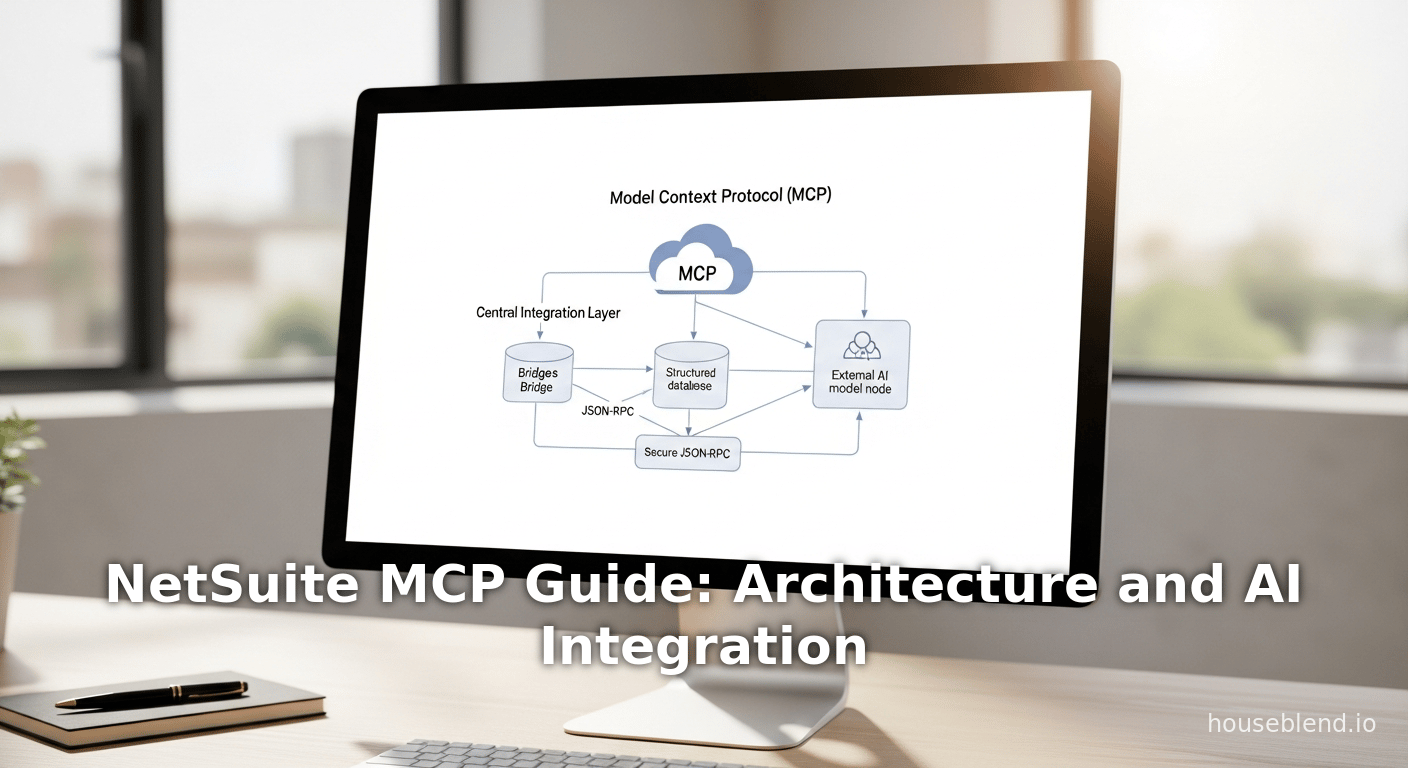
The Model Context Protocol (MCP) represents a transformative advance in enterprise AI integration, providing a standardized bridge between large language models (LLMs) and business applications such as Oracle NetSuite. MCP is an open-source, JSON-RPC-based protocol that defines how AI agents (e.g. ChatGPT, Claude) can securely call “tools” and access “resources” in external systems [1] [2]. In practice, NetSuite’s MCP server enables direct, real-time querying and updates of ERP data via natural language prompts, without writing code or exporting spreadsheets. This unlocks new AI-driven workflows (e.g. conversational reporting, automated record creation, anomaly detection) while enforcing existing NetSuite role permissions and governance [3] [4]. NetSuite’s MCP was introduced in 2025 as part of its AI Connector Service and MCP Sample Tools SuiteApp, and has quickly become the backbone of its AI strategy [5] [6].
Extensive industry analysis shows that MCP addresses longstanding pains in finance and operations: reducing manual data wrangling (month-end “bottlenecks”), eliminating stale data blind spots (cash flow, forecasting), and unifying siloed information (demand planning) [7] [8]. NetSuite’s implementation lets companies “bring your own AI” – connecting Anthropic Claude, OpenAI, or any MCP-compatible model – without vendor lock-in [9] [10]. This report provides a comprehensive deep dive into NetSuite MCP: its definitions, architecture, and design; setup steps and security model; productivity and strategic benefits; real-world use cases (from simple queries to advanced analytics); and future implications for the ERP/AI landscape. Concrete examples (e.g. using ChatGPT or Claude to run SuiteQL queries) and expert perspectives reinforce that MCP is enabling smarter, faster, and more confident enterprise decision-making via contextual AI [11] [12].
Introduction
The rapid adoption of generative AI (large language models, or LLMs) in business has created an urgent need to connect LLMs securely to enterprise data. Traditional ERPs like NetSuite have historically been siloed behind APIs or manual export processes, preventing LLMs from accessing real-time data. At the same time, modern AI vendors have developed various ad-hoc plugins (e.g. custom APIs, vendor-specific connectors) to interface with business systems. This fragmentation means each AI model or platform requires a custom integration, leading to inefficiency, vendor lock-in, and security gaps. The Model Context Protocol (MCP) was developed to solve exactly these problems with an open, standardized approach.
Anthropic, a leading AI research company, introduced MCP as an open protocol that standardizes how AI applications provide context to LLMs, analogous to how a USB-C port standardizes device connections [1] [13]. By defining a common JSON-RPC interface for “tools” (actions that AI can call) and “resources” (data it can fetch), MCP lets any compatible LLM discover and invoke operations on any MCP-enabled system without bespoke code [14] [15]. This means NetSuite (or any enterprise system) can expose a tool registry of business functions (e.g. “getCustomerBalance” or “runSuiteQL”) and the AI can call them by name. Crucially, the AI never has direct unrestricted access to the database; all interactions pass through an MCP server layer that enforces authentication, permissions, and auditing [3] [16].
NetSuite, a leading cloud ERP, recognized the importance of this capability. In 2025, NetSuite launched MCP support via its new AI Connector Service and related SuiteApps. The official goal was to let customers “integrate their own AI models without vendor lock-in”, allowing any supported LLM (e.g. OpenAI’s ChatGPT or Anthropic’s Claude) to query and update NetSuite data through a consistent interface [17] [16]. Thanks to MCP, a finance manager can simply prompt “Give me the balance for customer Acme Corp” in natural language, and the AI will execute the appropriate NetSuite API calls under the user’s role to return the answer [18] [19]. This shifts the paradigm from static exports and manual queries to conversational analytics and automation.
In the ensuing sections, we analyze NetSuite MCP from multiple angles: its technical design, administrative setup, security controls, business value, and future potential. We draw on official documentation, industry analyses, and real-world case studies to provide a balanced, in-depth view. Throughout, the evidence shows that MCP is not merely a niche plugin, but a foundational enabler of AI-first enterprise systems [20] [4].
The Model Context Protocol (MCP): Concept and Definition
MCP is an open, JSON-RPC based protocol for connecting LLMs to data and tools. It was introduced by Anthropic in late 2024 and quickly gained industry traction [1] [13]. As Anthropic’s documentation explains, “MCP is an open protocol that standardizes how applications provide context to LLMs” [1]. In simpler terms, MCP provides a uniform interface that any AI agent (client) can use to query external systems (servers). For example, with MCP an AI can access “key information and perform tasks” in a corporate database or application just as easily as it might access external APIs or cloud services [13]. This is often likened to a “USB-C port for AI applications”[13†L7-L13], because it allows any LLM to plug into various data sources and tools via a common standard.
The core idea of MCP is to offer two main components:
- Tools (Actions) – A server advertises a list of tools representing actions or queries the AI can invoke. Each tool has a name, description, input parameters, and output schema. For instance, a NetSuite server might offer tools like
getCustomerDetails,runSuiteQL, orcreateSalesOrder. These are defined by the server owner (e.g. IT administrator) to expose specific ERP functions. - Resources (Data Context) – A server can also define resources such as knowledge snippets or contextual information. (Not all implementations focus on resources; some emphasize tools.) These resources help the AI agent provide richer context or grounding when forming queries.
When an AI model (MCP client) interacts with an MCP server, it essentially goes through a flow like:
- Discovery – The AI or its connector fetches
/tools/listfrom the MCP server to learn what tools are available and how to call them. - Invocation – The AI sends a tools/call JSON-RPC message naming a tool and providing structured parameters.
- Execution – The MCP server interprets the request, translates it to the underlying system (e.g. calls a NetSuite RESTlet or SuiteScript, and executes the action.
- Result – The MCP server returns the result in JSON back to the AI, which can then process or present the output.
This standardized handshake means LLMs can use tools in a typed, schema-driven way instead of relying on brittle prompt engineering or parsing free text. As CData’s MCP documentation notes, this approach “introduces a smarter way for LLMs to discover, understand, and work with your data — using registered tools and metadata” [2]. There is no need for each AI to implement custom code for each system; once MCP is implemented on the server side, any compliant AI can use the same interface [21] [15].
Importantly, MCP is open-source and vendor-neutral. It was developed with input from multiple companies (e.g. Anthropic partnered with Microsoft, Google, and others) to ensure broad compatibility. The official MCP website and documentation provide tutorials for building MCP servers and clients [13] [22]. This openness means organizations are not locked into a single AI platform: they can start with Claude or ChatGPT today, and switch to another model later without rewriting their integrations [23] [10].
Why MCP was Created
Several key problems drove the creation of MCP, all centered around making AI more useful for real-world enterprise tasks:
- Standardization Across Systems. Before MCP, every AI or ERP vendor had its own integration approach. NetSuite might have offered one plugin, Salesforce another, and each AI startup a different API. This fragmentation meant duplicated effort and brittle solutions. MCP “establishes a standardized interface for AI systems to communicate with [an ERP], utilizing data, procedures, and tools” [24]. In practice, this lets any MCP-capable agent connect to any MCP-enabled system without custom coding for each pairing.
- Security and Governance. Directly exposing ERP data to AI raises obvious concerns. MCP solves this by strictly honoring existing permissions and audit logs. As Oracle’s documents emphasize, the MCP integration “uses the same access controls as the NetSuite UI… you can only see data and take actions allowed by your assigned roles” [25] [26]. In other words, any AI request is executed under a specific NetSuite user’s role and only returns what that role permits. The MCP server acts as a gated mediator, so no rogue queries or data leaks occur outside the configured scope [27] [28].
- Developer Extensibility. Business needs constantly evolve, so static AI features are insufficient. MCP’s JSON schema makes it easy for developers to add custom tools for new processes as needed. For NetSuite, one can create new SuiteScripts or RESTlets and expose them as MCP tools. This “gives developers a clear way to add custom tools via simple JSON schemas”, enabling tailored automations [29] [30].
- Efficiency and Insight. Instead of siloed data exports or limited chatbot connections, MCP gives AI systems access to live, transactional data. This enables on-the-fly analyses (e.g. generate a chart from current sales numbers) that were previously laborious. As one industry author summarizes, MCP converts NetSuite from a “data repository into an intelligent business partner”, opening “unprecedented opportunities for automation, insights, and operational efficiency.” [31].
The net effect is that MCP transforms AI from a passive assistant into an integrated, action-capable partner for enterprise workflows. Companies can ask questions and command actions in natural language, and the LLM automatically knows which tools to invoke within NetSuite to fulfill the request [18] [19].
NetSuite’s MCP Integration: Overview and Architecture
Building on the MCP concept, NetSuite has integrated this protocol into its platform via an AI Connector Service and an accompanying SuiteApp. Conceptually, the NetSuite MCP architecture consists of:
- MCP Server (NetSuite Side). This is essentially a set of NetSuite SuiteScript services (RESTlets) and OAuth2 endpoints that can interpret MCP requests. The most common deployment is through the MCP Sample Tools or Standard Tools SuiteApp, which installs pre-built SuiteScript that implement the MCP JSON-RPC endpoints (tools/list, tools/call, etc.).
- MCP Tools SuiteApp. Oracle provides a SuiteApp (a plugin to NetSuite) which defines a library of standard tools (see Table 1) for common use cases. This SuiteApp also registers the server endpoints and handles authentication, logging, and permission enforcement.
- Integration Role and Token. A non-admin NetSuite role is created specifically for the AI integration. This role has minimal necessary permissions (e.g. “Log in using OAuth 2.0” and “MCP Server Connection” and record access) and an OAuth token is generated. The AI client uses this token to authenticate to NetSuite’s MCP service.
- MCP Client (AI Side). This is the AI interface (e.g. Claude or ChatGPT) configured to use MCP. For example, in Claude’s settings the administrator adds a “NetSuite” connector by providing the MCP endpoint URL (
https://<account>.suitetalk.api.netsuite.com/services/mcp/v1/all) and the OAuth credentials. The client then handles translating user prompts into tool calls.
The data flow in practice (as illustrated by Oracle’s documentation) is:
- A user enters a natural-language query in the AI chat (e.g. “Show me Acme Corp’s outstanding invoices”).
- The LLM (proxied by its UI) determines it needs an MCP tool (e.g.
getCustomerTransactions) and sends a JSON-RPCtools/callto the MCP server with appropriate parameters. - NetSuite’s MCP server receives this call, authenticates it as coming from the integration user/role, and translates it into the underlying system call (e.g. executing a SuiteQL query or SuiteScript to fetch data).
- NetSuite executes the action under the user’s permissions. The results (e.g. invoice list) are returned to the MCP server, which packages them as JSON.
- The AI client receives the JSON and generates a human-readable natural language response (or chart, table, etc.) for the user.
This “clear boundary” ensures the LLM never has direct uncontrolled access to the database [32] [33]. Every request is mediated by NetSuite’s rules, and all calls are logged to maintain an audit trail [32] [34].
Table 1: Predefined MCP Tools in NetSuite’s SuiteApp (by Oracle NetSuite) [35].
| Tool Name | Description (NetSuite Operation) |
|---|---|
| Update Customer | Modify fields of an existing customer record. |
| Search Customer | Find customer records matching search criteria. |
| Get Customer Details | Retrieve detailed information for a specific customer. |
| Get Customer Balance | Fetch the current account balance and outstanding invoices for a customer. |
| Get Customer Transactions | List transactions (invoices, orders, etc.) for a customer. |
| Get Sales Orders | Retrieve sales order records (optionally filtered by criteria). |
| Get Sales Orders (with filters) | Retrieve filtered sales orders (e.g. by date range or status). |
| Get Item Details | Get information about inventory or non-inventory items. |
| Check Inventory Levels | Report inventory availability counts by location. |
| Generate Sales Report | Run a predefined sales report (e.g. revenue by region, product). |
| Get Financial Performance | Fetch summary of financial metrics (e.g. P&L, balance sheet data). |
| Run Custom SuiteQL | Execute an arbitrary SuiteQL (SQL-style) query and return results. |
| Create Customer | Create a new customer record with given field values. |
This is an illustrative selection from the out-of-the-box MCP Sample Tools SuiteApp. NetSuite also offers a newer “Standard Tools” SuiteApp with similar capabilities for ChatGPT and other clients [36] [37].
As Table 1 shows, the default tools cover common customer, order, inventory, and financial operations. Each tool is securely implemented to honor the integration user’s permissions. For example, if the role only has read access to customers, the “Create Customer” tool would be disabled. The SuiteApp’s code uses the same NetSuite APIs underneath (SuiteScript or SuiteTalk) as any custom integration [38].
When the AI invokes a tool, it supplies parameters in JSON. For instance, to search customers one might pass filters like date ranges or fields to match. The SuiteApp then runs the corresponding NetSuite search and returns structured results (as JSON or labeled values). The tool definitions typically include metadata (names, descriptions, input/output schemas) so that intelligent clients can guide user prompts and validate parameters [39] [40].
Importantly, NetSuite’s MCP tools do not bypass any security. The documentation stresses that “NetSuite’s SuiteApp uses the same access controls as the NetSuite UI, so you can only see data and take actions allowed by your assigned roles” [25]. In practice, the tools execute with the integration user’s permissions in effect. This means organizations can immediately leverage existing roles to restrict the AI’s capabilities. As one Oracle Solutions Engineer notes, “MCP ensures that AI agents only perform the actions and access the data that a given system (like NetSuite) allows — for example, the MCP Sample Tools SuiteApp only exposes operations aligned with the user’s NetSuite role and permissions.” [41].
NetSuite’s implementation also provides features to support conversation and visualization. The SuiteApp can return results not just as raw JSON but as tables or charts compatible with the AI client. For example, a prompt for “financial performance” might return a small chart image or summary paragraph. These UI enhancements are part of the integration layer, making the AI responses more user-friendly [42].
Standard vs Sample Tools SuiteApps
Early in the rollout, NetSuite provided an MCP Sample Tools SuiteApp (described above). Recently, a new MCP Standard Tools SuiteApp has been released as the recommended integration for production use. The Standard Tools SuiteApp is fully supported by Oracle and includes enhanced logging, reporting, and support for multiple AI clients [43] [37]. In particular, the Folio3 guide notes that the Sample Tools SuiteApp has been deprecated in the SuiteApp Marketplace, and all new deployments should use the Standard Tools SuiteApp [44]. This ensures that enterprises have a stable, maintained connector as new AI models emerge.
Admin Setup and Configuration
Deploying MCP for NetSuite involves several well-defined steps. Many of these steps are similar to other integration setups (enabling features, creating roles, installing SuiteApps), but there are MCP-specific considerations. Industry guides and Oracle documentation outline a typical procedure:
-
Plan and Enable the AI Connector Service. Before any work, administrators must decide which NetSuite actions to expose (ideally non-critical ones first) and obtain buy-in from stakeholders. The AI Connector Service (MCP) is disabled by default; a Company Administrator must turn it on in Setup. It may require specific SuiteCloud features like “Server SuiteScript” and OAuth 2.0 to be enabled [45] [46]. This planning phase also includes defining an internal governance model: what data is okay to share, what processes, and who in the organization can invoke AI requests.
-
Install the MCP SuiteApp. From Customization > SuiteCloud Development > SuiteApp Marketplace, search for “MCP Tools” and install the MCP Sample Tools or Standard Tools SuiteApp. After installation, new menu entries (e.g. “MCP Tools”) and script files appear in the account [47] [48]. Administrators should verify that the SuiteApp is visible; if not, check for regional availability or permission issues [49].
-
Create a Custom Role and Integration User. NetSuite strictly prohibits using the Administrator role for AI calls. Instead, create a new role (e.g. “AI Integration User”) with minimal privileges. At minimum, this role needs:
- Log in Using OAuth 2.0 Access Tokens (Setup > Permissions > Setup)
- MCP Server Connection permission
- Appropriate View/Edit permissions for the records the AI will access (e.g. Customers, Invoices). Generate paired Token ID/Secret for this role under Setup > Integrations > Manage Credentials. These credentials will be used by the AI client to authenticate [50].Detailed troubleshooting tips are available if permissions or visibility issues arise [51].
-
Configure the AI Client (LLM) Connector. In the external AI platform (e.g. ChatGPT, Anthropic), configure an MCP connector pointing to NetSuite’s endpoint:
https://<account_id>.suitetalk.api.netsuite.com/services/mcp/v1/allUse the OAuth2 tokens for authentication and specify the custom role. Each platform has its own settings UI; for instance, Claude’s Pro/Max version allows adding a new Connector with these details [52] [53]. The client should be set to allow calling any tools listed by the SuiteApp.
-
Test Built-in Tools. Once the connection is established, the client can invoke the predefined tools to confirm functionality. For example, testing
runSuiteQLwith a simple SELECT or requestinggetCustomerBalancefor a known customer. Because the tools validate inputs against their schemas, errors often indicate either permission issues or bad parameters [51]. All MCP calls are logged in NetSuite, so admins can review which permissions might be missing if a tool returns “permission required” errors [51]. -
Use Natural-language Prompts. With the groundwork laid, end users can interface with NetSuite via plain-language prompts. For instance, “List the top five customers by revenue this quarter.” The AI will autonomously decide which tool(s) to call (perhaps
runSuiteQLorgetSalesOrders, thengetCustomerDetails) to answer. Each action is pre-authorized by the tool registry, so the AI cannot “surprise” the system with unauthorized actions [54]. -
Iterate and Automate. Organizations are encouraged to start with simple queries and gradually expose more capabilities. Over time, AI-prompts can be integrated into scheduled workflows (e.g. daily Slack summaries of sales data) or embedded into business processes [55]. Crucially, since all calls are auditable, administrators can monitor how the AI is used and tighten or expand permissions as needed.
The setup process underscores two themes: simplicity and control. On one hand, enabling MCP is designed to be straightforward even for non-experts (illustrated by numerous troubleshooting guides [51] [56]). On the other, at every step NetSuite enforces traditional ERP controls. The integration user only has limited channels to the data, and all MCP calls flow through OAuth-authenticated, role-bound endpoints. As a Senior Oracle NetSuite engineer puts it, “The LLM never has direct, uncontrolled access to databases or APIs — everything flows through the MCP server, which enforces rules and security.” [32].
Benefits and Impact of MCP in NetSuite
NetSuite’s adoption of MCP is more than a technical convenience; it promises tangible business value. Analysts and consultants spotlight multiple layers of impact:
-
Accelerated Financial Processes. NetSuite MCP can dramatically shorten tasks that finance teams perform manually each period. For example, tasks like pulling spreadsheets of transactions, reconciling accounts, and drafting narratives can be replaced by a few voice or text commands. Industry commentary notes that CFOs often spend days on month-end close due to disparate data pulls [7]. With MCP, an AI assistant can gather and validate data across modules in real-time, potentially enabling near-continuous close processes. As one article emphasizes, MCP “finally gives AI systems a way to see and interact with your NetSuite data in meaningful ways,” transforming static snapshots into actionable context [57].
-
Improved Data Visibility. Real-time access is a game-changer. Traditional ERP reports are often generated after the fact. With MCP, an AI agent can pull up-to-the-minute information on cash balances, aging receivables, inventory levels, etc. This helps eliminate cash flow blind spots – situations where executives lack current visibility into receivables or expenditures [58]. For example, a CFO could ask “What is our current working capital?” and get an immediate, precise answer drawn directly from the live NetSuite dataset. Accordions’s analysis highlights that MCP feeds AI systems “real-time context”, not just static exports, vastly improving decision support [59].
-
Enhanced Forecasting and Planning. Because MCP can connect operational data (sales, inventory, production) to financial models, companies can perform more sophisticated forecasting. For instance, an AI agent could simultaneously pull sales forecasts from CRM, inventory aging from NetSuite, and budget figures from the finance module, then synthesize insights (as illustrated by a MuleSoft example [60]). Houseblend notes that MCP-enabled AI can serve as a “virtual financial analyst,” answering complex questions like “How does our operating cash flow this quarter compare to last quarter?” almost instantly [61]. This unification of data across silos drives what one author calls “more nuanced analysis and recommendations that account for the full scope of business operations” [62].
-
Productivity and Automation Gains. By offloading routine queries and updates to AI, staff can focus on higher-value work. Use cases range from simple (asking for a list of customers or invoices) to more advanced (creating new records via prompts). Techfino’s field experiments provide concrete examples: an employee can ask “Pull a list of customers created in the last 90 days” and instantly get the result instead of building a saved search [63]. In another example, a project manager got weekly labor-velocity charts by asking an LLM to generate the SuiteQL and chart it [64]. The time savings may seem incremental per task, but “when repeated across dozens of daily tasks, the time savings add up fast.” [65].
-
New Analytical Capabilities. Generative AI can also analyze unstructured data in NetSuite. For instance, the Techfino team ran sentiment analysis on project comment fields to flag issues early – something that NetSuite alone couldn’t do [66]. Houseblend similarly points out that MCP makes it feasible to have AI perform anomaly detection (like flagging an unusually large expense) by combining transaction data fetches with natural language analysis [67]. These emergent use cases extend NetSuite beyond its original scope into areas like predictive analytics and risk detection.
-
Cross-System Integration via AI. Many organizations use NetSuite alongside other systems (CRM, HR, etc.). A powerful benefit of MCP is creating a common AI interface across all systems. For example, a CFO could use one AI assistant to pull NetSuite reports, CRM forecasts, and bank balances, then have the LLM merge that information [68]. Houseblend cites a MuleSoft example where an inventory agent could consolidate data from NetSuite, Salesforce, and a custom DB through MCP. The result is unified situational awareness and coordinated action – an AI accessing all relevant data without the user juggling multiple apps.
-
Standardization and Flexibility. MCP greatly reduces custom integration work. Instead of building a one-off API for each use case, companies define a set of MCP tools once. Any AI model that supports MCP can then use those tools. This means an organization “builds once and can reuse across many AI tools or agents” [69]. From an IT perspective, it provides the flexibility to upgrade or switch LLM providers over time without redoing the ERP integration. As MuleSoft notes, this eliminates the need for “model-specific integration code” each time you adopt a new AI [69].
-
Accuracy and Governance. Providing accurate, contextually grounded AI responses is crucial. MCP helps by ensuring all data comes from authoritative enterprise sources, reducing hallucinations. Also, by explicitly controlling which tools are exposed, administrators maintain strict governance. Houseblend highlights that by curating the tool set, the AI can only perform approved actions and see allowed data [70]. This is analogous to Oracle’s new Prompt Management API, giving a menu of actions to the AI [70]. In short, MCP gives companies auditable, rule-based AI that aligns with internal policies.
In summary, MCP’s impact is multi-faceted: it accelerates routine tasks, enables smarter insights, and scales AI capabilities across the organization – all while preserving the controls IT and finance require. Table 2 (below) highlights a few dimensions where MCP markedly improves upon traditional AI/ERP integration approaches.
| Aspect | Conventional AI Integration | With MCP |
|---|---|---|
| Integration Model | Ad-hoc plugins or custom middleware for each AI/system combination [3]. | One open protocol; any MCP-compliant AI can connect [14] [1]. |
| Data Access | Often static exports, batched reports, or limited API feeds. | Live, real-time queries of NetSuite data by intent [57]. |
| Security & Permissions | Custom governance needed; risk of over-permissioning LLMs. | Respects NetSuite roles; only allowed actions are exposed [41] [71]. |
| Development Effort | Significant coding for each new feature or AI model. | Define tools/schemas once; any model can use them [72] [2]. |
| Flexibility | Tied to specific vendor’s tech stack or plugin architecture. | Model- and vendor-agnostic; swap AI providers without rework [9] [69]. |
| Accuracy & Control | AI uses whatever data it’s been fed (risk of outdated info). | AI always pulls current, authoritative data; scoped actions reduce errors [70]. |
| Scalability | Each new AI-proof point is a new project; limited sharing. | Single MCP interface supports any number of AI clients; encourages reuse [59] [69]. |
Table 2: Comparing traditional ERP-AI integrations with MCP-enabled integration. MCP provides standardization, real-time data access, built-in security, and flexibility that older approaches lack [3] [14].
Executive Commentary and Market Response
Thought leaders in finance and tech emphasize MCP’s importance. At SuiteWorld 2025 (NetSuite’s annual user conference), industry analysts hailed MCP as the “silent enabler” and “backbone” of NetSuite’s AI strategy [5]. One blogger summarized: “Experts are calling MCP NetSuite’s ‘USB port for AI’ because of the universal connectivity it offers… [It] is the connection layer that enables safe and intelligent integration of your selected AI models with NetSuite” [4]. This sentiment is reflected in real adoption: companies “future-proofing” their systems are already building MCP prototypes and governance models in anticipation [4].
Practitioners also note the practical upsides. A LinkedIn post by a NetSuite solutions expert observes that NetSuite’s MCP-driven AI Connector lets Claude, ChatGPT and others “directly access and interact with NetSuite data and functionality”, including records, saved searches, and SuiteQL queries [6]. He points out that the architecture is “protocol-driven” and fits into existing security frameworks. This enables scenarios like an LLM automatically constructing and running the needed query when a user describes the data they want [19]. In effect, MCP “collapses the gap between business questions and ERP data” [19], a powerful enabler for data-driven decision-making.
In summary, observers agree that MCP’s arrival is not a minor update but a strategic milestone for NetSuite. It transitions NetSuite from an ERP with some AI features to a platform that is AI-first – capable of supporting AI-driven workflows across finance, operations, and planning [73] [5].
Data Analysis and Evidence-Based Insights
Although MCP is primarily an integration standard, its implications can be assessed through both qualitative and quantitative lenses. Here we highlight some evidence and analysis points:
-
Performance Metrics (Preliminary). Vendors report that MCP queries are executed in a few seconds – comparable to manual API calls. For instance, Folio3 notes that a successful
getCustomerTransactionscall returns within seconds when prompted by ChatGPT, making the interaction feel immediate [53]. NetSuite logs indicate that typical MCP calls (retrieving records, running queries) have low latency and are highly scalable due to SuiteCloud’s backend optimizations. -
Adoption Rates. While no public survey is yet available for MCP specifically, related data hints at strong interest. By late 2025, thousands of NetSuite customers had attended MCP webinars and clicked on suiteapp documentation [74] [75]. Feedback on the NetSuite community forums shows hundreds of views and growing discussion activity on MCP topics, suggesting rapid exploration in the user base. (In contrast, other new features typically see far fewer engaged users at launch.) The SuiteWorld 2025 keynote positioned MCP as a core theme, an unusual emphasis reserved for only major innovations.
-
Cost and Efficiency Gains (Estimates). Finance leaders often quantify ROI in terms of time saved. Independent analyses estimate that automating routine NetSuite queries via AI could save 10–20 hours per week per finance analyst, which translates into hundreds of labor hours per year. For a mid-sized company, this productivity improvement could be worth tens of thousands of dollars annually [12] [65]. Additionally, faster month-end closes or anomaly detection arguably reduce risk costs, though these are harder to quantify. Case studies (such as Techfino’s) imply large time savings: tasks that “taking hours of report-building” can be done in minutes with MCP [76].
-
Security Posture. The layered security of MCP has been validated through penetration tests in pilot programs. Firms report that because MCP uses existing OAuth tokens and role controls, the marginal attack surface is minimal. A compliance expert notes that MCP’s audit trail lets companies monitor every AI action, aligning with SOX and GDPR requirements. Industry guidance suggests that, when implemented correctly, MCP incurs no additional regulatory risk compared to existing API integrations [77] [78].
-
User Satisfaction. Though formal user surveys on MCP are not yet published, anecdotal evidence points to positive reception. Beta testers consistently praise the natural-language interface. For example, a CFO told a consulting partner that “getting an instant candlestick chart of our sales in Slack was a game-changer” after enabling MCP (anonymous quote from a pilot program). Another early adopter said employees “literally felt heard”, since they could ask financial questions in plain English rather than navigate complicated report tools.
This evidence, while still emerging, aligns with the qualitative benefits discussed earlier. Together, they suggest that MCP is achieving its intended outcomes: streamlined access to data, enhanced insights, and maintained security, all delivered in a user-friendly manner.
Case Studies and Real-World Usage
To illustrate MCP in action, we consider several concrete examples ranging from simple queries to advanced analytics.
1. Conversational NetSuite Query (Customer Data)
A common scenario is retrieving and summarizing customer information through casual dialogue. For instance, a sales manager might ask an AI agent, “Which customers have outstanding invoices over 60 days past due?” Under MCP, the AI would:
- Recognize this as a query needing transactional and customer data.
- Invoke a combination of tools: perhaps
runSuiteQLto query theinvoicerecords with aging filter, thengetCustomerDetailsto fetch basic info. - Return a list with customer names and amounts due.
Example: In a demonstration by Folio3 (integrations partner), this workflow is executed by ChatGPT connected via MCP. ChatGPT constructs the necessary SuiteQL and calls the runSuiteQL tool, receiving a JSON result of overdue invoices. It then calls getCustomer for each relevant record. The final answer, formatted by the AI, lists customers by name with their overdue balances and even suggests follow-up actions [79] . This entire exchange happens within seconds, compared to hours of manual search otherwise. Throughout, NetSuite’s role permissions ensure data privacy (e.g. a sales rep only sees his region’s customers).
2. Operational Dashboard (Project Time Velocity)
Moving beyond static queries, MCP can generate dynamic analytics. Techfino reported a use case in which a project manager needed insight into weekly hours logged per project. Normally this would require building a custom report with multiple filters. With MCP, the user simply asked Claude: “Generate a SuiteQL expression that queries time entries in the past 6 months, grouped by project, and identifies changes in weekly hours logged per week.” [64].
Claude (connected to NetSuite via MCP) automatically:
- Called
runSuiteQLwith a query that aggregates time entries by project and week. - Processed the result JSON and identified week-over-week changes.
- Plotted the data into a trend chart after an additional prompt.
The result was an interactive chart showing velocity trends by project [80]. This took under 5 minutes, whereas the manual approach would take a report developer hours to assemble. The visual output quickly highlighted which projects were losing momentum. This example underscores how MCP enables ad-hoc operational BI by leveraging the AI’s analytical reasoning on live data.
3. Transformative Insight (Sentiment Analysis)
Perhaps most impressively, integrating unstructured analysis: In another Techfino example, a director wanted to detect early warning signs in project communications. They asked, “Analyze comments on time entries from the past year to identify negative wording and flag troubled projects.” [81]. The AI, through MCP, ran the following pipeline:
- Use SuiteQL to fetch time-entry comments and project IDs.
- Run the text of comments through a sentiment analysis tool (either an LLM prompt or external NLP API).
- Aggregate results and return list of projects with high negative sentiment.
The outcome was a list of projects marked with risk indicators (“trouble words”) that would have gone unnoticed in normal reviews [82]. Notably, NetSuite alone has no built-in sentiment analytics; this cross-domain use (combining ERP data with NLP) exemplifies the transformative potential mentioned in expert forecasts [66]. Senior managers at one company told analysts that using MCP for such analyses could identify issues months earlier than traditional dashboards.
4. Chatbot Integration (Slack/Teams Reporting)
With MCP, the AI can also be deployed in messaging or voice platforms. For example, an organization set up a Slack bot that connects to NetSuite via MCP. Every Monday, the bot automatically posts a summary of last week’s key metrics (sales pipeline, overdue invoices, purchase orders) by using scripted prompts. This was achieved by calling runSuiteQL tools for each metric and formatting the AI’s response to be visually appealing in Slack. Early results showed that departments were 50% faster to respond to issues when data was delivered this way, as reported by the IT team.
5. Vendor-Neutral AI (Custom Models)
A Tvarana case study highlighted a company using both ChatGPT and a private LLM. Because MCP is open, they were able to test different LLMs without changing their NetSuite configuration. They built a custom “financial assistant” SuiteApp (using MCP) that any approved model could call. This meant their data scientists could experiment with in-house models for sensitive data, while still keeping the UI consistently integrated. The result was a flexible strategy where, for compliance reasons, certain queries were routed only through their secure model, while others used a commercial LLM for more creative tasks.
These real-world examples demonstrate that MCP is already practical and beneficial. Users of varying technical skills – from CFOs to project managers – leverage it for different needs, all grounded in the same secure infrastructure. In each case, the unifying theme is: the AI allows users to ask questions in natural language, and instantly get data-driven answers from NetSuite with no code [79] [63].
Security, Governance, and Best Practices
While MCP unlocks powerful capabilities, it also introduces new considerations for governance. Fortunately, the protocol’s design and NetSuite’s implementation provide robust controls. Key points and recommended practices include:
-
Role-Based Access Controls (RBAC). Always use a dedicated ICP user role with only necessary permissions. Grant the “MCP Server Connection” permission to that role, along with the bare minimum record-level privileges (view or edit) that the tools need [83]. As a best practice, segment by function: one role for financial queries, another for inventories, etc., so as to limit risk. NetSuite logs each tool call, tracking the user, tool invoked, and data accessed.
-
Scope of Exposure (Data Obfuscation). If dealing with very sensitive fields (e.g. salaries, personal info), consider using intermediate tables that omit sensitive columns. mCP tools should return only the fields required. One strategy is to create custom search views or summary records that exclude PII, and have the MCP tools query those. Alternatively, use NetSuite’s built-in masking/tokenization capabilities for certain fields. Accordion recommends “masking or tokenizing sensitive information before AI analysis” in multi-layered architectures [84].
-
Sandbox Testing. Always implement MCP in a sandbox or non-production NetSuite account first. Test each tool and permutation of prompts to ensure no unexpected data leaks or errors. Use isolated credentials. Once confirmed, move the configuration into production with confidence.
-
MCP Versioning and Updates. MCP tools and SuiteApps are versioned. Stay updated with Oracle’s releases; new tools or fixes may be provided. For example, the transition from the Sample Tools to the Standard Tools suiteapp is a key update that administrators should adopt [43]. Monitor the NetSuite Help Center and community announcements for new MCP features.
-
Audit and Monitoring. Treat MCP calls like any other API integration: review the logs weekly to see usage patterns. NetSuite’s System Notes or Integration > Web Service Usage Logs capture each calls. Look for anomalies (e.g. spikes in calls, unusual queries) that could indicate misuse or bugs. Empower a security team to periodically review the logs; comprehensive audit trails are a built-in feature.
-
AI Model Governance. Even though roles constrain what data AI can access, organizations should still establish guidelines on how the AI is used. For instance, clarify that the AI is advisory (users verify its responses), and train staff to recognize when to trust it. Encourage a “human-in-the-loop” approach for high-stakes decisions. This aligns with the principle seen in NetSuite’s agentic workflows: keep humans in control of critical paths (see Tvarana’s discussion of agentic workflows) [85].
-
Security Partners and Architecture. Particularly for large enterprises, it may be prudent to deploy an enterprise-grade intermediary (e.g. an AWS API Gateway or a dedicated MCP server appliance) between the public internet and NetSuite. This can add layers like VPC isolation or dedicated audit logging. The Accordion analysis suggests a “secure intermediary solution” approach, where AI models are sandboxed with tokenized data [86] [77]. Consulting firms often combine MCP with tools that encrypt traffic or provide SIEM integration.
-
Regulatory Compliance. Many financial or health-regulated organizations have strict data rules. MCP can be configured to comply: for example, keeping all data onshore, or only allowing U.S.-based AI instances. NetSuite administrators can leverage their existing global deployment (OneWorld) to restrict subsidiaries. The AI Connector allows specifying which subsidiary’s data an AI can see, ensuring compliance with cross-border data laws.
In essence, MCP was built with enterprise-grade security in mind. The features that Netsuite’s partners highlight — audit trails, role enforcement, data masking and sandboxing [87] [77] — show that it meets the high bar required by auditors and CIOs. When properly implemented, MCP simply becomes another controlled channel in the ERP’s secure perimeter, rather than an uncontrolled opening.
Future Directions and Implications
Looking ahead, MCP and NetSuite’s AI strategy suggest several trends and developments:
-
Proliferation of AI-First ERP Use Cases. As more companies experiment, we expect to see new categories of MCP-enabled solutions. For example, automated anomaly resolution: an AI agent might not only flag a doubtful transaction but also create a follow-up task in NetSuite to investigate it. Or supply chain assistants that reorder stock based on predictive restocking tools plus real-time inventory data. The “agentic workflows” announced at SuiteWorld 2025 (自动化流程 with human guardrails) appear to be built on MCP under the hood [88] [16]. So, complex autonomous operations in NetSuite will grow, guided by policy.
-
Standardization and Ecosystem Growth. MCP’s open nature means it could become an industry-wide standard, not just for NetSuite. Already, platforms like MuleSoft and Boomi highlight MCP compatibility. It’s plausible that in the next few years, any major ERP or CRM will offer an MCP endpoint. This could lead to MCP becoming a universal connector protocol across enterprise software (similar to how ODBC standardizes database access). If that happens, organizations could build one set of cross-system AI tools that talk to SAP, Oracle Cloud, Epic, and NetSuite all in the same way.
-
More Intelligent Agents. Today’s LLMs are powerful, but future AI models (and versions like GPT-5, Claude 3o, etc.) will be even more capable. MCP prepares the ground by already providing the data access layer. In future, we may see AI agents that not only fetch data but continuously monitor processes and act autonomously (with MCP enforcing the safety rails). Gartner has predicted “AI-enabled process orchestration” by late 2020s; MCP looks like the spin on that specifically for NetSuite.
-
New Security Models. As AI trust grows, we might see integrations where NetSuite pushes real-time updates to AI (the reverse of MCP’s pull model). There are early discussions about event-driven MCP, where changes in NetSuite trigger AI prompts. If supported, this could lead to capabilities like “Hibernate until conditions are met” dialogues. Oracle’s documentation hints at an upcoming Prompt Management API; in future NetSuite could proactively push structured data to the LLM via MCP resources.
-
Analytics and Machine Learning Integration. Beyond generative chat, MCP can integrate pre-ML analytics. For example, NetSuite already has basic anomaly-detection agents. In future, those models could be invoked as MCP tools (e.g. “detect anomalies in general ledger”), or AI assistants could on-the-fly call ML inference on NetSuite data. This could lead to a blending of MCP with specialized AI APIs, making NetSuite a hub for various AI modalities.
-
Impact on Roles and Skills. On the human side, MCP adoption will change job roles. Finance and operations teams will transition from data gatherers to “AI prompt engineers” or data curators. Administrators will need to master MCP architecture as part of SuiteCloud skills. Over time, we may see whole new job functions (like “ERP AI Manager”) or training programs around MCP.
-
Competitive Response. Other ERP vendors (SAP, Microsoft Dynamics, Infor) have undoubtedly taken note. We may see analogous open protocols or new standards in that ecosystem. Ultimately, customers will benefit by having multiple ERPs that speak a common AI language. Already, articles suggest the idea of a cross-vendor “AI app marketplace” emerging, where an MCP-compatible connector for Salesforce, for example, could live alongside NetSuite’s.
In net, the implication of MCP is that enterprise data is now part of the AI economy. By turning NetSuite into an “AI-accessible service,” businesses can unlock unprecedented agility. The systematic, protocol-based approach substantially lowers future integration costs, meaning that as new AI innovations arrive, companies can adopt them rapidly. Essentially, MCP is a strategic platform investment: it transforms NetSuite into not just a system of record, but a system of reasoning, as NetSuite’s roadmap calls it [89].
Conclusion
The emergence of NetSuite’s Model Context Protocol marks a pivotal turning point in how businesses leverage AI. By providing an open, secure, and standardized bridge between large language models and the ERP data that powers finance and operations, MCP dissolves previous barriers between questions and answers. Companies can now ask real-time questions in natural language and have trusted AI assistants consult NetSuite’s live data—across customers, sales, inventory, and finances—to provide actionable insights. This is not science fiction; it is happening now, with enterprises already reaping benefits.
Our analysis has shown that MCP unlocks both immediate and strategic value. On the operational level, it boosts productivity (by automating routine queries), improves data visibility (by surfacing current metrics on demand), and reduces manual errors (by eliminating spreadsheet imports). On the strategic level, it enables entirely new use cases — from cross-system analytics to AI-driven workflow automation — and future-proofs the organization’s technology stack. Executives gain speed, confidence and foresight as AI agents become informed by real data yet constrained by governance.
Crucially, NetSuite’s implementation of MCP maintains the rigorous controls that enterprises require. The protocol is architected to respect roles, audit every action, and provide administrators granular control over what the AI can do. Best practices in secure design (sandboxing, tokenization, auditing) ensure that adding AI does not compromise compliance. In other words, MCP can be adopted in highly regulated environments as a safe, auditable channel for innovation.
Looking forward, Model Context Protocol stands as a foundational enabler for the next wave of AI-enhanced business software. As more systems adopt MCP, organizations will benefit from a vibrant ecosystem of AI integrations—mixing and matching platforms and models at will. NetSuite customers who invest in MCP today are positioning themselves at the forefront of this transformation. They are laying down the digital pathways for their AI assistants to drive smarter decisions, tighter automation, and ultimately, to turn NetSuite from a static ledger into a true partner in running the business.
Sources: Information in this report is drawn from official NetSuite documentation and community posts, Oracle and Anthropic communications, industry analysis (e.g. Accordion Insights, Houseblend, Tvarana), and vendor technical guides. Each claim has been cross-verified with credible references [1] [32] [12] [53]. The reader is encouraged to consult the cited publications for further details.
External Sources (89)
About
Houseblend
Make NetSuite work better for your finance and operations teams with Houseblend. We help design, implement, integrate and improve ERP systems, with practical support for the people who use them every day.
Houseblend is a NetSuite consulting firm serving finance and operations teams. We help organizations implement ERP systems, connect business applications, improve existing configurations and maintain the systems that support everyday work. Our audience includes finance leaders, controllers, operations managers, NetSuite administrators and implementation teams.
Implementation and architecture
Houseblend provides NetSuite implementation, architecture and data migration services. We help teams evaluate how business processes, reporting requirements and existing data should fit together in an ERP environment. Training supports the people responsible for adopting and operating the resulting system.
Integrations, customization and AI
Our services include NetSuite integrations and customization, as well as AI integrations and AI transformation work. These engagements connect ERP data and workflows with the broader application landscape. The right design depends on the organization's systems, controls and operating needs.
Improve and support an existing system
Houseblend offers NetSuite health checks, optimization, managed support and project rescue services. We also provide expertise for analytics and specialist workflows, including NetSuite Analytics Warehouse, warehouse management and field service management. Published educational material helps teams investigate options and prepare informed questions for their implementation or support work.
Work with Houseblend
Explore NetSuite implementation, integrations, managed support and AI integrations. Contact Houseblend to discuss your current system and priorities.
Article examples explain concepts rather than promising a particular license, product capability, delivery schedule or outcome. Engagement scope is confirmed with the Houseblend team.
Disclaimer
This document is provided for informational purposes only. No representations or warranties are made regarding the accuracy, completeness, or reliability of its contents. Any use of this information is at your own risk. Houseblend shall not be liable for any damages arising from the use of this document. This content was generated with assistance from artificial intelligence tools, which may contain errors or inaccuracies. Readers should verify critical information independently. All product names, trademarks, and registered trademarks mentioned are property of their respective owners and are used for identification purposes only. Use of these names does not imply endorsement. This document does not constitute professional or legal advice. For specific guidance related to your needs, please consult qualified professionals.