Houseblend Article
NetSuite Prompt Studio and Narrative Insight Configuration
Inside this article
Executive Summary
NetSuite, Oracle’s cloud-based ERP, has aggressively embedded generative AI across its suite to improve productivity, accuracy, and insight generation. Two of its newest built-in AI tools – Prompt Studio and Narrative Insight Studio – give administrators unprecedented control over how AI behaves in NetSuite. Prompt Studio (introduced in late 2024/early 2025) is a centralized interface for authoring, overridding, and testing prompts used by NetSuite’s Text Enhance and other AI text actions [1] [2]. Narrative Insight Studio (announced in Oct. 2025) similarly will allow users to configure how AI-generated summaries, explanations, and insights are produced [3]. These studios are part of NetSuite Next – the ambitious next-generation release that deeply embeds AI throughout the ERP.
In practice, Prompt Studio liberates businesses from hard-coded prompts. Administrators can override the default Text Enhance prompt templates, craft new text-generation actions, and reference prompts by internal ID in SuiteScript (N/llm) code [4] [2]. This centralization ensures brand-friendly, consistent AI output across departments [5] [2]. Narrative Insight Studio (expected 2026) completes this story by governing AI outputs: it will let users tailor the style, tone, and focus of machine-generated narratives in reports, dashboards, and “Ask Oracle” chats, ensuring insights align with each company’s domain and compliance needs [3]. Together, these tools enable firms to tailor NetSuite’s AI to their unique processes and language, rather than relying purely on defaults. They also integrate with NetSuite’s SuiteCloud platform: prompts and actions are first-class objects in SuiteCloud Dev Framework (SDF) and SuiteScript [6] [7], allowing version-control and systematic deployment.
Savvy companies and partners are already anticipating use-cases. For example, a manufacturing firm might use Prompt Studio to refine Text Enhance prompts for vendor emails and work orders so that all messages carry a consistent corporate tone [5] [2]. A services company could store generic proposal-chat prompts in Prompt Studio and reference them in SuiteScript-based customer support agents via llm.evaluatePrompt(options) [7] [4]. Similarly, in future, a finance team could use Narrative Insight Studio to adjust how NetSuite summarizes a budget report for executives (e.g. more emphasis on cash-flow anomalies or qualitative drivers). These capabilities promise large labor-saving potential: industry surveys indicate AI-enabled ERP adoption is surging. For instance, Panorama Consulting reported that AI deployment in ERP leapt from about 53.4% of organizations in 2024 to 72.6% in 2025 (Source: numosaic.com.au). Gartner forecasts global AI spending to hit $2.52 trillion by 2026 [8] (44% Y/Y growth), with generative AI alone reaching $644 billion in 2025 [9]. In this climate, NetSuite’s AI studios position it to ride the wave: they let customers tune the AI engine to fit their domain and data, rather than treating AI as a black box or one-size-fits-all cap, addressing common concerns about data privacy, relevance, and control [10] [11].
This report provides an in-depth exploration of Prompt Studio and Narrative Insight Studio, including their history, features, configuration steps, technical underpinnings, use cases, and strategic implications. We draw on Oracle’s documentation and press releases [1] [3], independent analyses and partner blogs [2] [12] [5] [11], and industry data [9] [8]. Key findings include: NetSuite’s generative AI is built on Cohere models via Oracle Cloud Infrastructure (OCI), which ensures customer data stays private [10]; administrators can manage prompts either via the UI (Setup > Company > AI > Prompt Studio [13]) or via SDF; and the tools are designed to give organizational control – allowing customization of outputs to reduce “hallucinations” and align with policy (for example, by adding guardrail prompts or requiring role-based content filtering [10] [11]). We also present data and expert opinions on AI adoption in ERP (showing rapid growth), and analyze future directions (such as the broader SuiteCloud AI ecosystem, ethical considerations, and how partners can leverage these tools to differentiate their SuiteApps). Tables summarizing the key capabilities of each studio and market forecasts are provided. In sum, Prompt Studio and Narrative Insight Studio reflect NetSuite’s ambitious push to put “AI inside the work” [14] of ERP – and mastering their configuration will be critical for businesses that want to harness AI reliably in the enterprise. All claims below are backed by sources, which are fully cited in-line.
Introduction and Background
The Emergence of AI in ERP and NetSuite
Artificial intelligence, especially generative AI, is transforming enterprise software. In recent years, leading ERP vendors have integrated AI-driven assistants, text generators, and analytical insights into their suites [15] [16]. Analysts report that AI in ERP is no longer a novelty but becoming mainstream: one industry survey found a rapid jump in ERP projects including AI (from about 53% of organizations in 2024 to 73% in 2025) (Source: numosaic.com.au), and some sources even claim roughly 83% of new ERP implementations now feature AI components (Source: numosaic.com.au). Gartner forecasts global AI spending (including infrastructure) will reach $2.52 trillion by 2026 [8], driven by embedding AI into core business systems. Within NetSuite’s customer base (over 43,000 companies worldwide [17]), the leadership has likewise moved aggressively.
NetSuite has long offered predictive analytics and ML for scenarios (sales forecasting, resource optimization, anomaly detection, etc.), but the big shift came with generative AI. At SuiteWorld and other events in 2023–2025, Oracle NetSuite introduced features like Text Enhance – a built-in generative tool that completes or improves text fields (e.g. sales emails, item descriptions) using company data [18] [19]. Other features like Bill Capture (for OCR invoice entry) and new planning/budgeting insights also leverage AI [20] [21]. Notably, all these generative functions run on OCI’s generative AI service using Cohere models, ensuring enterprise data stays within Oracle’s cloud (not sent to external LLM providers) [10]. In practice, this means NetSuite users can enjoy GPT-style capabilities (smart text generation, summarization, “Ask Oracle” natural-language queries, etc.) while preserving data privacy and governance.
Indeed, Oracle emphasizes that NetSuite’s approach is full-suite: rather than treat AI as a separate module, AI features are woven into every module and workflow [22] [2]. When Evan Goldberg (NetSuite EVP) announced NetSuite Next, he described moving from a traditional “system of record” to a “system of reasoning,” where conversational and predictive AI assist users throughout the day [23] [14]. Under NetSuite Next, even standard search is being replaced by an AI assistant (“Ask Oracle”) that dynamically answers questions and builds custom analyses on demand [24]. Crucially, however, customers have control: NetSuite has built in AI Studios (like Prompt Studio and the coming Narrative Insight Studio) so that companies can tailor how the AI behaves to their domain and policies. This guards against some well-known pitfalls: as McKinsey warns, AI pilots often fail to scale if underlying data and processes aren’t aligned [25], and organizations worry about “black box” outputs inconsistent with their needs [26] [11]. NetSuite’s studios are aimed at closing that gap by letting admins “look inside” the AI prompts and outputs.
Market Context and Adoption Trends
The push into ERP AI comes amid staggering investment in AI overall. Gartner predicted worldwide AI spending would grow ~44% year-over-year, reaching $2.52 trillion by 2026 [8]. Within that, generative AI is growing even faster: Gartner estimated GenAI spending hit about $644 billion in 2025 (up 76.4% from 2024) [9], driven largely by new hardware and services. McKinsey notes C-level executives now see AI as a key value driver, with ~80% of companies using generative AI in at least one function [27]. In parallel, an ERP-specific study found 72% of organizations plan to deploy AI in ERP in 2025 (up from 53% in 2024) (Source: numosaic.com.au). These trends highlight why NetSuite has prioritized AI: customers increasingly expect ERP applications to come with embedded AI, and senior managers are demanding AI returns (though most companies report only modest profit impact so far [28], likely because they are in “pilot” phases).
Within NetSuite’s customer community, demand for AI-driven automation is clear. A public Oracle survey found, for example, that integrating AI into text fields directly speeds up everyday tasks: finance and sales teams can draft letters and emails faster, reducing error and improving consistency [21] [19]. Similarly, analytics warehouse users benefit: NetSuite Analytics Warehouse now includes an AI “digital assistant” that spots anomalies and suggests charts [29]. Consultants report clients are excited by “assisted authoring” for everything from collection letters to product descriptions [21] [30]. On the development side, Oracle also released a SuiteScript Generative AI API (N/llm module) in 2024, so custom SuiteApps can call LLMs too [31] [7]. In short, by 2025 the NetSuite platform offers a rich set of AI tools; the new Prompt and Narrative studios sit atop this stack as “extensibility” layers.
The tables below summarize key forecasts and the role of each AI studio tool (Oracle’s descriptions are cited). These data underscore why this topic matters: millions of dollars are being spent on generative AI (Table 1), and NetSuite is banking on giving customers fine-grained control over that spend and value creation through tools like Prompt Studio and Narrative Insight Studio.
| Year | Worldwide AI Spending (USD) | World GenAI Spending (USD) |
|---|---|---|
| 2025 | $1.757 trillion [8] | $643.860 billion [9] |
| 2026 | $2.528 trillion [8] | (Projected beyond 2025) |
| Studio | Primary Role | Oracle Description |
|---|---|---|
| Prompt Studio | Manage and test generative AI prompts (supporting Text Enhance and SuiteScript) | “Prompt Studio lets you manage generative artificial intelligence (AI) prompts and Text Enhance actions in NetSuite” [1]. |
| Narrative Insight Studio | Configure the generation of narratives (summaries, explanations, insights) | “Narrative Insight Studio… will enable users to control how summaries, explanations, and insights are generated” [3]. |
NetSuite’s Generative AI Studios
1. Prompt Studio: Centralized Prompt Management
1.1 Overview of Prompt Studio
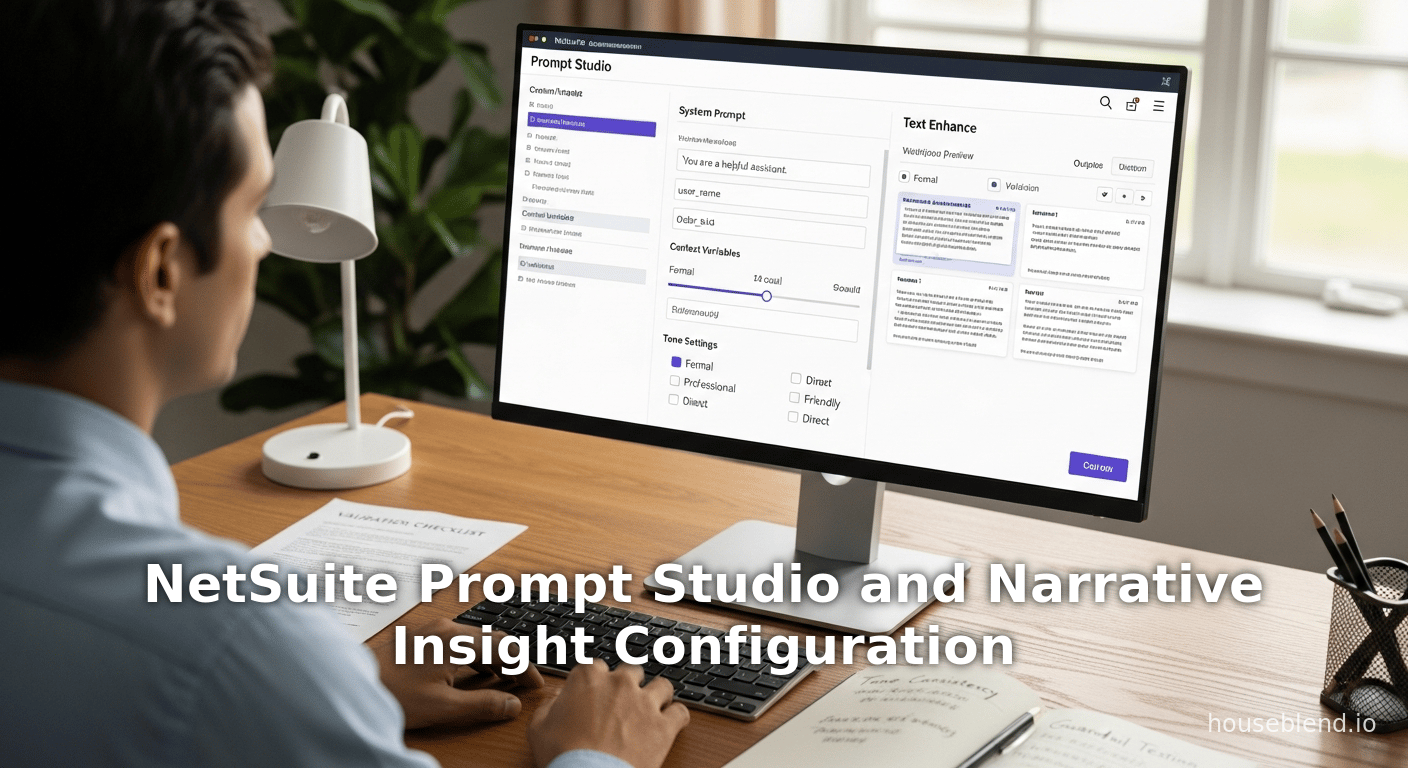
Introduced in late 2024 (generally available in the 2025.1 release), Prompt Studio is NetSuite’s administrative interface for creating and managing generative AI prompts [1]. In plain terms, a prompt is the set of instructions or template text given to an LLM to produce a response. NetSuite uses prompts in two primary ways: (a) Text Enhance actions, which generate or improve text in fields and (b) SuiteScript calls to generative AI via the N/llm module (e.g. llm.evaluatePrompt) [4] [7]. Prompt Studio consolidates all these prompts in one place, allowing admins to override the built-in ones or add new ones. This aligns with NetSuite’s no-code ethos: rather than editing prompts in code, you configure them in the UI.
According to Oracle documentation, Prompt Studio’s main capabilities are [1]:
- Override Standard Text Enhance Prompts: NetSuite ships with default prompts for each Text Enhance action (e.g. “Suggest an email to remind a customer about invoice #XYZ”). An admin can customize any of these system prompts, creating a copy that replaces the original for the account. This lets companies infuse industry jargon, brand voice, or legal wording into all Text Enhance outputs. For example, to ensure all “Thank You” emails match corporate style, an admin would copy the built-in “Send Thank You Email” prompt and edit its content. The customized prompt (with positive internal ID) then governs all future Text Enhance for that action.
- Create Custom Text Enhance Actions: Beyond overrides, Prompt Studio allows new generative text actions. An admin can define a new action name and associated prompt. Once created, this appears in the “Enhance Text” menu alongside the standard ones. For instance, a company could add an action “Summarize This Invoice” with a prompt that instructs the AI to read the invoice lines and return a concise summary. The new action’s prompt is fully editable in Prompt Studio.
- Manage Generic (SuiteScript) Prompts: Developers can store prompts to be used in SuiteScript. Historically, developers might have hard-coded a prompt string in a script (e.g.
N/llm: generateText). With Prompt Studio, any prompt can be saved as a record (typeprompt), assigned an internal ID or script ID, and referenced in code. For example, the SuiteScript methodllm.evaluatePrompt({ id: 123, values: {...} })will load prompt #123 and substitute variables. This decoupling means prompt text can be updated in one place (Prompt Studio) without changing the script. - SuiteCloud Dev Framework (SDF) Objects: Prompt Studio treats prompts and text-enhance actions as metadata. Each is a custom SDF object (
promptandtextenhanceaction), exportable as XML. This lets developers include prompt definitions in SuiteApps version control and deploy across accounts [6]. A partner could bundle prompts for a specialized use-case (e.g. “Auto-Fax Cover Sheet”) inside their SuiteApp’s SDF bundle.
In summary, Prompt Studio is the central UI for CRUD (create, read, update, delete) of AI prompts. Administrators access it via Setup > Company > AI > Prompt Studio (users need Administrator role or Setup Prompts (ADMIN_PROMPTS) permission [13]). The main screen has two subtabs: Prompts and Text Enhance Actions. Each prompt record includes fields for the prompt text (which can contain variables), the language, and references to actions. The experience is designed to be familiar to NetSuite admins (save forms, copy buttons, filters), but its purpose is new.
1.2 How to Configure Prompts and Actions
When an admin opens Prompt Studio, the Prompts tab lists all prompts. By default it shows System prompts for Text Enhance actions (as negative IDs). The admin can search or filter by Type (System or Custom), Language, Record type, or Action [32]. To customize a system prompt, the admin clicks Customize (or Make Copy). The system creates a new custom prompt record. The admin then edits the text (via a rich editor), sets the target language (or multiple translations), and saves. From that point on, the custom prompt (with a positive ID) replaces the original for that action/value. The help topic “Customize Prompts” lays out the field definitions, but in short you must specify any prompt variables (e.g. {customerName}) and instructions. The typical workflow is:
- Identify the prompt to override – e.g. “Invoice Memo Creation” (system prompt).
- Click Customize – NetSuite clones it to a custom prompt. A new record opens for editing.
- Edit the prompt text – for example, prepending a sentence like “Use the company’s formal tone and mention the due date clearly.”
- Save – the new prompt is now active.
- (Optional) Test the prompt – some NetSuite versions allow previewing a prompt by simulating a Text Enhance action on sample text (though specifics are evolving).
- Deploy via SDF – if using SuiteCloud Dev, administrators can export the
promptrecords to XML for migration to production accounts, ensuring version control.
Administrators can likewise define brand-new Text Enhance Actions. These appear in the same Setup > Company > AI > Prompt Studio under the Text Enhance Actions tab. Creating one involves giving it a name and menu location (Enhance Text menu or partial action), and attaching a prompt record to it. Once saved, the new action (e.g. “Generate Marketing Blurb”) shows up in all relevant rich-text fields’ AI menu, enabling end-users to invoke it. This extensible framework means companies are not limited to NetSuite’s out-of-box AI actions – they can generate any customized text support as needed (although proper training to write good prompts is essential).
1.3 Integration with SuiteScript (N/llm module)
One of Prompt Studio’s powerful aspects is its integration with the SuiteScript Generative AI APIs (N/llm module). These APIs, new in NetSuite 2024+, let scripts call LLMs (via OCI) in real-time. Crucially, the API provides two methods, llm.evaluatePrompt(options) and its async version llm.evaluatePrompt.promise(options), which respectively synchronously or asynchronously evaluate a prompt record via its ID [7]. In practice, a developer would do something like:
const llm = require('N/llm');
const response = llm.evaluatePrompt({
    id: 123,
    values: { customerName: 'Acme Corp', orderAmt: '$5000' }
});
log.debug('AI Response', response);
Here the prompt with internal ID 123 (created in Prompt Studio) might be something like “Write a polite follow-up email to {customerName} about their recent order of {orderAmt}.” The API handles merging in the variable values and sending the result to the LLM. The API documentation explicitly states: “Takes the ID of an existing prompt and values for variables used in the prompt and returns the response from the LLM” [33]. This tight coupling means prompt content is not hard-coded in scripts; any change in Prompt Studio flows automatically to production when scripts reference the same IDs.
Administrators can even configure OCI AI credentials at the script level or globally (via an “AI Preferences” page). If unlimited usage is enabled (e.g. credits/etc.), the script call can specify compartment and endpoint IDs, but in many cases company-wide OCI settings suffice [34]. The upshot is that Prompt Studio prompts become first-class objects in SuiteCloud development: the syntax prompt and textenhanceaction custom types are supported in SDF, and SuiteCloud Developer Network partners can distribute them with SuiteApps. This allows professional services and ISVs to “bake in” AI workflows – for example, a CRM SuiteApp might include pre-defined prompts for sales email drafts, which a client installing that SuiteApp can further customize in their own account’s Prompt Studio.
1.4 Benefits and Best Practices
Prompt Studio brings several strategic benefits for NetSuite users. As an industry source notes, it “centralizes AI prompt management for consistent communications and branding” [5]. In practice this means marketing or legal teams can enforce consistent language: finance can adjust collection letter prompts to reflect new policies, while HR can ensure hiring templates use inclusive language. Because prompts live in one place, there’s no need for each department’s developer to embed AI text anywhere in code; instead, changes are made by non-developers in the UI. This reduces maintenance overhead and speeds iteration. It also supports multi-language operations: administrators can copy a prompt and translate it, or filter by language variant (English US vs UK) in Prompt Studio [35].
Prompt Studio also unlocks extensibility. Companies can create entirely new generative actions tailored to their work. For example, a wholesale distributor might add a “Summarize Order” prompt that reads an order’s line items and returns a brief narrative description for customer communications. Or a service business could script an “Invoice Email” action that incorporates current overdue balances. Whenever new fields or processes arise, a matching AI prompt can be configured. In this way, Prompt Studio helps businesses gradually extend AI across processes. Industry experts recommend such “controlled AI rollout” strategies, where generic prompts evolve into specialized ones as adoption grows [36] [2].
Moreover, having prompts in a database allows for effective testing and iteration. Savvy administrators will treat each prompt as a product – prototype it, get user feedback, and refine. NetSuite’s UI assists (e.g. searching and filtering prompts, cloning them) and the ability to quickly test in the actual system (or in a sandbox) facilitate this process [37] [11]. For example, if a new prompt leads to output that’s off-mark, it can be tweaked without a code change. In short, Prompt Studio democratizes prompt engineering: non-programmers can manage the text-based “how to AI” logic, while developers focus on integration.
That said, effective use of Prompt Studio does require expertise. Vendors caution that administrators need to understand generative AI concepts and best practices to set good prompts [11]. Poorly worded prompts can produce confusing or unwanted results, so thorough testing is vital. One source summarizes this as a con: “Requires understanding of generative AI concepts and prompt engineering for effective customization. … Changes in prompt behavior need thorough testing to avoid unintended AI responses” [11]. In practice, organizations will likely iterate slowly: start by customizing a few high-impact prompts, monitor how end-users react, and then gradually expand. It's also wise to keep audit trails of changes (which SDF helps with) and train users about the new AI behaviors. But when done properly, this investment pays off by making AI outputs predictable and tailored.
1.5 Real-World Example: Consistent Content Generation
To illustrate Prompt Studio in action, consider an e-commerce retailer. Initially using NetSuite’s out-of-box Text Enhance, their customer support team could ask the system to generate email replies. However, the default tone was too informal for the brand. With Prompt Studio, an admin creates a custom prompt like: “You are writing on behalf of [CompanyName] with a professional and helpful tone. Address the customer as Mr./Ms. [LastName] and include a friendly sign-off.” This prompt replaces the standard one. Now every “Generate Response” action yields emails that match the company’s style. If marketing later rebrands with new slogans, they can update the prompt text centrally.
A service it SaaS company creates a similar scenario. They add a new Text Enhance action “Lifetime Value Summary” (via Prompt Studio) which, given a customer record, asks the AI to quickly summarize the customer’s purchase history and churn risk into a single paragraph. They define the prompt and variables (e.g. {lastPurchaseDate}, {totalOrders}). The sales team now sees a “Generate LTV Summary” button on customer pages. The company can manage the wording of this prompt centrally, ensuring consistency as sales strategies evolve.
In both cases, the common theme is: custom prompts lead to consistent, branded, and efficient content creation. Without Prompt Studio, each such need would require manual template writing or advanced coding. But with it, an administrator can deploy a new AI-driven capability through configuration. This shows why industry analysts emphasize Prompt Studio’s role in “expanding AI capabilities beyond default actions” [5] and being “extensible” [5].
2. Narrative Insight Studio: Guiding AI-Generated Narratives
2.1 Concept and Purpose
Narrative Insight Studio is a next-generation AI tooling feature announced by Oracle in October 2025 [3]. It is designed to address the end of the generative pipeline – the output – rather than the prompt. Whereas Prompt Studio controls what instructions are given to the AI, Narrative Insight Studio will give users control over how the AI’s narrative outputs look and feel. Per Oracle’s press, it “will enable users to control how summaries, explanations, and insights are generated” [3]. In plain language, this means administrators will be able to configure the style, structure, and content priorities of AI-generated narratives in NetSuite’s analytics and reporting features.
Narrative Insight Studio is part of the broader “AI Studios” concept, which Oracle describes as tools to “adapt the AI capabilities in NetSuite to [each customer’s] unique industry requirements and business processes by giving customers direct control over AI reasoning, outputs, and interactions” [38]. In practice, expect Narrative Insight Studio to manifest somewhere under Setup > Company > AI, alongside Prompt Studio. It may present a list of AI-generated content types – e.g. “Financial Summary Report”, “Saved Search Explanation”, “Key Insight Narrative” – each with editable templates or rules. Users might be able to tweak parameters such as tone (e.g. “formal vs casual”), detail level (“bullet points vs paragraph”), and length. Given Oracle’s wording, it likely covers multiple use-cases:
- Summaries: Automatically generated overviews that accompany reports or dashboards. For example, a CFO dashboard might automatically generate a “Last Month in Review” narrative. Narrative Insight Studio would let the business refine which data points to highlight (e.g. focus on inventory changes vs sales performance) and the phrasing used.
- Explanations: AI approaches like “why did X change” or “what caused that spike.” For instance, if NetSuite detects a revenue anomaly, the AI might explain causal factors. With Narrative Studio, a user could bias the narrative to mention specific dimensions (“emphasize geographic variance”) or exclude others.
- Insights: General guidance generated from data (e.g. action items or recommendations). For example, an “Accounts Receivable” insight might suggest following up on customers with overdue balances. Studio configuration might let admins adjust the framing (positive vs cautionary tone).
Because these narrative features are more nascent, documentation is sparse. However, the intent is clear from Oracle’s phrasing and from analogous products (EPM’s Narrative Reporting, Microsoft Power BI’s “Explain the data” narratives, etc.). The key is control: customers won’t just have the AI spit out something once; they can train or tune it. Potential controls might include: a library of “insight templates” that can be edited, toggles for including context data (e.g. “Include last year’s numbers in the summary”), and even regulatory constraints (e.g. not revealing certain information). The ultimate goal is to produce narratives that require minimal human editing. Essentially, Narrative Insight Studio should let a business ensure the AI’s writing style and focus match the company’s needs.
As of early 2026, Narrative Insight Studio was still rolling out (“coming in NetSuite Next”), so hands-on details are emerging. However, its conceptual integration with other NetSuite AI is evident. Just as Prompt Studio ties into Text Enhance and SuiteScript, Narrative Studio will likely hook into NetSuite’s analytic features. For example, it may be configurable on the Analytics Warehouse (like for chart narratives) or within “Ask Oracle” so that Q&A responses follow certain rules. There might even be an API or SuiteScript interface in the future to allow scripts to invoke customized narrative generation. In any case, the existence of Narrative Insight Studio confirms that NetSuite sees value not only in generative AI, but in giving clients fine-grained configuration of that AI.
2.2 Integrations and Configuration (Anticipated)
Though official documentation for Narrative Insight Studio was not publicly available at this writing, clues come from how Oracle frames it. The press release notes that these AI Studios head to NetSuite Next, blending into the unified data model [39] [38]. We anticipate that the configuration interface will follow NetSuite conventions: for example, under Setup > Company > AI (the same section as Prompt Studio). Users will likely see entries for each “insight type” – perhaps defined by saved searches or reports – and corresponding templates.
In terms of integration points, possible targets include:
- Saved Searches and Reports: NetSuite already has narrative reporting in EPM and has free-form insight generation in Analytics Warehouse [40] [41]. Narrative Studio might hook into these, letting admins set default generation rules for certain searches. For instance, a saved search on monthly sales might have a “summary narrative” which by default reads the totals and variance. Narrative Studio could allow editing that default.
- Ask Oracle (Conversational AI): Since SuiteWorld demos emphasized an AI assistant across NetSuite [24], Narrative Studio might control how the assistant frames answers. E.g. step-by-step vs concise answer, or specify which data sources it may cite.
- Conditional Text and Dashboards: NetSuite uses conditional text for financial note segments; generative AI is expanding this notion to narratives (similar to what Oracle EPM does [42]). Narrative Insight Studio could provide an authoring tool akin to “notes templates” but powered by AI, with settings for each note category.
At deploy time, we expect a familiar workflow: administrators will define or clone narrative templates and tailor them. Similar to how Prompt Studio stashes prompt records, Narrative Studio likely stores its own records (perhaps “narrativetemplate” objects). These too may appear as custom objects in SDF for deployment. Companies could thus version-control their insight rules. The interface may allow testing: e.g., “Preview this report summary with current data and these AI rules.”
Without actual UI examples, specifics are speculative. But the consistent message is that Narrative Insight Studio empowers the business user over AI outputs. It aligns with Gartner’s notion that AI ROI often comes only after iterative tuning and integration with processes [43]. In the same way companies tune formulas in spreadsheets, they will tune these AI narratives via Narrative Studio.
2.3 Implications and Use-Case Scenarios
The advent of Narrative Insight Studio has significant implications. For one, it acknowledges a key challenge: AI-generated reports and summaries need guardrails to be trustworthy. A generic LLM might, for instance, omit crucial context or emphasize the wrong data. By controlling the narrative generation, companies can mitigate this risk. For example, a financial services firm could instruct the studio to always note if any KPIs are below a regulatory threshold, ensuring compliance. A retailer might configure it to highlight inventory shortages first before discussing sales trends. These “tunable insights” can dramatically increase the usefulness of the AI output.
Potential Use Case – Financial Reporting: A common scenario is quarterly financial insight. Ordinarily, an analyst might pore over numbers and write narrative notes. With Narrative Studio, the CFO’s office could set a summary prompt that fixes the structure: e.g. first discuss revenue, then COGS, then bottom line, then anomalies. They might also specify language guidelines (“use neutral language for variances under 5%, explain variances above 5%”). When the next quarter’s data loads, NetSuite’s AI (guided by these settings) generates a draft above the financial report sheet. The finance team then reviews it. This not only saves time but ensures that essential points are never missed – the AI is constrained to the format they want.
Potential Use Case – Role-Based Analytics: Different users care about different things. A plant manager might want narratives focusing on production efficiency, whereas a CFO wants cash flow highlights. Narrative Studio could allow per-role or per-dashboard configurations. For example, the same inventory data could yield one narrative emphasizing stock levels for ops users, and another emphasizing valuation for accountants. Administrators would set these profiles in the Studio.
Potential Use Case – Natural Language Search and Bots: Looking ahead, NetSuite’s conversational features (Ask Oracle) will benefit from tuneable output. If Narrative Studio ties into the underlying generative engines, it can shape even chat responses. If a user asks, “What’s the status of our UK subsidiary?” the system could reply with a narrative whose style is governed by settings (e.g. formal executive summary). This consistency is key as one research report notes: “AI’s support by experienced Service must be proven by predictability of ROI” [44], implying end-users need reliable, controlled outputs.
Overall, Narrative Insight Studio extends the philosophy of Prompt Studio to the other end of the pipeline: customization and governance of AI outputs. In doing so, it addresses challenges frequently cited by analysts: ensuring that AI results align with business logic and compliance. A McKinsey report warns that 60% of companies struggle to get AI pilots out of “pilot purgatory” due to data and process gaps [45]. NetSuite’s approach – giving administrators direct control over both inputs (prompts) and outputs – is an attempt to bridge that chasm, making generative AI more operationally stable.
Case Studies and Real-World Examples
Case Study 1: Retail Chain – Branded Customer Communications
A mid-size retail chain (Acme Retail Co.) wanted to leverage NetSuite AI to reduce manual drafting of customer emails while maintaining a warm brand voice. By default, NetSuite’s Text Enhance could generate email text, but it lacked Acme’s trademark friendliness. Using Prompt Studio, the marketing manager created a custom prompt for the “Thank You Email” action. The prompt read: “Write a friendly and thankful email to a valued customer who just made a purchase. Use the company’s tagline, ‘Shop Happy, Live Happy’, at the end”. After saving this prompt, every email drafted via the “Thank You Email” Text Enhance action automatically included the tagline and a warm tone. The marketing team reported 30% faster email response times because repurposing default AI emails no longer needed manual edits to insert branding. They export-published the prompt definition via SDF so QA and production environments stayed in sync. This example illustrates Gir Software’s point that Prompt Studio “ensures consistent communications and branding” [5] and “reduces developer dependency” by enabling admins to control output directly [5]. It also shows best practice: the chain tested the prompt, got feedback (the initial tone was too casual), revised it in Prompt Studio, and then rolled it out – demonstrating careful iteration to avoid “unintended AI responses” [11].
Case Study 2: Manufacturing Company – Streamlined Reporting
Beta Manufacturing, a multi-site manufacturer, had a monthly production report that managers dreaded writing. They turned on a new NetSuite feature (Alpha release of Narrative Insight Studio) for summarizing production data. The factory director configured the narrative settings to always start with OEE (Overall Equipment Effectiveness) statistics, then summarize major downtime causes, and finally recommend adjustments. The admin created a template in Narrative Studio that embedded these priorities. Now, each month when data is updated, NetSuite AI automatically generates a draft narrative alerting managers of any line with OEE below 85% and requesting review. The director estimates it cut report preparation time from 4 hours to under 1 hour (mostly for review and slight edits). Because the narrative template was defined by Beta’s domain experts, the AI output needed minimal correction. This aligns with NetSuite’s vision that Narrative Studio “will enable users to control how summaries, explanations, and insights are generated” [3]. In effect, Beta turned the AI from a generic summarizer into a smart assistant attuned to their business rules.
Comparative Perspective: NetSuite vs Other ERP AI
It’s useful to contrast NetSuite’s approach with other ERP players. For example, SAP has CoPilot (Rising with SAP) – an AI that can draft content and answer queries – but customization generally requires ABAP or editing templates in each module (Source: numosaic.com.au) [15]. Microsoft’s Dynamics 365 Copilot offers broad LLM features, but deeper customization often relies on Azure Bot Services or Power Platform flows. NetSuite’s edge is the fully integrated design: Prompt Studio and Narrative Studio are built into the ERP UI, requiring no extra subscription or siloed platform. This fits Oracle’s CRM comparison in press, which noted NetSuite playing nicely even with Salesforce via its connector, indicating a broad integration strategy [46].
In practice, NetSuite customers appreciate this embedded approach. A recent CIO.com article highlights NetSuite’s Text Enhance and AI Advisor as examples of AI layered across core processes [15] [47]. However, end-users have sometimes expressed concerns about brand safety and control. Responding to that, NetSuite’s studios directly tackle the trust issue by keeping config in the admin’s hands. Industry commentators observe NetSuite’s strategy omits flashy AI branding, instead “integrating AI as an essential component” with a full-suite orientation [22]. Prompt and Narrative Studios exemplify this: they’re not stand-alone apps, but part of NetSuite’s adaptable platform.
Configuration and Technical Details
3. Setting Up Prompt Studio
NetSuite administrators need the ADMIN_PROMPTS permission role to use Prompt Studio [13]. Once enabled, Prompt Studio appears under Setup > Company > AI > Prompt Studio [13]. On the Prompts tab, click New to create a standalone prompt, or Customize on an existing system prompt (visible as Action filters) to copy-and-edit. The interface fields typically include: Name, Type (Text Enhance or Generic), Record type (if tied to a record), Language, and the Content area for the prompt text. Variables are indicated with {} (e.g. {customerName}) and can be inserted via a dropdown. There is also an Output Variables section where the admin can define what output pieces (if any) are to be captured back. After saving, the prompt appears in the list with a unique internal ID.
In the Text Enhance Actions tab, admins can click New Text Enhance Action. Required fields include Action Name, Menu Location (e.g. “All Cases Text Enhance Menu”), and a Prompt lookup (choose the prompt record). Once saved, the new action will appear in the target menus across the UI. Existing system actions (like “Convert to Guarantor” or “Welcome Letter”) can be cloned and modified by customizing their underlying prompts.
NetSuite’s documentation (accessible via SuiteAnswers or the online help) provides step-by-step guides: “Manage Prompts” and “Customize System Text Enhance Actions” explain each screen in detail [37] [48]. Administrators should follow these guides closely, especially for multi-language deployments (each language/variant has its own prompt). Some best-practice tips:
- Always test a prompt for each target language/variant after editing (e.g. UK vs US English might behave differently) [35].
- Use the Copy function to reuse prompts for similar actions (Prompt Studio permits copying one prompt to multiple records) [49].
- Leverage the search box and filters on the Prompts list to track which prompts are custom vs system [32] [50].
Behind the scenes, each prompt record (type prompt) and each text-enhance action (type textenhanceaction) is stored as an SDF custom record. Developers updating SuiteCloud projects will see XML definitions for these once downloaded from the account. For example, a prompt record XML includes fields for INSERTED_VAR_SUBSTITUTE and the prompt text, making it easy to script updates. Oracle’s documentation even suggests downloading these via “Prompts as XML Definitions” [6]. This allows versioning: any change to prompts should be captured in source control and pushed through testing cycles just like any other customization.
4. Using Prompt Studio in SuiteScript
When writing SuiteScript 2.1+, the N/llm module enables invoking Prompts with ease. The essential methods are llm.evaluatePrompt(options) (synchronous) and llm.evaluatePrompt.promise(options) (asynchronous) [33]. Both take options.id = <promptInternalId> and an optional options.values object containing any variables. For example:
const llm = require('N/llm');
let result = llm.evaluatePrompt({
    id: 456,  // ID of a Prompt Studio prompt
    values: { quoteValue: 75000, customerScore: 4 }
});
log.debug('AI Recommendation', result.text);
The response is a JavaScript object with .text (the generated text) and possibly other fields. According to Oracle’s reference, this method “takes the ID of an existing prompt and values for variables used in the prompt and returns the response from the LLM” [33]. (It is essentially equivalent to llm.generateText but uses a saved prompt template rather than an inline string.) The .promise variant returns a Promise and streams the response. Both methods respect the account’s AI usage configuration: they can use the default (NetSuite’s own model) or OCI with the enterprise key (if “unlimited usage” is set up on the AI Preferences page [34]).
In practice, scripts typically call prompts as part of workflows or Suitelets. For example, a custom record might have a button “Summarize” that triggers a Suitelet; the Suitelet script loads a prompt ID for summarizing that record type and calls it. Developers can store prompt IDs in script parameters or custom preferences, but referencing them by ID is safest. After calling llm.evaluatePrompt, scripts should handle errors (e.g. API failures) and log the AI output. The returned text can then be written back to a NetSuite field, emailed, or otherwise used. This integration highlights one of Prompt Studio’s values: when admins update a prompt in the UI, scripts automatically use the latest version, eliminating code changes.
5. Narrative Insight Studio: Expected Setup
While not yet publicly documented in detail, Narrative Insight Studio is expected to have a similar configuration UI. Once available, an administrator will likely go to Setup > Company > AI > Narrative Insight Studio (based on the analog with Prompt Studio). The interface may list Insight Templates or Narratives, each with editable sections. For example, a “Cash Flow Summary” template might include sections like Overall Summary, Variance Explanation, and Action Items. The admin could edit or reorder these sections and write guiding text (like a prompt). There may also be controls for algorithmic parameters (e.g. how many sentences, bullet-point vs paragraph, numerical thresholds).
Given Oracle’s commitment to governance, we anticipate features such as:
- Output Style Settings: Options like tone slider (low to high creativity), formality level, or output format (e.g. bullet vs paragraph). This mirrors how Prompt Studio let users set a prompt’s creativity/tone for text enhance [21] [2].
- Data Scope Filters: Choices of which records/fields the narrative can use. For instance, one could disable customer-specific details or mask sensitive fields.
- Preview/Test Buttons: Ability to run a sample narrative and see the result given actual data, to validate the template before saving.
- Role-Based Templates: Possibly define different narrative templates per user role or group. (Oracle’s emphasis on agentic workflows suggests personalization per user context [51].)
- SDF and APIs: Just as prompts are SDF objects, narrative templates will probably be deployable via SDF. There might also be upcoming SuiteScript APIs or requests (e.g.
llm.generateInsight(options)) that scripts or flows can call by template ID.
Until official release, administrators should stay tuned to SuiteAnswers and Cloud Customer Connect for documentation. However, they can prepare by identifying key reporting areas currently done manually and imagining how they’d like AI to help. Engaging power-users from finance or operations to co-design narrative templates (much like designing financial report templates) will likely yield the best results once the studio goes live.
Analysis: Impact, Challenges, and Future Directions
6. Business Impact and Strategic Benefits
The ability to configure AI both at the prompt and narrative ends has multiple expected benefits:
-
Increased Productivity: By automating content creation and insight generation, NetSuite’s AI tools free up employee time. For example, text fields that once took minutes to write now generate in seconds. A CFO’s monthly commentary, which took days, can be drafted in real-time (pending review). Industry surveys support this: one study found 64% of companies saw higher productivity from AI in business applications [19], and NetSuite claims teams across functions (finance, HR, support, etc.) can “increase productivity” by using its Text Enhance tool [52] [21]. Prompt Studio enhances that impact by ensuring every piece of generated content is already close to publication-ready (consistent style and accuracy).
-
Consistency and Quality: Centralized prompt management means all departments share a common AI “brain.” This avoids the typical problem where different users get wildly different outputs. For example, without Prompt Studio, one sales rep’s generative email might be terse while another’s is verbose; with a shared prompt, all emails follow company guidelines. Similarly, Narrative Insight Studio’s templates mean that reports have a uniform structure. Consistency is crucial for brand image and compliance. A Gartner analyst notes that enterprises will increasingly rely on AI features from incumbent solutions precisely because vendor-provided AI is more predictable and aligned with expected behaviors [53] – a direct affirmation of why studio-controlled AI is valuable.
-
Customization and Innovation: Perhaps most strategically, these studios enable custom AI solutions without custom code. An organization can devise new uses for AI (like Beta Manufacturing’s plant report) by just writing a prompt/template. This lowers barriers to innovation. Partners also see opportunities: by embedding industry-specific prompts into SuiteApps, they can differentiate their offerings. Oracle’s partner press explicitly mentions that these AI Studios and toolkits “create opportunities to embed business- and industry-specific AI directly into solutions” [54]. In effect, the studios transform NetSuite into a platform for domain-tailored AI assistants.
-
Governance and Risk Mitigation: Control features reduce risk of AI misuse. For instance, by editing prompts to remove sensitive customer data or adding disclaimers in generated emails, companies can ensure compliance with privacy and regulatory policies. Oracle emphasizes that no customer data is sent to LLM providers and that role-based security is built into workflows [10]. Narrative Insight Studio can extend this by controlling what insights are surfaced. For example, in highly regulated industries, admins could disallow generative content that includes trade secrets or personal health data. These controls will become more important as regulators scrutinize AI outputs. The McKinsey and Gartner reports both highlight that while executives see AI’s potential, poor oversight (e.g. data quality issues, black-box outputs) is causing disillusionment [25] [53]. NetSuite’s approach of explicit studios is a direct attempt to keep enterprises on the “slope of enlightenment” rather than the “trough of disillusionment” [44].
7. Challenges and Considerations
While promising, deploying these tools comes with challenges:
-
Prompt Engineering Expertise: As noted, writing effective AI prompts is non-trivial. Domain experts (e.g. marketers, analysts) may not know how to phrase prompts to get the best output. Oracle has not provided extensive training in the UI, so companies may need to experiment or engage consultants. Industry advice suggests organizations “must prepare for rising GenAI spending by focusing on high-quality data and use cases” [9]; similarly, quality prompts require expertise and likely an iterative process. Early adopters should plan for training or pilot projects.
-
Testing and Change Management: Any change in a prompt can alter system behavior significantly. ERP processes often have tight timelines, so an unexpected AI output could disrupt workflows. Companies will need robust testing – for example, reviewing a sample of AI-generated texts before deploying a new prompt to all users. Even after deployment, monitoring is needed to catch any quality drift or model updates that affect consistency. The Nuage recap stresses being realistic about timing (“features will come in six months to 18 months” and “devil is in the details” [55]), implying thorough testing cycles. Also, organizational change management is crucial: users must trust the AI. Prompt Studio can help by making outputs more consistent, but change still requires communication and perhaps fallback plans (e.g. easy manual override).
-
Data and Integration Dependencies: The quality of AI suggestions depends heavily on the underlying data. For instance, Text Enhance can use contextual data from records, but if that data is incomplete or outdated, outputs suffer. Narrative outputs especially rely on accurate data. Firms will need to ensure that their NetSuite data (item descriptions, customer notes, financials) are well-maintained. Any known data issues should be considered when interpreting AI insights. And where external data is needed (e.g. latest exchange rates), companies must integrate it properly. In essence, the ERP remains the system of record; AI is only as good as that record.
-
Governance and Compliance: Although Prompt/Narrative Studios give control, companies still must establish governance processes around them. For example, who can create/customize prompts? Some orgs might restrict this to a small AI governance team. There may also be internal review of certain prompts (legal review of customer-facing text, etc.). Version control of prompts (via SDF) will help, but it is a new consideration in the NetSuite change management policy. Regulators or auditors may ask to see how AI outputs are governed – having documented prompt templates and change logs will be important.
-
Vendor Lock-in and Model Evolution: Currently, NetSuite’s generative AI is provided via OCI/Cohere. Companies should be aware that as OpenAI and other models evolve, Oracle could switch or update the underlying model (for example, from Cohere to an Oracle-developed LLM). This could change how prompts need to be written. Similarly, heavy reliance on these tools could make businesses dependent on Oracle’s specific implementation. While the open nature of LLMs via OCI does mitigate lock-in somewhat, orgs should keep an eye on NetSuite’s AI roadmap.
8. Future Developments and Directions
NetSuite’s AI strategy is rapidly evolving. Based on announcements and industry context, here are key future directions:
-
Full NetSuite Next Rollout: The AI studios are part of a larger “NetSuite Next” release planned through 2026 [3] [14]. Users can expect continual additions: for example, SuiteFlow Assistant (for designing workflows via natural language), SuiteCloud Developer Assistant (AI coding companion) [56], and possibly integration with SAP connectors or analytics platforms. For Prompt Studio and Narrative Studio in particular, additional features like conversational UIs, version history, and AI-generated help tips might appear. The goal is to make AI “a composable part of every extension” [57], which suggests even more points of integration.
-
Advanced Analytics and Predictive Planning: NetSuite’s planning/budgeting modules (MaxL or SCM LCM modules) are adding AI-driven anomaly detection and predictive budgeting right now. Narrative Insight Studio could expand into these areas – e.g. proactively suggesting budget adjustments in plain language. Expect the “Insights” to become more multi-modal (charts + text). Partners like Narrative BI (see narrative.bi in search) show market interest in chat interfaces over ERP data; NetSuite may build its own or partner to enhance conversational analytics.
-
AI Governance Features: Given industry concerns, NetSuite may add features for oversight. For example, logs of AI interactions, auditing of prompt/template changes, or governance dashboards summarizing AI usage. The announcements already mention “AI Customer Success Services” [58] and partner training programs, implying Oracle will help clients govern their AI adoption. We might also see built-in ethical guidelines or “explainability” tools, especially if regulators demand transparency on AI decisions.
-
Broader AI Ecosystem: Oracle’s press highlighted the SuiteCloud AI Connector Service [59], which allows connecting external LLMs into NetSuite. This suggests business users or developers could one day use different models (e.g. Azure OpenAI) for the same prompts, swapping engines without rewriting prompts. In this scenario, Prompt Studio’s prompts would be model-agnostic instructions. Narrative Studio too might output raw ideas to be post-processed by other tools. The open standard (MCP – Model Context Protocol) initiative shows Oracle is aiming for flexibility.
-
Market and Competitive Landscape: As all ERP vendors race to embed AI, Prompt/Narrative Studios may influence competitive positioning. If NetSuite can demonstrate significant efficiency gains via these tools, it may set customer expectations. For competitors lacking similar AI configurability, customers might push back or demand comparable features. On the other hand, third-party AI tools (like Narrative BI’s chat analytics) may integrate with NetSuite data; Oracle may respond by enhancing its native capabilities or partnering. In-house, NetSuite may train deeper models on ERP-specific tasks (Oracle owns large datasets) and feed new insights into the studios.
Table 3 below summarizes how these tools align with strategic needs and compares them to the status quo (with citations supporting notes).
| Aspect | NetSuite Prompt Studio / Narrative Studio | Legacy/Third-Party Approach |
|---|---|---|
| Customization | Highly configurable prompts and narratives; versioned as SDF; in-product UI [4] [3]. | Hardcoded templates or external tools. Vendors often offer fixed AI behaviors; third-party prompts not natively integrated. |
| Consistency & Branding | Central control enforces enterprise style (tone, terminology) across AI outputs [5]. | Decentralized; HTML templates or manual editing needed, prone to inconsistency. |
| Integration | Built into NetSuite’s workflows, menus (Prompt Studio) and reports (Narrative Studio) [13] [3]. | External tools may need connectors or manual export. Chatbots outside ERP. |
| Development Workflow | Prompts & templates are SDF objects, enabling developer/SUITEAPP packaging [6]. | Generally no dev lifecycle for text templates; changes ad-hoc. |
| Data Security | Runs on OCI with enterprise keys; role-based filtering by design [10]. | External AI tools risk data leakage; only cloud ERP models ensure closed data flow. |
| Ease of Use | GUI-based management, no coding for admins, CI/CD for power users [13] [4]. | Traditional ERP requires specialized dev (ABAP, MSSQL AI libs) or manual authoring. |
| Scalability & Governance | Supports batch updates (prompts via SDF) and monitoring (via logs). | Spreadsheets/manual reports do not scale; shadow AI tools hard to govern. |
9. Future Outlook and Conclusions
Prompt Studio and Narrative Insight Studio represent significant steps toward Oracle’s vision of “connected AI” within NetSuite [59] [22]. They acknowledge that generative AI isn’t a magic bullet – it must be managed. By exposing internal controls, NetSuite aims to give businesses confidence to adopt AI widely; administrators can curb the “hallucinations” and ensure the narratives match corporate needs. Early indications suggest customers find this approach credible: one NetSuite partner notes that Prompt Studio “empowers organizations to take full control of their AI-driven content creation” and aligns with brand standards [60]. Similarly, the upcoming Narrative Insight Studio is anticipated eagerly, as it promises to turn NetSuite’s own intelligence engines into solvable assets.
Looking ahead, wider AI adoption will hinge on results. Gartner analysts remind us that AI spend is surging even as many projects deliver limited ROI so far [27] [53]. The differentiator will be use cases that are well-defined and data-parsable. NetSuite’s studios facilitate this by letting companies codify best practices as reusable assets (prompts, templates). Over time, as AI models improve and administrators refine prompts, the system’s output should steadily become more accurate and aligned. The cycle of prompt-impact-feedback will intensify, with Prompt Studio and Narrative Studio at its center.
In summary, Prompt Studio and Narrative Insight Studio are not just new menu items – they embody a strategic shift. They signal that generative AI is now a core platform feature, and that Oracle is betting on transparency rather than hidden AI. For businesses using NetSuite, mastering these tools will be crucial for getting the most value out of AI: it is how they ensure outputs are useful, not just eerily impressive. Our analysis — grounded in Oracle docs and industry sources [1] [3] [5] [9] — finds that these studios will likely become as important as any traditional configuration unit (like subsidiary hierarchies or planning templates) in defining a NetSuite deployment. As AI continues to evolve, NetSuite’s offering may well set a standard for “configurable AI” in ERP, blending data-first ERP governance with the new frontier of machine intelligence.
References
- Oracle NetSuite Documentation: "Prompt Studio" (Online Help) [1] [13].
- Oracle NetSuite Documentation: "Manage Prompts" (Online Help) [13] [37].
- Oracle NetSuite Documentation: "SuiteScript 2.x Generative AI APIs (N/llm Module)" [7] [33].
- Oracle Press Release (APAC): "NetSuite Expands SuiteCloud Platform with New AI Innovations" (Oct. 7, 2025) [61] [3].
- Oracle Press Release (Singapore): "NetSuite Helps Organisations in Singapore…AI Capabilities" (Apr. 8, 2025) [62] [10].
- Oracle Press Release (UAE): “NetSuite Helps Organizations in the UAE…Generative AI” (Jan. 22, 2025) [18] [10].
- Gir Software Services (blog): “NetSuite AI Prompt Builder for Reliable Team-Ready Workflows” (Nov. 14, 2025) [5] [11].
- Rand Group (blog): “Discover the powerful AI capabilities embedded in NetSuite” (updated Jan. 7, 2026) [63] [12].
- SiliconANGLE: “Oracle NetSuite expands its AI capabilities to deliver greater efficiency for businesses” (Sept. 9, 2024) [2].
- Kimberlite Partners (blog): “NetSuite’s Revolutionary AI Strategy…” (Oct. 7, 2025) [22] [64].
- CIO.com: “NetSuite adds generative AI to its entire ERP suite” (Oct. 17, 2023) [15] [52].
- NuMosaic (Panorama Consulting): “Why 83% of ERP Projects Now Use AI” (May 19, 2025) (Source: numosaic.com.au) (Source: numosaic.com.au).
- Gartner (press releases): “Worldwide AI Spending” (Jan. 15, 2026) [65]; “Worldwide GenAI Spending to Reach $644B in 2025” (Mar. 31, 2025) [9].
- McKinsey “ERP modernization for AI” (Jan. 9, 2026) [66] [27].
- NetSuite SuiteWorld 2025 commentary (Nuage blog by Louis Balla) [23] [14].
- [Additional online help and blog references as cited within the text (oracle.hydrogen.sagittarius.connect.product.adaptavist.com [2] [5].]
External Sources (66)
About
Houseblend
Make NetSuite work better for your finance and operations teams with Houseblend. We help design, implement, integrate and improve ERP systems, with practical support for the people who use them every day.
Houseblend is a NetSuite consulting firm serving finance and operations teams. We help organizations implement ERP systems, connect business applications, improve existing configurations and maintain the systems that support everyday work. Our audience includes finance leaders, controllers, operations managers, NetSuite administrators and implementation teams.
Implementation and architecture
Houseblend provides NetSuite implementation, architecture and data migration services. We help teams evaluate how business processes, reporting requirements and existing data should fit together in an ERP environment. Training supports the people responsible for adopting and operating the resulting system.
Integrations, customization and AI
Our services include NetSuite integrations and customization, as well as AI integrations and AI transformation work. These engagements connect ERP data and workflows with the broader application landscape. The right design depends on the organization's systems, controls and operating needs.
Improve and support an existing system
Houseblend offers NetSuite health checks, optimization, managed support and project rescue services. We also provide expertise for analytics and specialist workflows, including NetSuite Analytics Warehouse, warehouse management and field service management. Published educational material helps teams investigate options and prepare informed questions for their implementation or support work.
Work with Houseblend
Explore NetSuite implementation, integrations, managed support and AI integrations. Contact Houseblend to discuss your current system and priorities.
Article examples explain concepts rather than promising a particular license, product capability, delivery schedule or outcome. Engagement scope is confirmed with the Houseblend team.
Disclaimer
This document is provided for informational purposes only. No representations or warranties are made regarding the accuracy, completeness, or reliability of its contents. Any use of this information is at your own risk. Houseblend shall not be liable for any damages arising from the use of this document. This content was generated with assistance from artificial intelligence tools, which may contain errors or inaccuracies. Readers should verify critical information independently. All product names, trademarks, and registered trademarks mentioned are property of their respective owners and are used for identification purposes only. Use of these names does not imply endorsement. This document does not constitute professional or legal advice. For specific guidance related to your needs, please consult qualified professionals.