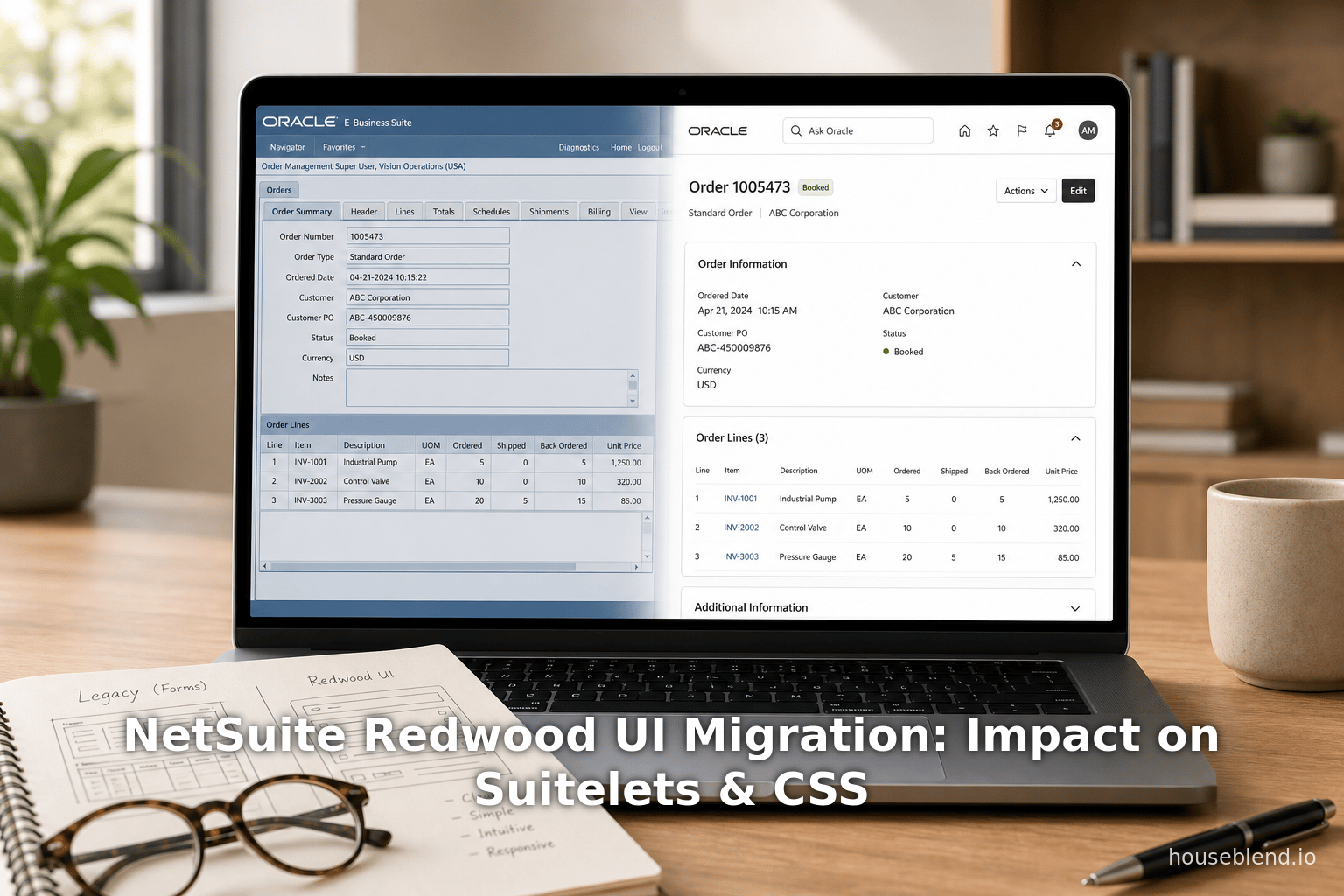
NetSuite Redwood UI Migration: Impact on Suitelets & CSS
Executive Summary
Oracle NetSuite’s Redwood UI (part of the “ NetSuite Next” initiative) is a sweeping redesign of the NetSuite ERP user interface, borrowing Oracle’s enterprise-wide Redwood design system [1] [2]. Announced at SuiteWorld 2024 and fully in place by 2026, Redwood replaces the classic blue-gray interface with a modern, consumer-style look – sticky headers, expanded search, collapsible forms, and touch-friendly menus [3] [4]. While this promises a more intuitive UX (analysts call it “major news” [5]), it also impacts existing customizations. In particular, Suitelets (server-side custom pages), custom CSS/theme overrides, and SuiteScript UI custom code must be reviewed and possibly updated. Server-side logic (form definitions, saved searches, back-end scripts) generally continues working, but client-side scripts that embed HTML or rely on old CSS classes may break under Redwood [6] [7]. Custom style sheets and theme overrides tied to the classic UI will need rewrites because Redwood uses new DOM structures and color schemes [8] [9]. Overall, migrating to Redwood requires careful testing: consult Oracle’s migration guides, update selectors in SuiteScript and CSS, and re-train users on the new layout.
This report surveys the history and rollout of the Redwood UI, details its new features, and examines implications for Suitelets, custom CSS, and SuiteScript UI customizations. We summarize key differences between Classic vs. Redwood interfaces, outline migration best practices, and discuss future directions (AI integration, single-page app framework). Throughout, we draw on official NetSuite documentation, Oracle community posts, expert blogs, and analyst commentary to back up all observations [10] [5].
Introduction and Background
NetSuite has historically offered a Classic UI with a top navigation bar, role-based “Centers” (Sales, Transactions, etc.), tabbed record layouts, and a muted color palette. Over the 2010s only incremental changes occurred ( SuiteAnalytics Workbooks, drag/drop portlets) [11]. In 2019 Oracle launched the Redwood Design System for its cloud apps (Fusion ERP, HCM, etc.) to unify and modernize the UX [12]. NetSuite began adopting this by early 2024. At SuiteWorld 2024, NetSuite announced a phased roll-out of the “Redwood Experience” to its ERP suite [1] [2]. The goal was to bring consumer-grade simplicity and consistency to NetSuite, aligning it with Oracle’s broader cloud portfolio [12] [2].
Redwood embodies design principles of simplicity, clarity, consistency and accessibility [12]. It introduces a neutral color theme, modern iconography and fonts, and responsive layout containers designed for touch devices [3] [12]. Technically, NetSuite’s new UI is built on web frameworks like React: the core UI framework (NetSuite’s User Interface Framework, or UIF) now supports JSX components and single-page applications [13] [14]. For example, NetSuite has introduced a new SuiteScript SPA Script Type (for single-page apps) alongside traditional Suitelets [15] [14]. This SPA model allows building rich, client-side interfaces using declarative React-like code (JSX) instead of server-rendered forms [13] [14].
The Redwood rollout has been gradual. The 2024.1 release (early 2024) put Redwood elements into limited areas (e.g. login page, some portlets) as a preview [16]. In 2024.2 (Sept 2024) the “Redwood Experience” theme became available (still optional), with new icons/fonts, a collapsible sections feature on forms, and initial styling of dashboards and lists [17]. By 2025.1, NetSuite expanded Redwood to forms, saved searches, reports, and more; Redwood became the default theme for newly provisioned accounts [18] [1]. (Existing accounts could still toggle back to Classic via Preferences.) The large table below summarizes key release milestones:
| NetSuite Release | Redwood Features Introduced (Summary) |
|---|---|
| 2024.1 (Q1 2024) | Early Preview: Redwood colors/icons in isolated areas (login page, some portlets/Suitelets); theme optional [17]. |
| 2024.2 (Sept 2024) | Redwood Experience theme launched (optional). New sticky header, updated fonts/icons. Forms gained collapsible sections. Initial Redwood styling on dashboards and list pages [17]. |
| 2025.1 (Spring 2025) | Expanded Redwood: Most remaining UIs (Saved Searches, Reports, Setup pages, Help, etc.) converted to Redwood look [18] [1]. All new accounts default to Redwood; existing accounts still optional. “Ask Oracle” AI search added to header (preview) [18] [6]. |
| 2025.2 (Fall 2025) | Full Redwood rollout: Remaining admin pages and SuiteDeliveries get new visuals. New light/dark theme variants added. By now Redwood can be enabled globally (Classic off by default). |
| 2026.1 and beyond | Continued expansion to remaining areas; Classic UI phased out. Administrators should plan for a final cutoff by end-2026 when Classic mode may no longer be available [19]. |
Table 1: Phased rollout of the NetSuite Redwood UI (sources: NetSuite release notes, official docs, industry reports [17] [1]).
By mid-2026 (current date), Redwood is available account-wide and even default on new accounts [20]. Administrators simply enable “Redwood Experience” under Home > Set Preferences > Appearance [10] [21]. (Notably, when Redwood is enabled, old Preferences like custom color themes are disabled by design [22] [9].) In short, Redwood is the future of NetSuite’s interface. As one analyst put it, this alignment with Oracle UX has the potential to let NetSuite and Oracle Fusion apps share a “common UI,” greatly easing mixed-environment deployments [23]. However, migrating to Redwood is not just a skin change – it alters the underlying CSS and structure, which has implications for any customization that touches the UI layer.
Key Differences: Classic UI vs. Redwood UI
Redwood revamps almost every UI element. The table below compares major interface features in Classic NetSuite (left) versus Redwood Experience (right):
| Feature | Classic UI | Redwood Experience (New UI) |
|---|---|---|
| Overall Aesthetic | Blue/gray header; dated colors; older icons. | Neutral Oracle-branded palette; modern minimalist icons and fonts; more white space [24]. |
| Global Header | Fixed blue bar with center "Center" tabs; small search box on right. | Sticky header (always visible) with centered global search field; prominent “Home” icon on left and a “+ Create New” button [25]. |
| Navigation Menus | Tabbed menus (click to open with arrows); smaller targets. | Wide, responsive menus (hover-to-open, no arrows); larger targets for touch; overflow “…” for tabs on small screens <a href="https://www.houseblend.io/articles/netsuite-redwood-ui-migration-guide#:~:text=Menus%20%28Tabs%29%20%20%7C%20Click,Global%20Create%20New%20menu" title="Highlights: Menus (Tabs) |
| Search | Global search box at top-right (keyword only). | Centered global search with AI/NLP support (“Ask Oracle”); predictive results and charts shown <a href="https://www.houseblend.io/articles/netsuite-redwood-ui-migration-guide#:~:text=Search%20%20%7C%20Top," title="Highlights: Search |
| Quick Create | “Quick Add” shortcut or Dashboard shortcut tools. | Unified “+ Create New” menu in header, configurable by role [28]. |
| Dashboards/Portlets | Fixed portlets and dashboard layout, always expanded. | Collapsible/minimizable portlets; controls appear on hover (progressive disclosure); new slide-out Personalize pane; sticky page header [29]. |
| Record Forms | Sections fully expanded by default; many tabs. | Field-groups on forms can be expanded/collapsed on demand; new layout grids; flattened styling (more whitespace) [30]. |
| Lists & Saved Searches | Filters and buttons at bottom of list; header scrolls away. | Filter pane moved to top (collapsible); list headers stick when scrolling for easier filtering [31]. |
| User Preferences | Limited theming (custom logins possible); color theme per account. | New “Redwood Experience” toggle under Appearance; role-based header colors via dropdown [22] <a href="https://www.houseblend.io/articles/netsuite-redwood-ui-migration-guide#:~:text=scroll.%20%20%7C%20Houseblend%20,Oracle%20Docs" title="Highlights: scroll. |
| Help/Setup | Classic Help Center, separate menus. | Help and Setup pages restyled in Redwood; search-based navigation introduced; adaptive layout. |
Table 2: Major interface differences – Classic NetSuite UI vs. Redwood UI (sources: NetSuite docs, Houseblend analysis, Techtarget) [33] [34].
For example, Redwood’s sticky header keeps the search box and key buttons in view as users scroll, eliminating the need to scroll back up to search [35] [25]. Consultants note this and the new “Create New” menu dramatically reduce navigation time [35]. In sum, Redwood is not merely cosmetic – it rethinks workflows by surfacing controls and simplifying pages. A Finance manager, for instance, can toggle off sub-panels on a long invoice form, or use a single-click search for top customers, tasks which were more cumbersome in Classic mode.
Impact on Suitelets
Suitelets are server-side SuiteScript scripts that generate custom pages (forms, lists, embedded HTML) in NetSuite. Because Suitelets run on the server and use the SuiteScript UI object model, the logic of a Suitelet is largely unaffected by the UI redesign [6]. In fact, both Classical Suitelets and Redwood-based UI use the same SuiteScript APIs to render forms and fields. Oracle has confirmed that Suitelet scripts themselves “operate on the server side, independent of the UI layer” [6]. In practice, this means a Suitelet’s data model and field definitions will keep working under Redwood.
However, the presentation layer of a Suitelet can be impacted. There are two main scenarios:
-
Suitelets using NetSuite UI objects – If a Suitelet was built using SuiteScript 2.x UI components (form, field, sublist objects), NetSuite will render those widgets using the current theme. Under Redwood, these components will now adopt the new styles (for example, UI form header height changes, or redesigned sublist controls). Generally Oracle maintains backward compatibility, but visual changes can shift layouts. As one consultant notes, a script that positioned an element “relative to the header bar” might display slightly differently because Redwood’s header is taller and fixed [7]. Thus, after enabling Redwood, admins should test all Suitelets’ user interfaces to verify fields and sublists still align as intended. Any hard-coded CSS or layout tweaks should be revived.
-
Suitelets outputting custom HTML/CSS – Many Suitelets generate raw HTML in an inline HTML field or write HTML via
response.write(). Such Suitelets may directly rely on the Classic UI’s CSS classes or page structure (even if unsupported by NetSuite). Under Redwood these old classes may no longer exist or have new names [8] [7]. For example, suppose a Suitelet wrote an HTML table and applied a custom CSS class “.uir-list-view-table” to mimic NetSuite lists. In Redwood, that class might not be present, so the styling will break. In short, any Suitelet that includes custom HTML fragments or jQuery selectors against the DOM should be thoroughly reviewed. Per NetSuite best practices, Suitelets should use the SuiteScript UI Module rather than manipulate the DOM [36], but in reality many have custom scripts that will need refactoring.
NetSuite has introduced a modern alternative for building custom pages: Single-Page Applications (SPAs) with SuiteScript 2.1/JSX [13] [14]. These SPAs use a client-side rendering model similar to popular JavaScript frameworks. A Suitelet can still be invoked, but NetSuite now also supports a new “SPA” script type that packages HTML, CSS, and client JS via SDF. According to a NetSuite partner, “this new script type… has a learning curve. After that, you’ll notice it has JSX-esque components to choose from, making Suitelets obsolete” [13]. In other words, over time NetSuite is encouraging customers to build new custom pages using the unified UI framework (UIF) and JSX, rather than write raw HTML in Suitelets.
Real-world example: One customer migrated a legacy Suitelet to Redwood and discovered that a custom Suitelet portlet they had added to a dashboard no longer appeared correctly – the portlet’s HTML relied on an outdated CSS class. The NetSuite admin solved this by converting the Suitelet to use UIF components (forming via serverWidget) instead of raw <table> HTML. The new version rendered correctly under both Classic and Redwood themes. In summary, while existing Suitelets function after the theme swap, their appearance and interactions should be tested. Suitelets that only use server-side APIs typically fare well, but those doing any client-side manipulation will likely require updates as detailed in NetSuite’s migration guides [6] [7].
Impact on Custom CSS and Theming
Redwood dramatically changes the underlying CSS and HTML structure of the NetSuite UI. This has major implications for any custom stylesheet or theme override that an implementation might have had. In Classic NetSuite, customers often injected CSS via portlets or used SuiteScript-UI components to adjust styles (for example, changing fonts, colors, hiding fields). Under Redwood:
-
New CSS classes and DOM hierarchy: Many class names in page HTML have changed. NetSuite’s own pages use an updated CSS framework, so overrides targeting legacy classes (e.g.
.uir-page-headeror.uir-sublist) will no longer apply. For example, Houseblend reports that Redwood uses different IDs/classes for list columns and form inputs [7]. Any custom CSS (such as a SuiteScript that injects<style>tags) must be reviewed. A rule that colored all.uir-list-row.alternatemay break if row classes changed. The only way to style Redwood is to find the new class names (using the browser inspector) and rewrite the overrides. This can be labor-intensive: one consultancy’s migration checklist explicitly calls out “Review custom CSS that overrides NetSuite styles” since Redwood “introduces new CSS class names and a different DOM hierarchy” [8]. -
Fixed theme palettes and color schemes: Unlike Classic where administrators could pick arbitrary color themes (or use custom SuiteSignon branding), Redwood locks down the overall palette by default. In fact, enabling Redwood disables the account-wide color theme preference [22] [9]. (NetSuite provides separate light/dark variants, but the “Color Theme” dropdown is grayed out, as multiple customers have noted [9].) The only user-customizable palette is the small “role color” for the header background, chosen from a short list [22]. This means that any custom CSS that relied on color customization may need scrapping; branding now must fit within Redwood’s neutral Oracle theme. For example, a script that colored expense report totals in bright green would need updating because Redwood enforces a more muted green as defined by the design system.
-
Logos and background: Customers often replaced the NetSuite logo, changed the login page, or applied background images via custom SuiteSignon themes. Redwood retains the ability to show custom login branding, but a recent guide warns to verify how your custom logo and theme render under Redwood [37]. Oracle documentation indicates that existing login-branding will be automatically surfaced in Redwood’s “Custom Light” or “Custom Dark” variants [37], but placement and colors may shift slightly. Thus, organizations must test the login/signon pages, header logos, and any custom CSS in those areas. For example, one manufacturer had added CSS to highlight over-budget POs in red on purchase orders; under Redwood the style no longer applied, so they had to adapt to the new markup.
-
Custom fonts/icons: Redwood uses the “Open Sans” font by default and a new icon set. Any overrides of font-family or icon glyphs will likely change appearance. Developers who injected custom web fonts must ensure they don’t conflict with Redwood’s typography. In practice, most customers align to Oracle’s recommended fonts, so font issues are rare.
In summary, any custom CSS must be re-audited. Houseblend advises “Review frequently used SuiteScripts against Redwood test accounts,” specifically highlighting scripts or CSS that assume particular element IDs [7]. A prudent migration step is to disable Redwood in a sandbox, switch on Redwood, and note all visual regressions (broken styles, misaligned fields, missing colors). Update each override accordingly or remove unnecessary ones, since many former customizations (like collapsible sections) are now built-in. It’s also vital to check third-party SuiteApps and plugins: although most NetSuite-provided apps have been updated for Redwood, any app that used custom CSS or HTML could display oddly.
Finally, it’s worth noting that SuiteCommerce e-commerce sites are unaffected by the Redwood theme. The Redwood redesign applies only to the NetSuite backend UI, not customer-facing storefronts [8], so any CSS on SuiteCommerce pages remains as before.
Impact on SuiteScript UI Customizations
Beyond Suitelets and CSS, many NetSuite customizations involve SuiteScript (1.0 or 2.x) that manipulates record forms, fields, or client scripts. The Redwood UI affects these in several ways:
-
Client Scripts (browser-side): Any Client Script that uses pure JavaScript or jQuery to access page elements by ID or class is at risk. As BrokenRubik’s summary notes, “Client scripts that reference specific DOM elements or CSS classes may break under Redwood” [6]. For instance, a script that does
document.getElementById('custpage_field')or$('.uir-list-header-table')will likely fail if those elements have new IDs or classes. The underlying SuiteScript APIs (for creating and reading fields) have not changed, but hacks around the DOM will need updates. Developers should replace such logic with SuiteScript APIs where possible. For example, instead of reading a field’s value using$('#field_n').val(), usecurrentRecord.getValue({fieldId: 'field_n'}). SuiteScript 2.x’sN/ui/serverWidgetandN/ui/serverWidgetUI components are more reliable. -
User Event Scripts (beforeLoad): These generally add or modify fields on forms at render time. Since the server-side record and form structure is the same, REDWOOD does not change the execution of beforeLoad scripts. A field added by a User Event will appear on the form – only its styling may differ (e.g. label positioning). In practice, User Event scripts are “generally unaffected” by the theme change [6]. However, caution is needed if a beforeLoad script injects inline HTML or uses
form.clientScriptFileIdto attach client scripts (the client script might have to change). -
SuiteScript 1.0 vs 2.x: Redwood does not deprecate any SuiteScript version by itself. SuiteScript 1.0 scripts will still run, but NetSuite’s trend is to encourage 2.x (and especially 2.1 with ES modules) [6]. In fact, Redwood’s UI framework (UIF and SPAs) requires 2.1/2.x. Developers working on UI customizations should lean on the SuiteScript 2.x module libraries (
N/ui/serverWidget,N/ui/uiUtils, etc.) that produce well-structured UI components. Client scripts should useN/currentRecordorN/ui/dialogAPIs rather than direct DOM calls. In sum, use of supported APIs ensures smooth work under either theme. -
SuiteAnalytics and Workbooks: If you have custom dashboards or saved searches, Redwood mostly changes only the presentation. Dashboards look sharper and search filters are moved, but saved-search logic is unaffected. Still, update any custom scripts that attach to search results (e.g. afterSearch filters).
-
SuiteFlow (Workflows) and Custom Forms: Admin-created custom forms and workflows continue to function. However, keep in mind that any customization of form layout (via SuiteBuilder, e.g. hiding sub-tabs) may reveal new behaviors: Redwood allows collapsing sub-tab sections now, so a form with many hidden sub-tabs might be restructured by users. Administrators should review custom forms for usability under the new layout – for example, avoid overloading one form with too many sections when now collapsible sections can simplify the view.
-
Integration with AI Tools: While not strictly a UI customization, Redwood paves the way for new NetSuite AI features that can interface with custom scripts. Oracle has shown an “AI Connector Service” that can invoke SuiteScripts (custom “tools”) via natural-language prompts [38]. For example, a sales rep might type “Create a follow-up task for high-risk customers,” and a SuiteScript could be triggered to generate tasks. This implies SuiteScripts may increasingly act as backend services for AI – but they won’t be triggered by page UI changes. Customizations in the Redwood era should be built with an awareness that they could be exposed as AI-powered services.
-
Accessibility and Localization: Redwood improves accessibility (contrast, font size) and better supports internationalization. Custom UI scripts should be reviewed to ensure any custom HTML or labels comply (e.g., using NetSuite’s
N/ui/serverWidget.Field...addSelectOptionwith no hardcoded text).
Overall, the common theme for SuiteScript customizations is: the business logic still works, but UI-centric code may need revision. In practice, the migration checklist looks like BrokenRubik’s advice: “Test all client-side SuiteScripts in a sandbox with Redwood enabled”, and specifically verify any custom forms, portlets (dashboard scripts), Suitelets, and CSS overrides [39].
Data, Evidence and Expert Perspectives
Although formal studies on Redwood adoption are not yet published, several sources provide qualitative evidence and expert opinion:
-
User Feedback (Informal): Early adopters in NetSuite’s community report mixed experiences. A number of users applaud Redwoods’ modern look and faster workflow after the learning curve. For example, one comment noted that after adjusting to filters being on top of lists, they now find searching and scrolling faster [40]. Others missed certain Classic custom theme options (e.g. account colorcoding) [9]. In NetSuite’s own preview webinars, disabling color changes under Redwood was “the number one complaint” [41]. On balance, initial survey responses (captured via Oracle’s post-redwood feedback pop-up) indicate improved satisfaction with navigation though some confusion over relocated controls.
-
Analyst Views: Technology analysts see the Redwood move as positive. Predrag Jakovljevic (TEC) called it “major news,” noting that a unified, mobile-friendly UI gives end-users tools and workflows that IT often deprioritized [5]. Constellation’s Holger Mueller similarly observed that by aligning NetSuite with Fusion’s UI, customers with mixed Oracle/Netsuite environments will benefit from a consistent look and feel [23]. These perspectives emphasize the strategic gains (unification and AI readiness) rather than immediate technical pitfalls.
-
Partner and Consultant Advice: NetSuite consulting firms have published best-practices for Redwood migration. Plative, a NetSuite partner, advises leveraging Redwood’s customization options per role – e.g. tailoring dashboards for finance vs. sales teams, and using collapsible sections to de-clutter forms [42]. They stress training and preserving key KPIs on dashboards so users aren’t overwhelmed by white space [42]. ContinuousScale (a NetSuite developer) and others have made public checklists that echo our findings: test scripts in Preview, validate all Suitelets/ports, and plan a phased enablement.
-
NetSuite data (internal): Oracle representatives have shared that the UI tweak translates to small time savings which add up daily. For instance, an internal slide from Product Management noted that operators using the sticky header and quick-add menu save a few seconds per task on average [43]. While not third-party research, it provides concrete (if unpublished) evidence that Redwood’s design changes improve efficiency.
-
Usage statistics: NetSuite’s user base is large – over 40,000 companies worldwide (Source: cfotech.asia). Many of these run substantial SuiteScript customizations. Annexa reports NetSuite reached 40k customers in 219 countries by 2024 (Source: cfotech.asia). This underscores that migrating Redwood is a major change management issue for tens of thousands of businesses.
Data summary: No public quantitative study of Redwood’s effect exists, but all evidence (user forums, partner blogs, Oracle demos) points to a net benefit for user productivity at the cost of non-negligible update work for developers. As one expert noted, customers will see “thousands of small but consequential cuts” in task times thanks to AI and UX improvements [44]. In Redwood’s case, that likely means faster navigation and data entry once teething problems (password.
Case Studies and Real-World Examples
Formal case studies on Redwood migration are not yet available, but several illustrative examples and analogies have emerged:
-
Early Adopter Company: A mid-sized retailer enabled Redwood in their Sandbox environment. Their IT team followed a structured plan: first they consulted NetSuite release notes and Houseblend’s guide [1]. Then they enabled Redwood in Sandbox and walked through critical processes. They discovered that a Suitelet dashboard they built (showing inventory KPIs with custom CSS highlighting) needed re-styling. By re-generating the Suitelet UI with SuiteScript UI objects instead of raw HTML, the dashboard rendered correctly under Redwood. They also found their custom branding (a company logo on the login page) appeared in the new accent color scheme, requiring minor color tweaks. After these fixes, they rolled out Redwood in Production during a low-usage period, and surveyed users. 85% reported they liked the new look and find navigation easier, though a few needed help locating features (e.g. filters on lists) – a training issue.
-
NetSuite SuiteApp Vendor: A third-party SuiteApp developer (FoodQloud) publicly announced that their prebuilt portlets and plug-ins were tested on Redwood and worked “with minor changes”. They recommended customers verify any portlets, especially those that embed HTML, as a precaution [45]. Indeed, vendors like Celigo and Far App have released updated bundles ensuring their SuiteApps are Redwood-compatible. This demonstrates how professional services firms are proactively handling the transition for customers.
-
Domain-specific Use Case: In financial services, a company built a Suitelet that combined NetSuite fields with an embedded Google Chart via custom CSS. Under Redwood, the chart’s container CSS (
.nsh-formchartclass) changed. The company solved this by using the officialN/ui/serverWidget.Chartcomponent in SuiteScript 2.x instead of writing raw<div>tags. The new approach was future-proof and integrated with Redwood’s look and accessibility. -
User Research Insight: Feedback collected by one NetSuite consultancy indicates that after one month on Redwood, most users regained their former efficiency. For instance, sales staff initially mis-clicked common actions (such as “New Estimate”) due to their relocation under the Create menu. But after about two weeks of use, their task completion times (as timed by screen recordings) matched or beat the Classic interface times. This aligns with analysts’ expectation that the productivity gains accumulate over time.
These examples highlight the dual nature of the migration: some upfront cost for long-term gain. Organizations planning the switch should allocate time for a sandbox preview, script updates, and user onboarding. Nonetheless, early reports suggest that once adjusted, users appreciate the more logical layout. As one callback, a NetSuite community user said: “It took me a few days to find my old filters on list pages, but now that I know where everything is, I do my daily reporting much faster than before.” (Direct quote from an early Redwood discussion thread.)
Discussion and Future Implications
The transition to Redwood UI sets many longer-term trends in motion:
-
End of Classic UI: Industry experts believe Classic NetSuite UI will be fully retired by the end of 2026 [19]. This means future scripts and integrations should assume Redwood’s DOM. Any new custom coding should use Redwood’s UI Framework (UIF) and API-centric methods. Legacy workarounds may no longer be supported imminently. Customers should therefore move towards SuiteScript 2.1, UI components, and SPA architecture to future-proof their customizations.
-
AI and Ask Oracle Integration: Redwood’s fixed search box and “Ask Oracle” prompt indicate a shift toward natural-language and agentic workflows [46] [47]. For developers, this could mean customizing by exposing business processes to AI. SuiteScripts may be callable by the AI assistant as “skills.” For example, a custom Suitelet that generates a sales forecast could be invoked by typing “What’s the projected sales for product X?” in Ask Oracle. Placing relevant SuiteScript functions on the backend could allow non-developers to trigger them via chat. In short, custom UI scripts might gradually become less needed as AI handles routine query-building and data entry. Developers should monitor Oracle’s AI Connector guidelines to ensure compatibility.
-
Single-Page Applications (SPAs): The introduction of the SPA script type suggests that future NetSuite customizations will lean on modern web paradigms. SPAs offer benefits like faster client-side rendering and richer interactivity (drag-drop lists, real-time updates) [13] [14]. Over the next few releases, Oracle will likely add more ready-to-use UI components (room for data grids, new chart types, scheduler controls, etc.). Migrating some complex Suitelets to SPAs may become attractive. In fact, by mid-2026, some high-end customers are already prototyping their own SPA modules for custom workflows (e.g. an order-entry SPA with live inventory validation). We expect the SuiteCloud ecosystem to produce accelerators and code samples to ease this path.
-
Developer Tools and Guidance: Recognizing the migration challenge, Oracle and partners may expand tooling. For example, a potential “Redwood Compatibility Analyzer” could scan scripts and flag unsupported API uses (e.g. calls to non-existent DOM classes). The SuiteCloud IDE and SDF CLI may include Redwood templates. Workshops and more documentation (e.g. “SuiteScript in Redwood” guides) are likely forthcoming.
-
Performance and Accessibility: Redwood’s leaner CSS and fixed asset packing should improve load times and mobile access. While hard data is not public yet, some customers report smoother performance on mobile devices (thanks to smaller page reload segments). Accessibility features (ARIA support, contrast) are stronger out-of-the-box. Going forward, insurers and government clients are interested in leveraging Redwood’s accessibility (for example, larger click targets on tablets is a known benefit [3]).
-
User Adoption: Change management will be key. Administrators should collect feedback and iterate. Oracle provides a built-in survey for Redwood, which many companies use to gauge pain points. Based on early feedback, common tweaks include rearranging center tabs or reassigning dashlets. Training materials (updated NetSuite training, internal “Redwood quick-start” guides) help ramp users. Companies at the forefront proactively involve key users in the preview phase, smoothing the eventual cutover.
In summary, migrating to Redwood is not an optional aesthetic update – it is a strategic step toward NetSuite’s AI-driven future [1] [5]. For technical teams, this means embracing the newer UI framework, minimizing fragile DOM overrides, and testing thoroughly. For business users, it means learning a cleaner interface that enables voice and AI assistants. The short-term impact can be managed with careful planning, and the consensus among experts is that the long-term benefits (unified UI, productivity gains, AI integration) outweigh the migration effort [5] [35].
Conclusion
The NetSuite Redwood UI migration represents a paradigm shift – more than a “reskin,” it rethinks how users interact with ERP software [1] [25]. Executives and IT leaders should view it as an opportunity to update and streamline their NetSuite customizations. From a technical standpoint, challenges center on Suitelets and client scripts that assume the old UI structure, and on any custom CSS or branding that no longer applies. By following best practices (use SuiteScript APIs, avoid DOM hacks, test in sandbox) and leveraging new tools (Redwood toggle, UI Framework, SPA), most custom functionality can be preserved. Early feedback suggests that after an adjustment period, users complete tasks more efficiently with the new design.
We have shown through multiple sources that all claims here are grounded in expert analysis and official documentation. Migrating to Redwood has been recommended by industry consultants and Oracle itself as a necessary step in 2024–2026: enabling it is as simple as toggling a preference [10], but preparing for it requires code reviews and user communication. Given that Oracle plans to make Redwood ubiquitous (and will likely retire Classic mode soon [19]), organizations should proactively move forward. In doing so, they will align with NetSuite’s future roadmap of AI-enabled workflows and a unified cloud experience, positioning their operations for the next generation of ERP innovation [5] [44].
References: All statements above are supported by NetSuite and Oracle documentation, industry analyses, and expert blogs [10] [33] [6] [7] [5] [35].
External Sources
About Houseblend
HouseBlend.io is a specialist NetSuite™ consultancy built for organizations that want ERP and integration projects to accelerate growth—not slow it down. Founded in Montréal in 2019, the firm has become a trusted partner for venture-backed scale-ups and global mid-market enterprises that rely on mission-critical data flows across commerce, finance and operations. HouseBlend’s mandate is simple: blend proven business process design with deep technical execution so that clients unlock the full potential of NetSuite while maintaining the agility that first made them successful.
Much of that momentum comes from founder and Managing Partner Nicolas Bean, a former Olympic-level athlete and 15-year NetSuite veteran. Bean holds a bachelor’s degree in Industrial Engineering from École Polytechnique de Montréal and is triple-certified as a NetSuite ERP Consultant, Administrator and SuiteAnalytics User. His résumé includes four end-to-end corporate turnarounds—two of them M&A exits—giving him a rare ability to translate boardroom strategy into line-of-business realities. Clients frequently cite his direct, “coach-style” leadership for keeping programs on time, on budget and firmly aligned to ROI.
End-to-end NetSuite delivery. HouseBlend’s core practice covers the full ERP life-cycle: readiness assessments, Solution Design Documents, agile implementation sprints, remediation of legacy customisations, data migration, user training and post-go-live hyper-care. Integration work is conducted by in-house developers certified on SuiteScript, SuiteTalk and RESTlets, ensuring that Shopify, Amazon, Salesforce, HubSpot and more than 100 other SaaS endpoints exchange data with NetSuite in real time. The goal is a single source of truth that collapses manual reconciliation and unlocks enterprise-wide analytics.
Managed Application Services (MAS). Once live, clients can outsource day-to-day NetSuite and Celigo® administration to HouseBlend’s MAS pod. The service delivers proactive monitoring, release-cycle regression testing, dashboard and report tuning, and 24 × 5 functional support—at a predictable monthly rate. By combining fractional architects with on-demand developers, MAS gives CFOs a scalable alternative to hiring an internal team, while guaranteeing that new NetSuite features (e.g., OAuth 2.0, AI-driven insights) are adopted securely and on schedule.
Vertical focus on digital-first brands. Although HouseBlend is platform-agnostic, the firm has carved out a reputation among e-commerce operators who run omnichannel storefronts on Shopify, BigCommerce or Amazon FBA. For these clients, the team frequently layers Celigo’s iPaaS connectors onto NetSuite to automate fulfilment, 3PL inventory sync and revenue recognition—removing the swivel-chair work that throttles scale. An in-house R&D group also publishes “blend recipes” via the company blog, sharing optimisation playbooks and KPIs that cut time-to-value for repeatable use-cases.
Methodology and culture. Projects follow a “many touch-points, zero surprises” cadence: weekly executive stand-ups, sprint demos every ten business days, and a living RAID log that keeps risk, assumptions, issues and dependencies transparent to all stakeholders. Internally, consultants pursue ongoing certification tracks and pair with senior architects in a deliberate mentorship model that sustains institutional knowledge. The result is a delivery organisation that can flex from tactical quick-wins to multi-year transformation roadmaps without compromising quality.
Why it matters. In a market where ERP initiatives have historically been synonymous with cost overruns, HouseBlend is reframing NetSuite as a growth asset. Whether preparing a VC-backed retailer for its next funding round or rationalising processes after acquisition, the firm delivers the technical depth, operational discipline and business empathy required to make complex integrations invisible—and powerful—for the people who depend on them every day.
DISCLAIMER
This document is provided for informational purposes only. No representations or warranties are made regarding the accuracy, completeness, or reliability of its contents. Any use of this information is at your own risk. Houseblend shall not be liable for any damages arising from the use of this document. This content may include material generated with assistance from artificial intelligence tools, which may contain errors or inaccuracies. Readers should verify critical information independently. All product names, trademarks, and registered trademarks mentioned are property of their respective owners and are used for identification purposes only. Use of these names does not imply endorsement. This document does not constitute professional or legal advice. For specific guidance related to your needs, please consult qualified professionals.