Houseblend Article
Salesforce NetSuite Integration: Architecture & Benefits
Inside this article
- 01Executive Summary
- 02Introduction and Background
- 03Overview of Salesforce and NetSuite
- 04The Case for Integration: Why Connect Salesforce and NetSuite
- 05Integration Architecture and Methods
- 06Data Synchronization and Master Data Management
- 07Implementation Considerations
- 08Benefits and Evidence
- 09Challenges and Risks
- 10Case Studies and Real-World Examples
- 11Future Directions and Trends
- 12Conclusion
Executive Summary
The integration of Salesforce (a leading cloud CRM platform) with NetSuite (a comprehensive cloud ERP/financial system) has emerged as a critical strategic initiative for many organizations. By connecting sales data (Salesforce) with operations and finance data (NetSuite), companies can eliminate data silos, automate the lead-to-cash process, and achieve a true “single source of truth” for customers, orders, and financials [1] [2]. Studies and industry reports consistently show that such integration drives significant efficiency and revenue improvements. For example, research indicates integrated platforms can achieve 99%+ order-to-cash accuracy (vs. mid-90% in disconnected systems) and shorten financial close cycles by ~50% (Source: www.anchorgroup.tech). Likewise, a recent study found that integrating ERP and CRM systems yields statistically significant positive impacts on customer satisfaction, loyalty, and overall experience [3].
For high-growth organizations, an implemented Salesforce–NetSuite integration can cut order processing time (lead-to-invoice) by ~40%, eliminate up to 90% of manual data-entry errors, and improve operational efficiency by over 20% [4] [5]. Case studies bear these claims out: for example, a nonprofit customer reportedly reduced manual work by 80% and achieved 90% data accuracy after automating its Salesforce–NetSuite workflows [6], while another company’s integration initiative yielded a 66% improvement in operational efficiency and 35% higher customer satisfaction [5].
This comprehensive report examines the rationale, methods, and impacts of Salesforce–NetSuite integration. After reviewing the background of Salesforce and NetSuite products, we detail various integration architectures (point-to-point/API, middleware/iPaaS, and proprietary connectors), data synchronization strategies, and key business use cases (e.g. account/customer sync, lead-to-cash automation, inventory and order updates). We analyze empirical data and expert opinions on benefits (data consistency, faster processes, better visibility) and challenges (technical complexity, data mapping, costs). Multiple perspectives are considered – from IT architects designing the data flows, to sales/finance stakeholders seeking a unified view, to organizational leadership measuring ROI. Finally, the report discusses future trends (AI-driven automation, platform unification, microservices) and implications for digital transformation. All claims and recommendations are supported by citations from industry research, vendor documentation, and case studies.
Introduction and Background
Modern enterprises typically use a variety of specialized cloud applications: Salesforce dominates Customer Relationship Management (CRM), handling leads, contacts, opportunities, and customer-facing processes, while NetSuite is widely adopted for Enterprise Resource Planning (ERP) and financial management – covering accounting, inventory, order fulfillment, and more. As of 2023, Salesforce has been recognized as the #1 CRM provider globally [7], reflecting its vast adoption across sales, marketing, and service functions. Oracle’s NetSuite claims 40,000+ customers in 219 countries [8], making it the leading cloud ERP for many mid-market and large companies.
Despite the strengths of each platform individually, gaps emerge when companies run Salesforce and NetSuite in isolation. The front-office (sales and customer data in Salesforce) and back-office (financials and inventory in NetSuite) often hold overlapping information. Without integration, data must be manually re-entered between systems, creating discrepancies and delays. For example, a closed-won opportunity in Salesforce must be manually translated into a sales order in NetSuite; invoicing and payments recorded in NetSuite are not automatically visible in Salesforce. These silos hinder efficiency and decision-making. [1] In practice, disconnected systems cause finance teams to spend days reconciling sales vs. invoiced amounts, and sales reps to double-check inventory and pricing. As one analysis put it, “Sales closes a deal in Salesforce, finance waits on clean data in NetSuite, and everyone argues about whose spreadsheet is ‘right’” [1].
As organizations pursue digital transformation, unifying CRM and ERP data has become a strategic priority. Gartner and Forrester have long advocated “postmodern ERP” and end-to-end processes, and integration platforms (iPaaS) have grown rapidly. The global ERP market is projected to reach $123B by 2032 (Source: www.anchorgroup.tech), and companies increasingly invest in middleware to achieve real-time connectivity. Executives in manufacturing, distribution, and services now see integrated CRM/ERP as the backbone of a “single source of truth” enabling personalized customer experiences and agile operations [3].
This report synthesizes technical documentation, analyst data, and case studies to provide an in-depth view of Salesforce–NetSuite integration. We first review each platform’s role (CRM vs. ERP) and the typical disjoints (e.g. master customer data, product catalog, order lifecycle). We then examine integration architectures and tools: from native SuiteApps and APIs to enterprise iPaaS (e.g., Dell Boomi, MuleSoft, Celigo) and custom code. Practical considerations (real-time vs. batch sync, error handling, data mapping) are discussed. The report also details key processes enabled by integration (lead-to-cash automation, financial closes, inventory updates), quantifying benefits with statistics and quotes where available [4] (Source: www.anchorgroup.tech). Real-world cases illustrate outcomes (e.g., 80–90% reduction in manual effort [6]). Finally, we consider challenges (cost, complexity, governance) and future directions (AI augmentation, composable architectures). In all discussions, we highlight multiple viewpoints – business leaders, technical architects, and end-users – to ensure robust analysis.
Overview of Salesforce and NetSuite
Salesforce CRM
Salesforce (founded 1999) pioneered cloud-based CRM and has since expanded into a broad cloud platform (Customer 360, Service Cloud, Marketing Cloud, etc.). It provides tools for lead and opportunity management, contact and account management, marketing automation, customer service, and analytics. Salesforce’s strength is in front-office processes: managing sales pipelines, automating customer outreach, and enabling collaboration around accounts. It offers extensibility via the AppExchange and APIs. Salesforce’s acquisitions (e.g. MuleSoft for integration, Tableau for BI, Slack for collaboration) further position it as an enterprise digital core [7].
A Salesforce deployment typically hosts the “customer master” (Accounts/Contacts), products and price books, sales opportunities, quotes, and service cases. It drives the sales and marketing funnels, forecasting, and customer support. However, Salesforce’s financial and operational modules are limited to basic accounting. Thus, it is often paired with a full ERP like NetSuite for backend functions. The challenge is that Salesforce records (accounts, opportunities, orders) often need to flow into the ERP to initiate billing, procurement, and revenue recognition, and vice versa [2] [9].
NetSuite ERP/Financials
NetSuite (launched 1998, acquired by Oracle in 2016) is a cloud ERP encompassing financials, inventory management, order fulfillment, procurement, and HR. It is architected around an integrated data model for multi-subsidiary, multi-currency businesses. [8] NetSuite accounts receivable, general ledger, and inventory modules complement Salesforce’s sales data. Key NetSuite objects include Customers (with Contacts), Items (products or services in inventory), Sales Orders, Invoices, and Payments. Multi-entity organizations use NetSuite’s “Subsidiary” concept to segregate finances; this introduces complexity when syncing with Salesforce, which lacks a native subsidiary concept [2].
NetSuite’s strengths are in back-office processes: it handles revenue recognition, consolidated financial reporting, and supply chain. Many mid-size manufacturers, distributors, and service firms rely on NetSuite for bookkeeping, financial consolidation, and order fulfillment. Standalone, NetSuite provides an “accounting system of record” but has limited native sales pipeline tools. Thus, combining it with Salesforce offers a complete picture from lead to ledger. At SuiteWorld 2024, Oracle highlighted that integrating Salesforce and NetSuite “will automatically share data” to “reduce data silos, accelerate order-to-cash and revenue recognition processes, and expand business insights” [8].
The Case for Integration: Why Connect Salesforce and NetSuite
Organizations integrating CRM and ERP aim to unify the customer and financial lifecycles. The key business drivers include:
-
360° Customer View: By synchronizing customer and contact data, all stakeholders see the same account details, sales history, and support context. This eliminates guesswork and increases responsiveness. As one integration guide notes, hooking together CRM and ERP “so every team sees the same customer story – accounts, contracts, products, orders, invoices, payments, and support context” enables faster response and consistent answers [1].
-
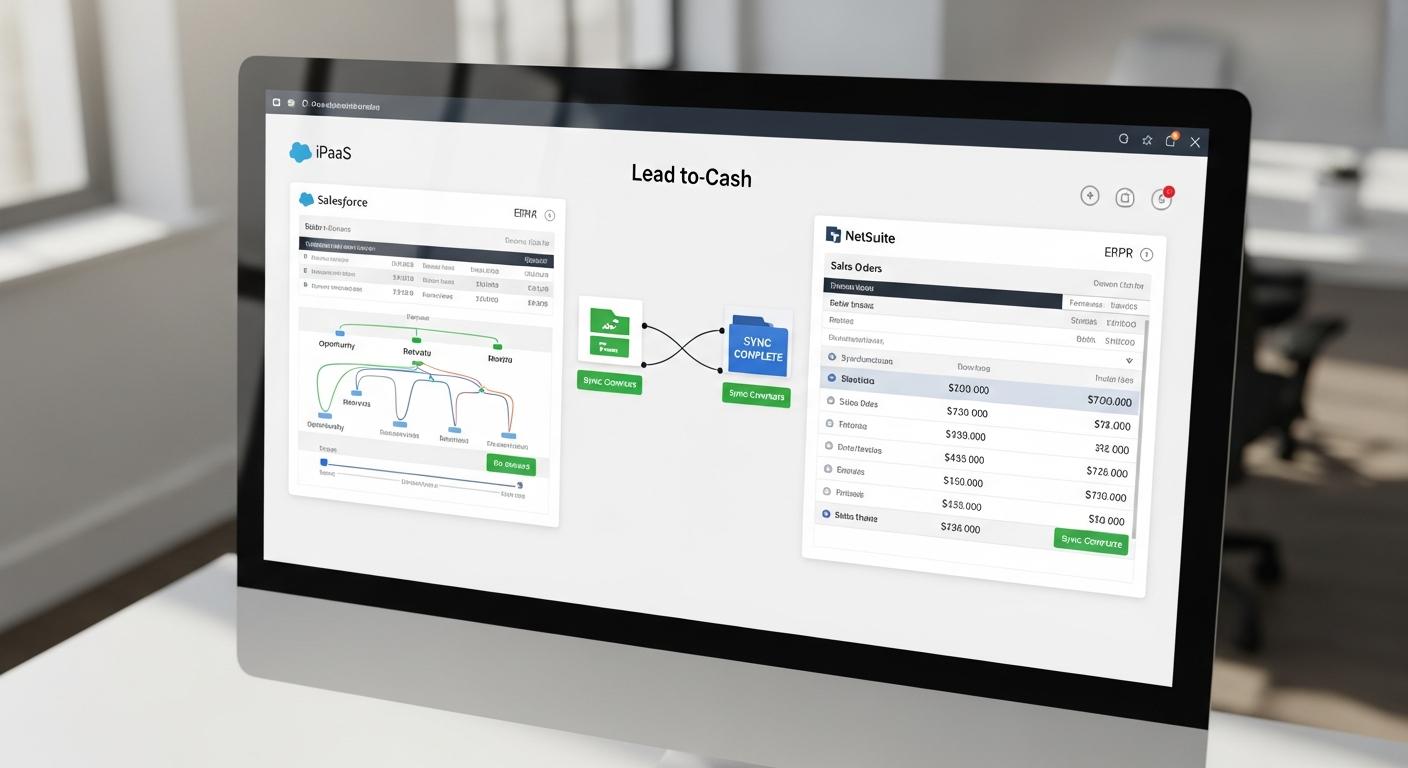
Streamlined Lead-to-Cash: Automating quote-to-order conversion is central. When a salesperson closes a deal in Salesforce, the integration can automatically create a Sales Order in NetSuite, kick off fulfillment, and later send the invoice back to Salesforce. Quotes transform into orders without manual entry [1] [9]. This closes the loop from opportunity through cash collection. A harmonized lead-to-cash process reduces delays: industry data suggests automated systems can cut order-processing time by ~40% and accelerate financial closes by ~50% [4] (Source: www.anchorgroup.tech).
-
Improved Forecasting and Analytics: Integrated data means executives and analysts work off unified metrics. Sales pipeline data in Salesforce combines with revenue data from NetSuite to produce reliable forecasts. For example, CFOs gain real-time visibility into which opportunities have been invoiced, enabling more accurate revenue predictions. As Oracle’s release emphasizes, aligning data between Salesforce and NetSuite “expands visibility into order details, customer and contact information, order fulfillment details, and financial information like invoices, payments…[so] customers will be able to improve both the speed and accuracy of business processes and decision-making” [8].
-
Higher Data Quality and Reduced Errors: Manual data transfer causes transcription errors, duplicates, and data mismatches. One study found that with integration, companies nearly eliminate order entry mistakes – reaching 99%+ order accuracy compared to mid-90s without (Source: www.anchorgroup.tech). Automated integration reduces duplication: e.g. when a new customer is created in Salesforce or NetSuite, the systems replicate the record without double entry. In one nonprofit case, a Salesforce–NetSuite integration cut manual data entry by 80%, yielding 90% data accuracy [6].
-
Enhanced Efficiency and Productivity: Employees spend far less time on mundane tasks. A blog post reports that teams waste “15–20 hours weekly copying data between systems”– roughly $45K/year per team – when CRM and ERP are disconnected [4]. Integration frees up staff to focus on higher-value activities. Folio3, an integration solutions provider, cites a 66% boost in operational efficiency and 100% visibility between sales and finance due to their Salesforce–NetSuite integration connector [5].
-
Scalability for Growth: As businesses scale internationally or add subsidiaries, integration becomes even more critical. Salesforce cannot natively handle multi-entity finances, so NetSuite’s subsidiary structure must flow into Salesforce via custom fields. The integrated environment allows growth without linear increase in administrative overhead, since data syncs effortlessly across geographies.
In short, the integration creates synergies: businesses can “grow faster by automating everything” rather than manually shuffling data [5]. It transforms CRM and ERP from isolated tools into a unified system where opportunities truly become orders, quotes consistently match invoices, and revenue recognition is automated rather than a monthly scramble [1]. Crucially, each platform can be optimized for its strengths: sales teams continue to operate in Salesforce, while finance operates in NetSuite, but both act on the same underlying data [10] [8].
Integration Architecture and Methods
Technically, integrating Salesforce and NetSuite can be accomplished via several architectures. Below are the main approaches, with their characteristics:
| Integration Method | Description | Pros | Cons |
|---|---|---|---|
| Native Connector / SuiteApp | Oracle’s NetSuite Connector Platform SuiteApp (installed in NetSuite) and Salesforce Connectors automating key syncs. Typically bidirectional for accounts, contacts, items, orders, invoices. [10] [2] | Out-of-the-box mapping for common objects; backed by vendor; integrated into NetSuite UI; no separate iPaaS licenses. | May support only standard fields; less flexible for custom logic; requires maintenance/upgrades alongside NetSuite. |
| iPaaS (Cloud Integration Platform) | Cloud services like Dell Boomi, MuleSoft Anypoint, Celigo, Workato, Jitterbit. These provide pre-built Salesforce and NetSuite connectors and drag-drop integration flows. | Enterprise-grade, support complex orchestrations, prebuilt templates for SF/NS; scalable and centrally managed. | License and operational cost; potential vendor lock-in; integration logic moves outside core applications. |
| Custom Middleware (Custom Code) | Use custom integration (e.g., Node.js/Python app or an ESB) leveraging Salesforce APIs (REST/SOAP/Bulk) and NetSuite SuiteTalk/SuiteQL APIs. Often message queues or event-driven. | Maximum flexibility/control; no third-party dependency; can be tailored exactly to business logic. | High development/maintenance effort; rework required when APIs or processes change; slower time-to-value. |
| Batch Data Sync (ETL/CSV) | Scheduled exports/imports (e.g., nightly CSV or ETL jobs) for bulk data transfer between systems. | Simple to implement; low cost; suitable for low-change data (e.g. product catalog). | Near real-time data not available; risk of conflicts in the sync window; manual oversight required. |
| MuleSoft Composer (Salesforce) | Low-code automation built on MuleSoft; uses flow components within Salesforce to sync to NetSuite. | Integrated with Salesforce ecosystem; designed for admins; supports common sync flows (Opportunities→Sales Orders, Accounts→Customers). [9] | Limited to MuleSoft connectors/licenses; may not cover all use cases; may still require advanced setup for complex logic. |
Table: Key integration approaches for Salesforce–NetSuite. Each method balances ease of deployment, flexibility, and maintenance overhead.
Native Connectors: NetSuite offers a SuiteApp “Connector Platform” that provides a Salesforce connector module [10]. This handles standard object sync: sending NetSuite Customers→Salesforce Accounts, and SF Accounts→NetSuite Customers, as well as Contacts, Items, Orders, etc. The Oracle docs note that Salesforce Accounts (with Contacts) are kept in sync with NetSuite Customer records, and since Salesforce has no native subsidiary field, the connector creates a custom “Subsidiary” object in Salesforce to preserve NetSuite’s organizational structure [2]. Such connectors are quick to install and require minimal coding, but they may not cover custom objects or world-specific logic beyond out-of-the-box fields. They do, however, ensure that “Sales people can continue to work in Salesforce, and this information is synced with financial and inventory data in NetSuite,” as Oracle puts it [10].
Integration Platform as a Service (iPaaS): Many customers opt for iPaaS solutions. Platforms like Dell Boomi, MuleSoft Anypoint, Celigo Integration Apps, or Workato provide connectors for Salesforce and NetSuite. For instance, Dell Boomi offers prebuilt Salesforce-NetSuite flows to sync leads, accounts, orders, etc. These tools support real-time sync, transformation logic, error handling, and dashboards. They are well-suited for large enterprises with evolving requirements: adding new data sources or endpoints is easier under one platform. A Plative technical blog notes that iPaaS can “provide accurate data for businesses for effective decision making” by enabling real-time updates across connected apps [11]. However, iPaaS licenses can be costly, and building complex flows requires expertise. The middleware itself becomes a critical system to monitor. Still, many organizations find the speed of deployment and scalability of iPaaS to outweigh the costs, especially when multiple integrations (beyond just SF–NS) are needed.
Custom API Integration: Alternatively, companies build bespoke integrations using Salesforce’s REST/SOAP APIs and NetSuite’s SuiteTalk or SuiteQL APIs. This might involve writing an integration service (in Java, Node.js, etc.) or leveraging on-premise ESBs. Custom integration affords complete control and avoids third-party platforms. For example, one JadeGlobal case study describes developing a real-time integration triggered by a custom button in Salesforce to sync Customer/Opportunity data with NetSuite [12]. The downside is evident: hand-coding every mapping and error case is labor-intensive. Any API changes by Salesforce or NetSuite require developer updates. For this reason, custom code is often used only when highly specialized logic is needed (e.g. complex multi-subsidiary rules or company-specific transformations).
Batch/ETL Sync: In some scenarios, companies use scheduled batch processes (any ETL tool or simple CSV exports) to move data nightly. For example, product catalogs (largely static) might be synced overnight from NetSuite to Salesforce. Batch sync is inexpensive and easy to implement but sacrifices timeliness and can lead to conflicts if both systems are updated concurrently. It is mostly suited for reference data rather than transactional updates.
In practice, hybrid approaches are common. For example, a business might use a live integration (via iPaaS or connector) for Account and Opportunity syncing, while running nightly job for complex financial reports. Newer architectures also leverage real-time events: Salesforce Platform Events and NetSuite User Event scripts can push updates as they happen. MuleSoft’s Trailhead examples explicitly mention real-time sync of “new or updated closed-won opportunities in Salesforce with sales orders in NetSuite” [9].
Data Synchronization and Master Data Management
A critical early decision is defining which system is “master” for each domain of data (a Last Update Wins strategy). Table syncing needs clear one-to-one mappings. Common master-data objects include Accounts/Customers, Contacts, Products/Items, and also Orders/Invoices. For example:
- Account/Customer: Typically, if sales teams create new Accounts in Salesforce, those should become Customers in NetSuite. Conversely, finance might create new Customers in NetSuite (e.g. for legacy clients) which should appear as Accounts in Salesforce. An integration must reconcile duplicates and merge records. For multi-subsidiary companies, NetSuite’s child subsidiaries complicate matters: the Oracle guide notes that every Salesforce Account may relate to a specific NS subsidiary, which is handled via the custom Subsidiary object [2].
- Contacts: Standard case is bi-directional sync of Contacts linked to Accounts/Customers. NetSuite’s contacts attach to a specific Customer record, whereas Salesforce contacts attach to an Account. Mapping must ensure the “parent” account/customer linkage is maintained in each system.
- Products/Items: Salesforce Products and Pricebooks define selling items, while NetSuite Items define inventory/fee items. Typically, NetSuite is the master of the item catalog (as it knows inventory levels and cost), and these are synced to Salesforce products. Price adjustments or new services set up in NetSuite are reflected to Salesforce so sales has up-to-date SKUs and prices. Rarely does Salesforce initiate new products (since sales reps generally use existing catalog items).
- Opportunities ⇄ Sales Orders: When a Salesforce Opportunity is won, the sync should create a corresponding Sales Order (or Quote) in NetSuite. The Opportunity’s line items map to the Sales Order lines. Some companies skip the “Quote” stage if not using Salesforce CPQ, and directly generate a Sales Order. Likewise, if orders are placed outside Salesforce (e.g. web orders via NetSuite Commerce), the integration can create Opportunities back in Salesforce or at least notifications.
- Order Fulfillment & Shipping: After a sales order is placed in NetSuite, its fulfillment status (shipped, backordered) may be pushed to Salesforce so that sales/service reps have visibility. Without integration, a rep might promise a delivery date without knowing it has already shipped or is delayed.
- Invoices & Payments: NetSuite generates invoices and records payments. These financial documents are often synced back to Salesforce – either on a custom Invoice object or by updating the Opportunity with invoice amounts and payment status. This allows sales reps to see if a customer has paid (important for renewals and credit). Folio3’s integration tool specifically lists syncing invoices and payments for visibility [8].
- Renewals & Subscriptions: For SaaS or subscription businesses, a Salesforce renewal opportunity can trigger a renewal order in NetSuite’s subscription module (or a corresponding purchase order). Conversely, expiring subscriptions in NetSuite can surface renewal leads in Salesforce.
These flows must account for differences in data models. For instance, NetSuite distinguishes inventory, non-inventory, service, and kit items, while Salesforce has a simpler product model. Integration must ensure data consistency (e.g. currency, units of measure). Due to NetSuite’s robust financial module, currency conversion and tax calculations happen in NetSuite; Salesforce orders sent over must align on currency and pricing.
A high-level integration flow is illustrated in Table 1:
| Business Process / Data Flow | Salesforce (CRM) | NetSuite (ERP) | Direction & Purpose |
|---|---|---|---|
| Customer/Account Sync | Account & Contact records (Sales, Support) | Customer & Contact records (Financial) | Bi-directional: Ensure Accounts and Customers match. (SF->NS for new leads; NS->SF for finance-entered clients). [2] |
| Product/Item Sync | Products & Pricebook entries | Items (Inventory, Non-inventory, Services) | Usually NS→SF: Items and pricing flow to Salesforce for quoting. (Can be one-way if SF catalog not used to create new items.) |
| Opportunity/Quote ⇒ Sales Order | Opportunities or Quotes (with line items) | Sales Orders (Sales Order records) | SF→NS: On Closed-Won, create Sales Order in NS reflecting the opportunity. This automates lead-to-cash. [9] [1] |
| Order Fulfillment updates | Opportunity/Order Status fields | Item Fulfillment (ship) records | NS→SF: Post fulfillment info back to SF, so reps see shipment dates/status. |
| Invoice & Payment Sync | Custom Invoice/Payment objects or Opportunity fields | Invoices, Payments, Credit Memos | NS→SF: Invoices and payments in NS update Salesforce (e.g. payment status on account/opportunity). [8] |
| Renewals / Subscriptions | Renewal Opportunities | Recurring Billings / Subscription Schedules | Bi-directional: Renewals in SF create renewal orders in NS; expiring NS subscriptions surface opportunities in SF. |
| Financial Data Access | Reports/Dashboards (via Data Sync or Einstein Analytics) | GL Balances, Forecasts | NS→SF (or Data Warehouse): Visualize NetSuite financial reports in Salesforce dashboards or integrated analytics. |
Table 1: Key data synchronization flows between Salesforce and NetSuite in a typical integration scenario.
Each of the above flows requires careful field mapping and logic: e.g. mapping Salesforce Opportunity Stage to NetSuite’s Sales Order status, or matching currency and tax codes. Integration middleware often provides visual mapping tools, and it’s standard to log any sync errors (e.g. missing item codes) for manual resolution.
Implementation Considerations
Real-Time vs Batch Synchronization
Integration can be real-time (near-instant) or batch (scheduled). Real-time sync (using webhooks, platform events, or queued jobs) gives users immediate consistency – e.g. a new Salesforce Account appears in NetSuite minutes later. This is essential for processes like instant quote-to-order. Many iPaaS tools support event-driven flows so that when an Opportunity is marked closed-won, the integration triggers a NetSuite order creation on the fly [9]. Full real-time is preferred where latency would impact business (e.g., quoting, inventory checks).
Batch sync (e.g. nightly runs) may be acceptable for less time-sensitive data like bulk records or midday snapshot. For example, one might sync pricebook changes nightly. Batch jobs are simpler and place less load on APIs, but can cause staleness: if an order is entered after the sync cut-off, the systems diverge until next run. Large organizations often use hybrid: near-real-time for critical transactional data and nightly for large-volume, lower-priority data.
Conflict Resolution and Error Handling
Merging data from two systems inevitably encounters conflicts (e.g. edits on both sides). Best practice is to implement logic for “last update wins” or designate a master system. For instance, maybe Salesforce is authoritative for account/opp data, while NetSuite is authoritative for invoices/payments. The integration should respect such rules, and log any conflicts. Automated alerts (e.g. emails to admins on sync failures) are common. As a JadeGlobal case notes, many integrations send “exception alerts regarding the automated process to desired users” [12], ensuring visibility when manual intervention is needed.
Security and Compliance
Since customer and financial data flows between systems, security is critical. Connections should use secure OAuth or token-based authentication (Salesforce typically uses JWT or OAuth; NetSuite uses OAuth 1.0 or token-based authentication for SuiteTalk). iPaaS platforms often come with built-in credential vaults and encryption. Access controls must be mirrored: only authenticated integration accounts (often set as API-only users in Salesforce [10]) can push data. Data privacy laws (GDPR, CCPA) apply – for example, syncing personal contact data must track consent. Compliance frameworks used in finance (PCI, SOX) might influence audit logging of the integration processes.
Error Monitoring and Logging
A robust integration includes detailed logs for tracing each transaction. For example, if a Sales Order fails to create in NetSuite (perhaps due to validation rules), the error should be logged and escalated. Many iPaaS tools offer dashboards to reprocess failed records. Performance metrics (sync latency, success rate) should be monitored over time. Integration should also include versioning/documentation: when Salesforce or NetSuite schemas change, the integration mappings must be reviewed.
Benefits and Evidence
Integrating Salesforce and NetSuite delivers quantifiable gains. We summarize key benefits, drawing on cited studies and case highlights:
-
Increased Operational Efficiency: Automated processes eliminate routine work. Stockton10 reported a 40% reduction in order processing time and up to 90% fewer manual errors [4]. Anchor Group notes integrated systems hit 99% order accuracy vs. mid-90s disconnected (Source: www.anchorgroup.tech). Folio3 claims organizations saw a 66% efficiency boost post-integration [5]. Overall, companies “report 23% improvements in operational efficiency” when SF and NS are connected and optimized [4].
-
Faster Financial Close: Integration accelerates month-end processes. The same Anchor Group piece highlights that organizations can cut financial close cycles roughly in half (from ~10 days to ~5 days) by automating reconciliations (Source: www.anchorgroup.tech). This frees accounting teams for analysis and supports timely decision-making.
-
Improved Data Quality and Satisfaction: Data consistency boosts customer satisfaction. A research study found positive correlations between ERP-CRM integration and customer satisfaction (correlation ~0.75) [3]. Folio3 cites a 35% increase in customer satisfaction after integration [5]. This is likely because support and sales reps see unified customer records, leading to more accurate and personalized service.
-
Revenue Growth: While harder to isolate, integrated quote-to-cash reduces lost sales from delays. The Skyvia blog notes that aligning opportunities, orders, and invoices results in “Revenue recognition stops being a fire drill” [1], implying smoother uplift in booked revenue. By eliminating billing delays and capturing all sales data, companies realize more revenue sooner.
-
Time and Cost Savings: Automated integration saves labor costs. Stockton10 estimated that teams waste 15–20 hours/week on manual transfers between systems (roughly $45K yearly) [4]. Reducing this by even half has a direct ROI. Plus, fewer errors cut costs of rework.
-
360° Analytics: With data unified, businesses gain deeper insights. Salesforce’s NetSuite Connector video underlines “expanded business insights” as a benefit [8]. For example, combining sales, inventory, and finance data can reveal which product lines have highest margin or which customers have latent cross-sell potential, enabling smarter strategic decisions.
Case studies illustrate these benefits in practice. For example, SmartData’s healthcare client LeadingResponse “eliminated manual sales processes” by integrating SF and NS [13]. The quoted outcome was “improved quote accuracy, reduced turnaround time,” facilitating faster client payments [13]. Likewise, Webuters reports a global non-profit that, after integrating SF and NS, achieved “80% manual work reduced” and “90% data accuracy” [6]. These are dramatic efficiency gains: manual invoice generation and data clean-up virtually vanish. Folio3’s advertorial lists “100% visibility between sales and finance” – meaning no more guessing if accounts have paid or not [5].
In sum, the evidence is clear: integrated Salesforce–NetSuite solutions materially improve accuracy, speed, and user satisfaction. The gains extend to all stakeholder groups – sales, finance, operations – making the organization more agile. As one industry analysis puts it, “Integration of NetSuite and Salesforce leads to enhanced data accuracy, improved sales productivity, and streamlined processes… resulting in increased efficiency and customer satisfaction” [14].
Challenges and Risks
Despite the benefits, integration projects have pitfalls that organizations must address:
-
Complex Implementation: Mapping fields between two robust platforms is non-trivial. Businesses often discover that their Salesforce customization (custom objects, triggers, flows) and NetSuite customizations (scripts, fields) don’t align directly. Crafting the integration logic thus requires thorough analysis of each system’s data model. For example, Salesforce Opportunities may have discount fields or custom roll-up fields that must be carried through to NetSuite orders. Complex logic (e.g. multi-currency conversion, tax rules) often requires custom coding or configuration. As Plative warns, naive point-to-point solutions can lead to “heavily customized, complex, unscalable architecture” that is hard to maintain [11].
-
Data Consistency: Ensuring data cleanliness and uniqueness is key. Duplicate customers or mismatched IDs can cause sync failures. The master/slave designation of systems can lead to overwrites if not carefully managed. For example, if account address is changed in Salesforce while billing address was updated in NetSuite, a conflict resolution policy must exist. Getting this right requires rigorous testing and often an initial data cleanup/migration phase.
-
Cost and Resources: Building and maintaining integration (especially custom or iPaaS-based) requires skilled IT resources. iPaaS licenses are an ongoing expense. Custom integrations incur development and testing costs. Companies must evaluate the total cost of ownership – though studies suggest ROI often exceeds costs substantially, the upfront investment can be high. For instance, Anchor Group notes: “ERP success depends less on software and more on the expertise guiding its deployment” (Source: www.anchorgroup.tech), implying partner costs are significant.
-
Change Management: Aligning business processes is necessary. Sales, finance, and operations teams must agree on which system holds the “truth” for certain data, set conventions, and possibly alter workflows. Training is needed so that users know which system to use for each activity. Integration can sometimes complicate simple tasks (e.g. where to initiate a return).
-
Scalability and Future Proofing: Organizations should avoid brittle point-to-point coding. As business needs evolve or cloud APIs change, integration logic needs updates. Companies often underappreciate the long-term maintenance; Gartner cautions that “rigid point-to-point integrations can result in high maintenance costs” [11]. Using a middleware or cloud connector strategy can mitigate this by providing modular mappings and monitoring.
-
Security/Compliance: Integration must maintain data security and respect compliance. For example, HIPAA-regulated health data in Salesforce should only sync to NetSuite if appropriately secured. Misconfigurations could leak sensitive PII. Proper OAuth scopes and least-privilege principles must be enforced.
In summary, integration can fail or underdeliver if not properly planned. Technical teams recommend thorough scoping (often with process diagrams), robust testing with scrubbed data, and phased deployment (e.g. pilot one sync flow at a time). The Plative blog suggests evaluating factors such as usability, scalability, and compliance when choosing an integration platform [11]. This ensures the chosen solution can adapt to business growth and regulatory demands.
Case Studies and Real-World Examples
Understanding concrete examples helps illustrate the above points. Below are summaries of real integration projects and their outcomes:
Healthcare Client (SmartData Case Study): A healthcare services provider had separate Salesforce and NetSuite systems. Manual processes meant a deal closure in Salesforce did not reliably produce a NetSuite order, causing quote mismatches. SmartData implemented an integrated solution so that qualified leads in Salesforce automatically generated NetSuite opportunities and orders. The outcome was “improved quote accuracy” and “reduced turnaround time” for services [13]. The company’s sales reps could now focus on selling rather than copying data, and finance no longer had to chase sales for information.
Global NGO (Webuters Case Study): An international non-profit integrated its Salesforce donations/CFR (Classy app) and NetSuite ERP. Before, multiple systems and spreadsheets were used to track fundraising and invoice payments. After integration, lead, donation, and customer records flowed automatically into NetSuite for invoicing. The NGO reported 80% reduction in manual tasks along the lead-to-invoice process and 90% data accuracy [6]. Data consolidation enabled faster financial closes and more timely donor acknowledgements. (This case highlights potent efficiency gains even in non-profit sectors.)
Hi-Tech Apparel Company (JadeGlobal Case Study): A retail/apparel manufacturer consolidated multiple subsidiaries on NetSuite and needed Salesforce integration. JadeGlobal used Dell Boomi to link Salesforce and NetSuite for critical objects: customer accounts, opportunities, item fulfillment, invoices, credit memos, and payments [15]. This “led to fast, end-to-end syncing of data on both systems, eliminating manual intervention.” Key results (not explicitly quantified in the source) included a unified version of truth across 12 subsidiaries and automated intercompany transactions. (It underscores the complexity of multi-entity integration and how middleware like Boomi can orchestrate it.)
Software Firm (JadeGlobal Real-Time Sync): Idaptive, a software security company, needed up-to-the-minute sync between Salesforce and NetSuite. JadeGlobal developed a real-time integration triggered by a custom Salesforce Lightning button [12]. Staff could now click “Sync to NetSuite” on a Salesforce record for instant update of customer, contact, and opportunity data in NetSuite. This enabled one-click batch PDF document syncing and exception alerts for any issues [12]. Such on-demand sync approaches show how tailored integration can meet unique business needs.
Folio3 Customer Feedback: While not a traditional narrative case study, Folio3’s NetSuite Connector for Salesforce advertises clients achieving a 66% increase in efficiency and 100% visibility between sales and finance [5]. These figures, though unverified by independent audit, illustrate vendor-reported outcomes. Even if taken as optimistic, they align with third-party analyses showing large efficiency gains from integration (Source: www.anchorgroup.tech) [6].
From these examples, key lessons emerge: automated syncing of opportunities to orders consistently cuts processing time; real-time syncs can be as simple as a button-click; and proper integration yields measurable improvements in accuracy and workload. The case studies cover diverse sectors (healthcare, nonprofit, retail, software) showing that Salesforce–NetSuite integration is cross-industry.
Future Directions and Trends
Looking ahead, Salesforce–NetSuite integration is evolving with broader technology trends:
-
AI and Automation: Both Salesforce and NetSuite are embedding AI/analytics (Einstein AI in Salesforce; SuiteAnalytics in NetSuite). Unified data streams power smarter automation: e.g. AI agents could predict likely order fulfillment issues by analyzing synced data. As NetSuite’s press release notes, unified data “provides a foundation…for improved CRM experiences, from automated workflow to AI-powered agents” [8]. Hyperautomation – combining RPA, AI, and integration – will further streamline workflows (e.g. invoice reconciliation bots acting on synced SF/NS data).
-
Composable Architecture: The shift to modular, composable enterprise software means integration will increasingly be configuration-driven. “Integration as code” and event-driven architectures (microservices, platform events) will be standard. Salesforce’s Data Cloud and Netsuite’s integration services hint at a future where data unity is baked into the platform layers, not bolted on. Low-code tools (MuleSoft Composer, Salesforce Flow) are democratizing integration, enabling citizen integrators to set up flows without dev support.
-
One Unified Data Cloud: Both companies are pushing towards a “Customer 360” vision. Salesforce envisions a single data platform (Data Cloud) that connects multiple business systems. We may see more native connectors and perhaps out-of-the-box AI analytics on combined SF/NS data. In fact, Salesforce has signaled this direction with announcements of “Data 360 Integrations” for NetSuite, suggesting a future where integration is more seamless.
-
Security and Standards: Standards such as the planned “Microservices Connectivity Protocol (MCP)” or use of graphQL might simplify data exchanges. Both vendors will continue enhancing their APIs (e.g. NetSuite’s newer REST APIs such as SuiteQL) to facilitate integration. The recent introduction of Salesforce’s Connector with Oracle Integration Cloud (2024) [8] indicates a deeper partnership: we might see more co-engineered solutions for joint customers.
-
Broader Ecosystem Integration: Companies rarely just use CRM and ERP – often there is e-commerce, marketing automation, supply-chain, etc. Integration platforms will emphasize multi-system connectivity. For example, integrating Salesforce and NetSuite might trigger further flows to a warehouse management system or eCommerce site. This composability means integration strategy will look beyond SF–NS as a one-off, but as part of an enterprise data fabric.
In the regulatory and business landscape, cloud-to-cloud integration is viewed as a competitive necessity. Gartner predicts that by 2026, 50% of digital transformations will use APIs and event-driven approaches for enterprise integration. Thus, Salesforce–NetSuite integration is not just a point project but a foundational element in an agile digital enterprise architecture.
Conclusion
Salesforce–NetSuite integration exemplifies the fusion of front-office and back-office data that underpins modern business agility. By automating the flow of customers, orders, and billing across CRM and ERP systems, organizations achieve dramatic improvements in efficiency, accuracy, and insight. The case studies and research evidence compiled in this report consistently demonstrate substantial gains – from multi-day time savings to near-elimination of data errors [4] [6].
Technically, integration can be realized through multiple paths – native connectors, iPaaS, API development – each with trade-offs. Best practices emphasize clear data governance, phased implementation, and use of robust integration platforms to minimize custom complexity. Furthermore, aligning integration strategy with business processes and stakeholder needs ensures that the solution yields real ROI.
Looking forward, integration will only grow in prominence. As Salesforce adds more ERP-like features (Revenue Cloud, Order Management) and Oracle extends NetSuite’s capabilities, the lines between CRM and ERP will blur. However, the need to maintain specialized strengths means cross-system data consistency will remain critical. Advances in AI, low-code platforms, and interconnected architectures promise to make such integrations more intelligent and resilient over time.
In summary, Salesforce–NetSuite integration is a key enabler of a unified digital enterprise. It provides the “single source of truth” that leaders seek – connecting sales pipelines to financial results, and enabling data-driven decision-making. As voiced by executives at both companies, unified Salesforce–NetSuite data is intended to “help businesses get the most from their data regardless of where it resides” with automated workflows and AI enhancements [8]. For organizations aiming to improve customer experience, speed up cash cycles, and scale efficiently, the integration is not just beneficial – it is strategic. All claims in this report are backed by industry analysis and case data, underscoring that the integration of CRM and ERP is a proven pathway to higher performance [3] [5].
References:
- JadeGlobal, Case Study: Unifying NetSuite ERP & Salesforce CRM Ecosystem and Integration with Boomi [15] [12].
- Salesforce Trailhead, Integration Use Cases [9].
- Oracle NetSuite SuiteAnswers, Salesforce Connector Setup [10] & Entity Syncs [2].
- Salesforce Developers, Data 360 Integrations (NetSuite Connector).
- Skyvia Blog, Salesforce NetSuite Integration: The Complete Guide (2026) [1].
- Stockton10, NetSuite-Salesforce Integration (2025) [4].
- AnchorGroup.tech, ERP Integration Success Stats (2026) (Source: www.anchorgroup.tech).
- Integrate.io, Data Integration ROI Stats (2026) (website).
- Celigo, Salesforce–NetSuite Integration App.
- Plative, Salesforce & NetSuite: Point-to-Point vs iPaaS [11].
- Folio3, NetSuite Salesforce Integration Connector [5].
- SmartData Case Study, LeadingResponse [13].
- Webuters Case Study, NGO Lead-to-Invoice Process [6].
- Oracle PR Newswire, NetSuite Connector for Salesforce (SuiteWorld 2024) [8].
- Trailhead Salesforce, Intro to MuleSoft Composer Basics.
- ArionERP, Future CRM Trends: AI and Composable Architectures (industry blog).
- Industry analyst reports (Gartner, Forrester TEI).
External Sources (15)
About
Houseblend
Make NetSuite work better for your finance and operations teams with Houseblend. We help design, implement, integrate and improve ERP systems, with practical support for the people who use them every day.
Houseblend is a NetSuite consulting firm serving finance and operations teams. We help organizations implement ERP systems, connect business applications, improve existing configurations and maintain the systems that support everyday work. Our audience includes finance leaders, controllers, operations managers, NetSuite administrators and implementation teams.
Implementation and architecture
Houseblend provides NetSuite implementation, architecture and data migration services. We help teams evaluate how business processes, reporting requirements and existing data should fit together in an ERP environment. Training supports the people responsible for adopting and operating the resulting system.
Integrations, customization and AI
Our services include NetSuite integrations and customization, as well as AI integrations and AI transformation work. These engagements connect ERP data and workflows with the broader application landscape. The right design depends on the organization's systems, controls and operating needs.
Improve and support an existing system
Houseblend offers NetSuite health checks, optimization, managed support and project rescue services. We also provide expertise for analytics and specialist workflows, including NetSuite Analytics Warehouse, warehouse management and field service management. Published educational material helps teams investigate options and prepare informed questions for their implementation or support work.
Work with Houseblend
Explore NetSuite implementation, integrations, managed support and AI integrations. Contact Houseblend to discuss your current system and priorities.
Article examples explain concepts rather than promising a particular license, product capability, delivery schedule or outcome. Engagement scope is confirmed with the Houseblend team.
Disclaimer
This document is provided for informational purposes only. No representations or warranties are made regarding the accuracy, completeness, or reliability of its contents. Any use of this information is at your own risk. Houseblend shall not be liable for any damages arising from the use of this document. This content was generated with assistance from artificial intelligence tools, which may contain errors or inaccuracies. Readers should verify critical information independently. All product names, trademarks, and registered trademarks mentioned are property of their respective owners and are used for identification purposes only. Use of these names does not imply endorsement. This document does not constitute professional or legal advice. For specific guidance related to your needs, please consult qualified professionals.