Houseblend Article
SuiteScript Revenue Plan Record: NetSuite ARM Automation
Inside this article
Executive Summary
Modern revenue recognition has become increasingly complex due to new accounting standards ( ASC 606/IFRS 15) and the proliferation of subscription- and project-based business models. NetSuite’s Advanced Revenue Management (ARM) module addresses this complexity by automating the creation and management of revenue plans – detailed schedules that specify how and when revenue from a contract is recognized. The Revenue Recognition Plan (internal ID revrecplan) record in NetSuite is central to this process. It specifies the posting periods and amounts for recognition, derived from defined revenue rules [1]. SuiteScript and SuiteFlow can be used to extend and automate these processes – for example, programmatically merging revenue arrangements or triggering revenue recognition events when milestones occur [2] [3].
This report provides an in-depth analysis of NetSuite’s “Revenue Plan” record type and its role in automated revenue recognition. We begin with background on evolving revenue standards (ASC 606/IFRS 15) and NetSuite’s ARM solution. We then examine the Revenue Plan record in detail: its purpose, key fields, and generation logic (including standard triggering events). We document how SuiteScript (especially the N/task/accounting/recognition and N/record modules) and SuiteFlow workflows can be employed to automate revenue plan creation, adjustment, and recognition. Case examples and expert commentary illustrate best practices (e.g. combining SuiteFlow with small SuiteScript routines) and pitfalls. We compare workflow automation versus scripted solutions, and highlight how NetSuite’s revenue-automation features (e.g. multi-book accounting, project integration, SuiteBilling support compliance and efficiency. Finally, we discuss future trends (such as IFRS post-implementation reviews, AI/ML in ERP, and evolving regulatory needs) and conclude on the centrality of NetSuite ARM and SuiteScript in modern revenue processes.
Introduction and Background
Revenue recognition rules changed dramatically with the adoption of ASC 606 (US GAAP) and IFRS 15 (“Revenue from Contracts with Customers”) in 2018–2019 [4] [5]. Under these converged standards, companies must identify performance obligations in each contract and recognize revenue over time or at a point in time in a manner that reflects the transfer of goods or services to the customer. In practice, this means multi-element contracts (bundled products/services), subscription models, and milestone billing often require automated schedules to ensure compliance with the new framework.
NetSuite’s response to these requirements is its Advanced Revenue Management (ARM) suite. ARM (sometimes called Revenue Allocation or Revenue Recognition—Advanced) is an add-on to the core NetSuite ERP that automates complex revenue deferral and recognition calculations. Oracle documentation confirms that ARM is designed to support both the legacy standards and the new ASC 606/IFRS 15 rules [4]. In fact, NetSuite notes that new implementations must now use ARM; the older “classic” revenue recognition feature is deprecated [6]. By consolidating revenue management rules (allocations, schedules, etc.) into standardized records, NetSuite ARM enables companies to “schedule, calculate and present revenue on financial statements accurately” under any applicable standard [7].
In NetSuite ARM, the revenue recognition process unfolds as follows: a Revenue Arrangement record is created to capture the performance obligations of a sale contract (often triggered by a Sales Order, Project, or Subscription). That arrangement is split into one or more Revenue Elements, each corresponding to a deliverable or entitlement. The final step is the creation of one or more Revenue Plans (sometimes called Revenue Recognition Plans) for each element: these plans specify the exact periods and amounts to recognize. Once actual events occur (billing, shipment, project milestones, etc.), NetSuite posts revenue via journal entries driven by the actual revenue plans.
Critically, each revenue element may have multiple plans: typically an “Forecast” plan (used for internal forecasting and reports) and one or more “Actual” revenue plans which govern posting. By default NetSuite creates at least one forecast and one actual plan per element, unless a user disables forecasting. Horizon modeling aside, the actual plan is what ultimately drives financial posting. As Oracle explains, “The actual revenue plans control the posting of revenue”, whereas forecast plans are for planning only [1] [8]. Importantly, NetSuite’s multi-book accounting ensures all revenue allocation is done per accounting book and subsidiary (OneWorld), so that recognized revenue is properly segregated by ledger [9].
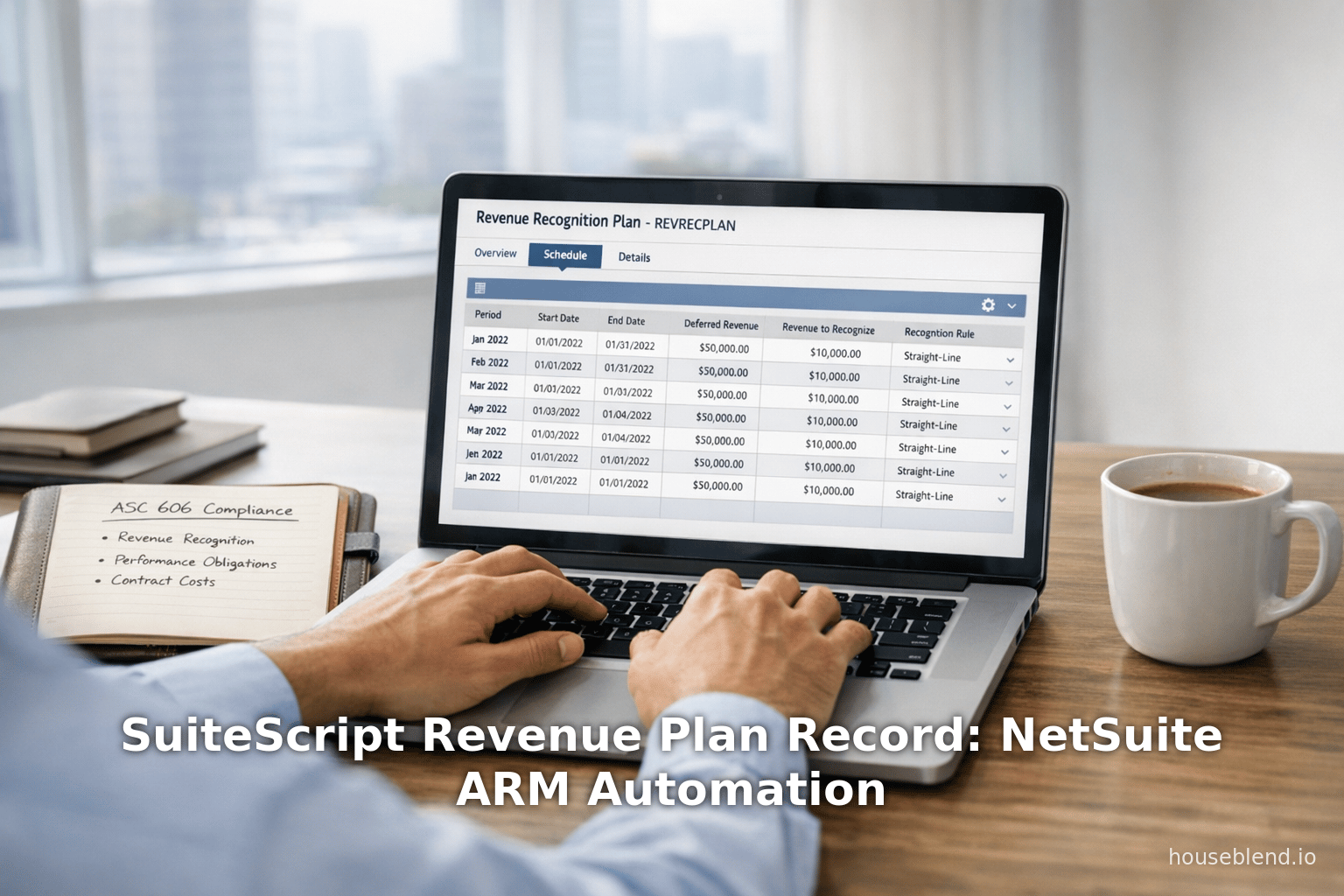
The Revenue Recognition Plan record (internal ID revrecplan) is thus a core object in ARM. The purpose of this record is “to indicate the posting periods in which revenue should be recognized and the amount to be recognized in each period” [1]. A revenue plan is always derived from a Revenue Recognition Rule attached to an item or element; NetSuite applies the rule’s logic (e.g. straight-line, percent-complete, milestone-based) to allocate amounts across periods. The plan may span numerous periods, and can be updated or recalculated if contract changes occur. (Oracle notes that adjustment periods can be designated and skipped to avoid double-counting [10].)
NetSuite usage and scale. NetSuite is widely used for finance automation: industry sources report that “over 41,000 organizations depend on NetSuite” for core accounting and revenue processes [11]. A large portion of those organizations – especially SaaS and subscription businesses – rely on NetSuite’s ARM to handle complex recognition needs. For example, a NetSuite partner write-up states that ARM “enables you to account for any contract under any revenue standard” and “automates revenue recognition… based on the highest accounting standards.” The solution provides support for percentage-of-completion and event-driven revenue plans, as well as determining stand-alone selling price (necessary under ASC 606) [7]. These points underscore that NetSuite ARM and its underlying records (arrangement, plan, etc.) are designed not only for compliance, but for automation and error-reduction compared to ad-hoc spreadsheet methods [12] [7].
Given these features, many NetSuite customers – from mid-market companies to large enterprises – have used ARM to meet ASC 606/IFRS 15 compliance.Indeed, IFRS (the standards body) recently affirmed that IFRS 15 is functioning as intended after several years of use [13], suggesting that companies will continue to rely on ERP-integrated solutions rather than revert to manual processes. With global adoption of ASC 606/IFRS 15 largely complete by 2019 [5], the focus for organizations is now on continuous compliance and auditability; ARM’s detailed revenue plans and journals facilitate this.
This report thus focuses on the “Revenue Plan” record type and its automation via SuiteScript. We will:
- Explain the triggers and flow of creating/updating revenue plans (standard events, timing, forecast vs. actual) with supporting data from NetSuite documentation [14] [8].
- Identify and describe the key fields of the revenue plan record (accounting book, amount, recognition period, plan type, status, etc.), which developers must interact with.
- Discuss how SuiteScript (and NetSuite's
N/task/accounting/recognitionAPI) can be used to automate related actions, such as merging arrangements or elements, updating schedules, or creating custom revenue events [2] [15]. - Contrast SuiteScript-based automation with no-code SuiteFlow workflows, drawing on expert commentary [16] [15].
- Present practical considerations (e.g. mandatory fields, permissions, update frequency settings [17]; warnings about unsupported customization etc. [18]).
- Illustrate real-world scenarios (milestone billing, project revenue, subscription changes) and how they map to revenue plans and scripts.
- Conclude with implications and future directions (e.g. evolving ERP capabilities, AI/ML messaging in ERP, review of standards [13], etc.).
Throughout, claims are supported by official NetSuite documentation, industry analyses, and known best practices.
Revenue Recognition in NetSuite: Key Concepts
Before diving into SuiteScript, it is essential to understand how NetSuite’s ARM generates and uses revenue plans. This section covers the basic mechanics and triggers for revenue plans, highlighting features that SuiteScript automations will act upon.
Classic vs. Advanced Revenue Recognition
NetSuite historically offered a “classic” revenue recognition feature (based on simple schedules tied to individual items), but new implementations no longer use it. According to Oracle, “classic revenue recognition features aren't available in new NetSuite implementations”; instead, customers enable the Advanced Revenue Management (ARM) module [6]. (Existing legacy customers may still have classic functionality, but ARM is the recommended path.) ARM automates deferral and recognition at the contract level, rather than on individual sales line items.
In practical terms, under ARM, a single contract (e.g. a sales order or project) is represented by a Revenue Arrangement. Within each arrangement, one or more Revenue Elements represent the discrete obligations. For example, a bundled sale of software plus training services might produce one element for the software license (recognized on delivery) and another element for training hours (recognized over completion of training). Each element is then tied to one or more Revenue Plans. These plans (and the related journal entries) are subsidiary- and book-specific in OneWorld environments [9].
Forecast vs. Actual Plans
By default NetSuite creates at least two plans per element: a forecast plan and an actual plan [8]. The forecast plan is used solely for internal planning and can appear in projected income reports, but it does not drive posting. The actual plan is what the system ultimately uses to post revenue when the time comes. ARM requires separate recognition rules for forecast vs. actual plans; these rules might be identical or different. For instance, a company could have a forecast plan straight-lined over 12 months, but only begin the actual plan upon delivery, or vice versa.
If a company does not need forecasting, NetSuite provides a preference to disable forecast plan creation. Otherwise, each element’s forecast plan is typically generated immediately at contract inception, whereas the actual plan might not be finalized until a later trigger (e.g. when the product is delivered). The documentation notes that “actual revenue plans may not be created until a later event occurs, such as fulfillment” for certain rule types [19].
Table 1 summarizes the relationship between plans:
| Plan Type | Purpose | When Created |
|---|---|---|
| Forecast | For internal reporting and forecasting; not used for postings. | By default created when the revenue element is created; can be disabled. |
| Actual | Determines when revenue is posted. | Created (or updated) when the trigger event occurs (e.g. billing/delivery). |
Triggers for Plan Creation
Revenue plans are event-driven. NetSuite generates or updates revenue plans when certain business events occur, as defined by the revenue recognition rule attached to the item or element. Standard triggers include:
- Revenue Arrangement Creation: If the recognition rule is set to trigger on arrangement creation (often linked to sales orders), a revenue plan is generated at that time.
- Billing (Invoicing): If the rule uses a billing trigger, plans are updated when an invoice is issued.
- Fulfillment (Shipment/Delivery): If using a delivery fulfillment trigger, revenue plans update upon item shipping or service completion.
- Project Progress: When the Project Management feature is enabled, revenue elements can be triggered by project milestones or percentage-complete progress instead of fixed dates.
- Subscription Events: Under SuiteBilling for subscriptions, events like subscription start or scheduled invoices can trigger plan calculations.
Oracle’s documentation explicitly states: “The events that may trigger the creation of revenue plans are revenue arrangement creation, billing, and fulfillment. If the Project Management feature is enabled, project progress is also available as a trigger. When SuiteBilling is enabled, a subscription event trigger is available” [14]. In practice, this means that as soon as a relevant event occurs, NetSuite will (depending on the Revenue Plan Update Frequency preference) automatically create or refresh the revenue plan up to that point.
| Trigger Event | Enabled By/Context | Effect on Revenue Plan |
|---|---|---|
| Revenue Arrangement Creation | Standard; when a new arrangement (e.g. sales order) is entered | Generates initial plans if rule uses arrangement trigger; begins revenue deferral schedule |
| Billing / Invoice Issued | Standard; when invoice for the arrangement is created | Updates or creates plans if rule uses billing trigger (allocates revenue upon invoicing) |
| Fulfillment / Shipment | Standard; when goods/services are delivered | Updates plans for rules triggered by fulfillment (recognizes revenue when delivered) |
| Project Progress | Requires Project Management feature; e.g. % complete or milestone | Generates or advances plans based on project milestones or percent-complete metrics |
| Subscription Event | Requires SuiteBilling; e.g. subscription activation or recurring invoice | Triggers plan update for subscription-based revenue (recognition event upon billing cycle) |
Table 1: Standard triggers for NetSuite Revenue Plan generation (source: NetSuite Help) [14].
NetSuite administrators can control whether revenue plans are created automatically or only upon manual request using an accounting preference called Revenue Plan Update Frequency. When set to Automatic, NetSuite will run a background process (roughly every 3 hours) to update all plans affected by recent events [17]. Manual updates can also be run by a user under “Revenue Recognition > Update Revenue Arrangements”. However, in SuiteScript context, it is typically sufficient to rely on automatic updates or trigger plan adjustments via scripted events (see below).
Once revenue plans exist, revenue is not actually posted until the system generates revenue recognition journals from the plan. NetSuite separates the notion of “plan creation” from “revenue posting”. As documentation notes, “Revenue recognition plans show the posting periods when revenue should be recognized and how much to recognize in each period. Revenue isn't recognized until you generate revenue recognition journal entries from the revenue plans.” [20]. In practice, at month-end/CFO run, the revenue plans are executed to produce the actual journal entries that debit deferred revenue and credit revenue accounts.
Key Fields of the Revenue Plan Record
The Revenue Recognition Plan record (revrecplan) stores the schedule of amounts by accounting period. Developers working with SuiteScript must often read or write to this record, so it is important to know its key fields and structure. A typical revenue plan record includes:
- Accounting Book (
accountingbook) (Select): Identifies the ledger/book (for multi-book accounting) in which this plan applies. Revenue can be recognized in multiple books simultaneously; each book will have its own plan schedule [21]. - Amount (
amount) (Currency): The base-currency amount of revenue recognized in this plan (usually total of all lines). - Currency or Exchange Rate (
planexchangeRate) (Currency): The exchange rate to base book currency, if plans exist in foreign currency. - Recognition Period (
recognitionperiod) (Integer or Select): Often an offset or a specific period index indicating which accounting period/sub-period this plan line covers (e.g. zero for the first period in the schedule). - Recognition Method (
recognitionmethod) (Select): A code indicating how recognition was applied (e.g. period over period, single entry, cumulative, etc.). - Revenue Plan Type (
revenueplantype) (Select): Indicates Actual vs Forecast (or other plan category). By default, this is “Actual” for posted plans. (Oracle refers to this as linking to a revenuePlanType key) [22]. - Status (
status) (Select): Current workflow status of the plan (e.g. Pending, Open, etc.). Control over status can impact whether a plan requires approval before use. - Created From (
createdfrom) (Select): Reference to the Revenue Element that generated this plan (each element can spawn multiple plan lines). - Comments (
comments) (Text): Any manual notes on the plan. - Catch Up Period (
catchupperiod) (Select): Used for cumulative recognition rules to hold undistributed revenue until a specific period. - Cost Amortization (Sublist): A child sublist of deferred cost schedules tied to this plan (rare; only if costs are deferred along with revenue).
- Planned Revenue (Sublist): This sublist contains the detailed lines of the plan. Each line typically has a Period (an
accountingPeriodreference) and an Amount (how much to recognize that period). The sum of Planned Revenue amounts equals the total Amount above.
At run-time, a Revenue Plan record looks conceptually like this (simplified):
| Field | Value/Type |
|---|---|
accountingbook | e.g. “USD Book” (select) |
amount | 12000.00 (currency) |
revenueplantype | Actual (select) |
status | Pending (select) |
recognitionmethod | Straight-line (select) |
recognitionperiod | 0 (integer) |
createdfrom | (link to revenue element) |
| Planned Revenue (Sublist) | Period ID |
| Apr 2023 | |
| May 2023 | |
| Jun 2023 | |
| Jul 2023 |
Table 2: Example fields of a Revenue Recognition Plan record. (Field data conceptual; based on NetSuite 2020+ data dictionary) [21] [22].
Table 2 captures some key fields. In SuiteScript, many of these are accessed by their IDs. For example, using the 2.x N/record module one would use record.Type.REVENUE_PLAN and field IDs like 'accountingbook', 'amount', 'recognitionperiod', etc. The SuiteScript Records Browser confirms fields such as revenueplantype, recognitionmethod, and catchupperiod on this record [21] [22].
Knowing these fields is critical when scripting. For instance, one might need to edit a plan’s amount or change its status, or iterate through the plannedrevenue sublist lines. (All sublist lines must be marked offline or saved appropriately in code.) Similarly, to create a new revenue plan record via script, one must supply required fields (accounting book, element links, period, amount, etc.) – failure to do so will raise errors, as community threads have shown [23]. We'll discuss scripting patterns momentarily.
Revenue Plan Lifecycle and Updates
Once created, revenue plans can be updated in two ways:
- Automatically: If the Administrative preference “Revenue Plan Update Frequency” is set to Automatic, NetSuite will recalc all affected plans every few hours to reflect any changed contract/fulfillment data [17]. This runs under administrative privileges, ignoring subsidiary restrictions and updating all books.
- Manually: Users can click Update or use a custom script to explicitly recalc plans (subject to role permissions). In manual mode, only the user’s accessible subsidiaries’ plans are updated; and only open orders/elements are reconsidered. The SuiteScript API does not provide a direct “recalculate plan” function, but one can simulate it by editing the underlying data (for example, adjusting an arrangement or element) and then using
N/task/accounting/recognitionor custom code to force an update.
It is crucial to note that if a sales order is closed and the “Create and Maintain Revenue Element Upon Closed Order” preference is not set, then closed orders will no longer trigger plan updates [24]. Thus, scripts that create or modify revenue arrangements should respect those settings.
In sum, the Revenue Plan record lives within a workflow: it is created (via automatic or manual triggers), stored with its schedule of amounts, possibly edited or superseded by new plans if changes occur, and finally consumed by generating actual revenue recognition entries. The RevRec commitment record type (internal ID revenuecommitment) tracks how much has been posted versus deferred, but we focus here on the plan itself. If a plan needs to be voided (e.g. a contract cancelled), a Revenue Commitment Reversal record may be created (internal ID revenuecommitmentreversal) [25], but such reversals are beyond this report’s scope.
SuiteScript for Revenue Plan Automation
SuiteScript (NetSuite’s JavaScript-based scripting platform) offers powerful tools to automate revenue management tasks. Key capabilities include:
- Creating and updating records (via the
N/recordmodule orrecord.Typeconstants) - Running saved searches and handling results (
N/search) - Executing asynchronous tasks (
N/task/{module}) - Workflow actions (via SuiteFlow and related modules)
In Revenue ARM, several record types and APIs are relevant:
- RevenueArrangement (record.Type.REVENUE_ARRANGEMENT) – represents contract obligations.
- RevenueCommitment / Reversal (record.Type.REVENUE_COMMITMENT / REVENUE_COMMITMENT_REVERSAL) – track posting.
- RevenuePlan (record.Type.REVREC_PLAN) – our main subject.
- RevRecSchedule / RevRecTemplate / RevRecFieldMapping – occasionally used for classic or custom mapping (older functionality).
- RevenueRecognitionRule (record.Type.REVENUE_RECOGNITION_RULE) – holds template rules.
- N/task/accounting/recognition – a 2.x module specifically for merging revenue tasks.
We address several use cases and techniques:
Merging Revenue Arrangements or Elements
One common automation need is to merge revenue arrangements or elements, for example when multiple orders/items should be treated as one performance obligation. NetSuite provides a dedicated N/task/accounting/recognition API for this. Sample code from NetSuite’s help shows the pattern:
/**
 * Example: Merge revenue elements via SuiteScript 2.x
 */
require(['N/task/accounting/recognition'], function(recognition) {
    // List of revenue element internal IDs to merge
    var elementsList = [401, 402];
    var recognitionTask = recognition.create({ taskType: recognition.TaskType.MERGE_ELEMENTS_TASK });
    recognitionTask.elements = elementsList;
    // Additional options could be set here (e.g., resultingArrangementDate)
    var taskStatusId = recognitionTask.submit();
    var mergeTaskState = recognition.checkStatus({ taskId: taskStatusId });
    log.debug('Resulting Arrangement ID = ' + mergeTaskState.resultingArrangement);
});
[2]. This code uses recognition.TaskType.MERGE_ELEMENTS_TASK to asynchronously merge the listed revenue elements into one arrangement. Upon completion, mergeTaskState.resultingArrangement gives the new revenue arrangement ID. (A similar MERGE_ARRANGEMENTS_TASK exists if merging whole arrangements.)
Such merge tasks are executed outside the normal UI flow; they allow developers to shuffle revenue data at scale. Importantly, the developer does not manually manipulate individual RevenuePlan records in this case – NetSuite intelligently rebuilds the merged plan. However, understanding the RevenuePlan fields is useful for verifying the results.
Creating or Modifying Revenue Plans Directly
SuiteScript can also be used to create or modify RevenuePlan records via the generic record API. For example, one might write a scheduled script that reads a set of contracts and ensures their plans are updated. The basic steps to create or edit a plan record are:
- Load or Create: Use
record.create({ type: record.Type.REVREC_PLAN })orrecord.load({ type: record.Type.REVREC_PLAN, id: xx }). - Set Fields: Use
setValue({ fieldId: ..., value: ... })for fields likeaccountingbook,amount,recognitionperiod, etc. - Work with Sublists: Use
insertLineorsetSublistValuefor the ‘plannedrevenue’ lines. For each line, you would setpostingperiod(orplannedperiod) andamount. - Save: Call
.save()to commit.
However, since revenue plans are normally auto-generated by ARM, directly creating them via script is unusual. More often, one might adjust an existing plan. For example, a SuiteScript might loop through revenue schedule lines and set their amount based on an external calculation. Or it might close off parts of a plan.
In practice, direct manipulation of RevenuePlan via SuiteScript is rare and advanced, because NetSuite prefers plans to be derived from rules. Nevertheless, sometimes it is done in highly customized scenarios. For instance, if a contract’s end date changes on-the-fly, a script could load the relevant revrecplan records and extend or shrink them by adding/deleting sublist lines (using removeLine) [26]. Care must be taken to maintain consistency (total amount, correct periods, etc.). Additionally, certain fields like amount are read-only on the client in the UI; they may only be set when initially creating the plan.
Example: SuiteScript Update to Catch-Up Adjustment
Some recognition rules include cumulative catch-up logic (e.g., to align actual period-end). If a script needs to apply a manual adjustment, it might do something like:
var planRecord = record.load({ type: record.Type.REVREC_PLAN, id: 123 });
planRecord.setValue({ fieldId: 'catchupperiod', value: somePeriodId });
planRecord.setValue({ fieldId: 'amount', value: adjustedAmount });
planRecord.save();
This would set a new catch-up period in a plan. (In reality, Oracle often controls catch-up via preferences, but user scripts have sometimes toggled it for specific events.) Again, such use-cases are edge-cases and need careful testing.
Creating Revenue Arrangements via SuiteScript
Often, automation of revenue recognition starts before the revenue plan, at the point of contract creation. For example, a scheduled script might convert Sales Orders into Revenue Arrangements. An “Ask a Guru” post noted that creating Revenue Arrangements in SuiteScript requires attention to certain fields; the user found a permissions error on save, and ultimately needed to include the list of revenue element IDs [27]. In general:
- When scripting an arrangement, one must populate all mandatory fields (customer, transaction lines, item, quantity, etc.) and then call
arrangement.save(). - To attach performance obligations, one often uses a sublist (e.g. the
revenueelementsublist) to add elements to an arrangement, each element linked to an item and quantity. - After saving, the proper revenue elements are created and revenue plans will be generated as per rules.
Unfortunately, many details here depend on account configuration. Our focus is on the “Revenue Plan” record, so we only note that plan records are always linked to elements (populated in the createdfrom field). Thus, any SuiteScript that programmatically creates or updates revenue arrangements/elements will indirectly affect the resulting Revenue Plan records.
Monitoring and Adjusting Plans
Once revenue plans exist, there are situations where scripts may need to programmatically update or adjust them:
- Revenue Event Records: NetSuite allows creation of custom Revenue Recognition Event records, which force an immediate recognition event. For example, a one-off “email approved billing” event could trigger plan generation [15]. A scripted workflow could create such events (by invoking a small SuiteScript via a SuiteFlow action) to push NetSuite to recalc plans upon complex conditions [28].
- Adjusting Schedules: If business logic requires shifting recognition, a script could remove or add lines in the
plannedrevenuesublist and then save. For instance, proration changes due to contract amendments. - Merging Plans: In some tax or legal reorganizations, one might need to merge two plans (and their underlying arrangements) into one. While merging arrangements is covered above, merging plans specifically is not directly exposed; rather, merging arrangements implicitly merges plans.
SuiteFlow vs SuiteScript for Revenue Automation
It is worth contrasting SuiteScript with NetSuite’s SuiteFlow (workflow engine) as tools for automating revenue recognition:
- SuiteFlow is no-code and can trigger actions (notifications, record updates, script calls) on business events [29] [30]. It is ideal for relatively straightforward logic (e.g. “if project task is marked complete, then create a Revenue Event record”). For example, an integration guide suggests creating a workflow that “calls a small script or uses workflow actions to achieve” the recognition event creation; Houseblend notes that as soon as a milestone is marked complete, “a workflow automatically generates a recognition event, which in turn updates the revenue plan” [28]. In short, SuiteFlow can augment ARM by feeding it custom triggers without writing full-fledged code.
- SuiteScript (code) offers maximum flexibility. Complex algorithms (e.g. calculating nuanced allocations, integrating external data) are possible only with script. However, custom scripts must be managed in the development lifecycle (upgrade-safe practices, etc.) and often require more maintenance [18].
In practice, many organizations use a hybrid: SuiteFlow for approving arrangements and simple triggers, and small SuiteScript routines for the heavy lifting. Experts caution following best practices (documenting customizations, avoiding unsupported hacks) when using either approach [18]. For this report, we emphasize SuiteScript, but acknowledge that workflow-driven solutions often invoke SuiteScript actions under the hood for revenue events [15] [28].
Automation Case Studies and Examples
Below we describe some real-world-style examples illustrating how the concepts above work in practice.
Example 1: Milestone Billing in a Project
A consulting firm has revenue recognition tied to project milestones. Each project task completion should recognize a portion of the contract value. They configure ARM with a “milestone-based” rule. A planned scenario:
- A SuiteFlow workflow watches for Project Task Completion. When a task is completed, the workflow creates a custom Revenue Recognition Event record (a feature of ARM) linking to the project element.
- NetSuite (ARM) sees this event and generates/upates the Actual Revenue Plan to include the appropriate amount in the current period.
- A user (or scheduled script) runs “Update Revenue Plans”, and the triggered plan now shows a line for this period with the milestone amount.
- At month-end, the user runs “Generate Revenue Journal Entries,” which debits deferred income and credits revenue as per the plan.
Houseblend describes precisely this pattern: “Using SuiteFlow, you can automate the creation of these revenue recognition event records when a milestone is reached… as soon as a milestone is marked complete, the system automatically generates a recognition event, which in turn updates the revenue plan to recognize the appropriate amount of revenue” [28]. This chain of automation (SuiteFlow -> event -> ARM) can be fully implemented with minimal code. In cases where more logic is needed (e.g. dynamic split between tasks), a small SuiteScript action (via SuiteFlow) can be used to set event fields.
Example 2: Merge Revenue Elements via Script
Consider a SaaS vendor where a customer places two separate orders that should logically be combined into one performance obligation. A scheduled SuiteScript runs nightly to clean up these duplicates:
- A Saved Search finds pairs of Revenue Elements for the same customer, product, and contract.
- The script collects their IDs (say [1001, 1002]) and calls
N/task/accounting/recognition.createwithTaskType.MERGE_ELEMENTS_TASK[2]. - The task submits, and the script polls with
checkStatus()until complete. - Upon completion, NetSuite reports a resultingArrangement ID (e.g. 12345). The script logs this and updates any related data (perhaps linking external systems to the new arrangement).
After the merge, NetSuite automatically re-calculates the revenue plan for the new combined arrangement. The merged plan might simply be the union of the two prior plans (adjusted to avoid overlaps). The developer can then load record.load({type: record.Type.REVENUE_ARRANGEMENT, id: 12345}) and examine sublists of related plans to ensure everything looks correct.
This example shows how SuiteScript tasks can manipulate ARM data behind the scenes. Importantly, the Revenue Plan record was not directly touched by the script; the merge task took care of creating the new plan lines. However, a developer monitoring the process would validate plan creation by inspecting Revenue Plan records via scripts or reports after the merge.
Example 3: Subscription AR Billing Trigger
A subscription-based company uses SuiteBilling. They want revenue plans generated as soon as an invoice for a subscription is created (instead of waiting for manual update). They do the following:
- In the item’s revenue recognition rule, they specify Trigger on Billing. As a result, whenever an invoice is posted, NetSuite will generate a revenue recognition event and update the plan.
- They also ensure that the Revenue Plan Update Frequency preference is Automatic [17], so plans update on the invoice date rather than later.
- No custom SuiteScript is needed; the out-of-the-box mechanism covers this scenario.
However, to double-check or log the plan creation, they might add a Client Script or User Event Script that fires on the Invoice record’s afterSubmit. This script could search for new revrecplan records linked to the billing and write its own log or custom field. For instance:
// After a Billing Invoice is saved
function afterBillingSubmit(context) {
    var invoice = context.newRecord;
    var arrangementId = invoice.getValue('revenuearrangement'); // link to arrangement
    if (arrangementId) {
        var searchResults = search.create({
            type: 'revrecplan',
            filters: [{name: 'createdfrom', operator: 'anyof', values: arrangementId}]
        }).run().getRange({ start: 0, end: 5 });
        // Log the new plans
        searchResults.forEach(function(plan) {
            log.audit('New Plan', 'Plan ID='+plan.id+' created from billing');
        });
    }
}
This snippet (conceptual) uses SuiteScript 2.x Search to find any Revenue Recognition Plan (revrecplan) records created from the arrangement, after the invoice posts. It demonstrates searching for plan records by their createdfrom link to the arrangement. Such an approach could be used to trigger alerts or integrate with external systems immediately when a plan is generated.
Example 4: Manual Plan Adjustment via Script
Suppose a loophole caused an AR plan to allocate revenue in an incorrect period (e.g. due to an accounting period change). An administrator fixes this by running a SuiteScript that:
- Loads the specific
revrecplanrecord. - Removes one of its sublist lines where a wrong amount was assigned.
- Inserts a new line with the correct period and amount.
- Saves the record.
For example:
var plan = record.load({ type: record.Type.REVREC_PLAN, id: 555 });
var lines = plan.getLineCount({ sublistId: 'plannedrevenue' });
for (var i = 0; i < lines; i++) {
    var period = plan.getSublistValue({ sublistId: 'plannedrevenue', fieldId: 'postingperiod', line: i });
    if (period == '14') { // suppose 14 was wrong period
        plan.removeLine({ sublistId: 'plannedrevenue', line: i, ignoreRecalc: false });
        break;
    }
}
plan.insertLine({ sublistId: 'plannedrevenue', line: 0 });
plan.setSublistValue({ sublistId: 'plannedrevenue', fieldId: 'postingperiod', line: 0, value: '15' });
plan.setSublistValue({ sublistId: 'plannedrevenue', fieldId: 'amount', line: 0, value: 5000.00 });
plan.save();
This contrived code searches for a line with postingperiod = 14 and removes it, then adds a line for period 15 with $5000. In reality, one must also adjust the total amount field. Such a script should be carefully tested. Nonetheless, it shows that direct manipulation of the Revenue Plan record is possible via SuiteScript – it simply follows the native record/sublist APIs.
(Note: This type of manual edit is typically discouraged unless absolutely necessary; ARM’s logic should normally prevent such mismatches. Always backup data before script-based corrections.)
Perspective: SuiteFlow Enhancement
Houseblend’s analysis highlights that many complex scenarios can be handled by combining SuiteFlow and minimal scripting. For instance, if a business rule requires manager approval before recognizing a large milestone, a workflow could insert an approval step between the event trigger and the plan update [31]. Or, SuiteFlow can update a custom “Percent Complete” field that then drives an ARM percent-complete rule [32]. These are examples of “glue” solutions where SuiteFlow interacts with ARM structures.
From a scripting standpoint, one might even call a SuiteScript function via SuiteFlow’s “Run Script” action. Houseblend suggests that nearly anything a SuiteFlow can do, a script can also do (albeit with more coding). The key is that both must ultimately feed the correct data into NetSuite ARM (either by creating events or adjusting contract data) so that the existing revenue plan logic takes over.
Data and Trends
Solid data on NetSuite revenue recognition usage is scarce publicly, but we can glean some context:
- Customer Spread: According to Oracle, 41,000+ companies use NetSuite [11]. Among these, industry adoption surveys indicate strong uptake of subscription billing modules, driving interest in ARM.
- Compliance Pressure: Nearly all public companies (and most private ones) adopted ASC 606 by 2018–2019 [5]. A KPMG review noted that “meeting IFRS 15 and ASC 606 requirements” was a major driver of ERP and automation projects. Similarly, IFRS Foundation’s post-implementation review (Sept 2024) concluded that IFRS 15 is functioning as intended, so companies must keep their new processes in place [13].
- Error Reduction: Case studies (anecdotal) suggest automated ARM implementations can reduce audit findings. For example, Inspirria notes that ARM “cuts down on mistakes and makes complicated tasks much more accessible,” implying efficiency gains [33].
- Future Outlook: NetSuite continues to invest in ARM and related automation. The 2025 Gartner Magic Quadrant (Oracle press release) highlights “embedded predictive, generative, and agentic AI capabilities” in Oracle Cloud ERP [34], which suggests future enhancements (though not specified for revenue recognition, it signals a general trend toward smarter finance tools).
Taken together, these data points underscore an environment where automated revenue planning is not just an accounting nicety, but a compliance and competitive imperative for tech-savvy companies.
Discussion: Implications and Future Directions
Efficiency and compliance: Automating revenue recognition via tools like SuiteScript and SuiteFlow yields clear benefits. By leveraging NetSuite’s ARM and scripting, organizations ensure that every contract is properly reflected in the general ledger, reducing manual journal entries and the potential for human error [7] [33]. Auditors highly value the audit trail provided by ARM: plans document original contract terms, and adjustments generate reversal or commitment entries as needed. As Inspirria observes, NetSuite is “ideal for revenue management” because ARM features simplify recognition like an autopilot [35] [7].
Governance and Best Practices: It is critical that automated processes follow best practices for maintainability. Oracle and partners stress that custom scripts should be upgrade-safe and well-documented [18]. For example, one should avoid “hard-coding” internal IDs or modifying unsupported fields. SuiteScript 2.x’s modular structure encourages injection of dependencies (e.g. N/record) rather than reliance on global state. Houseblend’s guidance suggests documenting custom events and workflows to not confuse standard ARM processes [36] [18].
Change management: Organizations should carefully plan how and when to implement revenue recognition automation. Business analysts must configure ARM rules to match corporate policies (stand-alone price allocation, multi-element unpacking, etc.), and technical teams then implement the actual system logic (SuiteFlows or scripts). Many companies engage NetSuite consulting partners (like the authors of the Inspirria blog) to ensure a smooth transition. As the Inspirria article notes, ARM is “ready to simplify revenue recognition tasks,” but it still requires understanding of the underlying formulas [7]. Proper training of finance staff is also crucial so they trust that “the system” is handling revenue properly and know how to interpret plan reports.
Potential hazards: Over-automation without checks can introduce subtle bugs. For instance, if a developer mistakenly creates many duplicate revenue event records via script, multiple plans may be created and cause over-recognition. Therefore, scripts should often include logging and idempotent checks. Moreover, because ARM operates asynchronously (and sometimes overnight updates), real-time visibility can be challenging. Organizations sometimes build custom reports or dashboards (via NetSuite Saved Searches or SuiteAnalytics) to monitor “pending revenue to be recognized.” This data-driven approach (comparing planned vs. posted revenue) is an advanced best practice.
Future Trends: Going forward, we anticipate several relevant developments:
- IFRS 15/ASC 606 will remain stable standards (as IFRS’s recent review suggests) [13]. Attention may turn to IFRS 17 (insurance contracts, effective 2023), but that will likely involve different modules. NetSuite may eventually integrate IFRS 17 logic into ARM for insurance customers.
- Oracle’s mention of AI features hints at more intelligence in finance automation [34]. For example, machine learning could predict revenue schedules or detect anomalies in plans (though no such feature is currently announced).
- NetSuite’s continuous delivery means even more enhancements to ARM. Recent 2026 release notes do not yet clearly indicate major changes to revenue automation, but Oracle often updates workflows and script APIs. Organizations should watch for new Script APIs or ARM features in future releases.
- Data analytics and BI: CFOs want visibility, so linking ARM data to real-time dashboards (via SuiteAnalytics) will be important. Custom SuiteScript or SuiteFlow could push ARM summaries to external BI systems.
- Global compliance: As tax authorities pay more attention to revenue recognition, having automated plans that can handle multi-currency, multi-subsidiary requirements (a strength of NetSuite OneWorld + ARM) will be crucial across geographies.
Conclusion
Automating revenue recognition in NetSuite revolves around the Revenue Recognition Plan (revrecplan) record type. This record captures the schedule of revenue into defined periods, based on advanced recognition rules. By understanding its fields (accounting book, amounts, periods, status, etc.) and its lifecycle (triggered by arrangement, billing, fulfilment, etc.), practitioners can leverage SuiteScript and SuiteFlow to implement robust automation.
SuiteScript provides the “heavy machinery” – merging, record manipulation, and custom logic – while SuiteFlow offers a lighter-touch approach with event-driven workflows. Both contribute to ARM’s goal: “simple, accurate, compliant revenue recognition” [7]. Expert commentary confirms that well-designed automations (especially those integrating SuiteFlow triggers and small scripts) can effectively align revenue recognition to business events [3] [28]. Moreover, implementing ARM and its automations has real business impact: improved confidence in financials, faster close cycles, and reduced audit risk.
In conclusion, the SuiteScript Revenue Plan record type is a key piece of NetSuite’s revenue automation puzzle. It embodies the when and how much of revenue recognition. By masterfully wielding SuiteScript (and SuiteFlow), organizations can ensure that this record is generated and updated accurately, effectively turning complex accounting policies into repeatable, auditable processes. As one reviewer puts it, NetSuite ARM (and by extension the revenue plan) can “automate revenue management processes, giving efficiency, strengthening compliance, and improving visibility” [12].
Future ERP enhancements and evolving standards will undoubtedly refine these processes. However, the core principle remains: with tools like SuiteScript and the Revenue Plan record, revenue recognition – once a beleaguered manual task – can be largely automated. The result is finance operations that are both agile and trustworthy, ready to meet tomorrow’s accounting and regulatory challenges.
References
- NetSuite Help Center, Revenue Recognition Plan, 2020. See especially “This record is used to indicate the posting periods...” [1] and related fields.
- NetSuite Help Center, Revenue Recognition Plans, 2020. (Details on plan triggers and forecast vs. actual) [37] [8].
- NetSuite Help Center, Setting Revenue Recognition Accounting Preferences, 2020. (Notes deprecation of Classic and use of ARM) [6].
- NetSuite SuiteScript 2.x Records Browser (online), Revenue Plan record type fields [21] [22].
- SuiteScript Code Samples, Merge Revenue Elements using Internal IDs (NetSuite Help) [2].
- SuiteScript Code Samples, N/task/accounting/recognition Module Documentation (NetSuite Help) [38] [39].
- Oracle NetSuite Documentation, Updating Revenue Recognition Plans [17] [24].
- Oracle (KPMG on IFRS 15 post-implementation, Aug 2019) – IFRS 15/ASC 606 adoption status [5]; IFRS Foundation (Sep 2024) – IFRS 15 PIR results [13].
- Inspirria Cloudtech blog, NetSuite Makes the Most of Advanced Revenue Management (Apr 2024): customer benefits and features [12] [7].
- Houseblend.io, Automating Revenue Recognition with NetSuite SuiteFlow (Sep 2025), author analysis of SuiteFlow and ARM. Key excerpts: SuiteFlow overview [29] [30], triggers and custom events [3] [15] [28], best practices [18].
- Houseblend.io, NetSuite for SaaS Companies (blog) – Netsuite adoption statistic (41,000 orgs) [11].
- Other NetSuite Help topics on revenue (Arrangement, Commitment, Field Mapping, etc.) for context.
External Sources (39)
About
Houseblend
Make NetSuite work better for your finance and operations teams with Houseblend. We help design, implement, integrate and improve ERP systems, with practical support for the people who use them every day.
Houseblend is a NetSuite consulting firm serving finance and operations teams. We help organizations implement ERP systems, connect business applications, improve existing configurations and maintain the systems that support everyday work. Our audience includes finance leaders, controllers, operations managers, NetSuite administrators and implementation teams.
Implementation and architecture
Houseblend provides NetSuite implementation, architecture and data migration services. We help teams evaluate how business processes, reporting requirements and existing data should fit together in an ERP environment. Training supports the people responsible for adopting and operating the resulting system.
Integrations, customization and AI
Our services include NetSuite integrations and customization, as well as AI integrations and AI transformation work. These engagements connect ERP data and workflows with the broader application landscape. The right design depends on the organization's systems, controls and operating needs.
Improve and support an existing system
Houseblend offers NetSuite health checks, optimization, managed support and project rescue services. We also provide expertise for analytics and specialist workflows, including NetSuite Analytics Warehouse, warehouse management and field service management. Published educational material helps teams investigate options and prepare informed questions for their implementation or support work.
Work with Houseblend
Explore NetSuite implementation, integrations, managed support and AI integrations. Contact Houseblend to discuss your current system and priorities.
Article examples explain concepts rather than promising a particular license, product capability, delivery schedule or outcome. Engagement scope is confirmed with the Houseblend team.
Disclaimer
This document is provided for informational purposes only. No representations or warranties are made regarding the accuracy, completeness, or reliability of its contents. Any use of this information is at your own risk. Houseblend shall not be liable for any damages arising from the use of this document. This content was generated with assistance from artificial intelligence tools, which may contain errors or inaccuracies. Readers should verify critical information independently. All product names, trademarks, and registered trademarks mentioned are property of their respective owners and are used for identification purposes only. Use of these names does not imply endorsement. This document does not constitute professional or legal advice. For specific guidance related to your needs, please consult qualified professionals.