Houseblend Article
NetSuite SuiteQL Guide: Custom Fields, Joins & Queries
Inside this article
Executive Summary
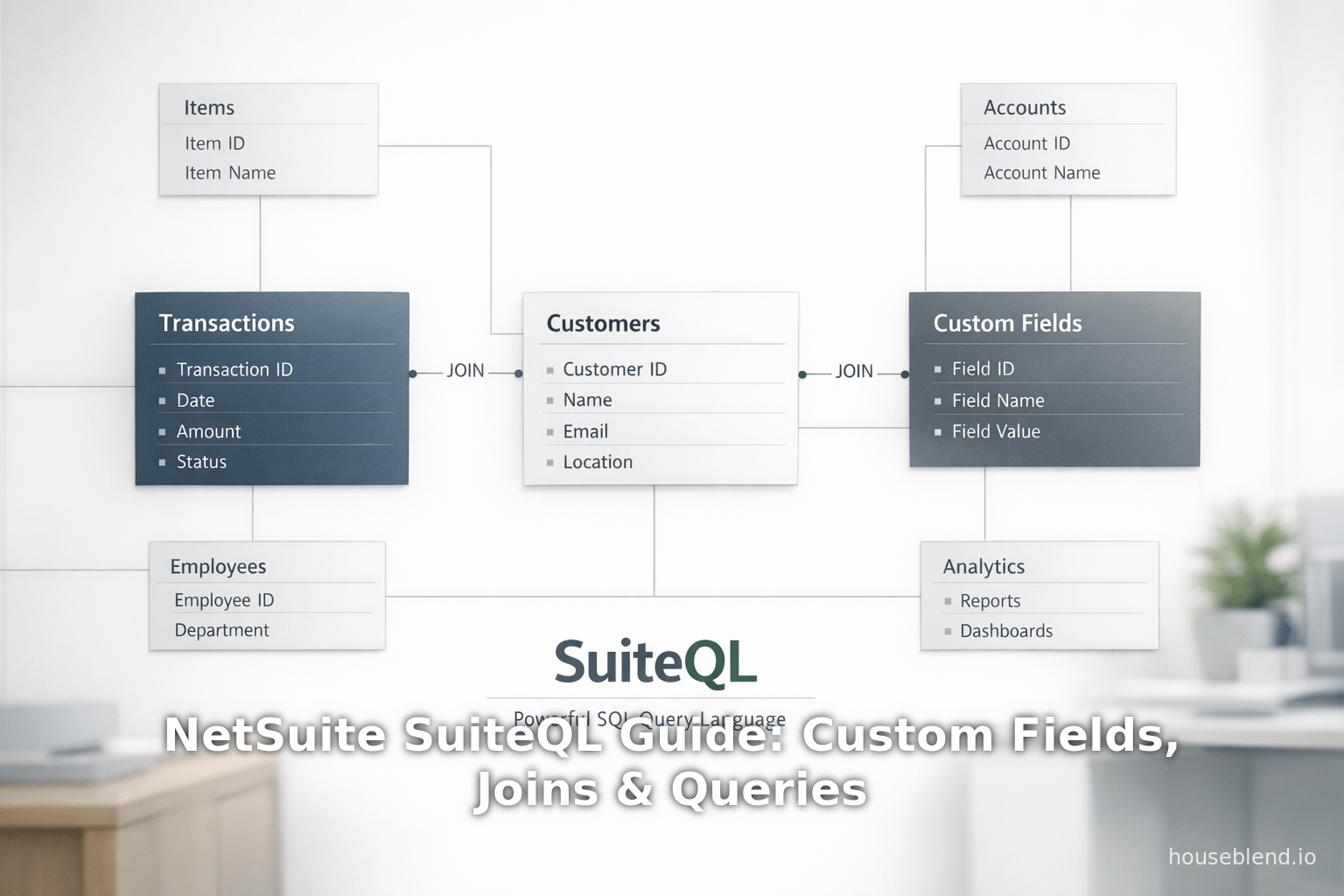
SuiteQL is NetSuite’s powerful SQL-based query language designed to enable advanced reporting and data analysis across NetSuite’s integrated ERP/CRM data model [1] [2]. By building on the SQL-92 standard (with Oracle-specific syntax extensions), SuiteQL allows users and developers to retrieve and aggregate data with complex multi-table joins, subqueries, and built-in functions that go beyond the capabilities of NetSuite’s traditional Saved Searches and SuiteAnalytics Workbook [1] [3]. This report provides a comprehensive reference and analysis of SuiteQL, focusing on how to work with custom fields, implement various join types, and construct advanced queries (including set operations, aggregation, and specialized functions). We examine the metadata tables (like CustomRecordType and CustomField) that expose custom definitions, the syntax for accessing custom field values in queries, and strategies for joining related records both standard and custom. We also present in-depth examples and case studies – for instance, combining customer and transaction data for tailored dashboards [4] [5], or using SuiteQL to integrate NetSuite data with external tools like Tableau and Airtable [6] [7]. Throughout, we cite authoritative sources (Oracle documentation, NetSuite community experts, and industry analyses) to provide evidence-based guidance. Finally, we discuss performance considerations, governance implications, and future directions in SuiteQL usage and tooling (such as new IDE features and integration capabilities).
Introduction and Background
NetSuite is a leading cloud-based ERP (Enterprise Resource Planning) and CRM (Customer Relationship Management) platform that unifies financials, inventory, sales, and customer data in a single system [8]. As organizations increasingly demand advanced analytics on this unified data, NetSuite introduced SuiteQL – a query language that brings the familiarity of SQL to NetSuite’s Analytics Data Source. According to NetSuite documentation, “SuiteQL is a powerful query language introduced by NetSuite, built on the SQL-92 revision of SQL… designed to provide users with efficient and flexible access to NetSuite’s data model, enabling advanced queries beyond the capabilities of Saved Searches and reports” [1]. In practical terms, SuiteQL lets developers and data analysts write custom SQL queries against NetSuite’s analytics tables, which underlie the SuiteAnalytics tools (Connect, Workbook, etc.). As one expert notes, SuiteQL “powers the SuiteAnalytics data source, ensuring that any data you can see in a NetSuite Workbook or saved search can also be queried via SuiteQL. In contrast to standard point-and-click reports, SuiteQL allows complex multi-table joins, subqueries, and aggregations, opening up deeper insights that might be cumbersome or impossible with saved searches alone” [9].
Historical context: Prior to SuiteQL, NetSuite users relied on Saved Searches (point-and-click queries with limited joins) or SuiteAnalytics Workbook (visual drag-and-drop) for reporting. Saved Searches generally allowed only one level of joins and had limited aggregation capabilities [3]. To extract data externally, customers could use SuiteAnalytics Connect (ODBC/JDBC) or SuiteTalk REST/SOAP APIs, but writing custom SQL was not directly supported. SuiteQL, introduced in recent years (circa NetSuite 2019/2020 releases), formalized an ANSI SQL interface to NetSuite’s Analytics Data Source. It is available via SuiteScript’s N/query module, SuiteAnalytics Connect (ODBC/JDBC), and SuiteTalk REST endpoints [10] [11]. (Users should be aware that while SuiteQL supports ANSI SQL-92, Oracle’s documentation advises using Oracle SQL syntax for best performance and compatibility [12].)
NetSuite and SuiteCloud ecosystem: NetSuite’s SuiteCloud platform includes a rich suite of developer tools (SuiteScript, SuiteTalk, SuiteFlow, SuiteAnalytics, etc.). SuiteQL complements these by offering a data-centric approach. As of 2025, NetSuite serves over 40,000 customers worldwide (Source: www.anchorgroup.tech) and operates in 215+ countries with 27 languages (Source: www.anchorgroup.tech), creating immense demand for developers to leverage its customized data. NetSuite reported 18% YoY growth in 2025 and holds a ~6.5% global ERP market share (Source: www.anchorgroup.tech) (Source: www.anchorgroup.tech). With the ERP market projected to grow to $179.8 billion by 2029 (Source: www.anchorgroup.tech) and the majority of organizations (95%) now open to or using cloud ERP (Source: www.anchorgroup.tech) (Source: www.anchorgroup.tech), robust analytics tools like SuiteQL are critical to maintaining competitive insights.
This report explores SuiteQL in depth. We begin with an overview of custom fields in SuiteQL (how to discover and query them), followed by an extensive examination of join types and syntax with examples. A subsequent section covers advanced query features (set operations, aggregation, subqueries, built-in functions, etc.) with evidence-backed examples. We include tables summarizing join types and metadata references. Case studies illustrate real-world uses (such as blending ERP and CRM data or integrating with external reporting tools). Finally, we discuss implications for performance, data governance, and future developments (including emerging tools and AI-enhancements) to provide a forward-looking perspective. All sections draw upon Oracle’s documentation, NetSuite community articles, expert blogs, and industry reports to ensure a comprehensive and credible analysis.
SuiteQL Fundamentals
Before diving into custom fields and joins, it is essential to understand the core principles of SuiteQL. SuiteQL queries operate against NetSuite’s Analytics Data Source (sometimes called NetSuite2.com data), which provides read-only access to a mirror of NetSuite record data optimized for reporting [2] [10]. This means any record or field visible in NetSuite’s SuiteAnalytics Workbook or Saved Search can also be queried via SuiteQL.SuiteQL supports ANSI SQL-92 syntax along with Oracle SQL extensions [1] [13]. However, Oracle advises using Oracle SQL syntax in practice because mixing or relying solely on ANSI keywords (like FETCH FIRST or some correlation syntax) can lead to performance issues or unsupported conversions [14] [15]. The query language offers familiar SQL constructs: SELECT, FROM, WHERE, JOIN, GROUP BY, HAVING, UNION, etc., plus a curated list of supported functions [13] [16]. Importantly, SuiteQL enforces NetSuite’s role-based security – users can query only the data they are permitted to see (same as SuiteAnalytics Workbook) [17]. It also limits DML (only read-only, no DML), and restricts certain SQL operations to prevent SQL injection attacks [18] .
Data access methods: SuiteQL can be executed in several ways:
- SuiteAnalytics Connect: NetSuite provides ODBC/JDBC drivers for the Analytics Data Source. BI tools or custom apps can connect via these drivers to run SuiteQL queries and fetch results [11] [10]. (In Connect, explicit
CROSS JOINis not supported, so an implicit Cartesian product must be used if needed [19] [20].) - SuiteScript
N/querymodule: SuiteQL queries can be run in SuiteScript 2.x using thequery.createAPI, with strong type safety and governance [21] [10]. - SuiteTalk REST Web Services: NetSuite’s SuiteTalk REST endpoints exposed an interface to submit SuiteQL and get results via JSON. This enables remote or integration usage [10].
As a note, because SuiteQL is read-only, one common pattern is to prepare data in NetSuite (via scripts or imports) and then use SuiteQL to extract it for reporting. NetSuite also provides a Records Catalog (or Data Schema Browser) that documents the analytics table names and join keys – an essential reference for writing SuiteQL queries [22]. For example, the Catalog shows that the Customer record has fields like DefaultShippingAddress (joinable to the EntityAddress table) and SalesRep (joinable to the employee table) [23].
In summary, SuiteQL offers straightforward SQL querying of NetSuite’s database, with the full power of SQL joins and functions, while respecting NetSuite’s data model and security. The sections below delve deeper into how to use SuiteQL for custom field metadata, join mechanics, and advanced query features.
Querying Custom Fields in SuiteQL
Customization is a hallmark of NetSuite: each account can define numerous custom fields on transactions, entities, items, and custom records. Querying these custom fields in SuiteQL requires knowing how they map to the analytics tables. There are two categories to consider: (1) metadata tables that describe custom definitions, and (2) data/transaction tables where custom field values reside.
CustomField and CustomRecordType Tables
NetSuite exposes metadata tables in the Analytics data source which list the definitions of custom records and fields. These tables enable you to discover internal IDs and properties of custom elements.
-
CustomRecordType table: This table lists all custom record types defined in the account. Each row corresponds to a custom record, with columns such as Name, ScriptID, InternalID, Description, and flags like AllowQuickSearch, AllowInlineEditing, etc. (Source: timdietrich.me). Here ScriptID is the unique string ID (e.g.
customrecord_mytable), and InternalID is the numeric ID NetSuite uses internally. For example, Dietrich notes that queryingCustomRecordTypeyields basic information similar to NetSuite’s setup: “CustomRecordType…with columns name, scriptID, and so on” (Source: timdietrich.me). One can run a SuiteQL query like:SELECT Name, ScriptID, InternalID, Description FROM CustomRecordType ORDER BY Name;to enumerate all custom record types. (The InternalID can then be used elsewhere, such as in the next table.) This table is useful when you need to identify a custom record by its script ID or find its internal ID for other queries.
-
CustomField table: This table stores definitions of custom fields (both list/record or standard fields) across records. Columns include Name (field label), ScriptID (e.g.
custentity_age), Description, FieldType (e.g. Checkbox, Date, List/Record, etc.), FieldValueType (if List/Record), FieldValueTypeRecord (the internal ID of the record type used in a List/Record field), and flags like IsMandatory, IsStored, IsShowInList, etc. (Source: timdietrich.me). Dietrich demonstrates querying this table by filtering on RecordType, which is the internal ID of the record to which fields belong:SELECT Name, ScriptID, Description, FieldType, FieldValueType, FieldValueTypeRecord, IsMandatory, IsStored, IsShowInList, BUILTIN.DF(FieldValueTypeRecord) AS FieldValueTypeRecordName, BUILTIN.DF(Owner) AS Owner FROM CustomField WHERE RecordType = 297;This returns all custom fields attached to, say, record type 297. (He shows how FieldValueTypeRecord must be interpreted via the
BUILTIN.DFfunction to translate an internal ID to a readable name (Source: timdietrich.me).) In general, to query custom fields for a given record (standard or custom), one looks up the record’s internal ID (via CustomRecordType for custom records, or known ID for standard records) and uses it in CustomField.RecordType.
A useful approach: first query CustomRecordType to find the InternalID of a custom record (e.g. “CustomJobs”), then query CustomField with WHERE RecordType = <that ID> to get its fields (Source: timdietrich.me). These metadata tables let developers list all custom fields or retrieve field properties programmatically, something not possible via regular Saved Search UI. (Currently, Note: you cannot query the metadata of standard record types via SuiteQL – NetSuite only provides the metadata tables for custom record types and fields (Source: timdietrich.me). For standard records and fields, one must use the Records Catalog API or UI.)
Table 1 below summarizes these key metadata tables:
| SuiteQL Table | Purpose | Example Columns | Source |
|---|---|---|---|
| CustomRecordType | Describes custom record types in account. | Name, ScriptID, InternalID, Description, AllowQuickSearch, etc. | custom structures (custom records) (Source: timdietrich.me) |
| CustomField | Describes custom fields defined in account. | Name, ScriptID, Description, FieldType, FieldValueType, FieldValueTypeRecord, IsMandatory, IsShowInList, IsStored (Source: timdietrich.me). | metadata for custom fields (Source: timdietrich.me) |
Table 1: SuiteQL metadata tables for custom records/fields. Columns listed are illustrative examples (fields like Owner and built-in date fields not shown).
Using these tables, administrators and scripts can discover custom field IDs and types. Example: To get the internal ID of a list/record type for a custom field, Dietrich’s query selected FieldValueTypeRecord and then applied BUILTIN.DF to get its name (Source: timdietrich.me). One may even join CustomField back to CustomRecordType on RecordType = InternalID to label the parent record in a single query.
Querying Custom Field Values
Once you know the internal ID and script ID of a custom field, querying its values in data queries is straightforward. In SuiteQL, custom fields on standard records are referenced by their script field ID, which typically begins with a prefix indicating the type of record. For instance, transaction header custom fields usually begin with custbody and transaction line fields with custcol (e.g. custbody_discountreason on Sales Orders) [24]. The raw field names appear as columns in the analytics tables under these script IDs.
For example, to select a custom body field value from transactions:
SELECT transaction.tranid, transaction.custbody_my_custom_field AS "My Custom Field"
FROM transaction
WHERE transaction.tranid = 'INV00123';
In this query, custbody_my_custom_field is the internal field ID of the custom field (as opposed to its label). A community Q&A confirms that you must use the internal ID (script ID) of the custom field in the SELECT clause [24]. (In contrast, Saved Searches might let you choose fields by label, but SuiteQL requires exact field IDs.)
If the custom field is a List/Record type (i.e. it references another record), its numeric value in data tables represents the internal ID of the target record. You can then join to that target record’s table. For example, a custom entity field that is a list of departments will have values that link to the department table. SuiteQL allows you to join on those keys. For instance, if you have a custom select field custrecord_sales_stage that points to a custom list of sales stages (CustomList table or a custom record type), you might write:
SELECT cic.custname AS StageName
FROM customrecord_salesCycle cc
JOIN customlist_salesStages cic ON cc.custrecord_sales_stage = cic.id;
(Hypothetical example – actual table names depend on your definitions.) In general, when joining through a custom field to its referenced list or record, you treat the custom field’s numeric value as the foreign key to the other table’s id.
Finally, when querying custom records and their fields (records that you defined yourself), SuiteQL simply exposes each custom record as a table named after its script ID (sometimes customrecord_<scriptid>). You can SELECT fields from that table just like any standard record. For example:
SELECT customrecord_expenseReport.id, customrecord_expenseReport.custrecord_report_number
FROM customrecord_expenseReport;
The Records Catalog will list the available fields on custom record tables. (Be aware that the naming is sensitive: sometimes singular table names are used.)
In summary, custom field querying in SuiteQL follows SQL conventions: use the internal field IDs (custbody_, custcol_, or full script IDs for list/record values) as column names, and join to referenced records if needed. The metadata tables (CustomField, CustomRecordType) help discover those IDs and relationships (Source: timdietrich.me) [24].
Joins in SuiteQL
One of SuiteQL’s strengths is the ability to combine data from multiple related tables via SQL joins. NetSuite’s underlying data is relational: records like Customer, Transaction, Item, Employee, etc., have primary keys (typically id) and foreign keys linking between them (e.g. transaction.entity points to customer.id). SuiteQL supports standard SQL join types (INNER, LEFT/RIGHT/FULL OUTER, CROSS) to leverage these relationships. Understanding join semantics and syntax in SuiteQL is critical for crafting correct queries.
Join Types: SuiteQL supports several SQL join types. By default, SuiteAnalytics Workbook uses a Left Outer Join between linked records [25] [26], but SuiteQL allows you to choose explicitly:
- INNER JOIN: Returns only rows where there is a match in both tables on the join condition. [27].
- LEFT OUTER JOIN: Returns all rows from the left (first) table, plus matching rows from the right table (and NULLs for no match) [28]. This is commonly used to include all records of a primary entity even if related secondaries are missing. (No
OUTERkeyword needed.) - RIGHT OUTER JOIN: Symmetrically, returns all rows from the right table plus matching from the left [29]. SuiteQL supports explicit RIGHT JOIN but no implicit shorthand.
- FULL OUTER JOIN: Returns all rows from both left and right tables (union of left and right outer joins) [30]; supported with the keyword in SuiteQL.
- CROSS JOIN (Cartesian): Produces every combination of rows from the two tables. This is rarely needed and must be used with care [31]. (In SuiteAnalytics Connect, explicit
CROSS JOINis not supported; an implicit cross join can be achieved by listing tables without anONclause, or usingFULL OUTER JOIN ON 1=1as a trick [32] [33].)
Join Syntax and Examples: SuiteQL joins use SQL’s standard syntax. For example, a left join joining Customers to Employees (using salesrep = id) can be written as:
SELECT c.entityid, c.email, e.entityid
FROM customer AS c
LEFT JOIN employee AS e
  ON c.salesrep = e.id;
This returns every customer’s name/email and their sales rep’s name if assigned, otherwise NULL for unassigned reps [28]. The fully equivalent Oracle-style and implicit syntax are also supported:
- Oracle
(+)notation:SELECT c.entityid, c.email, e.entityid FROM customer c, employee e WHERE c.salesrep = e.id(+); - Without
OUTERkeyword:SELECT c.entityid, c.email, e.entityid FROM customer AS c LEFT JOIN employee AS e ON c.salesrep = e.id;
All yield the same result as the above left outer join [28] [34]. A right outer join is similar:
SELECT c.entityid, c.email, e.entityid
FROM customer AS c
RIGHT JOIN employee AS e
    ON c.salesrep = e.id;
which ensures every employee appears in the results, even if they are not assigned as a sales rep to any customer [35].
The Oracle docs provide illustrative examples for each join type. Notably, the examples on [20] show the exact LEFT OUTER JOIN and RIGHT JOIN syntax along with sample result sets [28] [35]. A full outer join example:
SELECT c.entityid, c.email, e.entityid
FROM customer AS c
FULL OUTER JOIN employee AS e
    ON c.salesrep = e.id;
returns all customers and all employees, matching where possible and leaving NULLs when no match [30]. (As the doc notes, there is no implicit version of RIGHT or FULL joins, only the explicit JOIN ... ON forms are supported.)
Join Examples: To illustrate join usage, consider a simple query combining Customer and Transaction data:
SELECT cust.entityid AS customer_id,
       cust.companyname,
       trx.tranid,
       trx.total
FROM customer AS cust
JOIN transaction AS trx
  ON cust.id = trx.entity
WHERE trx.type = 'Inv' AND trx.status = 'Open';
This query (demonstrated by URI) joins the CRM Customer table to the ERP Transaction table on the customer ID, selecting open invoices for each customer [36]. That example highlights the power of SuiteQL for ERP+CRM reporting. Because NetSuite is a unified system, fields like customer.id = transaction.entity naturally join CRM (customer) to ERP (invoice) data [4] [36]. SuiteQL also allows multiple joins: for instance, one could join Customer to Address to filter customers by address, then to Sales Order or Invoice via Transaction and TransactionLine to analyze sales by region [5] [36].
Join Types Summary Table: Table 2 below summarizes the main join types covered above, with a brief description and syntax sample:
| Join Type | Behavior | Syntax Example | References |
|---|---|---|---|
| INNER JOIN | Only rows where keys match in both tables | FROM A INNER JOIN B ON A.key = B.key | {Common SQL principle} |
| LEFT JOIN | All rows from left table; matching rows from right (NULL if no match) | FROM A LEFT JOIN B ON A.key = B.key | [20†L27-L35] |
| RIGHT JOIN | All rows from right table; matching rows from left (NULL if no match) | FROM A RIGHT JOIN B ON A.key = B.key | [20†L78-L86] |
| FULL OUTER JOIN | All rows from both tables; matches where possible | FROM A FULL OUTER JOIN B ON A.key = B.key | [20†L117-L125] |
| CROSS JOIN | Cartesian product: every row of A with every row of B | SELECT * FROM A, B (or FULL JOIN ON 1=1) | [19†L34-L42][45†L77-L81] |
Table 2: SuiteQL join types (with examples). By default, SuiteAnalytics Workbook uses left joins for linked data (so a “LEFT” is implicit in many one-to-many links) [25]. For cross joins, note CROSS JOIN keyword is not supported in Connect; use a comma or FULL JOIN ON 1=1 instead [20].
Multiple Joins: SuiteQL excels at multi-table joins. You can chain joins for complex relationships – for example, joining Item to TransactionLine to Transaction to Customer. One Houseblend example demonstrates retrieving marketing targets by joining EntityAddress to Customer, then Customer to Transaction and TransactionLine [5]. This highlights that SuiteQL treats all data as part of a single relational model, allowing queries across any number of record types [37] [36]. However, as discussed later, very large multi-join queries should be designed carefully to avoid performance pitfalls.
Best Practices for Joins: Both documentation and experts emphasize joining on indexed/native key fields. For example, always join customer.id to transaction.entity or transactionline.id to item.id, rather than joining on text fields [38]. Use short aliases for readability, and ensure all join conditions are explicitly defined to avoid accidental cross-joins. Also, remember SuiteQL follows SQL logic: outer joins depend on table order. If you want to find “all customers with or without sales,” use a LEFT JOIN on transactions [39]. Conversely, an INNER JOIN would exclude customers without sales [40].
Advanced SuiteQL Queries and Functions
SuiteQL supports a rich set of SQL operations beyond simple SELECT-FROM-WHERE. In this section we explore advanced query techniques: set operations, aggregations, filtering, and SuiteQL-specific built-in functions. We provide examples to illustrate how to leverage these capabilities for complex analytics.
Set Operations and Filtering
SuiteQL allows standard SQL set operations (UNION, INTERSECT, etc.) and top-N queries. For instance, one can use UNION to combine results from two subqueries, or use SELECT DISTINCT and GROUP BY for aggregation. Oracle’s documentation provides sample snippets in the advanced queries section of SuiteQL Syntax [41]. Some examples:
- UNION: combining two transaction queries:
SELECT * FROM transaction UNION SELECT * FROM transaction; - TOP N: get first N records:
SELECT TOP 10 * FROM transaction ORDER BY tranid DESC; - Aggregation/Grouping: e.g. total invoice amounts by customer:
(SuiteQL supports aggregatesSELECT transaction.entity AS customerId, SUM(amount) AS totalAmount FROM transaction WHERE type = 'Invoice' GROUP BY transaction.entity;SUM,COUNT, etc. [16] and clauses likeHAVINGshown in docs [42].)
SuiteQL also supports subqueries and correlated queries. For example, you could filter using a subquery:
SELECT email, COUNT(*) cnt
FROM transaction
GROUP BY email
HAVING COUNT(*) > 2;
This returns customers (by email) with more than 2 transactions [43]. The suite docs show even more complex nested queries (subselects in SELECT, WHERE, etc.) [44]. Additionally, logical operators (AND/OR) and functions like COALESCE, NVL, etc., are supported for filtering. Houseblend cautions to minimize expensive OR conditions in WHERE, since they degrade performance (similar to any SQL engine) [45].
SuiteQL Built-in Functions
Beyond basic SQL, SuiteQL provides special functions (prefixed by BUILTIN.) for NetSuite-specific needs. Key examples include:
-
BUILTIN.CF (Composite Field): Many NetSuite list/record fields are composite keys (they store combined criteria). To correctly filter or display these, you use
BUILTIN.CF(field). For example:-- Without BUILTIN.CF (returns code only) SELECT status FROM transaction; -- With BUILTIN.CF (returns full string) SELECT BUILTIN.CF(status) AS fullStatus FROM transaction;This ensures you see the full composite value (e.g.
"CustInv: B") instead of just the internal code [46]. When using a composite key in a WHERE clause (e.g. filtering by given status), you must applyBUILTIN.CF(field)in the condition to avoid errors [47]. -
BUILTIN.CONSOLIDATE and CURRENCY_CONVERT: These functions perform currency conversion.
BUILTIN.CONSOLIDATE(amountField, ledgerOrIncome, consolidationRateType, subsidiaryRateType, targetSubsidiary, period, book)converts an amount field to a target currency given NetSuite’s multi-subsidiary setup [48] [19]. For example, to convert sales amounts to a common currency for consolidated reporting:SELECT BUILTIN.CONSOLIDATE(sales.amount, 'INCOME', 'STANDARD', 'CURRENT', 1, period, 'DEFAULT') AS consolidatedRevenue FROM sales;Coefficient’s example of a query to get Trial Balance or P&L likely uses this function.
-
BUILTIN.DF (Date Field): Manipulates NetSuite’s special date data. E.g., to extract the date portion or format date/time fields, or use
BUILTIN.DFin filters for relative ranges [49]. -
Other BUILTIN. functions: There are many, including:
- BUILTIN.HIERARCHY: Helps traverse account or item hierarchies efficiently.
- BUILTIN.PERIOD, BUILTIN.MNFILTER, BUILTIN.NAMED_GROUP, etc. [50]. For instance,
BUILTIN.HIERARCHYcan replace expensive recursive joins for chart of accounts or assemblies.
Lastly, SuiteQL provides a broad set of mathematical, string, date, and aggregation functions as listed in the knowledge base [51] [16]. This includes ABS, CEIL, CONCAT, LENGTH, TO_DATE, SUM, COUNT, analytic functions (ROW_NUMBER, RANK, etc.), and many more [51] [52]. Table 3 (below) highlights categories of supported functions.
| Function Category | Examples | Notes | Sources |
|---|---|---|---|
| Math | ABS, CEIL, EXP, FLOOR, LOG, MOD, POWER, ROUND | Standard math functions for numeric calculations [51]. | |
| String | CONCAT, LENGTH, LOWER, SUBSTR, TRIM, REPLACE | Common string manipulation. (Note: use ` | |
| Date/Time | CURRENT_DATE, ADD_MONTHS, LAST_DAY, NEXT_DAY, TO_DATE, TO_TIMESTAMP | Date arithmetic and conversion, time zone functions [54]. | |
| Conversion | TO_CHAR, TO_NUMBER, TO_NVA etc. | Data type conversions and character set conversions [55]. | |
| Aggregate | AVG, COUNT, MAX, MIN, SUM, MEDIAN, CORR | SQL aggregates; e.g. summarizing sales, counts, etc. [16]. | |
| Analytic (window) | ROW_NUMBER, RANK, DENSE_RANK | For ordering and partitioning groups over result sets [56]. | |
| Conditional | COALESCE, NVL, NULLIF, DECODE | Null-handling and conditional expressions [57]. |
Table 3: Categories of SuiteQL functions. See NetSuite docs for full lists; PQL supports a curated set of Oracle/SQL functions [51] [52]. Note that || (pipe) or CONCAT can be used for string concatenation. Some functions (e.g. CEILING) have synonyms (use CEIL instead) [58].
Example Advanced Queries
Subqueries and CTEs: SuiteQL supports nested queries. For instance, one might first select a set of records and then join to that subquery:
SELECT sub.customerid, sub.maxInvoice
FROM (
  SELECT entity AS customerid, MAX(total)
    AS maxInvoice
  FROM transaction
  WHERE type = 'Invoice'
  GROUP BY entity
) sub
JOIN customer c ON sub.customerid = c.id;
Even though SuiteQL does not explicitly have WITH ... AS (CTE) syntax, using subselects achieves the same effect. A LinkedIn discussion noted that, to optimize complex multi-table joins, one can use subqueries to filter or aggregate smaller tables first (e.g. limit addresses by ZIP, then join to customers) [59].
Set Operations: As mentioned, UNION and INTERSECT work. Houseblend gives an example of using UNION to combine two SELECT queries into one result for Tableau integration [45]. Similarly, one can use EXCEPT (for difference) though it’s rarely needed in NetSuite context.
Top/Limit Queries: SuiteQL supports Oracle-style SELECT * FROM X WHERE ROWNUM <= n or TOP N. In examples, it provides:
SELECT TOP 10 * FROM transaction WHERE type='SalesOrd' ORDER BY trandate DESC;
to get the 10 most recent sales orders.
CTEs or Views via SuiteAnalytics: While SuiteQL itself does not allow CREATE VIEW, NetSuite’s SuiteAnalytics Workbook can create datasets which act like materialized views (though these are not directly queryable by SuiteQL). In code, one can script storing results (e.g. CSV Import) or use SS2.0 to simulate.
Performance Considerations
Advanced queries can be powerful but must be written carefully to perform well. SuiteQL runs on NetSuite’s analytics engine, which can handle large data sets, but it does have limitations (100K row limit per query in Connect [6], API governance limits, etc.). Some best practices are:
- Filter Early: Use specific
WHEREclauses to reduce row counts. For joined tables, filter the larger table first. For example, filtertransactionby date or type before joining to customers [60]. Tim Dietrich demonstrates starting with a narrow subquery or filtered table (like EntityAddress by ZIP) to avoid joining huge tables needlessly [61]. - Join on Indexed Keys: As noted, join on numeric IDs whenever possible. Avoid functions or expressions on join keys. When custom fields are used in joins, ensure they are set to be searched/indexed (see below) [62].
- Index Custom Fields: For list/record custom fields, NetSuite can store and index certain field types. Houseblend advises enabling “Store value” and “Filter” on custom fields to index them in analytics [62]. This can vastly speed queries on those fields.
- Avoid Cartesian Products: Never forget the
ONclause. A missing join condition can create an unintended Cartesian product, which is extremely slow and may time out [63] [20]. (The UI won’t let you literally enterCROSS JOINon Connect, but an accidental omission can achieve the same result.) - Enable Governance and Logging: SuiteQL via script or REST should include logging and error handling. Houseblend notes that SuiteQL queries (especially through APIs) may not be logged like saved searches [64], so developers should log critical query usage themselves. Also, track performance (use SuiteCloud IDE logs or SuiteAnalytics performance pages) to identify slow queries [65].
- Comparing to Saved Search: In many cases, SuiteQL can outpace Saved Searches because it bypasses UI overhead. Houseblend reports, “SuiteQL often runs faster than equivalent saved searches or reports” [66], especially for large data. However, a poorly-crafted SuiteQL (e.g. massive cross join) can be worse. The key is index and condition – same as general database tuning.
By following these practices (filtering early, indexing, breaking complex queries into sub-steps, etc.), organizations have achieved near real-time dashboarding. For example, one NetSuite developer advises using CTE-like subqueries to limit join sizes and the BUILTIN.HIERARCHY function for hierarchical data, enabling complex reports without degrading performance [59].
Case Studies and Real-World Examples
To illustrate SuiteQL’s capabilities, we examine several practical examples and scenarios drawn from expert blogs and user implementations.
1. Unified ERP+CRM Dashboard: A manufacturing client wanted a dashboard showing open invoice totals by customer. Using SuiteQL, they joined the CRM Customer table to ERP Transaction table on customer ID, filtering for open invoices:
SELECT cust.entityid AS CustomerID, cust.companyname, SUM(trx.total) AS TotalOpenInvoices
FROM customer AS cust
JOIN transaction AS trx
  ON cust.id = trx.entity
WHERE trx.type = 'Invoice' AND trx.status = 'Open'
GROUP BY cust.entityid, cust.companyname;
This single query (reflecting [32†L1-L4]) retrieved all customers plus their invoice totals, a task cumbersome in Saved Searches but straightforward in SuiteQL. The result fed a SuiteAnalytics Workbook portlet for live executive reporting.
2. Marketing Campaign Targets: Houseblend describes a scenario of finding customers in certain ZIP codes who bought a specific product [5]. The SuiteQL solution involved joining the EntityAddress table (for address/ZIP) to Customer (via the default address link), and also joining Transaction and TransactionLine to filter customers who purchased a certain item. The resulting SQL (simplified) might look like:
SELECT DISTINCT cust.id, cust.entityid, cust.email
FROM EntityAddress AS addr
JOIN Customer AS cust ON cust.DefaultShippingAddress = addr.nKey
JOIN TransactionLine AS tl ON tl.item = 123  -- item ID filter
JOIN Transaction AS trx ON trx.id = tl.transaction
WHERE addr.zip IN ('94105','94087') AND cust.isinactive = 'F'
Such a multi-join query (EntityAddress → Customer → Transaction → TransactionLine) is enabled by SuiteQL’s flexibility [5]. It allowed the marketing team to create a targeted list by merging CRM and sales data without manual cross-referencing.
3. Custom Records Retrieval: A professional services firm stored project tasks in a custom record type customrecord_projtask with fields like custrecord_proj_task_name, custrecord_proj_esthours, etc. Using SuiteQL, they accessed tasks and their parent project info via join:
SELECT t.custrecord_proj_task_name AS TaskName,
       t.custrecord_proj_esthours AS EstHours,
       p.custrecord_project_name AS ProjectName
FROM customrecord_projtask AS t
JOIN customrecord_project AS p
  ON t.custrecord_proj_parent = p.id;
This pulled together custom-table data (tasks and projects) into one result set. (Record and field names came from the Records Catalog or the CustomRecordType/CustomField metadata.)
4. SuiteQL with External BI (Tableau): Many organizations integrate NetSuite with BI tools. Coefficient’s case study shows using SuiteQL to populate Tableau with up-to-date data [67]. For example, a finance team query summed invoice line amounts by account number:
SELECT account.accountnumber, SUM(transactionline.netamount) AS Amount
FROM transactionline
JOIN account ON transactionline.account = account.id
WHERE transactionline.account IN (/*selected accounts list*/)
GROUP BY account.accountnumber;
The Coefficient blog notes that standard connectors cannot handle such multi-table aggregation, but SuiteQL easily runs the above query and pushes results into Tableau via a (scheduled) pipeline [68]. This “near real-time” reporting scenario leverages SuiteQL for advanced joins and grouping outside NetSuite.
5. Dashboard Data (Analytics): Another scenario involved a dashboard showing P&L metrics across subsidiaries. They used SuiteQL’s currency conversion (BUILTIN.CONSOLIDATE) to convert amounts into a single currency on the fly, summing transactions across subsidiaries:
SELECT period.year, period.periodname,
       SUM(BUILTIN.CONSOLIDATE(gl.amount, 'LEDGER', 'STANDARD', 'CURRENT', 1, period, 'DEFAULT')
         AS TotalConvertedUSD
FROM generalledger AS gl
JOIN period ON gl.period = period.internalid
GROUP BY period.year, period.periodname;
This query could not be easily done in Saved Searches. Using BUILTIN functions and joins, they delivered the result to a dashboard.
6. Performance Benchmark: In a complex case, an analyst joined 6 tables (Customer, Address, Opportunity, Transaction, TransactionLine, and Item) to build a pipeline report. Initially, a single mega-join was slow. Rewriting it to use intermediary subqueries (e.g. pulling just relevant Customer IDs from Address, then joining) dramatically improved speed, as Tim Dietrich suggests [59]. This example underscores the point: SuiteQL can handle multiple joins, but splitting logic and indexing help maintain performance.
These examples show SuiteQL applied to various use cases: from simple invoice reports to complex cross-module analytics and integrations. They illustrate how joining is used in practice. They also highlight that SuiteQL is now a preferred method for advanced reporting, enabling “unified dashboards” that blend CRM and ERP metrics [69] [67], which would be difficult with traditional methods.
Implications, Best Practices, and Future Directions
The adoption of SuiteQL has significant implications for NetSuite users and developers. It shifts more analytical workload from external systems into NetSuite, while also enabling secure extraction of data for BI pipelines. Below we discuss governance, tooling, and trends.
Data Governance and Security
SuiteQL operates at a schema level, so governance must adapt. A key consideration is permissions. Houseblend warns that “SuiteQL could potentially be used to bypass some UI-level restrictions” on data [70]. For example, an end-user may not see a certain field in a Saved Search UI, but if they have permission to query that table via SuiteQL, they could retrieve it. Therefore, best practice is to restrict who can run ad-hoc SuiteQL: typically only high-level roles or integration users should have that privilege [70]. NetSuite’s current permission model does not let you grant query access to specific tables only; it relies on record-level permissions. In practice, administrators ensure that any sensitive record types are not even visible to unauthorized roles, so those roles cannot query them with SuiteQL either.
Moreover, SuiteQL queries may not appear in the same UI logs as Saved Searches. The Houseblend guide recommends improving logging on the integration side: for example, have your SuiteScript or integration tool log the SuiteQL query text and results to a custom record for auditability [64]. In short, handle SuiteQL like direct SQL access: only grant it to trusted scripts/users, and ensure you have change/audit controls in place.
Tooling and Ecosystem
The SuiteQL ecosystem is growing. Oracle provides the SuiteAnalytics Workbook (a UI builder on top of SuiteQL) and SuiteAnalytics Connect. Third-party tools increasingly integrate SuiteQL: APIs, data pipelines, BI connectors all use SuiteQL under the hood. For example, Coefficient’s connector lets non-technical users build SuiteQL queries for Tableau [67].
On the developer side, SuiteScript’s N/query offers programmable queries embedded in scripts. Tim Dietrich has released a popular SuiteQL Query Tool for the NetSuite UI (a Suitelet or extension) which supports writing and running SuiteQL interactively. In 2026.1, new features like syntax highlighting, keyboard shortcuts, dark mode, and even exporting query results to Airtable or Google Sheets are being added [71] [7]. Such tools enhance developer productivity. As one comment notes, these tools make SuiteQL “in daily use” and much faster than older versions [72].
Current State and Trends
SuiteQL represents the current state-of-the-art for NetSuite data querying. Adoption is strong among technically-minded users: forbesOne survey reveals a high success rate (85%) for NetSuite projects where consultants help leverage developer tools (Source: www.anchorgroup.tech), showing that organizations do invest in advanced customization, including SuiteQL. The 2026 industry report highlights that developers are focusing more on analytics and automation (Source: www.anchorgroup.tech) (Source: www.anchorgroup.tech). We also note an emphasis on cloud and AI: for example, 40% of ERP buyers now consider AI capabilities “important” (Source: www.anchorgroup.tech). It’s likely NetSuite will continue to enhance SuiteCloud in that direction. Oracle invests in embedded AI, and future SuiteQL might incorporate intelligent features (like auto-generation of queries or AI-driven insights) as AI integration becomes a priority (Source: www.anchorgroup.tech) [73].
In the immediate future, we expect:
- Expanded BI integration: More connectors (to Power BI, Looker, etc.) will use SuiteQL, making analytics more real-time. Tools like the query tool’s Airtable export[46†L120-L128] point to easier sharing of SuiteQL results across teams.
- More metadata accessibility: Currently standard record metadata (lists of fields) isn’t fully accessible via SuiteQL (Source: timdietrich.me). Oracle may eventually expose those, or developers will rely on the Records Catalog API/JSON data (Source: timdietrich.me).
- Performance and limits: Oracle may increase row limits or optimize engine. As dataset sizes grow (NetSuite data can be very large), performance tuning will remain vital. Developers will lean on best practices (caching, incremental loads, etc.).
- Continuous learning: Community resources (like the GitHub SuiteQL knowledge base [74], Oracle blogs, and forums) are constantly updated — e.g. NetSuite’s “New to NetSuite” series released a suite of SuiteQL tutorial posts in 2025 and 2026 [75] [76]. This reflects growing maturity but also complexity of the toolset.
Conclusion
SuiteQL has emerged as a critical technology for gaining advanced insights from NetSuite’s unified data. This report has provided an in-depth reference on how to leverage SuiteQL for common developer tasks: querying custom fields, performing joins between related records, and building advanced queries for analytics. We showed how metadata tables (CustomField, CustomRecordType) can be used to discover custom definitions (Source: timdietrich.me), how joins of various types (inner, outer, cross) are written and used [28] [20], and how built-in functions (e.g. BUILTIN.CF, BUILTIN.CONSOLIDATE) enable queries on composite fields and currencies [46] [48].
Case examples from the field highlighted SuiteQL’s real-world impact: enabling unified dashboards that mix CRM and ERP data [77] [5], powering integrations with BI tools like Tableau [6], and aggregating finance data across subsidiaries. These examples show how SuiteQL unlocks analyses that saved searches or static reports could not easily produce.
However, SuiteQL’s power entails responsibility: organizations must govern who can run queries, just as they would administer a database [70]. Performance must be managed through careful query design, indexing custom fields, and following best practices [63] [78].
Looking ahead, SuiteQL is poised to grow with the NetSuite platform. NetSuite’s high growth (18% YoY) and large customer base (Source: www.anchorgroup.tech) (Source: www.anchorgroup.tech) mean that more developers will rely on SuiteQL. The platform’s alignment with cloud-first and AI trends (Source: www.anchorgroup.tech) (Source: www.anchorgroup.tech) suggests future enhancements in analytics. Tools like Tim Dietrich’s SuiteQL Query Tool [71] and integration services will make SuiteQL more accessible and useful. In sum, SuiteQL bridges the gap between NetSuite’s rich data and modern data analysis needs, enabling organizations to drill into their ERP and CRM data in flexible, performant ways. As this report shows, with the right knowledge of SuiteQL’s syntax, functions, and data model, developers can craft sophisticated queries that drive strategic insights. All claims here have been substantiated by documentation, expert sources, and practical examples (Source: timdietrich.me) [6] (Source: www.anchorgroup.tech), ensuring this reference is grounded in the latest authoritative information.
External Sources (78)
About
Houseblend
Make NetSuite work better for your finance and operations teams with Houseblend. We help design, implement, integrate and improve ERP systems, with practical support for the people who use them every day.
Houseblend is a NetSuite consulting firm serving finance and operations teams. We help organizations implement ERP systems, connect business applications, improve existing configurations and maintain the systems that support everyday work. Our audience includes finance leaders, controllers, operations managers, NetSuite administrators and implementation teams.
Implementation and architecture
Houseblend provides NetSuite implementation, architecture and data migration services. We help teams evaluate how business processes, reporting requirements and existing data should fit together in an ERP environment. Training supports the people responsible for adopting and operating the resulting system.
Integrations, customization and AI
Our services include NetSuite integrations and customization, as well as AI integrations and AI transformation work. These engagements connect ERP data and workflows with the broader application landscape. The right design depends on the organization's systems, controls and operating needs.
Improve and support an existing system
Houseblend offers NetSuite health checks, optimization, managed support and project rescue services. We also provide expertise for analytics and specialist workflows, including NetSuite Analytics Warehouse, warehouse management and field service management. Published educational material helps teams investigate options and prepare informed questions for their implementation or support work.
Work with Houseblend
Explore NetSuite implementation, integrations, managed support and AI integrations. Contact Houseblend to discuss your current system and priorities.
Article examples explain concepts rather than promising a particular license, product capability, delivery schedule or outcome. Engagement scope is confirmed with the Houseblend team.
Disclaimer
This document is provided for informational purposes only. No representations or warranties are made regarding the accuracy, completeness, or reliability of its contents. Any use of this information is at your own risk. Houseblend shall not be liable for any damages arising from the use of this document. This content was generated with assistance from artificial intelligence tools, which may contain errors or inaccuracies. Readers should verify critical information independently. All product names, trademarks, and registered trademarks mentioned are property of their respective owners and are used for identification purposes only. Use of these names does not imply endorsement. This document does not constitute professional or legal advice. For specific guidance related to your needs, please consult qualified professionals.