Houseblend Article
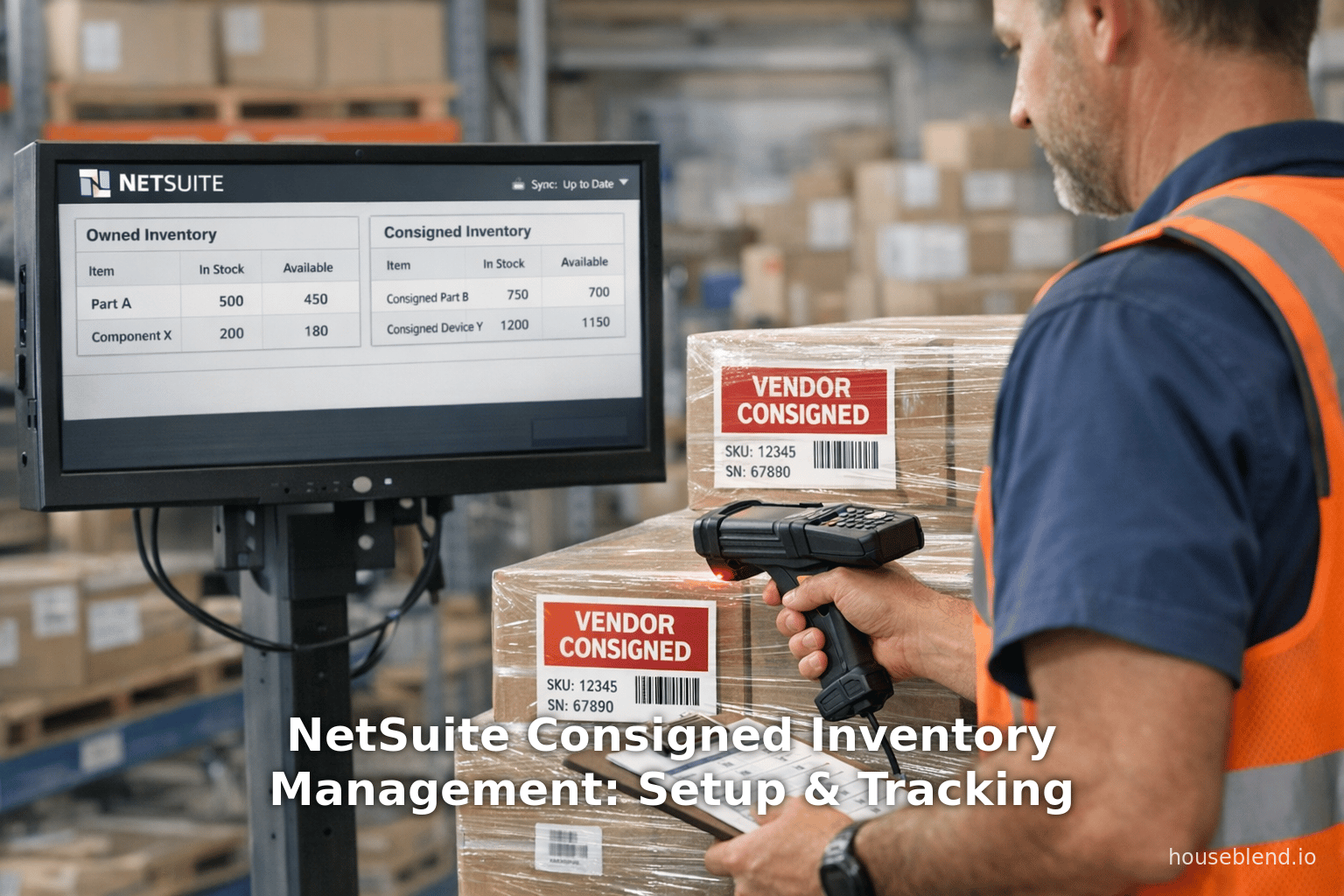
NetSuite Consigned Inventory Management: Setup & Tracking
Inside this article
Executive Summary
Consigned inventory is a supply chain strategy where suppliers (consignors) retain ownership of inventory placed at a buyer’s site (consignee) until sale to an end customer. This arrangement shifts financial and risk burdens away from the buyer, improving cash flow and reducing holding costs. In Oracle NetSuite, Consigned Inventory Management is a newly formalized feature (introduced in NetSuite 2026.1 that enables end-to-end tracking of vendor-owned stock throughout procurement, storage, fulfillment, and billing processes [1] [2]. Enabling this feature requires activating prerequisites (Inventory Management, Multi-Location Inventory, Inventory Status, etc.) and checking the “Consigned Inventory Management” box under Enable Features [3] [4]. Once enabled, each item record can be flagged (Allow Vendor Consignment) to track separate on-hand quantities and values for consigned versus owned stock [5] [6]. NetSuite provides dedicated GL accounts for consigned inventory (consignment asset, consignment COGS), specialized inventory statuses, and SuiteAnalytics workbooks to monitor consignment consumption.
NetSuite’s implementation automates key workflows: consigned goods received at zero cost, consignor bills generated only for consumed (sold) quantities, and ownership transfer triggered at sale [7] [8]. This aligns with accounting principles (ASC 606/IFRS 15) that recognize revenue only at final sale [9] [10]. Setting up consigned inventory involves specific configuration steps—defining default consignment accounts [11], creating consigned inventory statuses [12], marking items as consigned [5]—and managing transactions within NetSuite limitations (e.g. Blanket POs and WMS features cannot include consigned items [13] [14]). The solution is complemented by reporting tools: NetSuite’s Consignment Purchases Workbook tracks consignee orders and consumption, enabling vendors and buyers to reconcile consigned quantities and generate consumption advice reports [15] [16].
Case studies and expert analyses highlight the strategic value of consignment inventory. Academic research shows consignment programs can drastically reduce a buyer’s working capital needs (for example, a case firm cut inventory from $1.6M to $0.4M in two years) [17], improve on-hand freshness, and reduce stockouts [18]. Suppliers can also gain real-time demand visibility from consignment arrangements [19]. In practice, NetSuite customers previously devised custom consignment flows (using transfer orders, zero-cost receipts, and accrual accounting) to achieve these benefits [20] [21]. The new NetSuite feature now formalizes such flows. The integrated view in NetSuite – combining procurement, sales, fulfillment, and finance – promises more accurate tracking and collaboration between partners. Going forward, consignment management will likely evolve with supply chain digitization and new accounting standards (e.g. IFRS 15), and NetSuite’s Consigned Inventory feature provides a modern platform to support these trends.
Introduction and Background
Consignment inventory (also called inventory consignment or consigned inventory) is an arrangement in supply chains where the supplier (consignor) delivers goods to the buyer (consignee) but retains legal ownership of the inventory until it is sold to an end customer [22] [10]. In essence, the buyer holds and sells the goods on behalf of the supplier, who only recognizes revenue and cost when the final sale occurs. This model is distinct from outright purchase: the consignee pays the supplier after the product is sold (i.e., “pay-as-sold”), and the supplier bears the risk of unsold inventory [23] [9]. The consignee’s cash outlay and inventory investment are deferred, improving their cash flow and working capital. For suppliers, consignment extends market reach without immediate revenue, but requires robust tracking and trust (since the supplier’s assets are off-site).
From an accounting perspective, consignment is governed by revenue recognition guidance. Under ASC 606/ IFRS 15, revenue is recognized when control transfers to the customer [24]. In a consignment scenario, the “customer” (end consumer) has control only at final sale, so the consignor cannot recognize a sale at the point of shipment to the consignee [9] [10]. Until that point, the inventory remains on the consignor’s balance sheet as an asset [25], with a corresponding liability or earnings deferral on the consignee’s books. This means that consignors must record inventory delivered under consignment on their balance sheet, while consignees do not record it as owned inventory [10]. The consignee may still record a liability (e.g. “consignment payables”) as inventory is consumed.This deferred billing aligns with the financial principle that the product’s control resides with the supplier.
Industry use cases. Consignment inventory is widely used in industries with high-value, slow-moving, or complex goods. For example, automotive dealerships often display consigned vehicles or parts from manufacturers; department stores may carry designer fashion on consignment; electronics retailers use consignment to manage fast-moving consumer electronics; and medical supplies firms stock expensive equipment on consignment [26] [27]. The model surfaces in B2B supply chains too: Chrysler’s Mopar implements consignment for parts procurement [28], and large retailers (Walmart, Home Depot, etc.) have consignment deals with suppliers to reduce on-hand capital during peak demand cycles. In manufacturing, major companies like Boeing, Alcoa and pharmaceutical firms have explored consignment or vendor-managed inventory models to align supply with actual demand [29] [28].
Operational aspects. A consignment program requires changes in operations beyond accounting. As Rungtusanatham et al. (2017) observed, consignment is not merely an accounting trick but a management practice that demands new processes [30]. Buyers must frequently reconcile physical stock with supplier records, and suppliers need real-time data on inventory consumption to trigger billing. Modern consignment often involves IT integration and transaction synchronization: the supplier’s system must know when inventory is taken, and the buyer’s system must track vendor-owned stock separately. For example, under a robust consignment program, SAP/Oracle systems might differentiate consigned vs. owned quantities, and automatically generate vendor invoices only upon consumption.
In practice, consignment has both advantages and challenges. Advantages include:
- Lower Working Capital: Buyers reduce inventory investment and minimize carrying costs. In a case study, the buyer’s inventory on the books dropped from $1.6M to $0.4M in two years once consignment was implemented [17], freeing capital for other uses.
- Cash Flow Improvement: Since consignees don’t pay upfront, cash flow pressure eases. This is especially valuable for retailers or distributors expanding product variety without large purchases [31] [32].
- Reduced Obsolescence Risk: Suppliers bear the risk of unsold or obsolete inventory [33] [32], giving consignees flexibility to adapt stock levels to actual demand without losses.
- Seller-Supplier Collaboration: Consignment can strengthen partner relationships. Suppliers often share demand data (either directly or via systems) to help plan replenishment, and consignment can lead to better forecasting and joint planning [34] [19].
However, consignment requires rigorous process controls: both parties must reconcile inventory records, agree on status of goods (e.g., damaged or returned), and clearly define contracts (pricing, commissions, return rights) [23] [35]. Without proper systems, companies risk discrepancies, delayed billing, and audit issues. Nimbleness and visibility are key: modern ERP systems (like NetSuite) can automate much of the reconciliation, but companies must first set up the feature and related accounts correctly.
NetSuite Consigned Inventory Management
NetSuite’s Consigned Inventory Management feature provides a formal framework for handling consignment operations across purchasing, inventory, and sales flows [1] [2]. Introduced in NetSuite 2026.1, it allows users to designate items as “vendor consigned” and then automatically segregates their inventory and financial treatment from owned stock. The feature must be enabled by an administrator (it is not on by default) and has specific prerequisites and supported transactions. Once active, NetSuite tracks consigned items from the initial Purchase Order through Item Receipts, Receiving, Fulfillment, and finally Billing (only at final sale) [7] [8].
Setup and Configuration
1. Enabling the Feature
The first step is to enable Consigned Inventory Management in NetSuite. Navigate to Setup > Company > Setup Tasks > Enable Features. Under the Items & Inventory subtab, check “Consigned Inventory Management.” Pre-requisite features must already be enabled: Inventory Management, Multi-Location Inventory, Inventory Status, Vendor Return Authorizations, and (optionally) Advanced Bin/Numbered Inventory Management [3] [4]. Notably, this feature cannot coexist with Warehouse Management or Assembly Items suites; if those are in use, consignment cannot be enabled [36] [37]. NetSuite also cautions that once enabled, you cannot disable it if consigned inventory transactions exist [38].
Once enabled, appear several new options across preferences and item records (detailed below). NetSuite documentation and release notes emphasize verifying custom scripts and integrations in a sandbox environment before enabling in production [39] [40].
2. Default Account Preferences
NetSuite requires separate GL accounts to track consigned inventory values. In Setup > Accounting > Accounting Preferences (Items/Transactions subtab), assign a Default Vendor Consignment Asset Account and (optionally) a Default Vendor Consignment COGS Account [11]. These will serve as defaults for all consigned items. For example, the Asset account tracks the on-hand value of consigned inventory (a consignment inventory asset on the balance sheet), and the COGS account would record cost of consigned goods sold. If you do not specify a separate COGS account, NetSuite defaults to the regular COGS account for consigned items.
Importantly, per-item accounts can override these defaults: on each item record you may assign a specific Vendor Consignment Asset and Vendor Consignment COGS account [41]. If these per-item fields are filled, they take priority over the default preferences [42]. This flexibility lets companies, for instance, segregate consigned sub-inventories by product line or division if needed. Yet NetSuite cautions that changing these post facto doesn’t reclassify past transactions – new defaults apply only to future postings [42].
| Step | Description |
|---|---|
| Enable Feature | Go to Setup > Company > Enable Features. Under Items & Inventory, check Consigned Inventory Management. (Ensure Inventory Mgmt, Multi-Loc, Inventory Status, etc. are enabled.) [3] [4]. |
| Set Default Accounts | In Setup > Accounting > Accounting Preferences, under Items/Transactions, set Default Vendor Consignment Asset and Default Vendor Consignment COGS accounts [11]. |
| Create Consigned Statuses | Under Setup > Accounting > Manage Accounting > Inventory Statuses, create inventory status records (e.g. “Consigned – Good”) and check Use for Consigned Inventory [12]. Use clear naming (e.g. prefix “Cons.”) [43]. |
| Configure Items | On each product/item record (regular, lot, or serialized item), check Allow Vendor Consignment on the Accounting subtab [5]. Optionally assign its Vendor Consignment Asset and COGS accounts (overriding defaults) [41]. If bins are used, enable Use Bins for the item (consigned items can be stored in bins if needed) [44]. |
| Distribute Inventory | If items existed before Multi-Location was enabled, use Inventory > Manage Inventory > Distribute Inventory to allocate existing stock to locations first. Do this before marking items consigned. |
| Additional Settings | (Optional) Enable related features: Purchase Contracts, Lot & Serial tracking, Advanced Bin/Numbered Inventory, etc., as needed. Review Advanced Item Location settings if used. |
3. Inventory Status Configuration
After enabling, NetSuite provides a default consigned status (“Consigned – Good”). Companies can add custom statuses for finer control [12]. Each status is tied to physical inventory conditions or processes (e.g. “Consigned – Inspected”, “Consigned – Damaged”) and can be limited to specific locations. When creating a status record, select Use for Consigned Inventory. Use naming conventions (e.g. prepend “Consign-”) to avoid confusion with regular statuses [43]. Per NetSuite rules, consigned statuses must be unique (even inactive ones) and cannot use the same name as the non-consigned “Good” status [45]. Also, once open transactions use a status, you cannot delete or inactivate it. On transactions, consigned quantities cannot be assigned ordinary inventory statuses; only the approved consigned statuses can be used [46]. This guarantees that consigned stock is always clearly distinguished in NetSuite reports and searches.
4. Item Record Setup
Each inventory item that will be consigned must be marked individually. On the item’s Accounting subtab (of the item record), check Allow Vendor Consignment [5]. This enables separate tracking of consigned quantities for that item. If any open transactions exist with consigned quantities, you cannot uncheck this box. Under the same Accounting subtab, if needed, fill in Vendor Consignment Asset and Vendor Consignment COGS fields; these override the global defaults for that item [41].
The item record also supports consigned lot/serial numbers: if the item is lot- or serial-numbered, consigned quantities of each lot/serial will be tracked independently. Checking Use Bins on the item allows storing consigned stock in bins. Note that bins can mix consigned and non-consigned units, but it may be wise to label consigned-specific bins for clarity (e.g. “CNSG-01” for consigned vs. “GOOD-01” for owned) [47].
5. Purchasing and Consigned Receipts
With setup complete, consigned goods can be procured and received. Typically, procurement uses Purchase Orders (and optionally Purchase Contracts with a consigned flag). On a PO, there is a checkbox or designation to mark line items as consigned, or the whole contract links to consignment [7]. When receiving consigned items via Item Receipt, the receipt is typically recorded at zero or nominal cost since ownership doesn’t transfer yet [48]. (In custom models, clients often create POs with $0 cost and receive into a consignment location without affecting the Asset GL.) NetSuite supports receiving consigned items similarly: the receipt will credit a “Consignment Accrual” liability if an accrual account is used, or simply move physical stock at $0. The Advance Vendor Return Authorization feature also ties into consignment logistics: Consigned items from fully or partially received POs can use the Authorize Return button to generate vendor return auths automatically with the Consigned box checked [49].
Important Limitations: In NetSuite, not all purchasing workflows are supported for consigned items. Notably, Blanket Purchase Orders, Inbound Shipments, and Vendor Prepayments cannot include consigned items; those transactions will ignore consigned lines [14]. Additionally, landed cost allocation cannot be applied to consigned receipts [14]. Consigned items cannot be added to standalone Vendor Bills or standalone return authorizations; instead, all vendor credits/refunds for consigned returns are handled automatically by the system (since payment is deferred) [14] [50]. These restrictions mean that many NetSuite flows must be standard (non-consigned) or segregated from consignment. For example, an inventory worksheet or transfer between bins cannot move consigned stock – NetSuite considers consigned inventory always in a “vendor-owned” state until sale [51].
Tracking Consigned Inventory
Once setup and procurement are configured, NetSuite provides multiple ways to track consigned on-hand and consumption.
Inventory On-Hand and Valuation
On each consigned-enabled item record, a Consigned Inventory subtab (or view in Locations if using Advanced Location Config) shows consigned quantities at each location [6]. Key fields include Quantity On Hand (Consigned) and Value (Consigned) [52]. These are separate from the Quantity On Hand (All Inventory) and Value (All Inventory) totals, which include both consigned and owned stock [53]. Items using average costing will also show Average Cost (Consigned) columns, though for other costing methods these will be blank [54]. If multiple locations are enabled, consigned on-hand values can be seen per location on the Consigned Inventory view [52]. If bin management is active, one can drill into the Inventory Details sublist to see consigned vs. owned units per bin (identified via the inventory status) [55].
NetSuite thus maintains distinct ledger entries for consigned inventory. For example, when items are sold, NetSuite reduces the Consigned Asset account and credits inventory. The Vendor Consignment Asset account selected on the item or in preferences is used to accumulate the value of consigned stock purchased (but not yet sold) [41]. Only when a consigned item is fulfilled does NetSuite transfer ownership: it moves quantity from consigned on-hand to owned on-hand and triggers a charge to inventory (or COGS) and posts the vendor bill on that quantity [8] [56].
Accordingly, on the Item subtab, NetSuite automatically updates a Consignment Consumed column on the related Purchase Order lines to reflect how much of the consigned order has been fulfilled (sold) [8]. This is a valuable realtime indicator of usage relative to ordered consigned stock.
Sales and Fulfillment of Consigned Stock
When selling consigned items, the process is similar to owned stock but with consignment flags. On a Sales Order, a consigned item can be added just like a normal item. During Item Fulfillment, NetSuite allows clerks to allocate consigned quantities and pick a consigned inventory status for them [57]. The fulfillment record gives the option to specify how many units come from consigned vs. owned stock and to assign the appropriate consigned status. (If a sales order contains only non-consigned quantities, only regular statuses are shown; once an item was flagged consigned, the consigned statuses are enforced.) It is possible to fulfill partial quantities and mix consigned/owned as needed [58].
Crucially, when consigned inventory is fulfilled (i.e. sold to a customer), NetSuite automatically transfers ownership of those units to the selling company [8]. In practical terms, the system posts the appropriate debits and credits: it debits Inventory and credits the Vendor Consignment Asset (transferring the cost out of consignment), then posts COGS when invoicing. Importantly, NetSuite also generates the Vendor Bill for that consumed quantity. The bill will only include the number of consigned units actually sold (or marked as “consumed”) [8]. This behavior reflects the accounting principle: you pay the supplier only for what you used. Any consigned units not yet sold remain unpaid.
Unsupported in this flow are Fulfillment Requests (i.e. the pick/pack workflow at the line level). Once a consigned sale is fulfilled, NetSuite cannot later “request” additional fulfillment – supply has been satisfied.
Vendor Billing and Consumption Reports
Vendor billing in consignment mode is tied to consumption, not receipt. In NetSuite’s model, the system calculates the bill amount based on the cost of the consumed units (using either standard/average cost or contract price). It then posts a Vendor Bill transaction automatically for the consigned quantity. In practice, some companies set up automated workflows or General Automation (such as a scheduled script or consumption report export) to generate bills for vendors based on fulfilled consignment orders. NetSuite’s standard flow is that the consigned quantities on a sales invoice or cash sale drive the Vendor Bill via AP.
To facilitate vendor notifications, NetSuite provides a Consignment Purchases Workbook (SuiteAnalytics) and a Dataset for consignment transactions. The workbook displays all Purchase Orders that include consigned items with their current status, including how many units have been received, consumed (sold), and billed [59]. It also calculates fields such as Quantity to be Dispatched (= Quantity – Received + Shipped) and Quantity to be Billed (= Consigned Consumed – Billed) [60]. This helps buyers see outstanding consigned stock and forecast upcoming invoices. The workbook can be filtered by vendor or status, and by clicking the export icon you can generate a CSV to “submit consignment consumption advice” to each supplier [15] [16]. In other words, NetSuite’s tools allow companies to report consigned consumption to vendors on schedule, ensuring alignment on how many units were actually sold and should be billed [61].
Once consigned items are fulfilled on return authorizations (the vendor’s return of unsold stock), vendors are automatically credited since no payment was made initially [62] [63]. The system auto-generates the credit to the Consignment Accrual accounts. For any consigned returns, NetSuite will mark item receipts as credits but does not create additional cash refunds or credits beyond that automatic process [62] [50].
Inventory Adjustments
Inventory adjustments can also be applied to consigned stock. This is useful in case of counting errors or shrinkage. When creating an Inventory Adjustment, ensure the Inventory Status field for a line is set to a consigned status for consigned quantities [64]. To increase consigned inventory, you must enter an Estimated Unit Cost on the adjustment line (even if using standard costing) [65]. This is because any addition to consigned stock that has standard cost requires a manually entered cost. If reducing (decreasing) consigned on-hand, you cannot edit the cost; NetSuite will derive the cost of the reduction automatically from the related purchase order (the same logic as if consuming consigned goods) [66]. In mixed lines with both consigned and non-consigned (each line has a consigned status toggle), the system will calculate a weighted average if they use standard cost, but this situation is generally discouraged to avoid costing errors [67].
Limitations and Considerations
NetSuite notes several limitations for consigned inventory:
- No Consigned Assembly Items: Assembly items and related manufacturing features cannot be used with consignment. If the Assembly Items feature is enabled, Consigned Inventory cannot be [37]. This reflects the complexity of costing consigned materials in an assembly.
- No Warehouse Management (WMS): Consigned Inventory Management is incompatible with the NetSuite WMS SuiteApp. If you use NetSuite WMS or SCM Mobile (Warehouse Mgmt), you cannot also enable consigned inventory flow [51] [68].
- Restricted Transactions: As noted, Blanket Purchase Orders, Inbound Shipment records, Vendor Prepayments, and several standalone transactions cannot include consigned items [14]. Inventory Transfers (between locations/bins) and Inventory Worksheets cannot move consigned stock.
- Status Changes: You cannot switch an item from consigned to non-consigned (or vice versa) if any open transactions use that item in a consigned quantity [42].
- Advanced Features: Some advanced inventory features (like Supply Planning’s Power Rebill for consigned items) are inapplicable. Landed Cost allocation is not computed for consigned receipts [69].
These limitations mean that consigned workflows must remain well-scoped. For example, companies often dedicate specific locations for consigned stock and avoid mixing with drop-ship or special order processes. It’s also crucial to document consignment processes in internal controls: organizations should ensure that at period end no consigned location retains paid inventory, and that all consigned fulfillments have corresponding vendor bills (see the Month-End Controls described in Zigman’s blog [70]).
| Attribute | Owned (Standard) Inventory | Consigned Inventory |
|---|---|---|
| Legal Ownership | Company owns inventory upon receipt; asset on its balance sheet. | Vendor (Supplier) retains ownership until product is sold to final customer [10]. |
| Balance Sheet Treatment | Value recorded as Inventory Asset immediately at receipt or production. | Not recorded as owned inventory on buyer’s books; vendor maintains it as consigned asset [10]. Buyer may carry a liability for consignment. |
| Working Capital Impact | Buyer pays upfront; cash tied up in stock until sold [31]. | Buyer pays only on sale; inventory carrying cost is largely deferred [31] [17]. |
| On-Hand Tracking (NetSuite) | Quantity On Hand (All) shows total, Value (All) reflects owned + consigned (if mixing). No separate consignment fields. | NetSuite provides a separate Quantity On Hand (Consigned) and Value (Consigned) per item [71], in addition to combined totals. |
| GL Accounts (NetSuite) | Uses the regular Inventory Asset and COGS accounts from the item record. | Uses designated Vendor Consignment Asset and Vendor Consignment COGS accounts (set in item or defaults) [41]. These track consigned inventory value and cost of goods sold upon sale. |
| Receipt Posting (Procurement) | Upon receipt, debit Inventory Asset, credit AP (or Accrual) with item’s cost. | Receipt at zero-cost into inventory (no asset increase). AP not generated yet. Instead, a consignment liability or accrual may be tracked. Only upon consumption does AP occur. |
| Vendor Billing | Vendor bills typically posted on receipt (or shortly after) at unit cost. | Vendor bills are generated after sale for only consumed quantity [8]. No bill is issued until the item is “taken” by sale. |
| COGS Recognition (Finance) | COGS hits when item is fulfilled/sold (as usual) (after buyer-owned inventory). | COGS recognizes at sale, but first the system transfers cost from Consignment Asset to Inventory rồi to COGS, aligning with paid amount [8] [56]. |
| Inventory Adjustment | Adjust quantity/cost freely; system uses standard costing method automatically. | To increase qty, must input estimated cost; on decrease, cost is auto-derived from underlying POs [64] [66]. |
| Allowed Transactions (NetSuite) | Broad support: Blanket POs, Requisitions, Inbound Shipments, WMS transfers, etc. | Limited use: No Blanket POs, no advanced WMS/Inbound Ship, no auto-drop-ship PO, no standalone consigned VRAs/Bills [14] [51]. |
Data Analysis and Findings
Inventory and Financial Impact. Empirical studies underline the magnitude of consignment’s benefits. In Rungtusanatham et al.’s case analysis of manufacturing firms, buyers reported dramatic reduction in inventory assets when shifting to consignment. One manufacturer cut its sanctioned inventory on the balance sheet from $1.6M down to $0.4M over two years of an IC (Inventory Consignment) program [72]. An estimated $1.7M in capital would be freed by implementing consignment with just the top 4 suppliers, rising to $10M if extended to 20 strategic suppliers [73]. Such figures highlight how consignment can release critical capital; freed funds might be invested in R&D or higher-return projects [74]. The study reported that these working-capital savings (not merely cost of goods savings) were the most direct financial gain for buyers [75].
On the operational side, consignment also improved service metrics. The same study found that manufacturers achieved fewer stock-outs and material shortages once consignment was in place [18] [76]. Because the supplier ultimately bears replenishment risk, buyers could operate with leaner on-hand quantities; their replenishment processes remained in-house, but the actual on-floor inventory became more dynamic and “fresh” [18]. Xu et al. (2016) similarly noted that consignment can reduce stockout risk, benefiting buyers in fast-moving contexts [76]. In short, by co-managing inventory with suppliers, buyers achieved better fill rates and lower excess, albeit at the cost of more complex coordination.
Supplier Perspective. Suppliers, while relinquishing immediate payment, can benefit through better demand visibility and stronger partnerships. Contrary to early skepticism that consignment yields no extra insight, modern IT-driven consignment schemes actually provide suppliers with realtime data. As one case firm manager noted, their suppliers had “much better” demand visibility with consignment customers than with traditional ones [19]. Since ownership transfers are tracked at each sale, suppliers effectively see the consumption rate of their products as it happens (via NetSuite’s consumption reports or direct data feeds). This transparency enables suppliers to optimize their production planning in sync with demand [19]. Academic analysis recognizes this: once proper systems are in place, consignment can deliver “many of the same visibility benefits” as VMI programs [19] [76].
Nonetheless, consignment also carries risks and costs. Suppliers may worry about being “locked in” to project; if a buyer relies on a sole supplier’s consigned stock, the supplier might be vulnerable if the buyer switches partners [77] [78]. Both sides incur monitoring and effort costs: consistent updating of inventory records, contractual compliance (clear terms on returns, damage, pricing), and IT integration. Rungtusanatham et al. and others note that firms must carefully choose consignment partners; mismatched capabilities or incentives can erode benefits [30] [79]. Nonetheless, when implemented with alignment, consignment can yield mutual gains: studies report that “both buyer and supplier can benefit” from cost reductions and better demand data [17] [76].
NetSuite-Specific Insights. The above case study findings occurred in general manufacturing settings, but they directly motivate ERP functionality. For a NetSuite user, the capital freed by consignment (e.g. $10M potential working capital) translates to fewer purchase invoice accruals and lower inventory asset balances. The automated tracking in NetSuite — distinct balance sheet accounts, real-time consumption reporting — facilitates the control needed to realize these benefits. In contrast to manual ledger entries, NetSuite’s built-in symbolism avoids the errors and delays that earlier ad-hoc models suffered [80].
Case Studies and Real-World Examples
Case: Distribution Marketplace (Prolecto, 2025). Marty Zigman of Prolecto Consulting detailed a high-scale distribution client that adopted consignment to support a marketplace model. Vendors shipped goods to the marketplace giant, which fulfilled orders on behalf of suppliers under consignment terms. The company handled complex location routing and used NetSuite’s flexibility to model the consignment flow [81]. Their approach used a dedicated consignment location and created transfer orders to mark ownership transfer only upon sale. Each new Purchase Order was created at $0 cost (recording quantities to be warehoused consigned) [82]. When a sale occurred, the system automatically generated a transfer order from the consignment location to a standard (owned) location. A customized transfer pricing field on the item ensured the correct consignment cost was recognized. The transfer order receipt then moved the item into owned inventory at the consigned price, and NetSuite posted the accounting entries (debit Inventory, credit In-Transit) [83]. Finally, when the sales order shipped, NetSuite posted normal COGS at the sale price, realizing the margin correctly.
This design leveraged NetSuite’s Transfer Order and Transfer Pricing modules to create an on-the-fly accrual for the vendor. The result was that the buyer had no consignment inventory on its balance sheet (all while goods sat in its warehouse), and recognized liability and expense smoothly only at point of sale. Prolecto emphasized that this model was much closer to a “true” consignment accounting flow: the marketplace was not paying suppliers until a sale triggered the liability. Key controls were put in place (e.g. ensuring no consigned location held costs at month-end, all transfers received, accrual account net to zero) to maintain integrity [84]. The firm also generated vendor reports from NetSuite to provide transparency on consignments, fostering trust.
Zigman’s examples illustrate that even before NetSuite’s formal feature launch, experts could configure NetSuite’s existing features (plus custom fields) to implement consignment. The new feature essentially automates many of the steps that Zigman manually setup (consignment locations, status flags, post-sale vendor billing). His work shows NetSuite’s flexibility: it can use Locations and Transfer Orders to legalize what would otherwise require cumbersome Journal Entries. For executives, these patterns demonstrate that “NetSuite is capable of adapting to business models where standard inventory ownership doesn’t apply” [85]. In particular, the ability to separate inventory holding from inventory ownership (the essence of consignment) is seen as a strategic differentiator in distributed fulfillment networks.
Case: Jewelry Retail (Prolecto, 2025). Another example (Marty Zigman, Prolecto) targets industries like luxury jewelry or art, where items are often on consignment. The proposed “bailment” model again used a designated consignment location and zero-cost receiving. A new feature was “tailored rules” using NetSuite’s transfer pricing: on each sale, a transfer order would move the consigned item and book the vendor accrual. The blog notes that this evolved design supports invoice-driven fulfillment and return handling [21]. While specifics differ, the core is the same: protect the seller’s balance sheet and automate accruals via NetSuite workflows.
Industry Practice. Many manufacturers (Dell, Motorola, Nestle, etc.) either have well-established VMI or increasingly experiment with consignment to squeeze efficiency [86] [87]. For example, Chrysler’s Mopar parts division historically ran consignment programs with suppliers, and consumer electronics retailers do the same with slow-moving components. In all these real-world cases, the business drivers (just-in-time supply, risk-sharing) mirror those motivating NetSuite customers. One multinational electronics firm noted that consigned inventory was particularly beneficial when product life-cycles were very rapid, since the supplier could refresh models without the buyer needing to forecast far in advance [33].
Overall, case evidence suggests NetSuite’s target users – distributors, retailers, manufacturers with complex supply chains – stand to gain from consignment. Distributors can expand offerings with less cash tied up (a point emphasized in distribution success stories [88]). Retailers can improve inventory turns. Suppliers in channel alliances can better match supply to demand. The new NetSuite feature fills a gap: prior to it, many firms either did extensive manual bookkeeping or avoided consignment altogether in NetSuite. Now they have an integrated way to implement known industry best practices in software.
Discussion and Future Directions
The growing inclusion of consigned inventory features in major ERP systems like NetSuite reflects broader trends in supply chain management:
-
Integration and Automation: As companies seek end-to-end visibility, automating consignment transactions becomes desirable. Manual reconciliations (spreadsheet tracking of consigned units and AR) are error-prone and labor-intensive. NetSuite’s workbook and status-driven approach encapsulates this, reducing human error. One consultant observes that with IFRS/ASC driving stricter recognition standards, ERP systems must seamlessly enforce consignment rules [24]. NetSuite is moving in that direction by aligning physical transactions (fulfillment) with financial postings (COGS, vendor invoices) as soon as rules are satisfied.
-
Data-Driven Supply Chains: Consignment inherently produces richer data flows between buyer and supplier. In future, we can expect more advanced analytics on consigned inventory: machine learning could predict consumption out of consignment pools, or optimize reorder points jointly. NetSuite’s cloud architecture (SuiteCloud platform) could support custom analytics apps for consignment performance. For example, predictive alerts when consigned stock is running low relative to sales trends, or self-service vendor portals with consignment dashboards. The existing SuiteAnalytics workbook is a step; future releases may expand built-in reports or allow automated vendor notifications.
-
ERP Ecosystem and Extensions: With NetSuite’s consignment feature live, SuiteApp developers will likely create complementary tools. For instance, third-party apps may handle complex commission splits, or integrate barcoding for consigned bins. One could imagine a blockchain-based consignment ledger app (ensuring immutable transfer logs), although this is speculative. NetSuite’s open APIs ( SuiteScript/SuiteTalk) already allow integration with external systems like supplier portals or EDI networks, which consignment certainly demands.
-
Accounting Regulation Changes: IFRS 15/ASC 606 already cover consignment broadly, but companies must interpret their contracts (control transfer criteria, performance obligations). On the revenue side, consistent compliance means ensuring NetSuite’s consignment flows correctly implement contract terms. Future updates to standards or new tax rules could push ERP vendors to refine consignment support further. For example, consigned inventory could have specific VAT/tax implications (timing of tax point), which NetSuite must handle regionally.
-
Industry Adoption and Best Practices: As consigned inventory becomes easier to manage inside NetSuite, more businesses may adopt it. Case studies in additional industries (fashion, medical supplies, tech components) will emerge. Academic research will likely continue focusing on when consignment yields net benefits versus alternative programs (like vendor-managed inventory without ownership transfer). If data on consignment adoption is available, it may show growth as companies seek leaner chains. NetSuite’s own future marketing might highlight consignment success stories as a competitive advantage.
In summary, consignment is a mature concept with renewed attention given modern technology. NetSuite’s feature release positions it to support forward-thinking supply chains that leverage consignment. The ability to track consignment digitally aligns with trends towards digital procurement and supply chain finance. Over time, we may see networking effects: as more partners (vendors, distributors) use NetSuite or interoperable platforms, consignment transactions could flow seamlessly across companies’ systems.
Conclusion
Consigned Inventory Management in NetSuite is a powerful tool for companies seeking to share inventory risk with suppliers and optimize working capital. By enabling consignment features, firms can ensure that vendor-owned stock is properly tracked, valued, and consumed within the ERP, avoiding the pitfalls of manual accounting workarounds. The setup requires deliberate configuration—enabling features, assigning accounts, defining statuses, and marking items—but once in place it automates the key consignment principles: separate on-hand tracking, zero-cost receipts, and billing upon consumption [6] [7]. The supportive SuiteAnalytics dashboards (Consignment Purchases Workbook) provide visibility into usage and pending transactions [15] [16], which is critical for reconciling buyer and supplier records.
Extensive literature and case examples underscore the benefits of properly run consignment programs. Studies show dramatic working capital savings and service improvements when suppliers retain inventory ownership until sale [17] [18]. NetSuite’s approach – requiring dedicated asset accounts and consignment statuses – ensures that financial entries reflect accounting standards (ASC 606/IFRS 15) and that the organization only recognizes costs on sold items [8] [9]. Consultants have demonstrated that NetSuite’s flexible architecture can model consignment flows, and the new native feature formalizes those practices [20] [21].
Looking ahead, consignment management will continue to demand coordination between procurement, operations, and finance. NetSuite’s feature reduces friction in that coordination. We anticipate further enhancements (reporting, integration rules, automation) as customer feedback and industry needs evolve. For now, companies should follow best practices: define clear contractual terms, maintain accurate item records, reconcile inventories regularly, and leverage NetSuite’s tools for compliance (e.g. ensuring no consigned location erroneously posts to closed status). By doing so, firms can capitalize on the full strategic value of consigned inventory: improved cash flow, strengthened supplier relationships, and agility in meeting market demand [26] [85].
References
- Oracle NetSuite Documentation – Consigned Inventory Management (feature overview) [1].
- Oracle NetSuite Documentation – Setting Up Consigned Inventory per Item [5].
- Oracle NetSuite Documentation – Enabling Consigned Inventory Management (feature prerequisites) [3] [4].
- Oracle NetSuite Documentation – Setting Default Account Preferences for Consigned Items [11].
- Oracle NetSuite Documentation – Consigned Inventory Purchases Workbook [15] [60] and Consignment Purchases Dataset (SuiteAnalytics).
- Oracle NetSuite Documentation – Selling and Fulfilling Consigned Inventory [57] [8].
- Oracle NetSuite Documentation – Returning Consigned Inventory to Vendors [49].
- Oracle NetSuite Documentation – Consigned Inventory Adjustments [64] [66].
- Oracle NetSuite Documentation – Consigned Inventory Management (Limitations) [37] [14].
- Oracle NetSuite Release Notes (2026.1) – consigned inventory feature summary [2] [7].
- Rungtusanatham, M., et al., How inventory consignment programs can improve supply chain performance: a process oriented perspective, Production (2017) – academic study on consignment benefits [89] [17] [18] [19].
- Zigman, Marty (Prolecto Blog, 2025) – Implementing NetSuite Consignment Inventory Flows Using Transfer Orders and Accrual Accounting [20] [82].
- Zigman, Marty (Prolecto Blog, 2025) – A NetSuite Consignment Model Using Transfer Pricing for Supplier Obligations [21].
- Xledger blog – Consigned Inventory: Definition, Accounting, and Advantages [22] [90].
- Linnworks blog – What Is Consigned Inventory? Benefits, Risks & Best Practices [23] [91].
- Folio3 (NetSuite partner) blog – Guide to Managing Consignment Inventory with NetSuite [88] [92].
- HubiFi – IFRS Consignment Inventory: A Complete Guide (Jan 2026) [9] [10].
- Additional NetSuite Community and ERP sources (user forum cases and Netsuite SuiteAnswers as noted above).
External Sources (92)
About
Houseblend
Make NetSuite work better for your finance and operations teams with Houseblend. We help design, implement, integrate and improve ERP systems, with practical support for the people who use them every day.
Houseblend is a NetSuite consulting firm serving finance and operations teams. We help organizations implement ERP systems, connect business applications, improve existing configurations and maintain the systems that support everyday work. Our audience includes finance leaders, controllers, operations managers, NetSuite administrators and implementation teams.
Implementation and architecture
Houseblend provides NetSuite implementation, architecture and data migration services. We help teams evaluate how business processes, reporting requirements and existing data should fit together in an ERP environment. Training supports the people responsible for adopting and operating the resulting system.
Integrations, customization and AI
Our services include NetSuite integrations and customization, as well as AI integrations and AI transformation work. These engagements connect ERP data and workflows with the broader application landscape. The right design depends on the organization's systems, controls and operating needs.
Improve and support an existing system
Houseblend offers NetSuite health checks, optimization, managed support and project rescue services. We also provide expertise for analytics and specialist workflows, including NetSuite Analytics Warehouse, warehouse management and field service management. Published educational material helps teams investigate options and prepare informed questions for their implementation or support work.
Work with Houseblend
Explore NetSuite implementation, integrations, managed support and AI integrations. Contact Houseblend to discuss your current system and priorities.
Article examples explain concepts rather than promising a particular license, product capability, delivery schedule or outcome. Engagement scope is confirmed with the Houseblend team.
Disclaimer
This document is provided for informational purposes only. No representations or warranties are made regarding the accuracy, completeness, or reliability of its contents. Any use of this information is at your own risk. Houseblend shall not be liable for any damages arising from the use of this document. This content was generated with assistance from artificial intelligence tools, which may contain errors or inaccuracies. Readers should verify critical information independently. All product names, trademarks, and registered trademarks mentioned are property of their respective owners and are used for identification purposes only. Use of these names does not imply endorsement. This document does not constitute professional or legal advice. For specific guidance related to your needs, please consult qualified professionals.