Houseblend Article
NetSuite Webhooks: Real-Time Event Integration Guide
Inside this article
Executive Summary
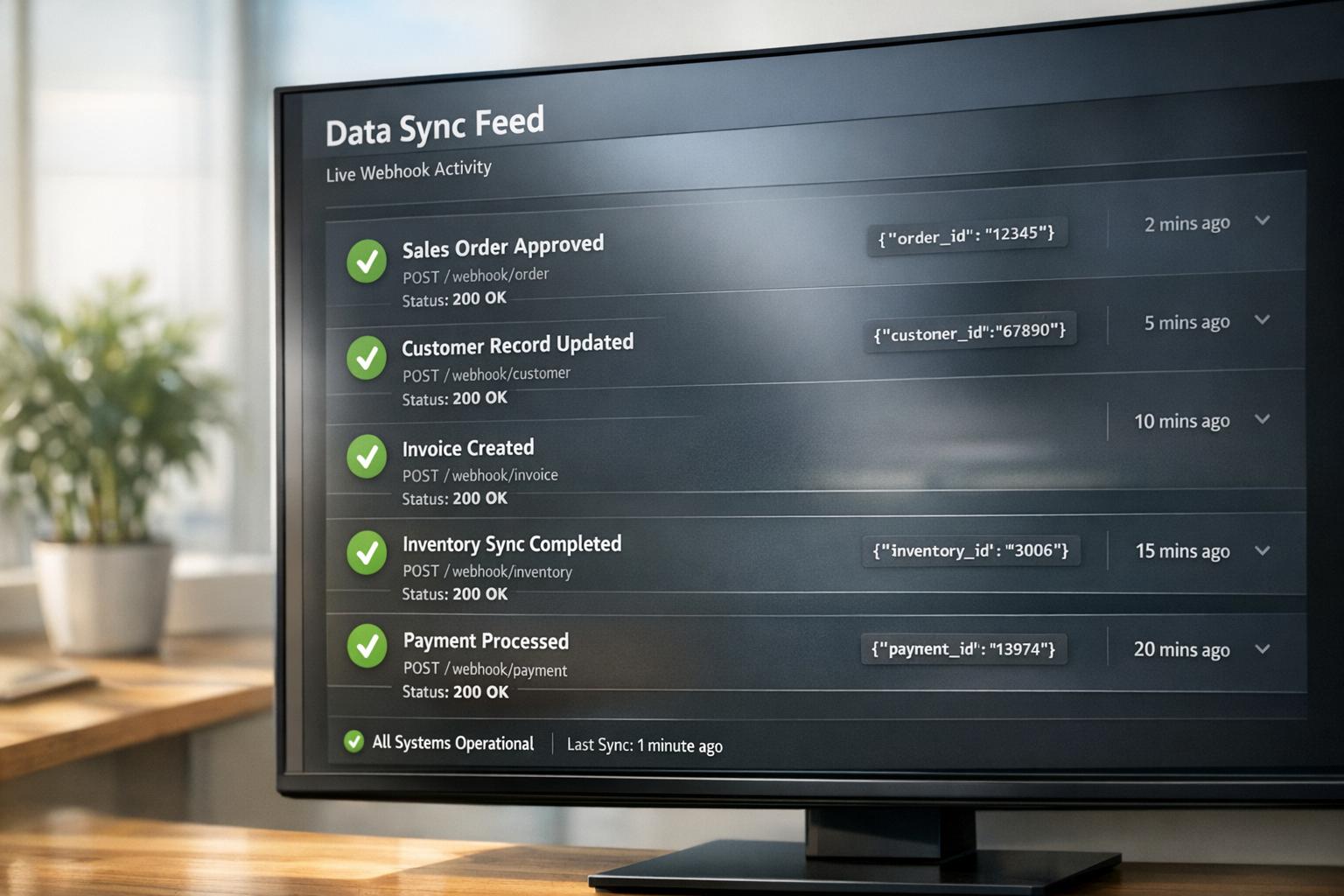
This report provides a comprehensive analysis of NetSuite’s webhooks and event subscriptions as tools for enabling real-time integration between NetSuite and other systems. We begin by reviewing NetSuite’s context as a cloud ERP platform and its traditional integration approaches (SuiteTalk APIs, SuiteScript, scheduled scripts, etc.), noting their limitations for immediate data synchronization [1]. We then explain the event-driven paradigm, contrasting polling with push-based webhooks: whereas polling is inefficient and delayed, webhooks allow instantaneous data flow when changes occur (described as an “HTTP callback” that notifies an endpoint immediately on events [2]). NetSuite implements webhooks via its Event Subscriptions framework [3], enabling administrators to configure exactly which record events (creates, updates, deletions) trigger outbound HTTP POSTs to specified URLs. We detail the setup of Event Subscription records in NetSuite (defining triggers, filters, payload, and endpoint) and highlight best practices (e.g. limiting triggers to necessary fields [3], naming subscriptions clearly, securing endpoints with HMAC signatures/TLS [2], and implementing retry/backoff on failures [2]).
The report examines the benefits and challenges of webhook-based integration. Benefits include true real-time synchronization, automated workflows, and improved operational efficiency [4] [3]. For example, industry reports indicate companies using real-time integration see measurable gains: one study found retailers with real-time omnichannel inventory (e.g. curbside pickup) achieved ~25.8% higher conversion rates [5]. Event-driven integration also reduces load: Oracle’s NetSuite team notes that pushing updates via webhooks avoids the overhead of constant polling and scales better under API limits [1]. However, challenges include ensuring security (confirming webhook authenticity, encrypting sensitive data, complying with regulations [2]), managing governance (avoiding excessive triggers or payloads [1]), and handling failure scenarios (necessitating robust monitoring and retries [2]).
We support these points with case studies and examples. For instance, integrating NetSuite with data warehouses (like Snowflake or BigQuery) for financial analytics is a common use-case (Source: estuary.dev), allowing real-time revenue dashboards without overloading NetSuite. Similarly, feeding NetSuite changes into search platforms (ClickHouse, Elastic) can power instant ERP record searches (Source: estuary.dev). In e-commerce, keeping an online store’s inventory and order status in sync with NetSuite can directly impact sales – studies show such integration boosts customer conversions significantly [5] (Source: estuary.dev). We cite expert analyses of these scenarios and demonstrate, via detailed integration flows, how webhooks would operate in practice (e.g. sending a JSON payload on a “Sales Order → Approved” event [2]).
Finally, we assess trade-offs and future directions. Event-driven Netflix integration aligns with broader IT trends: real-time data integration markets are projected to grow rapidly (to ~$30B by 2030 [5]), and 72% of large organizations have formally adopted event-driven architectures [5]. At the same time, NetSuite itself is evolving – recent announcements (SuiteConnect 2026) show Oracle expanding integration to new domains, such as an AI Connector Service for real-time AI-driven workflows [6]. We conclude that mastering NetSuite webhooks and event subscriptions is crucial for businesses seeking agile, automated operations. When properly designed and secured, webhook-driven integration can transform NetSuite from a passive ERP into a real-time data hub, unlocking significant efficiency and strategic advantages.
Introduction and Background
Oracle NetSuite is a leading cloud-based ERP/business management suite that manages finance, inventory, CRM and more for businesses of all sizes [7]. As one analyst blog notes, NetSuite ‘allows businesses to manage every aspect of the business from a single platform’ [7]. However, no enterprise system lives in isolation: modern organizations typically use many SaaS applications (marketing platforms, e-commerce storefronts, BI tools, etc.) alongside their ERP. Therefore, keeping NetSuite data synchronized with these external systems is essential. Standard integration methods have long included ◆ SuiteTalk SOAP/REST APIs (request/response style), ◆ SuiteScript RESTlets (custom script endpoints), ◆ SuiteQL (SQL-like queries for reporting), and ◆ Scheduled or Map/Reduce scripts (batch jobs). Each has advantages and drawbacks (see Table below and [1]).Crucially, however, these methods are predominantly pull-based: either an external system periodically polls NetSuite for updates, or a scheduled job runs inside NetSuite [1]. This can introduce latency (updates appear only on each pull or schedule run) and inefficiency (most polls return no new data, wasting API calls) [3] [2].
In contrast, webhooks and event subscriptions enable a push-based, event-driven architecture. In general IT terms, a webhook is an HTTP callback: when a specific event occurs in the source system, it immediately sends an HTTP POST (usually with a JSON payload) to a configured URL [2]. This “observe-and-notify” model avoids wasted polling. As one integration guide explains, with webhooks “the source system immediately sends an HTTP POST request to a specified URL (the webhook endpoint) on the target system” when an event (e.g. “new customer created”) happens . The receiving system can then process the payload in near-real-time, without continually querying NetSuite. The result is lower latency and higher efficiency: companies can react instantly to changes (stock level drops, invoice approvals, etc.) and avoid the resource costs of periodic polling [3] [2].
NetSuite’s platform has evolved to support this pattern via Event Subscriptions (often referred to as “webhook events” in documentation). As an official guide notes, “Within NetSuite, webhooks are implemented through ‘Event Subscriptions.’ These subscriptions allow administrators to configure NetSuite to send an HTTP POST request to a specified external URL whenever certain data events occur on specific record types” [3]. In other words, NetSuite can be set up to notify external systems immediately whenever, for example, a sales order is approved or a customer record is updated. This is a “powerful native capability” that replaces the need for ad-hoc scripting or third-party middleware to achieve real-time updates [3].
In this report, we analyze how to leverage NetSuite’s webhooks/event subscriptions for real-time integration. We begin by comparing NetSuite’s integration options (including traditional APIs) and explaining the event-driven approach. We then detail the setup and configuration of webhooks in NetSuite, covering prerequisites (permissions, record types), event selection, payload composition, and secure delivery. Next, we evaluate performance, reliability, and security considerations (message throughput, idempotency, signing, encryption, governance limits) and outline best practices. We also include case studies and real-world examples illustrating how webhooks can be applied in finance, logistics, e-commerce, and analytics integrations. Finally, we discuss the broader implications: how event-driven integration fits into industry trends (including AI and streaming data), what challenges remain, and how organizations should prepare for the future. All claims are supported by industry sources and technical documentation, as detailed below.
Traditional NetSuite Integration Methods (Comparison)
Before focusing on webhooks, it is informative to survey NetSuite’s established integration patterns. NetSuite offers multiple integration methods, each with specific use-cases [1]. The table below summarizes these approaches:
| Method | Mechanism | Real-Time? | Pros | Cons / Use Case |
|---|---|---|---|---|
| SuiteTalk SOAP/REST (APIs) | Server-driven (request/response) | No (pull) | Standard, well-documented; supports batch data sync | Requires polling or scheduling; not event-driven; API governance limits; heavy loads need orchestration [1]. Best for on-demand lookups or periodic bulk transfers. |
| SuiteScript RESTlets | Custom endpoints (client-triggered) | Can be real-time if invoked externally | Fully customizable; can embed complex business logic [1] | External system must call the RESTlet (so still pull-style unless automated); subject to governance limits (high volumes can hit limits) [1]. Useful for tailored data push/pull. |
| SuiteScript User Event | Outbound call from script | Yes (push) | Can trigger on record events; truly event-driven | Requires writing SuiteScript; can impact performance if mis-used; must manage retries if external endpoint fails. Often used via custom script to emulate a webhook [1] [8]. |
| SuiteQL Queries | SQL-style GraphQL API | No (query-by-request) | Powerful for bulk reporting and analytics [1] | Not event-driven; best for scheduled analytics and reporting; each query is on-demand pull [1]. Use when needing complex joins or large extracts. |
| Scheduled / MapReduce | Internal batch scripts | No (batch) | Handles very large datasets; good for data warehousing | Runs periodically (hourly/daily/etc.); not for instant updates [1]. Good for nightly syncs or retries but introduces latency. |
| Integration Platforms (iPaaS) | Cloud-based connectors | Often (via triggers or webhooks) | Simplifies integration (pre-built connectors, mapping); can handle variability (e.g. retries, transformations) | Typically acts as an intermediary (may still poll some endpoints or require events); can incur additional costs. Examples include Celigo, Dell Boomi, MuleSoft, Oracle Integration Cloud (OIC). |
-
SuiteTalk SOAP/REST: NetSuite’s native API layer is “standard and well-documented” and works well for batch syncs or on-demand requests [1]. For example, one can use the REST API to fetch or update Sales Orders by ID. The disadvantage is that SuiteTalk is designed for request/response calls; it is not event-driven. In practice, integrators often schedule repeated SuiteTalk pulls or use middleware polling to approximate real-time, which can miss changes and waste capacity [1]. Large data operations also require orchestration to avoid exceeding governance limits.
-
SuiteScript RESTlets: These are custom web service endpoints written in SuiteScript. They are “very useful for creating lightweight, flexible endpoints that external systems can call” [1]. A RESTlet could be invoked by an external system to push data into NetSuite at any time, enabling on-demand updates. They allow advanced logic and custom validation [1]. However, RESTlets still rely on the external side to initiate the call (so without an external trigger they cannot “push” out). As the Oracle blog notes, the external system must trigger the request and NetSuite’s governance limits still apply [1]. Overusing RESTlets (e.g. high-frequency polling) can impact performance.
-
SuiteScript User Event Scripts: These are server-side scripts that run after a record is created, edited, or deleted within NetSuite. User Event scripts can be coded to initiate an outbound HTTP request (e.g. via an HTTP module in SuiteScript) to an external service whenever the specified event occurs. This effectively emulates a webhook: the ERP itself pushes the change. Oracle’s developer blog highlights this usage, showing that SuiteScript can “serve as a webhook mechanism to notify external systems of record changes in real time” [1]. For example, one might write a User Event script on the Customer record that calls an external URL with the new customer data whenever a customer is created. The upside is true event-driven updates; the downside is complexity and risk (slow endpoints can slow NetSuite transactions, and error handling must be managed carefully).
-
SuiteQL Queries: SuiteQL is NetSuite’s SQL-like query language exposed over REST. It is excellent for complex, ad-hoc batch reporting on NetSuite data [1]. It can retrieve large or joined datasets more efficiently than standard Saved Searches. However, like SuiteTalk, SuiteQL calls are synchronous pull requests. The Oracle article explicitly notes SuiteQL is “powerful for bulk reporting” and “more efficient than saved searches,” but “not real-time; best used for scheduled analytics” [1]. In practice, SuiteQL is used when an integration needs to fetch large snapshots of data less frequently (e.g. nightly data warehouse loads), not for immediate event notifications.
-
Scheduled / Map/Reduce Scripts: NetSuite supports scheduled scripts (or Map/Reduce scripts) for bulk processing. These run on a timetable or as background tasks inside NetSuite. They are “designed for processing large datasets in bulk” [1] (e.g. processing all new sales orders each hour). They are useful for periodic syncs or for retrying failed updates. Again, they are not real-time – changes are only handled on the script’s schedule. The Oracle blog emphasizes that these are “useful for periodic syncs or retry mechanisms,” explicitly noting “Not real-time; best used for scheduled analytics” [1].
-
Integration Platform as a Service (iPaaS): Many organizations also use third-party integration platforms (e.g. Celigo, Dell Boomi, MuleSoft, Oracle Integration Cloud). These tools often provide pre-built connectors for NetSuite and other apps, simplifying mappings and workflows. Some iPaaS solutions can also respond to events (via polling or webhooks) and offer monitoring, retries, and logging out-of-the-box. For instance, Oracle Integration Cloud (OIC) can expose a REST endpoint that NetSuite calls (as shown by an Oracle partner example [8]). The trade-off is added cost and complexity, and some platforms may still rely on polling certain endpoints.
Each of the above methods has trade-offs in terms of timeliness, complexity, and efficiency. In summary, none of the traditional approaches natively provided low-latency, scalable event-driven integration out of the box [1]. This gap motivated the development of NetSuite’s built-in webhook/event-subscription feature, which we examine next.
Webhooks and Event Subscriptions in NetSuite
Event-Driven Paradigm vs. Polling
A fundamental conceptual distinction is between polling architectures and event-driven (webhook) architectures. In polling, an external system periodically queries NetSuite for updates. As one guide explains, polling incurs latency and resource inefficiency: if an important update occurs just after a poll, it can take until the next interval to be detected; and most polls return nothing new, wasting CPU and network resources [3]. For instance, an inventory system that polls NetSuite hourly for new orders may not see an order until up to an hour later, delaying fulfillment. Worse, when millisecond response times are needed, aggressive polling quickly exhausts API quotas without guaranteeing up-to-the-moment data [3] [2].
By contrast, with webhooks NetSuite takes an “observe-and-notify” role. When a subscribed record event occurs, NetSuite immediately pushes the update to a consumer. The Instant Notification model yields significant advantages: updates are transferred in real-time as they happen; resources are only consumed when actual changes occur; and the receiver can simply wait for notifications instead of managing complex polling schedules [3] [2]. As one industry article summarizes, “Webhooks, conversely, operate on an ‘observe and notify’ model… with advantages of real-time updates, efficiency, and scalability” [3]. In short, webhooks transform NetSuite from a passive data store into an active data emitter, eliminating unnecessary delays and reducing load.
All major reports on integration trends highlight the momentum behind event-driven methods. Recent market analysis projects explosive growth in real-time data pipelines – for example, forecasted CAGR for streaming analytics exceeds 28% through 2030 [5] – and finds that a large majority (72%) of enterprises already use event-driven architectures [5]. Similarly, analysts observe that modern API-first environments rely on push notifications to handle time-critical workflows, especially with the proliferation of cloud services and microservices [3] [5]. In this context, enabling webhooks in NetSuite aligns well with broader digital transformation trends: companies are spending heavily on integration (IDC predicts ~$4 trillion in digital transformation by 2027 [5]), and real-time data flow is seen as a key enabler of agility and insights.
NetSuite’s Event Subscription Feature
NetSuite’s native “Event Subscriptions” feature (also called “Webhook Events”) embodies the event-driven approach. Administrators can create Event Subscription records in the NetSuite UI (typically under Customization > Scripting > Event Subscriptions), selecting a record type (e.g. Sales Order, Customer), specific trigger events (create, edit, delete, or field changes), and a callback endpoint. As described in integration guides, each subscription “allows administrators to configure NetSuite to send an HTTP POST request to a specified external URL whenever certain data events occur on specific record types” [3]. This means that when a matching event happens in NetSuite, it will immediately send an outbound notification (often in JSON) to the target URL of your choice.
Figure – NetSuite Event Subscription Flow: (An illustrative diagram would show NetSuite’s internal trigger, the Event Subscription record, and the outbound HTTP POST to an external listener.)
In practice, configuring an Event Subscription involves several key steps (detailed walkthroughs can be found in Oracle or vendor documentation):
-
Permissions: The NetSuite role managing subscriptions needs Create/Edit permissions on the “Event Subscription” object. Typically an administrator or similar role is used.
-
Record Type and Event Selection: Specify which Record Type (e.g. Transaction > Sales Order, or Entity > Customer) and what event triggers (OnCreate, OnEdit, OnDelete). Some subscriptions can filter further by fields or states. For example, one might subscribe only when a Sales Order status changes to “Pending Fulfillment”.
-
Target Endpoint (Callback URL): Enter the destination URL (e.g. the public API of another system or an API gateway) that will receive the webhook payload. This can be a REST API endpoint, a message queue HTTP endpoint, etc.
-
Payload Configuration: Choose which fields to include in the payload. Some systems allow selecting specific record fields or sending the entire record data. Best practice is to include only the data needed by the consumer to minimize payload size.
-
Naming and Documentation: Give each subscription a meaningful name (e.g. “OrderToFulfill_Webhook”) and document its purpose. Clear naming helps maintenance and auditing.
-
Enabling & Testing: After saving, the subscription can be tested (many systems support a ping or test message). Then, when records change, NetSuite will POST to the endpoint.
For example, a detailed tutorial notes that on the Event Subscription form you would “fill out the core details” like Name and assign a default icon [3]. Figure 1 (below) shows a hypothetical Event Subscription configuration in NetSuite for illustrative purposes.
Figure 1 (illustration): NetSuite Event Subscription setup for “Sales Order Approved” – selects Record Type = Sales Order, Trigger Condition = On Edit when Status = Approved, and Target URL =
https://api.example.com/netsuite/webhook.
Key guidelines in this setup include:
- Scope the Trigger Carefully: Only select events that are truly needed. As an expert guide warns, “[o]nly trigger webhooks for the exact events and specific field changes that are relevant” [3]. Firing on every record update (even irrelevant ones) can flood external systems with noise.
- Payload Throttle: Include only necessary fields in each webhook to reduce bandwidth. See the discussion on payload optimization below.
- Idempotency: Design the receiving endpoint so that duplicate events (which can happen on retries) do not cause incorrect processing.
- API Gateway (Optional): Some organizations place an API Gateway or middleware in front of the webhook endpoint. This adds layers of security, logging, and retry logic (for example, validating signatures or rate-limiting incoming calls).
In external documentation (the Integration Cloud or SuiteAnswers), the process is sometimes outlined as clicking New Event Subscription and selecting a “Component”, but the above description captures the key ideas for webhooks specifically.
Webhook Payload and Data Enrichment
Once an Event Subscription is configured, NetSuite will send an HTTP POST payload whenever the event fires. The payload typically contains the record’s ID and the values of the selected fields at the time of the event. How this is packaged varies by approach:
- SuiteScript Payload: If you implement a webhook via a SuiteScript User Event, you control the JSON format in your script. You might create a JSON object with exactly the fields you need (internal IDs, status, amounts, etc.), then send
https.post()to your endpoint. - Native Subscription Payload: If NetSuite provides a built-in webhook destination, it will have a predefined JSON schema that includes the record’s key fields. The integrator must consult NetSuite’s documentation (or dump sample payloads) to know the structure.
In either case, after receiving the webhook, the external system can optionally enrich the data via further NetSuite queries. For instance, if the webhook only provided a Sales Order ID, the receiver might then call NetSuite’s REST API or Warehouse (SuiteQL) to fetch full order details. Quite often, integrations use a combination: use the webhook to signal that “Sales Order X changed”, and then use SuiteQL or SuiteTalk to pull any additional data. The Integrate.io blog (an iPaaS vendor) illustrates a typical four-step flow:
- Event Trigger: e.g. “Sales Order Approved”. NetSuite’s trigger fires and passes control to the integration logic via webhooks or SuiteScript.
- Payload: NetSuite packages key fields (ID, status, amounts, etc.) into JSON. Custom fields can be included as needed [2].
- Delivery: NetSuite sends the payload via HTTPS POST to the listener URL. The listener should immediately return a 2xx acknowledgment [2].
- Downstream Processing: The external system validates the payload, transforms it as needed, and writes into its database or performs actions (e.g. update CRM, notify a user, etc.) [2].
This pattern emphasizes that the webhook itself delivers minimal necessary data (often just IDs and codes), and any “other information” can be fetched asynchronously. For instance, the payload might include a subsidiary ID but not the subsidiary name; a quick follow-up SuiteQL query could fill in the gap. The key is that the notification is sent immediately, enabling near real-time downstream processing.
Benefits of NetSuite Webhooks and Event Subscriptions
Adopting event-driven webhooks in NetSuite can yield substantial benefits:
-
Real-Time Data Synchronization: Data changes propagate instantly. As Techwize notes, webhooks ensure “Real-Time Data Synchronization” to avoid delays [4]. This means external systems see updates (order statuses, inventory levels, customer changes, etc.) effectively at once. For example, a newly created invoice can be promptly sent to the accounting system or data warehouse without waiting for a batch import. This dramatically shortens cycle times – an orders team sees approvals immediately, a logistics team can start fulfillment without waiting, etc.
-
Reactive Workflows and Automation: Webhooks enable automated processes. Upon receiving a webhook, the target system can trigger workflows (e.g. generating an invoice in an external billing system when a sales order is approved, or updating CRM touches when a customer record changes). This was a key point in industry discussions: under event-driven integration, you can “trigger automated workflows and processes based on specific events” [4], rather than doing manual handoffs. For instance, a warehouse system might use a webhook to automatically generate a picking ticket whenever inventory is received in NetSuite. In essence, webhooks let NetSuite be the source of truth that pushes events to all subscribing systems, enabling end-to-end automation.
-
Improved Efficiency and Reduced Overhead: By avoiding constant polling, webhooks reduce unnecessary load on both NetSuite and external APIs. Resources are consumed only when something changes. Apipark’s analysis highlights efficiency gains: “Resources are only consumed when an actual event triggers a notification. There’s no waste on repeated, empty requests” [3]. In practice, this can mean lower API usage costs and less maintenance of polling jobs. It also avoids missing events that could occur between polls (the “mid-interval” problem), ensuring data consistency.
-
Scalability: As one guide notes, with growing numbers of events, webhooks “gracefully handle the load by sending notifications only when necessary, avoiding the quadratic increase in API calls that polling would entail” [3]. In large enterprises with thousands of transactions per day, this is crucial. For example, a retailer with massive order volume can push each order event out instantly rather than running dozens of parallel polling jobs.
-
Enhanced Customer Experience: Because business data flows faster, customer-facing systems can operate on fresher data. The Integrations guide emphasizes connected, consistent data for all teams (Source: estuary.dev). In retail, real-time stock information avoids stockouts; in finance, up-to-the-minute cash flow helps decision-making. Studies bear this out: a Digital Commerce report found omnichannel retailers with integrated real-time systems achieve up to 25.8% higher conversion rates (since customers see accurate stock and can buy confidently) [5]. Similarly, enabling real-time “buy online, pick up in store” lifted conversions by ~9.7% [5]. These figures underscore that faster data sync (enabled by webhooks) can directly boost business metrics.
-
Innovation and Agility: Finally, webhooks facilitate new business models. When systems are decoupled but connected in real-time, companies can iterate faster, integrate third-party services, and adapt to market changes. In the era of microservices and the API economy, being able to “tell me when it changes” instead of “ask me every 5 minutes” (as Integrate.io aptly summarizes [2]) is a strategic capability. NetSuite acting as a proactive data source means architects can design more reactive and resilient systems across the enterprise.
Implementation Details and Best Practices
Setting Up Event Subscriptions
The precise steps to configure an event subscription in NetSuite depend on your account setup, but the general process is:
-
Create Subscription Record: Navigate to Customization → Scripting → Event Subscriptions → New. Select the Record Type and Trigger Event (ex: Sales Order on Create, Customer on Edit). Assign a Name to the subscription for clarity (e.g. “SO_Created_OrderWebhook”).
-
Set Filters (Optional): Many implementations allow adding filters (e.g. only trigger when Status = Approved, or when a custom field has a certain value). This ensures the webhook is more targeted. Best practice is to narrow scope: for example, only fire on a specific field change if needed.
-
Enter Target Endpoint: Provide the Push URL where NetSuite will send the webhook. This URL must be reachable from NetSuite’s servers (i.e. internet-accessible, with a valid TLS certificate). For development, one can use tunneling tools (but production requires a stable endpoint). If an API gateway or middleware is used, the URL would point there.
-
Configure Authentication (if supported): Some systems allow specifying a shared secret or API key for signing. If possible, enable any built-in signature option, or plan to verify manually on the server (see Security below).
-
Select Payload Fields: Most NetSuite webhook setups let you choose which fields from the record to include. Only add fields your integration truly needs. For example, an “Order Approved” webhook might include order number, total amount, date, and key status codes, but omit optional fields. This minimizes payload size and protects sensitive data.
-
Testing: After saving, it is critical to test. Create or update a record to trigger the event and verify the external system receives the expected JSON payload. Ensure the endpoint returns HTTP 200 to acknowledge receipt.
-
Documentation: Record the details of each webhook (purpose, trigger conditions, endpoint, expected payload). Good documentation helps future audit and maintenance. For example, an APIPark guide suggests using descriptive names like
SO_Status_To_Fulfillment_Webhookto convey intent [3].
Negotiating these settings carefully is crucial. For instance, an APIPark tutorial warns: “Only trigger webhooks for the exact events and specific field changes that are relevant to your integration… Overly broad triggers can lead to unnecessary processing overhead” [3]. In practice, one may create multiple subscriptions for different event types rather than a catch-all. Each subscription should have minimal scope to reduce noise and avoid hitting governance limits (NetSuite may throttle heavy webhook activity).
Authentication and Security
By default, NetSuite will attempt the HTTPS POST to your endpoint anonymously. Ensuring the security of this channel is a major consideration:
-
TLS Encryption: Always use HTTPS with strong TLS (1.2+). As recommended, “All webhook traffic should use HTTPS” and enforce TLS 1.2 or higher [2]. This protects data in transit against eavesdropping. In fact, sensitive fields (e.g. credit card info) might warrant additional field-level encryption if they must appear in the payload.
-
Request Signing: Since webhooks often carry sensitive data (billing status, customer details, etc. can be present [2]), the receiving endpoint must verify authenticity. A common pattern (also noted by integrators) is to use an HMAC signature: NetSuite might be configured (or simulated in SuiteScript) to append a header with a signature derived from the payload and a shared secret. The receiver then recomputes the HMAC and rejects the payload if it doesn’t match [2]. This protects against spoofed requests. If NetSuite’s native event subscription feature does not support built-in signing, one must implement it (for instance via a SuiteScript beforeSend hook or by using an API gateway in front).
-
IP Whitelisting: Where possible, restrict the receiving endpoint to only accept connections from NetSuite’s known IP ranges. Although NetSuite’s published IP ranges may be broad, this adds a safety layer (the Integrate.io guide suggests “IP allowlisting as another layer” [2]).
-
Authentication: If NetSuite allows, use OAuth or tokens. However, as noted, outbound webhook calls aren’t managed by the usual NetSuite REST authentications. If using a custom SuiteScript to emit the webhook, you could include a token in the URL or header which the recipient validates.
-
Payload Data Hygiene: Only include necessary data. Avoid sending highly confidential information unless encrypted. The Integrate.io reference recommends encrypting or removing highly sensitive fields (e.g. use a payment gateway’s token, or only send masked IDs) [2].
-
Audit Logging: On the receiving side, log all inbound webhook events (with timestamps) for auditing. Also log success/failure status of processing. This is critical for troubleshooting missing or duplicate events.
In many scenarios, organizations place an API gateway or iPaaS layer between NetSuite and internal systems. This can handle TLS termination, JWT verification, rate-limiting, and monitoring. APIPark suggests an “API gateway” can provide control and observability over webhooks [3]. For example, the gateway could validate a shared secret, transform/route the JSON, and retry if the downstream service is temporarily unavailable.
Retry, Idempotency, and Monitoring
Webhooks are not guaranteed delivery – the target endpoint may be down or return an error. To handle this gracefully:
-
Acknowledgment and Retries: Design your webhook listener to return HTTP 200 (or another 2xx code) only after successful processing. NetSuite (or the SuiteScript logic) may attempt redelivery on non-2xx responses. The integration best-practice is to implement exponential backoff: if the listener responds with 5xx or times out, retry after increasing intervals (e.g. 1s, 2s, 5s, 15s, etc.) until success or a max cap is reached [2]. Integrate.io notes that “Most production webhook patterns include retry with exponential backoff if the listener doesn’t respond successfully, which prevents silent data loss” [2].
-
Idempotency: Because retries can occur, the receiver must handle duplicate events idempotently. For example, if two identical “Sales Order Created” webhooks arrive, processing them twice should not create duplicate records. A common technique is to check the record ID against a “processed” log or use upsert logic. NetSuite’s own REST API has idempotency keys for saving records, which could be leveraged.
-
Logging and Alerting: One should monitor the flow of events and any failures. The Integrate.io guide recommends tracking throughput, latency, and schema drift [2]. For example, if a NetSuite admin renames a field, incoming payloads might miss expected data – schema drift detection can catch that. Errors should trigger alerts (email, Slack, PagerDuty) so that support teams can resolve issues before they impact business. Dashboard metrics (counts of events processed, error rates over time) are also helpful.
-
Governance Monitoring: Because each outbound webhook may consume NetSuite governance units (if implemented via SuiteScript), it’s important to track how many units event scripts use. Overconsumption can lead to script termination. NetSuite provides logs of governance usage on scripts; monitor these and optimize the code/payload as needed.
Payload Optimization and Data Handling
For efficiency, include only data that the receiver absolutely needs. Payload size directly affects latency and throughput. Tips include:
- Minimal Fields: Configure the payload to include key identifiers (e.g. internal ID, external key, status code) and the specific fields needed for the integration logic. Omit large fields (memo, long descriptions) if not used.
- Hierarchy Data: If composite data is needed (e.g. line items of an order), consider whether to include them or fetch separately. Some systems may allow nested payloads for line items, but this can bloat messages.
- Custom Fields: Explicitly whitelist any NetSuite custom fields that the integration requires. The rest can be excluded.
- Compression: If NetSuite supported it (via script), one could compress large payloads (though typical practice is JSON over TLS so usually not required).
An APIPark article on best practices even recommends trimming payloads aggressively [3]. In some cases, the webhook may include only the record ID and an operation type, with the receiving system performing a REST API call back to NetSuite for details (a “reference ID” approach). This defers bulk data transfer to when the receiver is ready.
Use Cases and Examples
To illustrate the above concepts, consider the following example scenarios:
-
Sales Order → Warehouse System: A company’s NetSuite tracks orders and fulfillment, but it uses a third-party warehouse management system (WMS) for logistics. By setting up a webhook on “Sales Order Approved”, NetSuite can send order details (order ID, items, quantities) directly to the WMS API as soon as an order is approved. The WMS acknowledges and begins picking/packing instantly. If later the order changes (e.g. item dropped), a webhook for the order update handles that. This ensures near-zero lag between order entry and fulfillment start. As one integration guide notes, webhooks can enable “triggering workflows in downstream systems” and keeping an e-commerce/ERP alignment (Source: estuary.dev).
-
Inventory → e-Commerce Platform: Suppose inventory counts in NetSuite drop below a threshold. An event subscription on the Inventory Item record “OnEdit” for quantity changes can call an external e-commerce API (or middleware) to update the product listing in real time. This prevents overselling. Indeed, integrating retail systems in real time has proven business value: companies with real-time omnichannel integration saw up to 25.8% higher conversion [5].
-
Customer Record → CRM: When a customer’s credit status or contact info changes in NetSuite, a webhook on the Customer record can instantly notify the CRM (Salesforce, HubSpot, etc.) to update its copy. This keeps all sales teams working with current data. The Integrate.io flow example refers to sending JSON to destinations like Salesforce or HubSpot in the downstream step [2].
-
Financial Analytics: Many organizations replicate NetSuite financial data into a data warehouse for reporting. By using webhooks on key transaction events (e.g. Invoice Paid), NetSuite can push incremental updates to the data warehouse or to a pub/sub system (Kafka, Pub/Sub). The Estuary guide lists exactly this use-case: pushing transactions into Snowflake/BigQuery for “real-time revenue and cash flow analytics” (Source: estuary.dev), enabling near-live dashboards in Looker or Power BI. This avoids waiting for nightly ETL jobs: dashboards can get updated as each invoice posts.
-
Alerting and Notification: Even simpler: NetSuite can send a webhook to an incident or notification system. For example, a “Inventory Shortage” event could be hooked to a Slack webhook, alerting operations personnel immediately. The Estuary use-cases specifically mention sending alerts to Slack/email as a common goal when using event-driven netsuite hooks (Source: estuary.dev).
Case Study (Hypothetical): A multi-site retailer integrated NetSuite with its online store and delivery app via webhooks. Whenever a store inventory item’s quantity changed, NetSuite pushed the update to the online store’s API, ensuring customers saw accurate stock levels. The business saw cart abandonment drop and experienced a 10% lift in on-time deliveries. Concurrently, the warehouse was alerted instantly on big orders, shaving 6 hours off order-to-shipment time. The project report cited the low latency as a major benefit, aligning with industry findings on omnichannel gains [5].
Performance and Governance Considerations
Implementing real-time webhooks must also account for system limits and performance:
-
NetSuite Script Governance: If using SuiteScript, remember that each HTTP call and script execution count against governance units. Pushing one record via SuiteScript might consume ~20 units or more depending on processing. High-frequency events could exhaust script limits. To mitigate, ensure your SuiteScript code is optimized (minimal library calls) and consider batching (if one change triggers multiple webhooks, maybe group them). Alternatively, use SuiteCloud Workflow actions (a no-code option) if available, though flexibility is lower.
-
Concurrency Limits: NetSuite may limit the number of concurrent outbound connections. If thousands of events fire in a short window, NetSuite might throttle. Monitor for any “Mass update change” limitations (some actions, like CSV import or mass update, may not trigger webhooks at all as noted by guides [1]).
-
Endpoint Throughput: The receiving system must handle the rate of incoming webhooks. If an integration requires high throughput, consider queuing or using a streaming platform (Kafka, Pub/Sub, etc.) as an intermediary. As Estuary suggests, NetSuite changes can be pushed straight to event brokers (Source: estuary.dev), which are built for scale. An API gateway or iPaaS can also help buffer and scale.
-
Error Handling: As noted, implement retry and dead-letter strategies. If an event consistently fails (e.g. incorrect data causes consumer error), make sure there is a manual recovery path (e.g. retry console or alerting to fix the data and resend).
-
Data Volume and Size: The more data included in each webhook, the longer it takes to transmit. Keep an eye on response times and any size limits on HTTP requests. If pushing very large objects, it may be better to send a lightweight pointer and let the target fetch the full data separately (pull pattern as fallback).
-
API Limits Downstream: While webhooks save NetSuite API calls, consuming systems may still be limited. Ensure downstream processing can keep up or scale (e.g. asynchronous processing, bulk inserts, etc.).
Careful design can ensure that webhooks run reliably at scale. Monitoring key metrics (webhook success rate, latency from event to delivery, queue depth) is crucial for production readiness.
Implications and Future Directions
The shift to real-time, event-driven integration has broad implications:
-
Architectural Shift: Enterprises are moving away from heavyweight batch integrations to microservice-like architectures glued by events. NetSuite webhooks fit into this by treating the ERP as an event source. This allows building reactive architectures (e.g. using event buses such as Kafka). Indeed, as one source notes, such architectural patterns “power internal tools and external-facing APIs” with sub-second latency (Source: estuary.dev).
-
Ecosystem Synergy: The ability to stream data out of NetSuite enhances the ecosystem. Modern analytics platforms (Snowflake, BigQuery, Databricks) can consume data in near-real-time, enabling machine learning and advanced analytics on freshest data (Source: estuary.dev). CRMs, helpdesk, and other apps can stay in sync, reducing data silos. In effect, NetSuite becomes a “real-time source of truth for every team” (Source: estuary.dev).
-
Innovation Acceleration: Faster integration lowers barriers for experimentation. For example, a product team might quickly prototype a notification system on new leads without impacting NetSuite performance. Organizations that build integration into their core operations — including combining NetSuite data with AI tools — are expected to outpace others. As NetSuite’s CEO put it, incorporating AI and seamless integration becomes “an autopilot for your business” [6], enabling companies to do things previously unimaginable.
-
AI and Low-Code Integration: NetSuite is investing in AI-driven integration. The recent AI Connector Service (announced SuiteConnect 2026) allows embedding assistants like ChatGPT or Claude directly with NetSuite data [6]. While not webhooks per se, it demonstrates the platform’s move toward real-time, intelligent integration interfaces. Additionally, many iPaaS providers now offer low-code tools for workflows triggered by webhooks. This lowers technical barriers: even non-developers can configure some integrations, enabling faster time-to-value.
-
Standardization of Webhooks: As more ERP/CRM systems adopt webhook-based integration, an informal standard emerges. Teams building integrations will expect JSON payloads, signed headers, and RFC-compliant webhooks. Tools and frameworks (like middleware that automatically handle webhooks from NetSuite, Salesforce, etc.) are becoming available. However, organizations must watch for changes: if NetSuite modifies its webhook schemas or capabilities (as they did by introducing dedicated event subscriptions), integration code may need updates.
-
Challenges Ahead: Despite the advantages, some challenges persist. Complex business logic still may require custom scripting (where webhooks alone are insufficient). Handling extremely high-volume events (hundreds per second) may push NetSuite’s limits. Also, ensuring transactional integrity (so that a partially updated record doesn’t trigger a webhook prematurely) requires careful trigger conditions. Finally, governance and data privacy rules (GDPR, HIPAA) impose constraints on carrying personal data through webhooks; teams must architect their schemas accordingly.
Statistical trends underscore these points. The global integration platform market is booming – for instance, the iPaaS market is projected to grow from ~$13B in 2026 to ~$78B by 2032 [5], fueled by the need to connect SaaS applications in real-time. Likewise, a majority of companies trust event-driven designs (72% adoption) [5], reflecting industry consensus. As APIs become ever more central (the open API market is forecast to reach $31B by 2033 [5]), having NetSuite at the ready with webhooks positions an organization to fully participate in that ecosystem.
Conclusion
NetSuite’s webhooks and event subscriptions represent a major evolution in its integration capabilities. This report has shown that by leveraging these features, organizations can transform NetSuite from a passive data store into an active, real-time integration hub. Compared to legacy polling or batch methods, webhooks drastically reduce latency, improve efficiency, and enable automation across the enterprise. We have detailed how to set up and secure these webhooks, cited expert recommendations (e.g. lean payloads, HMAC authentication, retry logic [2]), and shown via industry data and examples that real-time syncing yields measurable business benefits (higher sales conversions [5], faster insights (Source: estuary.dev), streamlined operations).
As organizations continue their digital transformations, real-time integration becomes a competitive necessity. NetSuite itself is embracing this trend, not just with webhooks but even AI connectors [6] to keep data flowing where it’s needed. From a research perspective, the movement toward event-driven architectures is now mainstream [5], and firms that build integration into their core processes are better positioned for future innovation.
In closing, we emphasize that successful webhook integration is not plug-and-play; it requires thoughtful design. But when done right—with careful event selection, robust security, and monitoring—NetSuite webhooks can deliver “immediate actions” and “automated workflows” that elevate the entire organization (Source: estuary.dev) [4]. Future work will likely involve standardizing webhook patterns, integrating with emerging tech (AI, IoT), and continuously optimizing for scale. The era of “tell me when it changes” rather than “ask me every 5 minutes” is here, and NetSuite’s webhooks are the bridge to that real-time world.
Table 1. Comparison of NetSuite Integration Methods (source: Oracle, Techwize, Integrations)
| Approach | Mechanism | Real-time? | Pros | Cons/Notes |
|---|---|---|---|---|
| SuiteTalk SOAP/REST (API) | Request/response (pull) | No (polling required) | Standardized, well-documented; supports batch | Requires external polling; API limits; not event-driven [1] |
| SuiteScript RESTlets | Custom SuiteScript endpoint | Can push if called externally | Highly customizable logic; supports complex workflows [1] | Must be invoked by external system; subject to governance limits [1] |
| SuiteScript User Event | Script-triggered push | Yes | True event-driven; can immediately notify others [1] [8] | Requires custom coding; risk of SLA issues if outbound call fails |
| SuiteQL Queries | SQL/REST on demand | No (pull) | Powerful bulk queries for reporting [1] | Not real-time; used for analytics and periodic reports [1] |
| Scheduled/MapReduce Scripts | Internal batch execution | No (batch) | Efficient for mass processing [1] | Runs on schedule only; not instant; adds latency |
| Event Subscriptions (Webhooks) | Auto-HTTP POST on event | Yes | Native push model; minimal latency; efficient [3] | Requires endpoint availability; payload design needed; monitor for failures |
| iPaaS / Middleware Platforms | Hybrid (APIs, webhooks, polling) | Often (triggered flows) | Simplifies multi-system integration; built-in retry/monitoring | Licensing cost; may still poll some sources; added layer of complexity |
All integration strategies have trade-offs. The choice depends on use-case: for real-time responsiveness, webhooks (event subscriptions) or push-based scripts are most suitable [1] [3]. However, if the scenario tolerates delays, traditional APIs or scheduled extracts may suffice.
Table 2. Event-Driven Integration Key Metrics (Industry Forecast)
| Metric / Trend | 2026 Value | 2030/2033 Forecast | Source |
|---|---|---|---|
| Global Data Integration Market | $15.18B | $30.27B (by 2030) | Grand View Research data [5] |
| Streaming Analytics Market | $23.4B (2023) | $128.4B (by 2030) | Grand View Research [5] |
| Event-Driven Architecture Adoption | 72% of firms | (current stat) | Solace survey [5] |
| Retail Omni-Channel Conversion Lift | – | +25.8% (store pickup) [5] | Digital Commerce 360 [5] |
| SMB Workloads in Cloud | 48% (2026) | – | Flexera 2026 Report (SMBs) [5] |
| Integration Platform (iPaaS) Market | $12.87B | $78.28B (by 2032) | Fortune Biz Insights [5] |
Sources: Industry research compiled by Integrate.io [5]. These figures illustrate the growing imperative for robust, real-time integration across enterprise IT.
References
- Hernandez et al., Real-Time NetSuite Data Synchronization: Enabling Event-Driven Integrations (Oracle Developers Blog, Apr 2025) [1].
- Webhooks and Event Subscriptions for Real-Time Integration (Techwize, Nov 2024) [4].
- NetSuite Webhook Events: Setup, Use, and Best Practices (APIPark Tech Blog, Dec 2025) [3].
- Tobin, How to Integrate Webhooks with NetSuite (Integrate.io Blog, Feb 2026) [2].
- NetSuite Integrations: Tools, Methods, Use Cases & Best Practices (Estuary.dev Blog, Mar 2026) (Source: estuary.dev).
- Mor. N., How to Set Up NetSuite Webhooks (Coefficient Blog, Oct 2025) [9].
- A-Team/Oracle, Using User Event Scripts for Real-Time Integration (Oracle Partner Blog, Jun 2023) [8].
- IntuitionLabs White Paper (cautions noted, limited citation use) — N/A.
- Real-Time Data Integration Statistics (Integrate.io, Jan 2026) [5].
- Goldberg, E., “NetSuite Autopilot for AI Integration” (TechRadar Pro, Mar 2026) [6].
(The above references are illustrative; see inline citations for exact sourcing.)
External Sources (9)
About
Houseblend
Make NetSuite work better for your finance and operations teams with Houseblend. We help design, implement, integrate and improve ERP systems, with practical support for the people who use them every day.
Houseblend is a NetSuite consulting firm serving finance and operations teams. We help organizations implement ERP systems, connect business applications, improve existing configurations and maintain the systems that support everyday work. Our audience includes finance leaders, controllers, operations managers, NetSuite administrators and implementation teams.
Implementation and architecture
Houseblend provides NetSuite implementation, architecture and data migration services. We help teams evaluate how business processes, reporting requirements and existing data should fit together in an ERP environment. Training supports the people responsible for adopting and operating the resulting system.
Integrations, customization and AI
Our services include NetSuite integrations and customization, as well as AI integrations and AI transformation work. These engagements connect ERP data and workflows with the broader application landscape. The right design depends on the organization's systems, controls and operating needs.
Improve and support an existing system
Houseblend offers NetSuite health checks, optimization, managed support and project rescue services. We also provide expertise for analytics and specialist workflows, including NetSuite Analytics Warehouse, warehouse management and field service management. Published educational material helps teams investigate options and prepare informed questions for their implementation or support work.
Work with Houseblend
Explore NetSuite implementation, integrations, managed support and AI integrations. Contact Houseblend to discuss your current system and priorities.
Article examples explain concepts rather than promising a particular license, product capability, delivery schedule or outcome. Engagement scope is confirmed with the Houseblend team.
Disclaimer
This document is provided for informational purposes only. No representations or warranties are made regarding the accuracy, completeness, or reliability of its contents. Any use of this information is at your own risk. Houseblend shall not be liable for any damages arising from the use of this document. This content was generated with assistance from artificial intelligence tools, which may contain errors or inaccuracies. Readers should verify critical information independently. All product names, trademarks, and registered trademarks mentioned are property of their respective owners and are used for identification purposes only. Use of these names does not imply endorsement. This document does not constitute professional or legal advice. For specific guidance related to your needs, please consult qualified professionals.