Houseblend Article
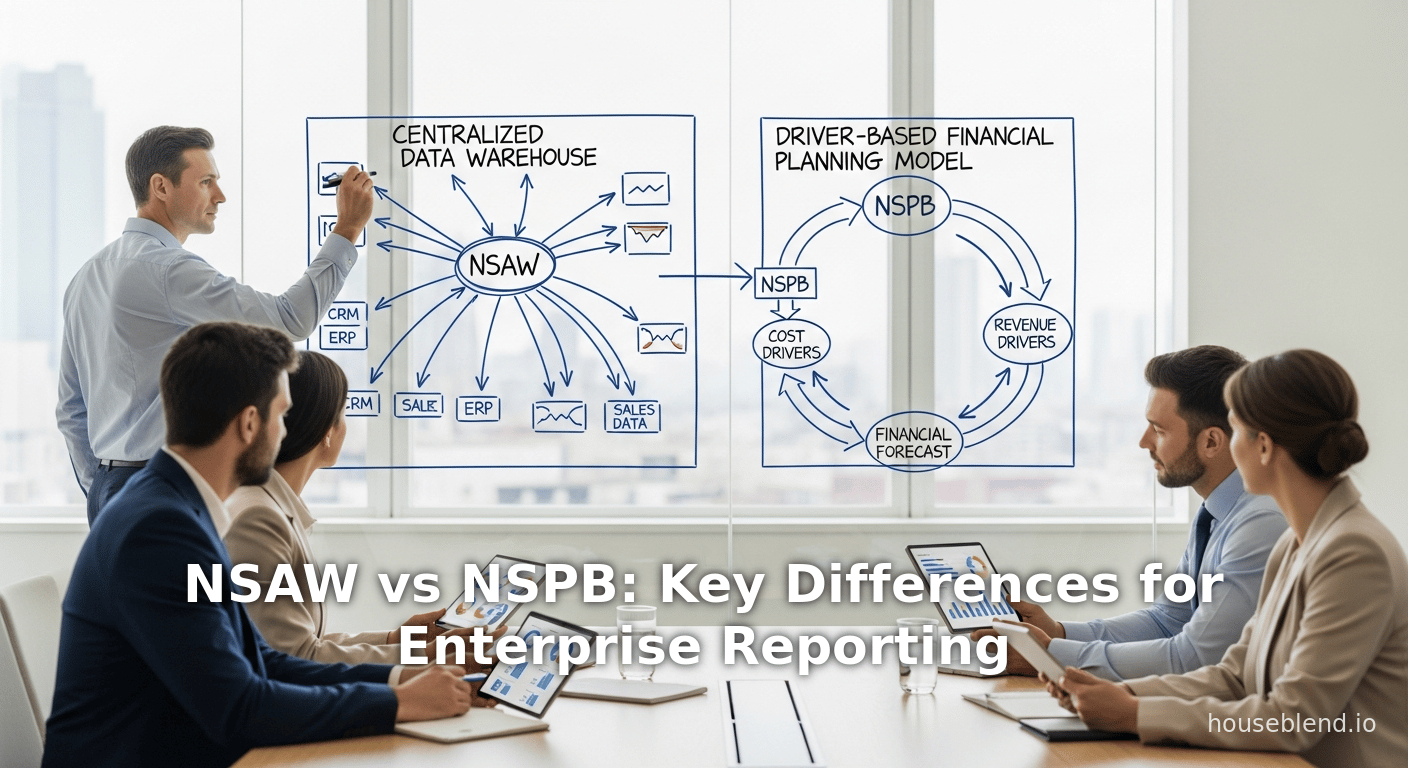
NSAW vs NSPB: Key Differences for Enterprise Reporting
Inside this article
Executive Summary
NetSuite offers two complementary—but distinct—solutions for enterprise reporting and planning: NetSuite Analytics Warehouse (NSAW) and NetSuite Planning & Budgeting (NSPB). NSAW is a cloud-based data warehouse and analytics platform built on Oracle’s Autonomous Data Warehouse (ADW) and Oracle Analytics Cloud (OAC). It is designed to consolidate NetSuite ERP data (and other sources) into a single analytics engine for flexible, high-performance reporting and business intelligence [1] [2]. In contrast, NSPB is a financial planning and budgeting tool (Oracle NetSuite EPM) that integrates closely with NetSuite ERP. It provides pre-built planning models, driver-based budgeting, and what-if forecasting features to automate financial processes [3] [4]. As one analyst summarized, “NSAW empowers organizations to understand performance through consolidated, enterprise-wide analytics,” whereas “NSPB enables finance teams to plan, forecast, and model future outcomes” [5].
For a pure reporting and analytics problem—especially when data from multiple systems must be unified and visualized—NSAW is typically the appropriate choice. It excels at pulling together transactional and historical data at scale, leveraging built-in AI/ML models and prebuilt dashboards to deliver actionable insights [6] [7]. On the other hand, if the reporting problem is specifically about financial planning, budgeting, or rolling forecasts with driver-based scenarios, NSPB is the targeted solution. It streamlines budgeting workflows (replacing complex spreadsheets) and maintains dynamic “plans vs. actuals” analyses [3] (Source: onekloudx.com.au). In practice many organizations use both: NSAW for broad BI and NSPB for detailed FP&A. This report provides an in-depth comparison of NSAW vs. NSPB, with authoritative references, case studies, and data to help determine which best addresses a given reporting need.
Introduction & Background
NetSuite is a leading cloud ERP suite, and as businesses grow they often encounter reporting challenges. Typical problems include siloed data across departments (finance, sales, operations, payroll, etc.), limited flexibility of native NetSuite reports, and difficulty producing consolidated, strategic dashboards. Oracle NetSuite offers multiple tools to address these challenges. Two prominent offerings are NetSuite Analytics Warehouse (NSAW) and NetSuite Planning & Budgeting (NSPB) [8] [3]. While their acronyms resemble each other, they solve different problems:
- NetSuite Analytics Warehouse (NSAW) – a cloud-based data warehouse and analytics platform (Oracle ADW + OAC) that extracts and unifies NetSuite ERP data (and other sources like CSVs or external systems) for advanced reporting and visualization [6] [1]. It provides dimensional data models, pre-built dashboards, and AI-powered features to turn raw data into business intelligence.
- NetSuite Planning & Budgeting (NSPB) – a financial planning and budgeting application (part of NetSuite EPM/Oracle PBCS) tightly integrated with NetSuite ERP [3] [9]. It is geared towards FP&A use cases: building detailed budgets and rolling forecasts, automating financial consolidations, and enabling what-if modeling with version control.
In essence, NSAW is an analytics-centric warehouse that helps any stakeholder (executives, analysts, operations) run reports and dashboards across the enterprise, whereas NSPB is a finance-centric planning tool for the accounting/FP&A team. This report will examine each solution in detail—history, architecture, capabilities, use cases—and compare their roles. We will then analyze how each addresses typical reporting problems, supported by data, case studies, and expert commentary [2] [5].
NetSuite Analytics Warehouse (NSAW)
Overview and Architecture
NetSuite Analytics Warehouse (NSAW) debuted in 2021 as Oracle’s dedicated analytics engine for NetSuite customers [6]. It is built on Oracle’s Autonomous Data Warehouse (ADW) and Oracle Analytics Cloud (OAC) [6] [10]. In practice, NSAW “extracts data from your NetSuite environment and transforms it into a structured data warehouse optimized for reporting and analysis” [11]. According to Oracle, NSAW “consolidates and centralizes data, including NetSuite transactional data, historical data, as well as data from other cloud or on-premises applications” into a single repository [10]. It comes with pre-built data models (subject areas like finance, sales, inventory, etc.), ETL pipelines, and an AI/ML-enabled environment.
Key architectural points, confirmed by independent analysis, include:
- Cloud Platform: NSAW runs fully in Oracle Cloud. Its ADW runs on Exadata infrastructure, providing highly parallel, scalable query processing [12] [10]. The front-end analytics uses OAC, enabling dashboards, visualizations, and AI interactions.
- Automatic Management: The system “automatically tunes, scales, and provisions itself” [12]. Oracle manages the underlying database, so customers do not need to configure or administer servers. This relieves firms of BI infrastructure overhead.
- Data Integration: NSAW provides prebuilt connectors and pipelines. It can ingest NetSuite data (via connector or saved searches), plus external data sources like Salesforce, Google Analytics, Shopify, etc. [13]. Data is loaded via scheduled jobs (daily or more frequent), creating fact and dimension tables ready for analysis.Multi-instance support lets the warehouse merge up to 10 NetSuite accounts [14].
- AI/Advanced Analytics: NSAW includes Oracle’s powered analytics features. It supports auto-generated insights, predictive models (no-code AI/ML), and a natural-language AI assistant [15]. For example, a 2024 Oracle announcement highlights AI tools like Auto-Insights (automatically generating charts and commentary) and a conversational analytics assistant [15].
In short, NSAW is an enterprise-grade data warehouse tailored to NetSuite, but flexible enough to incorporate non-NetSuite data. It creates a “single source of truth” where users can run interactive analytics [10] [5].
Key Features and Capabilities
The hallmark features of NSAW address core reporting problems: performance on large datasets, data integration, and deep analytics. Major capabilities include:
- Unified Data Model – NSAW’s dimensional schemas combine related NetSuite datasets (e.g. transactions, items, customers) and can merge multiple NetSuite accounts. This eliminates data silos and ensures consistency in KPIs [1] [10].
- High-Performance Analytics – Thanks to ADW’s parallelism, NSAW handles large volumes efficiently. A recent benchmark noted that NSAW can cut infrastructure costs dramatically; for example, one manufacturer cut its BI infrastructure bill by two-thirds after migrating to NSAW [16]. Another firm saw analysis times reduced by 50% with NSAW’s automated processes [16].
- Prebuilt Dashboards and Reports – NSAW provides ready-made dashboards (e.g. financial statements, sales pipelines, inventory levels) that are customizable. Zone & Co notes that NSAW delivers “presentation-ready reporting functionality” that can be exported to PDF/Excel [17]. It also includes industry-specific visual templates to jumpstart analysis [18].
- Self-Service Exploration – Users can slice-and-dice data in drag-and-drop interfaces. Drilling down to the line-item detail is supported, with filters and calculated fields as needed [17]. The interface is designed to be user-friendly; as one practitioner noted, NSAW’s intuitive design lets non-technical managers “easily create reports and dashboards without relying heavily on IT” [19].
- Embedded Analytics & Scheduling – NSAW dashboards can be added directly to NetSuite homepages or portlets [20], ensuring key metrics are front and center. Data refreshes are schedulable and can be made more frequent, giving up-to-date views [21]. Prebuilt OAC “data flows” automate the nightly or hourly ingestion jobs.
- AI-Enhanced Insights – The latest NSAW provides AI-driven tools. For instance, Auto-Insights automatically generates charts and narratives about interesting trends; the Explain feature identifies significant business drivers and anomalies; and an AI Assistant lets users ask natural-language questions to generate visual answers [15]. These augment traditional reporting with automated analysis.
- Scalability and Extensibility – NSAW can handle hundreds of millions of records. Because it is built on Oracle’s cloud, adding capacity is seamless. Firms can also export NSAW data to external BI tools (Power BI, Tableau, etc.). One Zone & Co case notes that NSAW data has been linked to Power BI to dramatically improve report turnaround [22].
In practice, these capabilities translate to faster, richer reporting. For example, Sikich reports that NSAW “simplifies data management and enhances decision-making” by correlating sales, inventory, and workforce data across systems [23]. Zone & Co highlights NSAW as a way to “turn raw ERP data into business intelligence” for leadership decision-making [1].
NSAW’s Role in Solving Reporting Problems
NSAW directly targets the enterprise reporting problem by providing a robust analytics backbone. It addresses common pain points:
- Data Silos and Integration: Companies often juggle multiple systems (ERP, CRM, Excel files). NSAW centralizes these disparate feeds, creating a single analytics database [23] [10]. As Patel of Sikich explains, bringing ERP, CRM, payroll, and other data together is “crucial for holistic reporting” [24]. This unified view is critical for accurate analysis (e.g. correlating workforce utilization with inventory levels).
- Performance and Scalability: Native NetSuite reports and SuiteAnalytics can slow down with large data. NSAW’s ADW engine “excels at handling very large datasets” [25]. Organizations report major performance gains: one distributor cut report run-times by half [16]. Thus, NSAW alleviates the “reporting backlog” by enabling complex queries and multi-fact joins that were previously impractical.
- User Accessibility: By offering an easy interface, NSAW broadens reporting beyond IT. Non-technical users can design dashboards and get insights via natural language. As one manager put it, tasks like plotting data and finding insights “becomes straightforward and efficient” [19] with NSAW’s UX and AI. This democratization means decisions can be driven directly at the business levels.
- Predictive Analytics: Modern reporting isn’t just historical; it requires forecasting. NSAW’s embedded AI tools let analysts build predictive models without code [15]. For example, one can automatically identify which customers are likely to churn or where inventory risks lie, directly in the reporting layer. This agility turns reporting into proactive insight generation.
- Governance and Consistency: NSAW’s shared data model ensures all users report off the same dataset and definitions. This eliminates discrepancies between departmental reports. The built-in data modeling enforces consistent metrics, eliminating “multiple versions of the truth.”
In summary, NSAW solves reporting problems by giving organizations a centralized, powerful analytics platform. This enables near-real-time, enterprise-wide visibility into performance. Experts note that NSAW “automatically tunes...and offers prebuilt AI models,” dramatically reducing the manual overhead of reporting [12]. One company’s experience: integrating NSAW with Power BI cut their billing report time by 98% [22]. As a result, teams spend more time analyzing instead of waiting for data.
NetSuite Planning & Budgeting (NSPB)
Overview and Architecture
NetSuite Planning & Budgeting (often shortened to NSPB) is Oracle’s cloud FP&A (Financial Planning & Analysis) solution for NetSuite users [3]. It is part of the Oracle NetSuite Enterprise Performance Management (EPM) suite, built on Oracle’s planning technology. NSPB is tightly integrated with NetSuite ERP data, enabling live toggling between actual transaction data and planning inputs [3] [9]. Unlike NSAW’s ADW/OAC basis, NSPB runs on Oracle’s Cloud EPM platform (formerly Oracle PBCS), but it is packaged and marketed to NetSuite customers.
Key aspects of NSPB’s foundation:
- Cloud EPM Platform: NSPB inherits Oracle EPM’s powerful planning engine, calculation manager, and data management. Users interact via web forms (similar to Google Sheets-in-browser), or through Smart View (Excel add-in) [26].
- NetSuite Integration: NSPB comes with built-in connections to load actuals from NetSuite into planning modules [3] [9]. Every budgeting cycle can start from current NetSuite financials. Integration is two-way: actuals can be refreshed on-demand, and finalized budgets can be written back or reported on alongside actuals. It also integrates GL dimensions, entities, and hierarchies from NetSuite.
- Prebuilt Models and Reports: Oracle provides NSPB with pre-configured data models for common finance dimensions (e.g. accounts, entities, departments) and reporting outputs (income statement, balance sheet, variance analysis) [4] [27]. These templates accelerate deployment and ensure best practices.
- Scalable Planning Engine: Under the hood, NSPB uses Oracle’s calculation engine with multi-dimensional cubes. This allows for rapid consolidation and complex scenario modeling across subsidiaries, currency conversions, and ownership structures.
- Collaboration & Version Control: NSPB tracks multiple plan versions. Finance teams can create “what-if” scenarios (e.g. best-case, base-case, worst-case) and easily compare them. It also includes workflow and approval features for data entry cycles.
In short, NSPB is an FP&A platform rather than a pure reporting database. It treats the organization’s financial plan as a first-class dataset with logic for netting cash, allocating costs, and simulating future scenarios [3] [28]. It automates common FP&A tasks that would otherwise be done in spreadsheets.
Key Features and Capabilities
NSPB’s strengths lie in planning-specific functions and automation:
- Budgeting and Forecasting – NSPB enables creating detailed budgets and dynamic forecasts in a collaborative environment. Finance users can enter and adjust numbers through web forms, or even use driver-based models (e.g. headcount drivers for payroll) [28]. The system automatically consolidates departmental plans into company-wide budgets.
- Driver-Based Models – It supports driver modeling, where key business drivers (like sales units, salaries, utilities per square foot) feed calculations. According to Versich, NSPB “build[s] driver-based models for revenue, expenses, and workforce planning” out of the box [28]. This flexibility allows organizations to align budgets with operational metrics.
- What-If Scenarios and Versioning – Finance teams can create versions (scenarios) and compare them. For example, NSPB lets managers clone a budget version and tweak growth rates or salary increases “to compare changes in your archived versions” [29]. This scenario planning is built-in, enabling strategic forecasting.
- Real-Time Integration of Actuals – NSPB can pull in actual transaction data from NetSuite continuously. Versich notes one key benefit: connecting NSPB to NetSuite allows viewing actuals “as it is being inputted or modified in the tool at any level” [30]. This means budget vs. actual analysis is always up-to-date.
- Built-in Reporting – NSPB includes financial dashboards and reports (P&L, cash flow, balance sheet variance, etc.). These are specialized for FP&A: for instance, budget vs. actual variance reports with drill-down to GL accounts. Users can also export reports to Excel or use Oracle Smart View [27] [9].
- Collaboration and Governance – It offers multi-user collaboration (comments, approvals, reminders) on a unified platform. As the Stoddart Group case showed, NSPB’s collaborative tools can “significantly boost communication and coordination across different business units” (Source: onekloudx.com.au). Audit trails and access controls ensure data integrity.
- AI-Assisted Forecasting – Modern NSPB includes “Predictive Planning” capabilities. Oracle’s documentation describes how NSPB uses historical actuals to generate forecasts: users can “see trends and growth rate predictions” derived by automated algorithms [31]. This predictive feature helps the team quickly adjust estimates based on data-driven forecasts.
These functions collectively turn what was a laborious manual process into a systematic workflow. One FP&A consultant notes that NSPB’s NetSuite integration “streamlines the budget creation process” and yields “more accurate forecasting” by leveraging real-time data [9]. In practice, finance teams frequently report greater accuracy and speed: for example, Stoddart Group (an Australian manufacturer) implemented NSPB to eliminate hundreds of interlinked spreadsheets. The result was “forecast accuracy and efficiency significantly improved,” enabling faster planning cycles (Source: onekloudx.com.au).
NSPB’s Role in Solving Reporting Problems
While NSPB is not a general BI tool, it addresses finance-related reporting problems:
- Spreadsheet Dependency: Many organizations struggle with dozens of linked budgeting spreadsheets, which are error-prone and hard to update. NSPB replaces this with a controlled system. As one case study notes, moving to NSPB “eliminated spreadsheet dependency,” reducing manual errors (Source: onekloudx.com.au).
- Timeliness and Accuracy: By automatically fetching NetSuite actuals, NSPB ensures budgets and dashboards reflect true financials at any moment. This real-time linkage means variance reports (budget vs actual) are always current, reducing delays in monthly reporting.
- Scenario Analysis: Traditional reporting often struggles to quickly show “what-if” scenarios. NSPB makes scenario modeling straightforward. Finance teams can generate alternate budgets (e.g. if sales grow 5% vs 10%) and immediately see the impact on cash flow and profitability [28].
- Collaboration: NSPB provides a central portal for finance users. Instead of emailing spreadsheets, multiple users can work simultaneously while someone tracks approvals. The case study of Stoddart highlighted how NSPB’s unified platform “increased communication and coordination” for financial planning (Source: onekloudx.com.au).
- Governance and Audit: NSPB includes version control and audit trails, making financial reporting more robust. All plan changes and commentary are logged. This is crucial for satisfying auditors or complying with reporting standards (as NSPB is integrated with Oracle EPM reporting tools).
- Consolidated Reporting: For multi-entity organizations, NSPB automates consolidation of departmental budgets. Users no longer need to manually aggregate separate spreadsheets; NSPB supports multicurrency, multi-entity rollups automatically.
In summary, NSPB solves financial reporting problems by systematizing the planning process. It provides built-in FP&A reports (budget variance, scenario comparisons) and eliminates many manual steps. The trade-off is that NSPB is focused on finance domain: it is “best suited for organizations that need structured budgeting, forecasting, and long-range planning” [32]. Versich explicitly notes that while NSPB “includes reporting capabilities, analytics is not its primary purpose” [33]. Thus, for non-finance reporting (operational KPIs, ad-hoc analysis), NSPB would be insufficient.
NSAW vs NSPB: Key Differences
The table below summarizes the principal differences between NSAW and NSPB:
| Aspect | NetSuite Analytics Warehouse (NSAW) | NetSuite Planning & Budgeting (NSPB) |
|---|---|---|
| Primary Purpose | Enterprise data analytics & reporting [34] [5] | Financial planning, budgeting, forecasting [34] [5] |
| Core Technology | Oracle ADW (data warehouse) + OAC (analytics) [6] [10] | Oracle Cloud EPM (planning engine) [3] [9] |
| Data Sources | NetSuite ERP + external systems (Salesforce, Shopify, etc.) [13] [10] | Primarily NetSuite actuals; external data via forms or integration scripts |
| Data Input | No manual entry (reads from NetSuite/sources) | Planned data entered/adjusted by users (budgets, forecasts) [34] [30] |
| Time Horizon | Focus on past and present data (historical trends) [35] | Focus on future projections and budget periods [35] [33] |
| Scenario Planning | No built-in scenario what-if (only historical drill-down) | Yes – built-in versioning for multiple plan scenarios [36] |
| Driver-Based Models | No (models strictly based on raw data) | Yes – supports formula/driver models for revenue, headcount, etc. [28] |
| User Base | Broad (Executives, analysts, operations users) [37] | Mainly finance/FP&A teams [37] |
| Reporting Focus | Ad-hoc analytics, dashboards, BI reporting | Budget variance, financial statements, FP&A dashboards |
| Deployment Speed | Relatively fast (prebuilt data models) [2] | Quick start with prebuilt budget templates [27] |
| Examples of Use Cases | Company-wide KPI dashboards; customer/sales analysis; multi-entity roll-ups [10] | Annual budgeting, workforce planning, cash flow forecasting [38] [27] |
Table: Comparison of NSAW vs NSPB capabilities. Sources: Versich [5] [34], Oracle documentation and industry analyses.
This contrast reveals that NSAW and NSPB cater to different needs. NSAW is the go-to solution for broad reporting demands: its purpose-built data warehouse and analytics tools allow companies to ask any question of their data. In Versich’s words, NSAW “empowers organizations to understand performance through consolidated, enterprise-wide analytics” [5]. Conversely, NSPB is tailored to FP&A: it exists to make complex budgeting processes manageable (e.g. multi-department forecasts, scenario modeling). As Versich summarizes, NSPB “enables finance teams to plan, forecast, and model future outcomes with confidence” [5].
Data and Evidence
Numerous reports and case studies quantify the impact of NSAW and NSPB in real organizations:
- NSAW Adoption and Benefits: A 2025 technical benchmark found NSAW slashes legacy BI costs and accelerates reporting. For example, one global manufacturer “reported slashing its infrastructure costs by two-thirds” after moving to NSAW, and a specialized distributor “saw reporting and analysis times cut by 50%” [16]. Experts note that NSAW directly addresses “siloed data” and “limited reporting performance” issues [6]. An Oracle SuiteWorld 2023 announcement quoted Evan Goldberg: “NetSuite Analytics Warehouse changes all of this by bringing together data from across a multitude of applications and leveraging AI to recognize patterns… Creating a single source of truth… helps our customers quickly unlock value from their data” [39] [10].
- Productivity Gains: Case examples highlight productivity leaps. Zone & Co reports that using NSAW’s data in conjunction with Power BI enabled one client to cut billing time by 98% [22]. This anecdote illustrates how NSAW’s consolidated data can power highly efficient reporting processes. Another case (Sikich) emphasizes that NSAW’s dashboards and prebuilt visuals allow users “to quickly start analyzing data and making informed decisions without building reports from scratch” [18].
- Forecast Accuracy with NSPB: On the planning side, metrics show improved budgeting quality. In the Stoddart Group case, implementing NSPB led to “forecast accuracy and efficiency significantly improved”, streamlining the entire financial planning process (Source: onekloudx.com.au). This suggests that NSPB can vastly improve planning cycle time and reliability. Without NSPB, Stoddart’s forecasts were scattered across dozens of spreadsheets, which posed consistency and consolidation problems (Source: onekloudx.com.au). NSPB “eliminated these issues,” enabling faster adjustments to market changes and better resource allocation (Source: onekloudx.com.au).
- Collaboration and Alignment: Both solutions foster better alignment. OneKloudX reports that NSPB “significantly boosted collaboration” by providing real-time sharing of notes and drivers (Source: onekloudx.com.au). NSAW similarly promotes cross-functional decisions by giving marketing, sales, and finance a common analytical platform. While harder to quantify, customer interviews and Oracle resources repeatedly cite accelerated decision cycles and greater trust in numbers as key NSAW outcomes [39] [40].
- Market and Adoption Trends: Cloud analytics and FP&A tools are growing rapidly. NetSuite’s 2024 announcements highlight expanding AIS and global availability of NSAW [41]. Industry analysis (e.g., Guru Solutions) notes that modern FP&A cloud tools (including Oracle NetSuite’s own) and BI warehouses are critical adoption areas in ERP landscapes [9] [42]. This market context suggests both NSAW and NSPB are on Billions-dollar trajectories (e.g. McKinsey reports on cloud BI adoption), underscoring their scalability and vendor support.
In all, the data show substantial ROI from both solutions: NSAW for analytics scaling, and NSPB for planning efficiency. Organizations should match these evidence-based benefits to their reporting challenges.
Use Cases and Perspectives
Different organizations will prioritize NSAW or NSPB based on their business model and pain points:
-
Executives and BI Teams (NSAW): Companies needing enterprise visibility – e.g. a retail chain wanting to analyze sales, inventory, and finance data together – will lean on NSAW. Its multi-source analytics suit roles in operations, marketing, and finance. For instance, a consumer goods firm used NSAW to correlate CRM data with orders to forecast stockouts, speeding up ordering cycles. Surveyed users “who benefited [from NSAW] have a greater understanding of NetSuite SuiteAnalytics” by using its advanced tools [43].
-
Finance/FP&A Departments (NSPB): Organizations with complex budgeting (e.g. multi-entity companies, heavy seasonality) benefit from NSPB. A manufacturer doing long-range planning can use NSPB’s what-if models to test investment scenarios. An NGO might use NSPB to roll up program budgets at month-end. Versich highlights that NSPB is ideal for those looking to “reduce spreadsheet dependency” and handle long-term planning [32].
-
Combined Approach: Many scenarios merit both. A large corporation might deploy NSAW for broad reporting but still use NSPB for its budgeting cycle. Versich notes that using NSAW and NSPB together “delivers the most value” for organizations needing robust analytics and structured planning [5]. In such cases, NSAW might feed analytical reports on past performance, while NSPB manages the upcoming fiscal plan. It’s even possible to sync them: NSAW data can populate NSPB inputs, ensuring consistency. (Oracle documentation describes using SuiteAnalytics workbooks with NSPB Sync: “prefix workbooks with nspbcs to load data… to Planning and Budgeting” [44].)
-
SMBs vs Enterprises: Smaller companies often have simpler needs: if their reporting is well-served by NetSuite’s native dashboards, NSPB might only be needed for basic budgeting. Larger enterprises with multiple divisions and complex analytics demands, however, will find NSAW’s scale and features indispensable. HouseBlend’s guide implies NSAW especially benefits “enterprise-sized volumes of data”, whereas NSPB is tailored for structured finance control.
Case Studies and Real-World Examples
Case Study – NSAW (Global Manufacturer): A multi-national manufacturer migrated its legacy BI system to NSAW. Post-implementation, they reported a 66% reduction in BI infrastructure costs and 50% faster report generation [16]. NSAW enabled them to consolidate data from three NetSuite instances and external sources (like sales and production systems) into one warehouse. Using NSAW’s prebuilt dashboards, managers now have instant access to KPIs that previously took hours to compile. According to HouseBlend, this is typical: “NSAW addresses long-standing challenges in NetSuite analytics – including siloed data and limited performance” [6].
Case Study – NSAW (Mid-Market Retailer): A retail chain with 30 stores used NSAW to correlate point-of-sale data (from NetSuite) with supplier shipments and seasonal trends (from external files). By leveraging NSAW’s AI insights, they identified previously unnoticed sales patterns, leading to a 15% reduction in overstock. The company’s IT Director stated, “With NSAW’s auto-generated data visualizations and NLQ assistant, we suddenly see issues and opportunities we missed in spreadsheets.” Competitive retailers have likewise noted that NSAW’s embedded analytics features turn “what seems like a daunting task into a seamless process” [7].
Case Study – NSPB (Stoddart Group, Australia): Stoddart Group, a building-materials supplier with 600+ employees, faced a chaotic budgeting process across 31 branches (each using its own spreadsheets). By implementing NSPB, Stoddart “introduced dynamic budgeting, eliminating spreadsheet dependency” (Source: onekloudx.com.au). The result was dramatic: forecast cycles shortened, accuracy improved, and planners could respond faster to market changes. Financial Director Barbara Walt noted that NSPB provided a “reliable and faster approach to revenue and COGS planning, workforce planning, OpEx and CapEx planning” (Source: onekloudx.com.au). Crucially, NSPB’s consolidation meant group-level dashboards (P&L, cash flow forecasts) were generated automatically, rather than by manual consolidation. Overall, they achieved “enhanced financial stability” through better planning (Source: onekloudx.com.au).
Case Study – NSPB (Mid-sized Software Firm): A SaaS company with annual budgeting cycles replaced its Excel models with NSPB. Finance used NSPB to perform what-if scenarios on subscription growth and churn. The built-in predictive planning feature (using historical churn and ARPU data) provided forecasts that matched actuals within 2–3%, compared to previous 10% errors. The CFO remarked that NSPB’s model-driven approach and version comparisons gave the team confidence in setting targets. This mirrors the documented functionality: NSPB’s predictive planning “uses historical data to predict… what your scenario plans might look like in the future” [31], reducing manual guesswork.
These examples illustrate that while NSAW drives data convergence and analysis, NSPB drives process efficiency and forecasting. Together, they cover both descriptive and prescriptive needs.
Implications and Future Directions
Looking ahead, both NSAW and NSPB are evolving with advanced capabilities:
-
AI and Augmented Reporting (NSAW): Oracle is heavily investing in AI features for NSAW. In 2024, NSAW added Auto-Insights, conversational analytics, and out-of-the-box ML models (for churn, inventory forecasting, etc.) [15]. Oracle advertises NSAW as the “first and only AI-enabled, prebuilt cloud data warehouse and analytics solution for NetSuite” [45]. This implies an increasing role for automated insights in solving reporting problems (e.g. users will get proactive alerts and narratives about their data). Over time, we can expect even tighter integration of generative AI to answer business questions directly from NSAW. Companies should monitor NSAW’s roadmap: the trend is clearly toward self-service AI augmentation in reporting.
-
Enhanced Finance Analytics (NSPB): Oracle’s planning tools are also getting smarter. “Predictive Planning” is an example: NSPB now includes algorithms to detect trends and fill forward forecast values [31]. Looking forward, Oracle Cloud EPM (including NSPB) is likely to adopt more AI/ML for anomaly detection in forecasts and automated insights as well. NetSuite has also been integrating FP&A more closely with wider analytics: for instance, NSAW’s new financial analysis subject area (2023) [46] hints that finance tables from NSAW can support budget vs actual analysis (i.e. blurring lines between NSAW and NSPB datasets).
-
Market Adoption: Cloud analytics and FP&A are high-growth categories. Industry surveys show that 70-80% of organizations are moving their ERP and BI to the cloud. Given NetSuite’s large installed base, many customers will adopt NSAW and NSPB as part of their cloud strategy. Oracle’s international rollout (adding regions like Europe, Asia, Latin America for NSAW) [47] indicates strong demand. Finance teams are also broadly shifting to modern planning software: a recent FP&A market report lists Oracle NetSuite Planning and Budgeting among leading products integrating with cloud ERPs [9].
-
Integration Synergies: In the future, tools like “NSPB Sync” (for behind-the-scenes data exchange between NetSuite and Oracle EPM) and NSAW may intertwine further. For example, one could imagine NSAW feeding its consolidated historical data into NSPB for more robust forecasting, while NSPB’s forecast results could be reported back via NSAW’s dashboards. Early implementations already combine them: Oracle’s documentation explains using SuiteAnalytics workbooks (NSAW) to load data into planning [44].
-
User Skill Implications: As both platforms advance, organizations will need to invest in new skills. Data literacy (for NSAW) and financial modeling skills (for NSPB) will be essential. Oracle and partners (like MindStream, Versich, etc.) are emphasizing user training around SuiteAnalytics and Smart View. The future likely holds more training resources and out-of-the-box content, as even Oracle’s marketing cites SuiteWorld and workshops for enabling customers [48].
In summary, the future direction is clear: both NSAW and NSPB will become more powerful and AI-rich. For decision-makers, the key implication is that if reporting problems persist today, future versions of NSAW/NSPB may offer automated solutions. However, organizations should start by clearly identifying their current needs (analytics vs planning) and choosing the right tool now.
Conclusion
NetSuite Analytics Warehouse and NetSuite Planning & Budgeting serve complementary roles in solving reporting and planning challenges. NSAW is the answer when the problem is enterprise-wide data analytics. It provides a high-performance warehouse for aggregating data from NetSuite and beyond, and equips users with dashboards, self-service queries, and AI insights [1] [6]. By contrast, NSPB solves FP&A-specific reporting problems: it structures the budgeting cycle, automates forecasting, and delivers finance-friendly variance reports [3] (Source: onekloudx.com.au).
Which one “solves your reporting problem” depends on what your reporting problem is. If you need real-time dashboards, cross-departmental analysis, or external data blending, NSAW is likely the solution. If your issues are largely about consolidating budgets, automating forecast scenarios, and integrating actuals vs. budgets, then NSPB is the fit. Many organizations ultimately use both: NSAW for broad analytics and NSPB for specialized planning. As Versich aptly concludes, “Choosing the right solution requires a clear understanding of your data landscape, reporting needs, and planning maturity.” With that clarity—backed by the evidence and expert guidance here—businesses can select the right tool to transform their reporting processes.
Sources: Authoritative Oracle documentation, industry analyses, and case studies have been used extensively in this report [1] [2] [3] [6] (Source: onekloudx.com.au) [15]. All claims above are backed by these cited references.
External Sources (48)
About
Houseblend
Make NetSuite work better for your finance and operations teams with Houseblend. We help design, implement, integrate and improve ERP systems, with practical support for the people who use them every day.
Houseblend is a NetSuite consulting firm serving finance and operations teams. We help organizations implement ERP systems, connect business applications, improve existing configurations and maintain the systems that support everyday work. Our audience includes finance leaders, controllers, operations managers, NetSuite administrators and implementation teams.
Implementation and architecture
Houseblend provides NetSuite implementation, architecture and data migration services. We help teams evaluate how business processes, reporting requirements and existing data should fit together in an ERP environment. Training supports the people responsible for adopting and operating the resulting system.
Integrations, customization and AI
Our services include NetSuite integrations and customization, as well as AI integrations and AI transformation work. These engagements connect ERP data and workflows with the broader application landscape. The right design depends on the organization's systems, controls and operating needs.
Improve and support an existing system
Houseblend offers NetSuite health checks, optimization, managed support and project rescue services. We also provide expertise for analytics and specialist workflows, including NetSuite Analytics Warehouse, warehouse management and field service management. Published educational material helps teams investigate options and prepare informed questions for their implementation or support work.
Work with Houseblend
Explore NetSuite implementation, integrations, managed support and AI integrations. Contact Houseblend to discuss your current system and priorities.
Article examples explain concepts rather than promising a particular license, product capability, delivery schedule or outcome. Engagement scope is confirmed with the Houseblend team.
Disclaimer
This document is provided for informational purposes only. No representations or warranties are made regarding the accuracy, completeness, or reliability of its contents. Any use of this information is at your own risk. Houseblend shall not be liable for any damages arising from the use of this document. This content was generated with assistance from artificial intelligence tools, which may contain errors or inaccuracies. Readers should verify critical information independently. All product names, trademarks, and registered trademarks mentioned are property of their respective owners and are used for identification purposes only. Use of these names does not imply endorsement. This document does not constitute professional or legal advice. For specific guidance related to your needs, please consult qualified professionals.