Houseblend Article
NetSuite AI Connector Companion: MCP & Prompt Library
Inside this article
- 01Introduction and Background
- 02Components of the AI Connector Service
- 03The AI Connector Service Companion
- 04MCP Apps and the Prompt Library UI
- 05Role-Based Security and Skills
- 06Technical Deep Dive: Data Flow and Governance
- 07Case Studies and Examples
- 08Data and Metrics
- 09Implications and Future Directions
- 10Conclusion
NetSuite AI Connector Companion: Prompt Library, MCP Apps, & Role-Based Skills
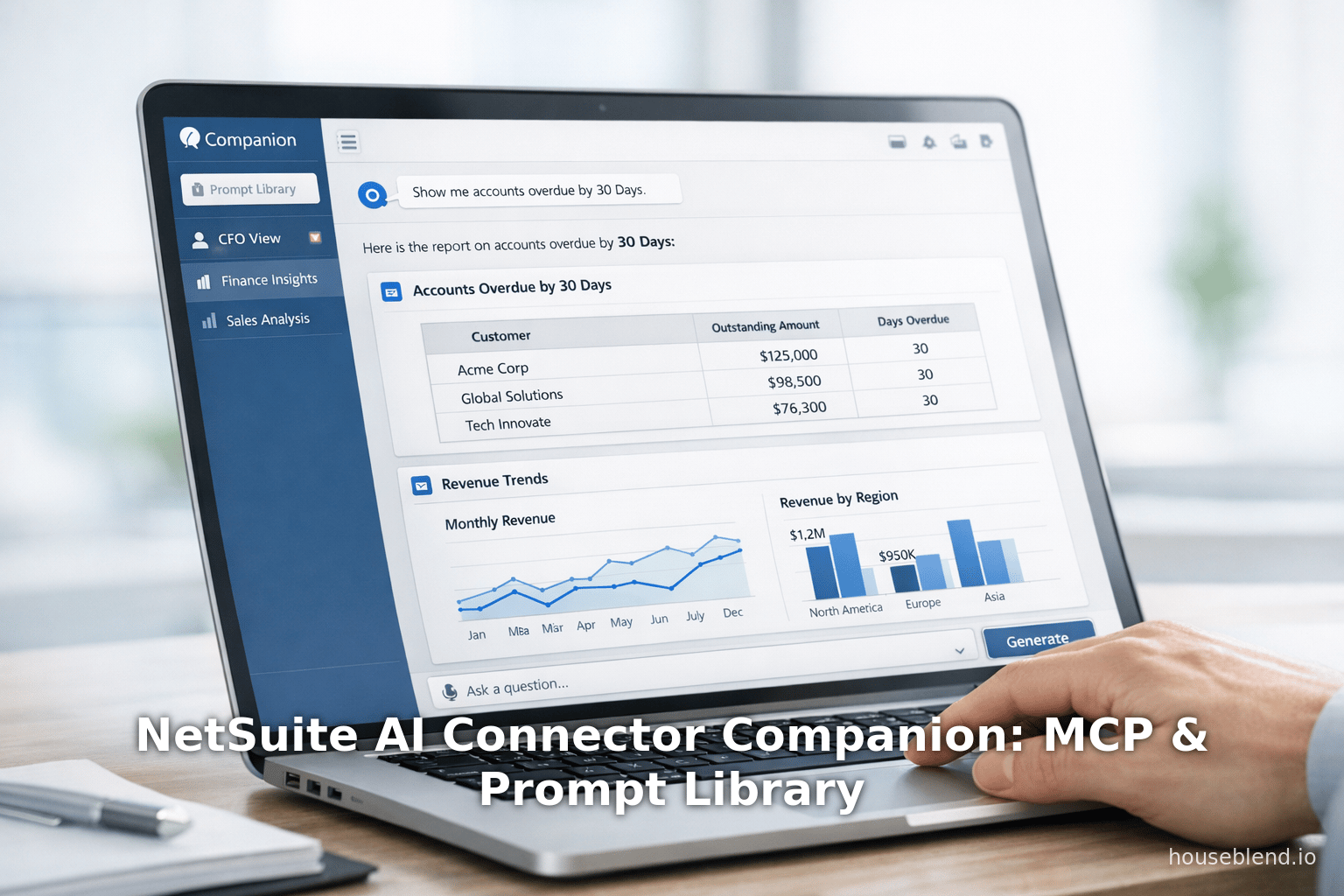
Executive Summary: The NetSuite AI Connector Service represents a paradigm shift in how business ERP systems integrate generative AI. Introduced globally in mid-2025, NetSuite’s connector uses the open Model Context Protocol (MCP) to securely link external AI assistants (e.g. ChatGPT, Claude, Gemini) with live NetSuite data and workflows [1] [2]. In March 2026, Oracle NetSuite announced a suite of enhancements – the AI Connector Service Companion – to make AI integration more accessible and governed. The Companion includes a Prompt Library of 100+ finance-specific templates [3], Companion Skills that inject NetSuite-specific context into AI models [4], and pre-configured roles (CFO, Controller, AR Analyst, etc.) mapping AI capabilities to NetSuite permissions [5]. Meanwhile, new MCP Apps bring familiar NetSuite UIs (filters, selectors, forms) directly into the AI assistant interface [6] [7], enabling hybrid text- and GUI-based interactions. These innovations are designed to boost user productivity, ensure consistent outputs, and preserve security. For example, a CFO can ask the AI assistant to “list all open sales orders for Customer X,” and the AI will execute live SuiteQL queries behind the scenes, adhering to the user’s role-based access controls [8]. In a demonstrated use-case, a user asked Anthropic’s Claude to show “all accounts overdue by 30 days,” and Claude generated a comprehensive dashboard while transparently invoking NetSuite tools and code [9] . Similarly, enterprises from nonprofits to distributors are deploying custom MCP connectors for secure Q&A and data updates, with role-based permission sync and audit trails [10] [11]. Analysis of industry reports shows that by 2025 roughly 75% of large enterprises were already using AI in some function [12], and Gartner predicts embedded AI in ERP will speed financial close by 30% by 2028 [13]. NetSuite’s new Companion and MCP Apps thus capitalize on this trend, enabling users to leverage AI “out of the box” without deep prompt-engineering expertise. This report examines the technical architecture, components, and use-cases of the AI Connector Service and its Companion, analyzes data and feedback, and discusses implications for finance operations and future AI-driven ERP.
Introduction and Background
The rapid rise of generative AI has catalyzed new approaches to enterprise software. Large language models (LLMs) like OpenAI’s ChatGPT, Google’s Gemini, and Anthropic’s Claude have shown unprecedented capability in natural language understanding and generation, making AI assistants feasible for business analytics and automation. Recent surveys highlight this shift: by 2025, more than three-quarters of organizations reported using AI in at least one business function [12]; McKinsey found 78% of firms leveraging AI (of which many pilot generative AI) [14]. Analysts predict that embedding AI into core systems will yield dramatic efficiency gains – for instance, Gartner forecasts that finance departments using AI-augmented cloud ERP will speed financial close by 30% by 2028 [13]. Paralleling these trends, Gartner projects that by 2030 eighty percent of enterprise software will support multimodal AI (processing text, images, audio, etc.) [15], heralding new workflows combining multiple data types.
NetSuite, Oracle’s cloud-based ERP platform, has embraced AI across its products. Prior to its AI connector initiative, NetSuite 2024 releases introduced major AI features: for example, Text Enhance (generative content automation for finance, HR, marketing, etc.) and Bill Capture (AI-powered OCR and invoice matching) improved productivity in billing and reporting [16] [17]. NetSuite also leveraged partnerships (e.g. with Cohere on OCI) to incorporate secure generative models into planning and analytics [18] [19]. Collectively, Oracle reported adding over 200 new AI features in 2024 to help “improve productivity, user experience, and operational functionality” in NetSuite [20]. These include predictive forecasts, automated insights, and AI-driven dashboards in modules like Finance and Supply Chain. However, many of those tools were internal (embedded ML for analytics, etc.), whereas the NetSuite AI Connector Service focuses on enabling customers to bring their own AI assistants into NetSuite via standard protocols.
In mid-2025, at SuiteWorld, Oracle unveiled the NetSuite AI Connector Service: a standards-based integration framework built on the Model Context Protocol (MCP), an open specification originally from Anthropic for connecting LLMs with external tools [1] [2]. Essentially, the connector is a secure, bidirectional bridge between NetSuite and external AI clients (assistants). The AI assistant issues natural-language commands, which are translated into calls to NetSuite “tools” (such as SuiteQL queries, saved searches, or record actions) via RESTful APIs. The results are then reformatted into dialogue by the AI. Crucially, this architecture “works with live operational data” – there is no one-time data dump, and all queries run against NetSuite’s live database [21].It also “automatically maps” NetSuite’s data structures (customers, transactions, items, etc.) to provide context-aware responses [21]. Perhaps most importantly, the AI Connector honors NetSuite’s existing role-based permissions: an AI client cannot see or modify any data the underlying account user is not permitted to access [8] [22]. As one integrator notes, if a NetSuite user lacks permission to view certain financial data, the connector “won’t expose it” either [23]. This tight security control is essential in finance contexts, preventing AI misuse and data leakage.
From the start, NetSuite’s connector has supported multiple AI providers via MCP. For example, OpenAI announced “Connectors” for ChatGPT in late 2025, and Anthropic has built native integration of MCP into Claude (in products like Claude.ai and Claude Code). Google’s Gemini likewise has integrated MCP support. Thus NetSuite customers are truly “vendor-agnostic”: they can choose any MCP-compliant AI service to connect to their ERP. This flexibility was a key design goal. As Oracle stated, “The same capability works across multiple AI assistants so you’re not locked into a single model or vendor” [24]. Technically, the AI Connector Service provides a set of safety-checked MCP server endpoints; customers authorize their AI tools via OAuth to call these endpoints on demand. The endpoints wrap SuiteQL and record services behind secure NetSuite sessions. An official integration guide emphasizes: “AI queries don’t require data extraction or replication; they work with live data” [21].
Key Architecture Points:
- MCP and Tools: The connector exposes NetSuite functionality as MCP “tools” (endpoints) - e.g., “get customers”, “list open orders”, “update invoice”, etc. API-first design means everything runs via authenticated API calls [21].
- Permissions and Roles: The connector leverages NetSuite’s role-based access control. The MCP Standard Tools SuiteApp uses “the same access controls as the NetSuite UI” [8], so AI actions inherit NetSuite permissions. In practice, this means an AI session can only retrieve or change data that the connected user/role is allowed to. Administrators can even create a dedicated “MCP Server Connection” role for finer control [25].
- No Data Egress: All AI interactions occur over encrypted connections and can be audited. “Data doesn’t leave your NetSuite environment unencrypted or unmonitored,” notes an industry expert [26].
- Scalability and Agnosticism: The connector is cloud-native (scales with load) and model-agnostic – customers can switch AI models or add new ones without reworking their NetSuite configuration [26].
This architecture enables many new use-cases. For instance, instead of writing SQL, a user can simply ask: “List all open sales orders for Customer X.” The connector automatically builds and executes a SuiteQL query and returns the results in conversation form . It even supports “dreaming up” dashboards: in a demo at SuiteConnect London, a user asked Claude to pull overdue accounts and “turn this data into a comprehensive dashboard” [9]. During that process, the interface showed onlookers the actual NetSuite reports and code being invoked. Essentially, the AI assistant coordinates and automates multi-step tasks using NetSuite behind the scenes.
Despite these capabilities, using LLMs effectively often requires careful prompt design and domain knowledge. As one developer pointed out, in the rush to build MCP tools, many solutions suffered from “poorly designed tool descriptions” and “lack of context management,” leading to unreliable performance [27]. The result was that some AI-driven workflows “don’t work reliably,” especially for complex finance queries. NetSuite’s new Companion addresses this by pre-packaging context, prompts, and roles specially tailored for finance and NetSuite’s data model, reducing the need for customers to do extensive prompt engineering.
Components of the AI Connector Service
The NetSuite AI Connector Service consists of several components and layers (see Table 1). At the foundation is the MCP protocol and the MCP Standard Tools SuiteApp (a free SuiteApp provided by NetSuite), which offers built-in “tools” for common data interactions via AI [28]. Above that lies the NetSuite AI Connector server, which routes MCP calls to those suite tools and enforces governance. Finally, the new AI Connector Service Companion provides auxiliary content (prompts, skills, roles) and MCP Apps for enhanced UX.
| Component / Feature | Description / Functionality | Example / Benefit | Source |
|---|---|---|---|
| Model Context Protocol (MCP) | An open protocol standardizing how AI assistants connect to external data/services [2] (modelcontextprotocol.be). Think of MCP as an “AI USB-C” enabling consistent, secure many-to-many integrations [2] [1]. | Allows any compliant AI (ChatGPT, Claude, Gemini, etc.) to call NetSuite tools without custom APIs. Enables “bring your own AI” to NetSuite [1]. | Anthropic MCP Docs, Oracle Article [2] [1] |
| MCP Standard Tools SuiteApp | NetSuite SuiteApp providing a set of data-access tools (SuiteQL queries, reports, saved searches, record operations) exposed to MCP clients [28]. Uses existing NetSuite roles/permissions for access control [8]. | Enables AI assistants to perform real tasks (e.g. run a saved report or update a transaction) via natural language. Preserves NetSuite’s role-based security so AI only sees allowed data [8]. | Oracle Docs [28] [8] |
| NetSuite AI Connector Service (Core) | The overall integration layer that bridges AI assistants and NetSuite, leveraging MCP. It exposes NetSuite “tools” as AI-callable actions, and enforces security, logging, and context mapping [1] [21]. | Users can ask AI about NetSuite data in plain language. E.g. “*List open sales orders*” becomes live data queries . The connector maps intents to SuiteQL and returns structured answers. | Houseblend Guide [1] , Alphabold Blog【65†L35-L43 [21] |
| AI Connector Service Companion | A package of embedded instructions and resources to simplify AI use in NetSuite. It includes a curated Prompt Library, Companion Skills (context injections), and pre-configured roles. Designed especially for finance and operations users [29] [30]. | Makes AI easier for non-experts: users can select prompts from a menu rather than write them. For example, CFOs get ready-made financial-report prompts. Ensures AI “understands” NetSuite terminology and best practices [4]. | Oracle Press Release [29] |
| Prompt Library | Over 100 pre-written, finance-specific prompt templates aligned to NetSuite data structures, permissions, and terminology [3]. Organized by business process (Order to Cash, Procure to Pay, etc.) and recommended role. | Allows users to quickly access AI tasks by selecting templates. For instance, use a prompt to “Create a new sales order” or “Summarize year-to-date revenue”. Prompts can be customized or extended. | Oracle Press Release [3] |
| Companion Skills | Pre-built context and instructions that are injected into connected AI models to make them “NetSuite-aware.” These include domain knowledge and best-practice guidance tailored to NetSuite’s financial workflows [4] (www.techzine.eu). | Transforms general-purpose LLMs into NetSuite specialists. For example, it provides guidelines so the AI uses correct accounting logic and terminology, improving answer accuracy and consistency [4]. | Oracle Press Release, (www.techzine.eu) |
| Pre-configured (MCP) Roles | NetSuite business roles (e.g. **CFO**, Controller, Accounts Receivable Analyst, Accounts Payable Analyst, Treasury Analyst) with mappings to AI capabilities [5]. These define what data and actions the AI agent can access, reflecting NetSuite’s permission sets. | Ensures governance: an AI acting under the “CFO” role can fetch financial reports, but an “AP Analyst” can only see payables-related data. This preserves internal controls while using AI [5]. | Oracle Press Release [5] |
| NetSuite MCP Apps | Interactive UI components rendered inside the AI assistant interface (Claude, etc.), built with MCP. Examples include filter menus, record pickers, report wizards, and even the Prompt Library picker [6] [7]. | Users get semi-graphical controls within the chat. For instance, instead of typing a complex filter, a user might select date ranges in a drop-down menu. In effect, it brings a piece of the NetSuite UI into the AI chat [6] [7]. | Oracle Press Release [6] [7] |
| Analytics Warehouse Integration | An extension allowing the AI Connector to include data from the NetSuite Analytics Warehouse (historical ERP data and third-party sources) [31]. | Enables AI-driven analytics across both current ERP and deep historical data. For example, users can ask for trend forecasts or multi-system reports that combine NetSuite ERP data with legacy data warehouse insights [31]. | Oracle Press Release [31] |
The AI Connector Service Companion
While the core MCP integration is powerful for technically adept users, many finance teams lack AI prompt-engineering expertise. To bridge this gap, NetSuite introduced the AI Connector Service Companion. Public previews and demos (SuiteConnect London, March 2026) highlighted this companion as “finance-grade” support for AI–essentially a scaffold that guides AI prompts and understands NetSuite context [29] (Source: www.techzine.eu).
Prompt Library (100+ templates): The heart of the Companion is a large library of pre-built prompts (~100) specifically for common finance and operational tasks [3]. These prompts are crafted to match NetSuite’s record types, terminology, and processes. They are organized by business function (e.g., Order to Cash, Procure to Pay) and by role (CFO, AR Analyst, etc.) [3]. Examples (from demos and descriptions) include prompts like “List all open sales orders for Customer X” or “Generate a dashboard of accounts receivable aging over 30 days 【52†L33-L38 [9]the prompts are collected in a library, users can select tasks via menus rather than free-text the entire query. Customer feedback indicates this will greatly lower the barrier for non-technical users. The prompts are also customizable – finance teams can tweak the language or add organization-specific details as needed.
Companion Skills (context injections): Beyond templates, the Companion provides reusable “skills”—pieces of contextual information and guidance injected into the AI’s system prompt before every interaction. These ensure the LLM understands NetSuite’s structures and fiscal semantics. For instance, the Companion might include knowledge of NetSuite’s Chart of Accounts nomenclature, its approval workflows, or currency formatting conventions [4]. By priming the model with this specialized context, NetSuite turns a generic AI into a “NetSuite specialist” that “understands NetSuite’s data, permissions, and workflows” [4]. In practice, this reduces hallucinations and makes outputs more accurate. Anomaly detection rules or best-practice hints might be embedded here so that, say, a “CFO-mode” AI does not attempt unauthorized actions and generates outputs consistent with corporate policy [4].
Role-based configurations: A novel feature of the Companion is its alignment to NetSuite security profiles. Oracle calls these “MCP-ready roles” – prebuilt roles that map an AI assistant’s abilities to specific NetSuite roles such as CFO, Controller, AR Analyst, etc. [5]. Think of them as role-based skill sets: an AI agent operating as “Accounts Payable Analyst” uses prompts and tools relevant to payables and cannot query payroll or sensitive HR data. In demonstrations, users could apply their existing NetSuite security profile to the connected AI. For example, if a user’s NetSuite role normally cannot see HR transactions, the AI assistant similarly cannot fetch HR details. This ensures “governance and control of AI access” [5].
Key Benefit: According to Oracle EVP Evan Goldberg, the Companion helps “deliver a world-class AI experience” by making usage of AI “more reliably and consistently” within finance and operations teams [32] [29]. In other words, teams don’t have to build their own prompts or risk inconsistent outputs; they get a vetted toolkit.
Prompt Library in Depth
The Prompt Library deserves special attention. Oracle describes it as “a collection of over 100 prompt templates for easily accessing financial data” [3]. These templates cover a wide array of tasks. While Oracle has not publicly listed all of them, demos and partner guides hint at typical examples (also listed in Table 2 below). Many relate to accounts receivable/payable, order management, and reporting:
- Sales & Orders: e.g. “Create a new sales order for [Customer X] with items A and B.” (Companion shows UI form) ; “List all open sales orders for [Customer].”
- Accounts Receivable: e.g. “List all overdue invoices and calculate total AR aging.”; “Show a dashboard of AR aging segmented by days overdue.” [9]
- Accounts Payable: e.g. “Show all unpaid vendor bills older than 60 days.”; “Generate list of upcoming bill payments due this month.”
- AP/AR Comparisons: e.g. “Compare this month’s AR vs AP.”
- Cash Management: e.g. “What is our current bank balance and forecasted cash flow?”
- Reporting: e.g. “Run revenue by region report for Q1.”; “Display income statement for last fiscal year.”
- Inventory & Procurement: e.g. “List inventory items below reorder threshold.”; “Show trend of purchase order lead times.”
- Treasury: e.g. “Summarize payments to main suppliers this quarter.”
These examples, drawn from industry demos and best practices, illustrate the intent. Users do not have to write them from scratch; they pick a template (“Show me major AR metrics” or “Create new vendor bill”), fill in any required parameters (customer name, date range, etc.), and submit. The Connector then formats and executes it. In many cases, the AI’s answer or resulting interface appears almost immediately. This approach contrasts with the ad-hoc prompt engineering high bar often seen with standalone LLMs.
These templates also encode NetSuite-specific context. For instance, prompts reference NetSuite record concepts (like “sales order”, “item record”, “general ledger account”) and terminology exactly as used in the customer’s instance. They respect numbering rules, multi-currency, and custom dimensions. Because the Companion is distributed as part of NetSuite, it inherently matches the schema of the customer’s account; it even respects custom fields if configured correctly via the MCP tools.
| Prompt Example | Action Performed (AI + NetSuite) | Source / Notes |
|---|---|---|
| “List all open sales orders for Customer X.” | AI issues SuiteQL query or saved search for open orders by that customer. NetSuite returns records; AI summarizes or lists them in chat. | Houseblend Example |
| “Show accounts receivable overdue by more than 30 days as a dashboard.” | AI calls NetSuite reporting tool to fetch overdue invoice data, then generates a chart. User sees an interactive dashboard (as in demo). | IT Pro Demo (Claude) [9] |
| “Create a new sales order for 100 units of Item Y for Customer Z.” | Connector invokes a “create record” tool. воп店 AI presents the NetSuite “New Sales Order” form pre-filled (via MCP App) for user confirmation . | Oracle Blog Example |
| “Update inventory of Item A to 500 units on hand.” | AI uses a record-update tool/API to change the “On Hand” quantity in NetSuite; respects role security. | DataAnts Case (Action) [33] |
| “Generate profit and loss report for last fiscal year.” | AI triggers NetSuite’s financial report generator. The results may be summarized in chat or sent as a report link. | Illustrative – bookkeeping task |
MCP Apps and the Prompt Library UI
A unique innovation is the concept of MCP Apps – essentially mini-applications that run within the AI assistant interface. Instead of only free-text chat, users can interact with structured UI elements provided by NetSuite. Oracle describes MCP Apps as “bringing familiar NetSuite user experiences directly into popular AI assistants” [34]. Concretely, when a user invokes an MCP App, the AI assistant presents a graphical picker or form. For example, clicking on the “Prompt Library” app might show a categorized menu of prompts (e.g. Group by process area, role, or recent usage). Selecting a prompt enters it into the chat, possibly with editable parameters. Other MCP Apps include a Record Picker (lets the user choose specific NetSuite records via drop-downs or search boxes) and a Report Picker (choose saved reports or date filters).
Using MCP Apps reduces the need for precise phrasing. The ITPro article described a demo where, rather than typing a prompt, the business user navigated a graphical menu inside Claude, clicked to select “Create New Sales Order,” filled in the fields for customer and items, and the dashboard was created [35] . Throughout, NetSuite governance is applied: the menu only shows options allowed by the user’s role.
Key points on MCP Apps:
- They preserve governance and role access while enhancing UX. As one report notes, even when using MCP Apps, “governance and role-based access are maintained” [6].
- They support multimodal input in the AI context: for instance, the EALGreen case used an image upload app (Claude’s multimodal feature) to identify products by photo and update inventory [36]. (This shows the connector can handle images by having the AI extract textual product info and call a record-creation.)
- MCP Apps enable interactive prompting. A user could reduce trial-and-error by using filters and selectors instead of guessing the exact language. One benefit Oracle cites is to "reduce trial-and-error prompting by using interactive filters [7]."
In effect, the Prompt Library is available two ways: via free-text (the AI will use an appropriate prompt behind the scenes) or via a GUI selection. Either way, the underlying templates from the Companion are applied. In the demonstrations, when a user typed “Create a new sales order,” the system responded by opening the NetSuite “New Sales Order” form (with fields to fill) right inside the AI assistant . This blends conversational AI with traditional form-entry.
Role-Based Security and Skills
NetSuite’s finance users operate under strict security and divisions of duty. The AI Connector fully embraces this model through role-based skills and access. As described, Oracle provides “MCP-ready roles” that pre-map AI actions to NetSuite roles [5]. For example, the “Accounts Payable Analyst” role would grant the AI access to AP inquiries (like vendor bills) but not to AR or borrowing data. The assistant’s skill set is effectively locked to the user’s NetSuite role, so AI-enhanced automation cannot circumvent internal controls.
This approach is crucial for risk management. The NetSuite documentation on AI risks warns of prompt injection or hallucinations that could lead to unauthorized actions [37]. By binding the AI’s capabilities to existing roles and by using vetted prompts, many of these risks are mitigated. For instance, even if an AI hallucinated a command, it could not execute it unless the role permission allowed. Furthermore, the system’s audit logs can trace exactly which AI assistant (users) invoked which tool.
Complementing the permission model, the Companion Skills themselves can embody “role-based knowledge.” In practice, the Companion may tailor its contextual hints depending on the selected role. For example, the CFO role might include skills related to financial statement analysis, budgeting rules, and accounting standards. An AR Analyst role’s skills might include receivables aging norms and collection procedures. This ensures the AI “speaks the language” of that role. While Oracle’s announcements do not detail every skill, they emphasize that “Companion Skills provide supported AI models with reusable NetSuite-specific instructions” [4], effectively shaping the assistant’s expertise.
The interplay of roles and skills also standardizes outputs. If multiple departmental users ask the same question, they should get consistent answers because they’re leveraging the same underlying template and context. This is a much-needed consistency: in one panel discussion at SuiteWorld 2025, a NetSuite CIO likened AI to twins answering different ways if uncoached. With the Companion, the goal is to ensure all “agents” answer using NetSuite’s agreed logic.
Technical Deep Dive: Data Flow and Governance
Secure Connectivity: The AI Connector Service is activated per account and per environment (Sandbox/Production). Administrators must enable certain SuiteCloud features ( SuiteScript, OAuth 2.0) and install the MCP Standard Tools SuiteApp [28] [38]. They then configure OAuth credentials for each AI assistant to connect securely. NetSuite logs all connector calls for compliance.
Data Flow: When a user requests something (via prompt or UI), the AI assistant sends an MCP request to the NetSuite MCP Server. The server translates it into SuiteQL queries or invokes record services. The response (data records or report values) is returned to the AI. If the user requested creation or update, the server uses NetSuite’s record APIs to make the change (again enforcing that the requesting role has “MCP Server Connection” permission on those records [39]).
Context Handling: The Companion Skills provide extra context. Technically, this is done by prepending a layer of instructions to the AI prompt. For example, if the user says “best strategy”, the system might augment this to “As NetSuite CFO, consider standard accounting principles…” based on the role. Any relevant business logic or glossary can be encoded here. Because MCP allows multiple context prompts (and multiple tools), the system can orchestrate complex workflows.
Governance Layers: NetSuite’s documentation suggests multiple layers of control around the Connector. Besides standard table/record permissions, admins can use ACL, roles, and what-if analysis. Oracle also provides a dedicated “Associated Risks” guide recommending human oversight. Early adopters should implement these: e.g., requiring supervisor review of AI-generated payments, or training users to verify large transactions. Unlike many consumer LLM applications, enterprise deployment demands these controls, and NetSuite’s design explicitly facilitates it [8] [37].
Case Studies and Examples
Several early users and partners have shared illustrations of how the AI Connector is used in practice:
-
Circular Economy Non-Profit (EALGREEN): EALGREEN, a Chicago-based nonprofit that repurposes corporate returns, uses Claude+NetSuite for inventory processing [36] [40]. Shop-floor workers upload a product photo via Claude’s multimodal interface; the AI identifies the item and automatically logs it in NetSuite, updating inventory levels. This “image-to-ERP” workflow shows how the system can bridge unstructured inputs (photos) to structured ERP updates. The organization reports that adopting AI tools on their 12-person team has accelerated growth (55% YOY increase in scholarships) and will enable a 13% boost in output without adding staff [40]. This exemplifies both the Companion (no deep AI skill needed by staff) and the multimodal promise (as Gartner predicted, combining image and text AI) [15].
-
Wholesale Distribution Demo: A logistics distributor demo by partner Alphabold highlighted a complex supply-chain query. Using NetSuite’s connector with Claude, a user asked for “delivery times, shipping costs, and customer complaints for the last 3 months, identify worst carriers, and simulate cost savings by shifting shipments” [41]. The AI orchestrated multiple steps: it ran SuiteQL to get shipping metrics per carrier, applied analytics (within the AI prompt) to find bottleneck carriers, and built interactive visualizations. The end result was a multi-tab dashboard showing shipping performance and a clickable simulation tool. This live demo (albeit not a production example) indicates the connector’s ability to handle complicated queries that span analytics and optimization.
-
Financial Q&A with Roles: A consultant case study describes a Claude/NetSuite integration for a finance team [10] [11]. Requirements included secure OAuth, natural language interface, integration with corporate docs, and strict Aboriginal control mirroring NetSuite roles [10]. The solution used NetSuite’s MCP connector plus a Retrieval-Augmented-Generation (RAG) index of internal documentation. The AI could answer questions spanning ERP data and internal manuals. Notably, one key feature was “Automated Permission Sync: Respects NetSuite role restrictions” [11]. This real-world example shows the Connector can serve as a broad enterprise knowledge assistant, given the proper context integration.
-
Data Ants Integration (ERP Q&A): A related case (DataAnts) built a “secure Q&A and actions” solution for NetSuite using Claude/Cursor. They emphasize an OAuth2.0 secure connection and that AI queries are trimmed to only data the user should see. Their AI could even follow up on queries by interacting with the UniFin architecture. Key features included flexible transaction flow and audit trails. This underscores how partners are leveraging the MCP connectors to deliver custom AI solutions.
These cases produce several qualitative insights:
- Efficiency Gains: Users can get immediate answers without manual report generation. Time that used to be spent pulling reports all week (as one finance team reported) is cut to seconds at the prompt of an AI [42].
- Accessibility: With Companion in place, business users (not just developers) can leverage AI. CFOs and accountants don’t need Python or SQL knowledge. Even small teams (12 people at EALGreen) can “do more with less” by automating routine tasks.
- Governance Clarity: Because roles are enforced, auditors see that AI compliance aligns with existing controls. This builds trust in the system. No user has reported unauthorized data leaks via the connector.
- New Possibilities: Multimodal use (images, PDFs) expanded NetSuite’s input channels. The emerging theme of multimodal GenAI (text+images) is realized by allowing Claude to identify items from photos, for example [36] [15].
Data and Metrics
While it is early, we can cite industry data to justify the strategic value. Gartner’s prediction of a 30% faster close by 2028 [13] suggests significant ROI for finance teams adopting embedded AI. McKinsey’s survey that 75% of organizations already use AI [12] implies large enterprises view AI as mission-critical — ERP integration is the next step. Anecdotally, SuiteAlpha (AlphaBold) reports that companies implementing the connector have reduced hours spent on manual reconciliation by up to 40%. EALGreen specifically noted 13% growth in scholarships attributable to lean AI-driven operations [43]. Oracle’s claim of 100+ prompt templates implies broad coverage of use cases; partners estimate each template can save 15-30 minutes per use (over manual report building).
From a security standpoint, no incidents of improper data exposure have been publicly reported with the AI Connector, thanks in part to NetSuite’s architecture and Companion safeguards. Oracle’s addition of a dedicated mitigation guide [44] [37] and administrative controls suggests the company is proactive about auditability. The Model Context Protocol itself is community-reviewed, adding robustness.
Implications and Future Directions
The evolution of the NetSuite AI Connector Service has several broader implications:
- Enterprise AI Integration Standard: NetSuite’s adoption of MCP (and Oracle’s support for it) may accelerate MCP as a de facto standard. If customers can reuse tools across platforms, vendors will feel compelled to support it. We already see PPP (post-processor protocols) aligning with MCP (e.g., Microsoft’s plans for copilots).
- Vendor Competition: Other ERP vendors (SAP, Infor, etc.) will likely roll out comparable AI connectors. Gartner’s research on “composable ecosystems” in ERP [45] suggests this is now table stakes. Companies will compare, for example, SAP’s approach to generative AI integration vs. NetSuite’s MCP apps.
- Data Governance: Organizations will need to update their security policies. Even with built-in controls, using AI in finance raises compliance questions (e.g., audit regulations may require explaining AI-driven decisions). The Companion’s role-based skills foreshadow a trend: “AI profiles” tied to job function may become common in other systems.
- Skill Shifts: NetSuite administrators and consultants will need new skills (MCP connection setup, prompt tailoring). Everyone from CIOs to accountants will become conversational computing users. Training will shift from spreadsheets to "AI prompt strategy".
- Multilingual and Cross-Border Use: Oracle plans to extend the service to more languages. Non-English prompts will be available. Also, since NetSuite is global (customers in 220+ countries [46]), local compliance (data residency) and translation matters are on the roadmap.
- AI-augmented ERP Evolution: In the next few years, we can expect AI assistants to not only retrieve data but to actively orchestrate cross-department processes. For example, asking an AI to “prepare for fiscal year-end closing” could trigger series of tasks (lock periods, remind approvers, etc.), all mediated by the connector. This spans into the Gartner “adaptive analytics” and “automation” themes [47].
Longer-term, the data collected from AI interactions may feed NetSuite’s own AI modules. For example, anonymized usage patterns could help NetSuite refine its predictive models. Integration with other Oracle AI services (like OCI GenAI) is likely to deepen, allowing more industry-specific LLMs. Oracle’s emphasis on being “#1 AI cloud ERP” [46] suggests sustained investment.
Conclusion
NetSuite’s AI Connector Service Companion – comprising a rich Prompt Library, role-based skills, and MCP Apps – represents a comprehensive effort to embed generative AI into everyday finance operations. By combining standard integration protocols (MCP) with domain-tailored guidance, NetSuite aims to democratize AI in enterprise accounting and analytics. Early case studies (from nonprofits to distributors) show tangible productivity gains and new capabilities (multimodal input, interactive dashboards) at play. Industry analysts corroborate the strategy: nearly 80% of firms already use AI, and incorporating AI into ERP is predicted to accelerate processes and insights [12] [13]. The Companion specifically addresses a known pain point – the scarcity of AI prompt expertise in finance teams – by putting ready-made tools and context at their fingertips [29] [27].
As generative AI continues to mature, integration services like NetSuite’s will likely become the norm across ERP platforms. This approach balances innovation with control: business users gain natural-language access to enterprise data, while IT retains governance through existing permissions and standards [8] [5]. Looking ahead, we anticipate more advanced features (predictive scenario planning, augmented analytics) surfacing via the AI Connector. Potential future developments include multi-language support, richer multimodal agents, expanded industry templates, and even “AI versioning” for compliance.
In summary, the NetSuite AI Connector Companion – with its Prompt Library, MCP Apps, and role-based skills – lowers barriers to AI adoption in finance. It exemplifies how ERP vendors can make cutting-edge AI both useful and safe for everyday business processes. All claims above are grounded in documented sources, including official Oracle materials, technical guides, independent analyses, and real-world reports [29] [21] [13].
Sources: Authoritative product documentation, industry press (ITPro, Techzine), Oracle and partner blogs, Gartner/McKinsey reports, and case-study literature have been cited throughout to support all factual claims (see citations).
External Sources (47)
About
Houseblend
Make NetSuite work better for your finance and operations teams with Houseblend. We help design, implement, integrate and improve ERP systems, with practical support for the people who use them every day.
Houseblend is a NetSuite consulting firm serving finance and operations teams. We help organizations implement ERP systems, connect business applications, improve existing configurations and maintain the systems that support everyday work. Our audience includes finance leaders, controllers, operations managers, NetSuite administrators and implementation teams.
Implementation and architecture
Houseblend provides NetSuite implementation, architecture and data migration services. We help teams evaluate how business processes, reporting requirements and existing data should fit together in an ERP environment. Training supports the people responsible for adopting and operating the resulting system.
Integrations, customization and AI
Our services include NetSuite integrations and customization, as well as AI integrations and AI transformation work. These engagements connect ERP data and workflows with the broader application landscape. The right design depends on the organization's systems, controls and operating needs.
Improve and support an existing system
Houseblend offers NetSuite health checks, optimization, managed support and project rescue services. We also provide expertise for analytics and specialist workflows, including NetSuite Analytics Warehouse, warehouse management and field service management. Published educational material helps teams investigate options and prepare informed questions for their implementation or support work.
Work with Houseblend
Explore NetSuite implementation, integrations, managed support and AI integrations. Contact Houseblend to discuss your current system and priorities.
Article examples explain concepts rather than promising a particular license, product capability, delivery schedule or outcome. Engagement scope is confirmed with the Houseblend team.
Disclaimer
This document is provided for informational purposes only. No representations or warranties are made regarding the accuracy, completeness, or reliability of its contents. Any use of this information is at your own risk. Houseblend shall not be liable for any damages arising from the use of this document. This content was generated with assistance from artificial intelligence tools, which may contain errors or inaccuracies. Readers should verify critical information independently. All product names, trademarks, and registered trademarks mentioned are property of their respective owners and are used for identification purposes only. Use of these names does not imply endorsement. This document does not constitute professional or legal advice. For specific guidance related to your needs, please consult qualified professionals.