Houseblend Article
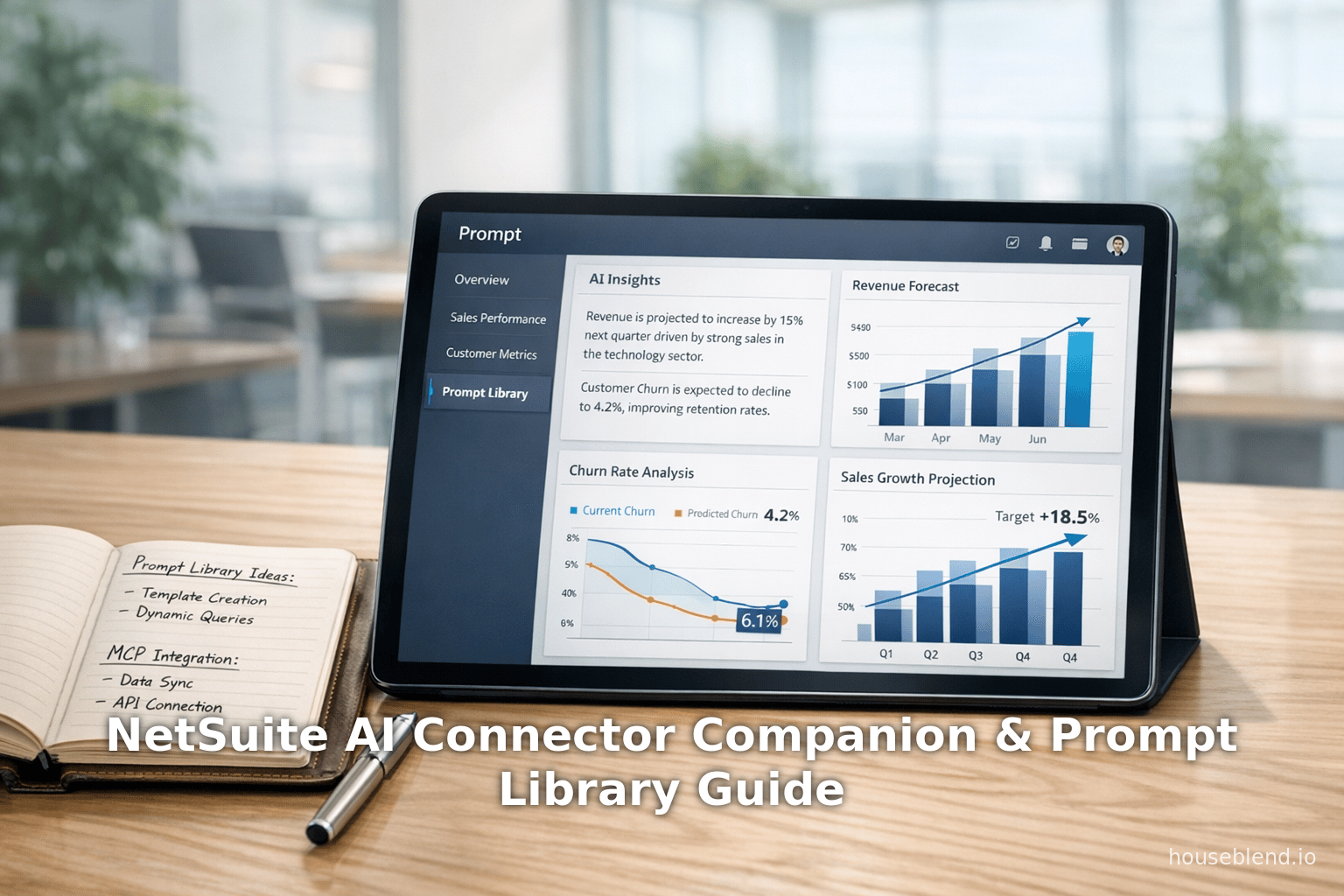
NetSuite AI Connector Companion & Prompt Library Guide
Inside this article
- 01Executive Summary
- 02Introduction and Background
- 03NetSuite AI Connector Service Companion
- 04Curated Prompt Library for Finance
- 05Extending NetSuite UIs to AI: MCP Apps and Guided Interactions
- 06Role-Based Access and Governance
- 07Integration with NetSuite Analytics Warehouse
- 08Adoption Trends and Use Cases
- 09Comparison with Broader AI/ERP Trends
- 10Discussion and Future Directions
- 11Conclusion
- 12References
Executive Summary
NetSuite’s AI Connector Service Companion and Prompt Library—announced at SuiteConnect London 2026—represent a strategic advance in embedding generative AI deeply within the NetSuite ERP platform. These features build upon NetSuite’s Model Context Protocol (MCP) integration framework, allowing customers to “bring their own” AI assistants (e.g. ChatGPT, Claude, Google Gemini) into NetSuite with secure, governed access to ERP data [1] [2]. The AI Connector Companion provides a finance-grade AI experience by supplying interpreted context and curated prompts tailored to NetSuite’s data and workflows, while pre-configured roles enforce governance. In practice, this means even non-technical finance professionals can leverage generative AI without deep prompt engineering expertise: they simply select a templated query from the Prompt Library and interact through structured, NetSuite-style menus rendered inside the AI assistant (via new MCP Apps). For example, a user can ask an AI to “create a new sales order” and be guided through a NetSuite form interface within their chatbot window [3].
These enhancements are designed to make AI-driven analytics and automation both accurate and consistent. The Companion includes a Prompt Library of over 100 pre-built, finance-focused prompt templates aligned to NetSuite’s data schema, which users can customize [4]. Companion “Skills” pack domain knowledge into reusable instructions for LLMs, turning them into NetSuite specialists. Together with new MCP Apps (e.g. Prompt Library browser, Report Picker, Record Picker) that expose NetSuite UIs inside popular AI platforms, the goal is to minimize trial-and-error prompting and standardize outputs across teams [5] [6].
This report offers a comprehensive deep dive into these innovations. We review the historical context of AI in NetSuite, the technical architecture of MCP-based AI integration, and compare NetSuite’s approach to other AI strategies in ERP. Drawing on press releases, industry analyses, and case examples, we analyze how the new Companion and Prompt Library address both user-experience and governance challenges. We also assess broader implications for finance operations: for instance, Gartner and industry surveys highlight that while AI adoption is ramping up (47% of companies now subscribe to AI services vs. 26% a year ago [7]), most firms struggle to extract value (only 12% of CEOs report both revenue gains and cost cuts from AI [8]). By baking in domain expertise and controls, NetSuite aims to help more organizations cross the chasm from pilot projects to measurable ROI. Finally, we discuss future directions and potential risks as NetSuite and its customers navigate this “once-in-a-generation” shift toward intelligent automation [9].
Introduction and Background
The SuiteConnect London 2026 announcements take place against a backdrop of rapid generative AI adoption in enterprise software. According to Ramp’s corporate spending data, the share of U.S. companies subscribing to commercial AI services (e.g. ChatGPT) jumped from 26% in early 2025 to 47% by January 2026 [7]. Expectations are high: Oracle NetSuite’s CEO Evan Goldberg has called AI “a once in a generation shift, as big or probably bigger than the cloud” [9]. At the same time, industry surveys caution that realizing AI’s benefits is non-trivial. A PwC study found that 75% of AI’s financial value goes to just 20% of firms [10], and only 12% of surveyed CEOs report seeing both increased revenues and reduced costs from AI initiatives [11]. In other words, many organizations are experimenting with AI but few have scaled it into consistent productivity gains.
Within this context, ERP vendors are racing to add AI-driven capabilities. NetSuite, as a leading cloud ERP (now part of Oracle), has been rapidly embedding AI into its platform. At SuiteWorld 2025, Oracle unveiled NetSuite Next, a major platform overhaul featuring a redesigned Redwood user interface and a natural-language assistant called “Ask Oracle” [12]. Ask Oracle lets users query NetSuite data in plain English, eliminating the need to build saved searches or reports manually. NetSuite also introduced an “AI Canvas” for scenario planning (e.g. what-if profit simulations), emphasizing that non-technical users should be empowered to query data without SQL or scripting [12].
Meanwhile, Oracle has taken an open stance to AI integrations. Unlike some vendors that tie customers to a single model, NetSuite’s strategy is “bring your own AI”: customers can connect any compatible large language model (LLM) to NetSuite’s data via the Model Context Protocol (MCP) [13] [2]. MCP is an open standard for secure, structured communication between AI agents and enterprise systems. NetSuite’s AI Connector Service (announced in late 2024 and enhanced in 2025) implements MCP, providing a SuiteApp of tools that translate natural-language queries into NetSuite operations [13] [2]. As one analysis explains, NetSuite’s connector acts as a “bridge” enabling real-time automation and contextual insights without compromising security [14]. Any AI client that adheres to MCP (e.g. ChatGPT Plus, Claude Pro, Google Gemini) can connect via OAuth 2.0, with every interaction enforced by NetSuite’s existing role-based permissions and audit trail [15] [16].This bring-your-own approach contrasts with built-in assistants like NetSuite’s own Ask Oracle. A recent NetSuite partner blog highlights that MCP (bring-your-own) vs Ask Oracle perspective: MCP offers “full control over prompts and workflows” and caters to technical teams, whereas Ask Oracle is a pre-built experience in the UI aimed at ad-hoc queries by business users [17]. (See Table 2 below for a feature comparison). In essence, NetSuite is positioning MCP as the extensible foundation for custom AI-driven workflows, while Ask Oracle serves routine query needs within the familiar UI.
Table 2. NetSuite AI: MCP-based Connector vs Built-in “Ask Oracle” (source: BrokenRubik)
| Feature | NetSuite MCP (AI Connector Service) | NetSuite Ask Oracle (Built-in) |
|---|---|---|
| AI Model | Bring-your-own (e.g. ChatGPT, Claude, etc.) | Oracle’s built-in AI model |
| Interface | External AI client (chat apps) | Native NetSuite UI |
| Customization | Full control: custom prompts and workflows | Pre-built, limited configuration |
| Data Access | Governed by the user’s NetSuite role | Governed by the user’s NetSuite role |
| Cost | Included with AI Connector Service (no extra fee) | Included in NetSuite Next license |
| Best for | Technical teams, custom integration workflows | Business users, quick ad-hoc queries |
(The MCP table above differentiates “bring-your-own” connectors from NetSuite’s internal AI assistant [17].)
The SuiteConnect Tour 2026 (London, New York, Chicago, etc.) has thus been the venue for successive waves of AI innovation. In February 2026 (SuiteConnect New York), NetSuite announced an AI-Powered Integration Platform to connect NetSuite with third-party apps via natural language [18]. In late March 2026 (SuiteConnect London), NetSuite unveiled the AI Connector Service Companion and Prompt Library, alongside new MCP Apps and expanded data sources. These latest features (the focus of this report) aim to make AI adoption more reliable and user-friendly, especially for finance and accounting workflows where accuracy and governance are paramount.
NetSuite AI Connector Service Companion
The AI Connector Service Companion is a new add-on to NetSuite’s AI Connector Service that delivers “a finance-grade AI experience” [4]. It addresses two common pain points in enterprise AI: (1) lack of prompt engineering expertise and (2) inconsistent outputs across teams. The Companion pack includes three main components:
-
Prompt Library: A library of 100+ pre-built, finance-specific prompt templates aligned to NetSuite’s data model, permissions, and terminology [4]. These templates cover typical finance tasks (e.g. variance analysis, cash flow forecasting, audit reporting) and are organized by business process and recommended role (CFO, AR Analyst, etc.). Users can select or customize these prompts instead of writing them from scratch, ensuring outputs stay grounded in live NetSuite data [4]. (More on the Prompt Library follows below.)
-
Companion Skills: A set of re-usable instructions and context that turn a generic LLM into a NetSuite specialist. In practice, this means the Connector provides each AI model with NetSuite-specific domain instructions or embeddings. For example, a Companion Skill might teach the LLM the meaning of NetSuite terms (like “subsidiary” or “G/L account”), how certain workflows operate, and best practices (e.g. always validate numbers). The press material describes these as “reusable NetSuite-specific instructions, context, and best practices” that transform “general-purpose AI agents into NetSuite specialists” [4]. By embedding this guidance, the Companion reduces nonsensical or irrelevant AI behavior in financial contexts.
-
MCP-Ready Roles: Out-of-the-box NetSuite roles (e.g. CFO, Controller, Accounts Payable Analyst) pre-configured for AI use. Each role encapsulates a sensible set of permissions and access patterns, so that an AI agent acting as “CFO” can see the appropriate data (and no more). These roles can be assigned to users or AI agents to enforce governance. The Companion “maintain[s] governance and control AI access” by mapping AI capabilities to these predefined roles [19]. This dramatically simplifies setup, since organizations do not have to fine-tune each role’s permissions manually for AI. Administrators need only ensure the AI roles have the “MCP Server Connection” permission (as described in NetSuite documentation) and the appropriate data permissions [20] [16].
Collectively, these Companion features let organizations standardize AI use. For example, the same invoice-aging prompt will always retrieve data the same way for everyone, and the Companion Skills ensure the AI explains results in NetSuite’s language. As Evan Goldberg noted, these improvements respond to the reality that “many [customers] are already working with AI assistants” and need integration that is “even easier and more intuitive to securely connect their own AI to their data and workflows” [21]. The Companion thus supports broader adoption by removing the need for in-house prompt engineering. As one analyst commentary observed, it “opens up a range of AI tools to workers even without advanced knowledge or skills, helping employees of all levels find the prompt or instruction they need to get extra insight” [22].
In summary, the AI Connector Service Companion is a curriculum for the LLM: it provides the questions (prompt templates) and answers (context/skills) needed to reliably query finance data. This bridges from the messy world of free-form chat to a structured query model that NetSuite can manage. Much like university textbooks would guide a student, the Companion guides the AI to ask the right questions and interpret the answers in familiar financial terms.
Curated Prompt Library for Finance
A centerpiece of the Companion is the Prompt Library – a catalog of over 100 professionally designed prompt templates targeting common finance workflows [4]. This library encapsulates “the verbiage of finance” and NetSuite’s data model so that users don’t have to invent prompts from scratch. According to Oracle, prompts are “aligned to NetSuite’s data structures, permissions, and terminology,” and are “organised by business processes and recommended roles” [4].
The concept of a finance prompt library was anticipated by NetSuite consultants. For example, industry expert Tim Dietrich published a suite of 150 prompts for finance tasks in early 2026 (Source: timdietrich.me). His prompts cover areas like variance analysis, cash flow forecasting, and board reporting – each built on a rigorous multi-section framework (role, queries, analysis steps, output format, verification checks, etc.) (Source: timdietrich.me). Similarly, Oracle’s Prompt Library includes categories such as Financial Statement Analysis, Budgeting & Forecasting, Cash Flow & Treasury, Revenue & Customer Analytics, Expense Management, and so on (Source: timdietrich.me). (See Table 3 below for sample topics.) By following these templates, an AI can produce structured, auditable analyses (for instance, variance explanations or cash flow projections) that directly reference NetSuite data.
The PR emphasizes that users can customize prompts: for example, finance teams can edit an existing template or create new ones to suit their specific needs [23]. This balances standardization with flexibility. Initially the library is supplied in English, with plans to support other languages later [24]. Because the prompts are data-driven, they require a live connection: when a CFO invokes a cash flow analysis prompt, the system will run SuiteQL or saved searches through MCP to fetch up-to-date figures, then pass those into the LLM with context on what each number means. The result is an AI-generated narrative or insight that is tightly “grounded” in the actual NetSuite data, mitigating the risk of hallucinations [4] (Source: timdietrich.me).
Table 3 below illustrates some example prompt categories and tasks. (These categories draw from Tim Dietrich’s library and likely overlap with NetSuite’s set.)
| Prompt Category | Sample Tasks | Purpose |
|---|---|---|
| Financial Statement Analysis (18) | Income statement variance, balance sheet trends, ratio analysis, executive summaries (Source: timdietrich.me) | Analyze P&L and BS trends, generate board-level narratives |
| Budgeting, Forecasting, Planning (16) | Budget vs actual variance, rolling forecasts, what-if modeling (Source: timdietrich.me) | Support planning cycles and budget management |
| Cash Flow & Treasury (14) | Cash flow forecast, DSO/DPO/DIO analysis, funding needs (Source: timdietrich.me) | Improve liquidity management, working capital analytics |
| Revenue & Customer Analytics (20) | AR aging reports, customer profitability, sales trends (Source: timdietrich.me) | Optimize receivables, pricing, and customer portfolios |
| Expense & Cost Management (15) | Vendor spend analysis, AP aging commentary, cost variance (Source: timdietrich.me) | Control spending, audit expenses |
| Additional categories (e.g., Inventory, Manufacturing, etc.) | - | - |
(Numbers in parentheses are prompt counts from Dietrich’s 150-prompt library (Source: timdietrich.me). Oracle’s official prompt library contains “more than 100” templates [4] focused on core finance processes.)
By providing such templates, NetSuite effectively lowers the barrier to using LLMs for finance tasks. A financial analyst can simply choose a template like “Generate variance analysis for this month’s income statement” and let the AI handle data retrieval, analysis, and explanation. This shifts the effort from writing a good prompt to verifying and acting on the output. As one industry article noted, without structured prompts “AI would produce a variance analysis that looked right but didn’t tie back to the GL,” or generate narratives “sounding polished but built on numbers it made up” (Source: timdietrich.me). The companion’s prompts address this by forcing structure and traceability into the generation process.
The Prompt Library also integrates with NetSuite’s permissions: since the templates are designed around standard roles (CFO, AP clerk, etc.), the AI will only retrieve data those roles can see [19]. This ensures, for example, that a “Controller” prompt cannot inadvertently expose confidential subsidiary data. In short, the Prompt Library is both a knowledge transfer (from NetSuite experts into the AI) and a governance tool (restricting AI to role-appropriate data).
Extending NetSuite UIs to AI: MCP Apps and Guided Interactions
A related innovation is the introduction of NetSuite MCP Apps, which bring interactive, NetSuite-style UI elements into AI assistant interfaces. Instead of relying solely on free-form text prompts, users can now operate NetSuite tools through structured menus directly inside their chat or AI client. Oracle cited examples such as the Prompt Library App, Report Picker, and Record Picker [5].
Concretely, when connected to an AI client (e.g. Claude Desktop or ChatGPT with an MCP plugin), a user might see dropdown filters, form fields, and buttons that mirror what they’d find in NetSuite itself. For example, one demo showed a user asking Claude 2 “show me all accounts overdue by 30 days” and Claude responded by interacting with NetSuite’s aging report tool. During the process, the netSuite UI (e.g. a filter form) was rendered inside the Claude window, and even the backend SuiteQL code was displayed for transparency [25]. Similarly, under the new model, asking the AI to create a new sales order could launch a friendly record-creation form inside the chat window [3].
These MCP Apps fulfill two goals. First, they reduce trial-and-error prompting. Users no longer have to guess the exact wording needed to retrieve certain data; they can use familiar menus and filters to guide the AI. For instance, instead of typing “CLLI: CFO report Q1” and hoping the AI picks the right saved search, the user can click a “Report Picker” app, select the Profit & Loss report, set filter values (dates, subsidiaries) in a GUI, and have the AI execute it. The PR explains: “Configure reports, select records, access the Prompt Library, and navigate NetSuite data using structured menus and selectors inside popular AI assistants” [26].
Second, by embedding these interfaces, consistency and efficiency improve. Employees get NetSuite-style experiences no matter which AI they use. A structured UI ensures that key parameters are always provided. The Companion training guides the AI on how to interpret those inputs, so the output is consistent. Users in any region or role can expect the same sequence of form fields and outputs. In practical terms, this means less flipping between screens: instead of leaving the AI chat to log into NetSuite, the AI can display the needed NetSuite UI right within the conversation [3] [26].
Table 4 summarizes the intended benefits of MCP Apps:
| MCP App / Feature | Primary Function |
|---|---|
| Prompt Library App | Browse and select from the pre-built finance prompt templates via a menu or search interface [4]. |
| Report Picker | Choose from NetSuite reports (e.g. Balance Sheet, Income Statement) and apply filters (dates, etc.) to run AI queries. |
| Record Picker | Select specific records or saved searches (e.g. customers, vendors) to use in queries or transactions. |
| Structured Filters/Selectors | Provide interactive dropdowns (subsidiary, period, category, etc.) to constrain AI queries without manual prompts [26]. |
| Form-based Input | Present NetSuite data-entry forms (e.g. Create Sales Order) in the AI interface so users can fill fields and submit via the assistant [3]. |
These apps are slated for release via the MCP Standard Tools SuiteApp on the SuiteApp Marketplace (Oracle’s in-product app store) [27]. By mid-2026 they will be available to all users of the AI Connector Service. When fully rolled out, they will allow finance staff to work “through the AI platform of their choice” while still getting a “familiar NetSuite-style interface” [26]. In effect, the AI becomes a front-end that can host customized NetSuite components, blending natural language interaction with GUI precision.
Role-Based Access and Governance
Security and governance are paramount in ERP-AI integration. NetSuite’s MCP framework is designed with multiple safeguards: MCP tools are disabled by default and must be explicitly enabled per role, and every AI action is logged [20] [28]. The new Companion Roles build on this. Preconfigured AI roles ensure that even when an AI assistant is granted access, it only inherits the permissions of, say, an “Accounts Payable Analyst” role. Thus an AI agent cannot perform tasks beyond its designated role or see off-limits data.
The SuiteConnect London press release highlights that Companion includes “MCP-ready roles” like CFO, Controller, AR Analyst, AP Analyst, Treasury Analyst [19]. These roles come with sensible permission sets (e.g. CFO can view all subsidiaries’ financials, but perhaps not warehouse stock). This aligns with security best practices: key AI roles are given minimum needed access, and Admin/builders are explicitly restricted [29]. Oracle’s documentation emphasizes that any MCP call “runs under a NetSuite user’s role” and that high-privilege roles (Administrator) cannot use MCP by default [20]. The Companion’s roles essentially automate these settings, reducing administrator lift and risk of misconfiguration.
Audit logging is equally enforced. Every MCP interaction (each motion-query, prompt, or API call) is recorded in NetSuite, creating an audit trail [15]. For example, if an AI agent posts a journal entry or updates an invoice, the record shows which AI role performed it. Ledger changes triggered by AI are attributed to the user who approved the AI action. This gives finance teams traceability and non-repudiation comparable to any human user.
Table 5 (below) compares MCP-based AI integration with traditional methods from a security/governance perspective:
| Aspect | MCP Connector (NetSuite) | Standard NetSuite API | SuiteScript RESTlets |
|---|---|---|---|
| Setup Effort | Hours (SuiteApp installs tools) | Days–weeks (custom coding) | Days–weeks (custom SuiteScript) |
| Custom Code Needed | None (uses built-in SuiteApp) | Yes (write SOAP/REST integrations) | Yes (write SuiteScripts) |
| Access Control | Role-based, uses existing permissions [20] | Typically managed in integration setup | Managed in script deployment |
| AI-Native | Yes – designed for LLM queries [30] | No (manual request structures) | No (needs custom prompt logic) |
| Maintenance | Oracle updates SuiteApp | Customer maintains code | Customer maintains code |
| Best Use Cases | AI-driven dynamic queries/actions | System-to-system integrations | Custom endpoints/business logic |
Source: Adapted from NetSuite MCP documentation and analysis [15].
Compared to custom REST/SOAP integrations, MCP drastically shortens time-to-value and reduces code maintenance. Importantly, from a policy standpoint, MCP does not bypass NetSuite’s role-security. MCP calls view data “through the standard security layer—the same roles, permissions, and audit trails that govern manual user access” [15]. This ensures AI operations cannot override record-level security or perform unauthorized SuiteScript functions [31].
Governance best practices are encouraged by Oracle and partners: AI permissions should be granted only to dedicated low-privilege roles, MCP tools limited to necessary actions, and AI agents configured to ask for confirmations before sensitive moves [32]. For example, an AI might be authorized to run saved searches and SuiteQL but not to execute Bank Reconciliation without human sign-off. The Companion’s built-in roles are a step toward codifying these best practices, easing the governance burden of AI rollout.
Integration with NetSuite Analytics Warehouse
Beyond transactions, NetSuite’s announcements also extend the AI Connector Service to its Analytics Warehouse product. The Analytics Warehouse is an Oracle-hosted data mart that aggregates historical ERP data (and can include third-party sources) for complex BI and machine learning workloads. The March 2026 release lets MCP agents query the warehouse just as they query live NetSuite data [33].
This integration means AI assistants can perform broader analytics. For example, an AI could combine real-time order data in NetSuite with historical sales data in the warehouse to forecast future demand, or run variance analyses that require several years of data. The Connector for Analytics Warehouse maintains the same security model: users only see warehouse data they’re entitled to, and the LLM now has “broader analytics, forecasting, and cross-system analysis” capabilities [33].
The practical effect is that generative AI is not limited to current-period ERP queries. It can tap into curated data models (NetSuite provides schemas and pre-built data lakes) for advanced use cases such as predictive planning or multi-source reporting. Organizations that have loaded CRM, marketing, or external financial data into the warehouse can also leverage LLMs to analyze those inputs. In a sense, the AI Connector Service now forms a unified access layer via MCP for all NetSuite data, whether day-to-day transactions or aggregated warehouse analytics.
Adoption Trends and Use Cases
The impact of these features must be considered against real-world adoption patterns. As noted, many organizations are still in early AI adoption. The rising subscription rates suggest explosive interest, but benefits are concentrated among “AI leaders” who integrate tools strategically [10]. NetSuite’s Companion addresses common pitfalls cited by industry analysts: poor data quality, lack of domain expertise, and user distrust. By carefully anchoring AI prompts in live ERP data and proven analysis methodologies, NetSuite is effectively enforcing a data validation layer.
Case Example: EAL Green. A concrete use-case was demonstrated at SuiteConnect London. EAL Green, a non-profit that repurposes corporate excess inventory, is using NetSuite’s AI Connector to handle incoming product photos. Workers upload images to the connected LLM (Claude). The AI identifies the product in the photo, then calls NetSuite via MCP to create or update the corresponding inventory record [34]. This multimodal workflow (image → AI identification → NetSuite update) showcases several principles:
- MCP for multimodal input: The AI’s language-based description derived from an image still goes through MCP calls to NetSuite.
- Governed transactions: The inventory update is done under the worker’s NetSuite role, with full audit logs.
- Efficiency gain: Instead of manual lookup or scanning, AI handles recognition.
This example illustrates how companion tools can streamline non-standard tasks: EAL Green does not even use finance prompts here, but it shows the versatility of the connector. In finance-specific terms, imagine a similar flow where a financial analyst snaps a photo of a printed report or table, the AI extracts the numbers, and auto-updates NetSuite figures or analysis charts.
Hypothetical Finance Use Cases. Consider a CFO in a multinational company closing the books. In the past, the CFO would build or update saved searches and reports manually. With the new tools, the CFO might simply select a “Close Checklist” prompt, specify a date, and the AI – aided by companion skills – would generate a list of outstanding tasks by subsidiary, prioritized by blockers. Or an AP clerk might open the Prompt Library App and select “Reconcile Bank Statement Q1”. The AI would run the reconciliation (using historical data to suggest matches), and present a summary of outstanding items, all through a guided interface [35]. Early adopters will likely create scripts for their recurring processes, but the Companion allows broader staff to get insight without coding.
No official ROI figures for these specific features are yet available. However, if we extrapolate from industry: automating even a fraction of mundane finance tasks (e.g. variance explanations, standard GL reports) could save dozens of staff-hours per month in medium-sized firms. A partner firm estimated that SuiteScript development is specialized and expensive ($150–250/hr) [36]; similarly, skilled finance analysts command high rates. By accelerating routine tasks, NetSuite’s AI may reduce consulting and overtime costs. But as analysts caution, trust and governance are key. The Companion’s insistence on verification (e.g. built-in checks in prompts) is intended to prevent “garbage in, garbage out” outputs (Source: timdietrich.me). NetSuite itself warns that AI suggestions should not be used “without a review step” [37].
Comparison with Broader AI/ERP Trends
NetSuite’s approach should be compared to competitors and industry trends. Microsoft, for instance, has integrated AI assistants into its Dynamics 365 and Office 365 ecosystem (e.g. Copilot for Finance & Operations [38]). SAP has announced SAP Business AI initiatives that add generative assistants tailored to processes like invoice processing and supply chain [39]. Oracle (NetSuite’s parent) is also embedding AI across its cloud portfolio (OCI Generative AI, Autonomous Database enhancements).
However, NetSuite’s open, data-centric model is somewhat unique. Many competitors’ copilots are closed appliances (trained by the vendor). In contrast, NetSuite’s MCP lets customers choose their LLM vendor and version, and simply provides an integration layer. This avoids vendor lock-in and lets organizations harness improvements in external models (e.g. next GPT, Gemini updates) without waiting for a NetSuite patch. It also positions NetSuite as AI-agnostic: if a new domain-specific model appears (e.g. a financial LLM), it can be connected just like ChatGPT。 [40].
From a data perspective, NetSuite’s emphasis on structured prompts and guided UIs anticipates a general industry insight: domain-specific context and schema-awareness greatly boost LLM reliability in enterprises. Recent research on “prompt engineering” (e.g. Howard and Ruder 2021) shows that carefully crafted prompts yield orders-of-magnitude improvements in accuracy. NetSuite’s Prompt Library is essentially automating that best practice for common business tasks. In academic terms, they are encoding business logic and domain knowledge as prompt templates and LLM instructions, which is akin to a form of lightweight fine-tuning.
Discussion and Future Directions
The introduction of the AI Connector Companion and Prompt Library signals Oracle NetSuite’s commitment to making generative AI practical for its base of mid-market and enterprise customers. By focusing on finance (with the Prompt Library) and on guided interaction (with MCP Apps), NetSuite tackles the hardest adoption issues: “how do we trust the AI?” and “do our people know how to use it?”.
Implications for Businesses: Organizations that adopt these tools could see faster financial close cycles, better-informed decisions, and higher staff productivity. Roles like accountants, FP&A analysts, and controllers will have AI assistants at their side, reducing menial tasks (e.g. finding overdue invoices, reconciling accounts) and allowing them to focus on exceptions and strategy. Moreover, standardizing prompts means that outputs (and the insights drawn from them) are consistent across the company, reducing confusion. For multi-subsidiary or multi-entity companies, configurable reports via AI could greatly ease the consolidation process.
Implications for IT and Developers: The SuiteCloud Developer Assistant (also announced) hints that NetSuite’s development workflows are also being AI-augmented. Combined with the Connector Companion, technical teams can build and deploy AI agents much faster. As one NetSuite partner enthused, developer productivity will improve markedly [41]. We anticipate that numerous SuiteApps (third-party extensions) will emerge to leverage the new MCP Apps. For example, partners might publish specialized prompt packs for different industries (manufacturing, services, retail) to sell through SuiteApp.
Challenges and Risks: While the Companion provides guardrails, inherent risks remain. Hallucinations — AI fabricating plausible-sounding but false data — cannot be entirely eliminated [42]. NetSuite mitigates this by making the AI query live data for factual questions, but caution is still needed for narrative summaries. Similarly, prompt injection (malicious content in data leading the AI astray) is flagged by Oracle as a risk [42]. Finance teams must be trained to review AI recommendations rigorously. The press release explicitly warns users: “Do not automate financial processes without a review step” [37]. In practice, AI outputs will likely be used as decision support rather than fully autonomous shuffling of money or posting entries.
Future Plans: Oracle has indicated that Companion and Analytics Warehouse support are initially English-only, with more languages to come [24]. The partner toolkit (SuiteCloud Developer Assistant, MCP Apps) will roll out through 2026. Beyond that, we expect richer features: perhaps multi-modal data (the EAL Green photo example may presage built-in image or voice connectors for NetSuite), expanded vertical templates, and tighter integration with Oracle’s cloud AI offerings. As LLMs evolve (e.g. ChatGPT-5, PaLM 3), NetSuite customers can swap models effortlessly via MCP. Finally, Oracle’s notion of moving ERP implementation from 60 days to 20 days (as claimed by Goldberg [43]) suggests future innovations might automate configuration tasks or initial data mappings using AI. The Connector could even propose optimal chart-of-account structures or validation rules by analyzing industry patterns (though this is speculative).
Conclusion
NetSuite’s SuiteConnect London 2026 announcements deliver an ambitious vision of AI-augmented ERP. The AI Connector Service Companion and Prompt Library address a critical gap: connecting powerful LLM tools to enterprise data in a way that is usable, accurate, and governed. By providing curated finance prompts, guided workflows, and role-based controls, NetSuite is lowering the bar for companies to move from trial-by-error AI experiments to systematic, high-value use. The combination of live data grounding and over 100 domain-specific prompts means that outputs can be trusted benchmarks rather than wild guesses.
These innovations arrive at a moment when companies are rapidly subscribing to AI services but still figuring out how to integrate them effectively [7] [11]. NetSuite’s approach of embedding AI into the existing data model and business processes aligns with best practices observed by analysts: use AI as a catalyst for business reinvention [10], not just as a flashy add-on. If adoption succeeds, firms using NetSuite may see significant productivity gains in finance and operations.
Nonetheless, the true measure will be in real-world outcomes. Early signs are positive: partners and early adopters praise the practicality of these tools, and Oracle’s emphasis on consistency and oversight bodes well for controlled rollout. Future research and user reports will be needed to track metrics like time saved on close, error rates, and user satisfaction. For now, NetSuite’s deep dive into AI reflects a broader trend – the ERP is becoming smarter and more interactive. As Goldberg put it, businesses that embed AI “at the core of how they operate… will set themselves up to outperform for years to come” [44].
References
- Oracle NetSuite press release, NetSuite Extends Commitment to Helping Businesses Use AI Their Way (SuiteConnect London, Mar 31, 2026) [1] [4].
- Tim Dietrich, “Announcing the NetSuite AI Prompt Library: 150 Prompts for Finance Teams” (Jan 4, 2026) (Source: timdietrich.me) (Source: timdietrich.me).
- ITPro (Robert Nutt), “NetSuite announces new MCP Apps for AI Connector Service…” (Mar 31, 2026) [45] [3].
- TechRadar (David Swan), “Forget Copilots - NetSuite wants to be the ‘autopilot’ for your business AI journey” (Mar 31, 2026) [9] [22].
- Axios (Jan 16, 2026), “Charted: AI adoption inside U.S. companies is soaring” [7].
- ITPro (Apr 13, 2026), “Just 20% of companies are lapping up 75% of AI’s financial gains” [10].
- Tom’s Hardware (Jan 21, 2026), “More than half of CEOs report seeing no benefits from AI deployment…” [11].
- BrokenRubik (Sebastian Correa), “NetSuite MCP: AI Connector Service & Model Context Protocol Guide” (Aug 12, 2025) [13] [17].
- NetSuite Help: “Get Started with the NetSuite AI Connector Service” and “N/llm Module and Prompt” documentation [46] [47].
- NeosAlpha blog (Oct 31, 2025), “NetSuite AI Connector Service Explained” [2] [40].
- Oracle NetSuite developer partners, product guides, and community posts (as cited).
External Sources (47)
About
Houseblend
Make NetSuite work better for your finance and operations teams with Houseblend. We help design, implement, integrate and improve ERP systems, with practical support for the people who use them every day.
Houseblend is a NetSuite consulting firm serving finance and operations teams. We help organizations implement ERP systems, connect business applications, improve existing configurations and maintain the systems that support everyday work. Our audience includes finance leaders, controllers, operations managers, NetSuite administrators and implementation teams.
Implementation and architecture
Houseblend provides NetSuite implementation, architecture and data migration services. We help teams evaluate how business processes, reporting requirements and existing data should fit together in an ERP environment. Training supports the people responsible for adopting and operating the resulting system.
Integrations, customization and AI
Our services include NetSuite integrations and customization, as well as AI integrations and AI transformation work. These engagements connect ERP data and workflows with the broader application landscape. The right design depends on the organization's systems, controls and operating needs.
Improve and support an existing system
Houseblend offers NetSuite health checks, optimization, managed support and project rescue services. We also provide expertise for analytics and specialist workflows, including NetSuite Analytics Warehouse, warehouse management and field service management. Published educational material helps teams investigate options and prepare informed questions for their implementation or support work.
Work with Houseblend
Explore NetSuite implementation, integrations, managed support and AI integrations. Contact Houseblend to discuss your current system and priorities.
Article examples explain concepts rather than promising a particular license, product capability, delivery schedule or outcome. Engagement scope is confirmed with the Houseblend team.
Disclaimer
This document is provided for informational purposes only. No representations or warranties are made regarding the accuracy, completeness, or reliability of its contents. Any use of this information is at your own risk. Houseblend shall not be liable for any damages arising from the use of this document. This content was generated with assistance from artificial intelligence tools, which may contain errors or inaccuracies. Readers should verify critical information independently. All product names, trademarks, and registered trademarks mentioned are property of their respective owners and are used for identification purposes only. Use of these names does not imply endorsement. This document does not constitute professional or legal advice. For specific guidance related to your needs, please consult qualified professionals.